- Age rating4+
- CategoryMusic
- Developer宁 徐
- LanguagesEnglish+ 1 more
- Size6.5 MB
Links to the official App Store page
Download.org hosts no file of InkyTune. The button opens its official App Store page, published by 宁 徐. Listing last checked on Nov 18, 2026.
Screenshots


About
You don’t need music theory to finish a song.
InkyTune is a digital music sketchbook you can actually play. Draw a line with your finger or Apple Pencil, and your stroke becomes a rhythm- and scale-aware melody. InkyTune then builds matching chords, bass, drums, and atmosphere around it. Finish drawing, tap Play, and hear your idea become a complete arrangement.
DRAW YOUR MELODY
• Horizontal movement controls time
• Vertical movement controls pitch
• Even a short tap can create a note
• Timing and pitch are shaped into a musical result
• The rise, fall, and movement of your original line are preserved
• Draw with your finger or Apple Pencil
FIND YOUR VIBE
Choose from Lo-Fi, Pop, House, Chiptune, Ambient, Jazz, and Synthwave.
These are more than visual themes. Every style has its own tempo, groove, drum pattern, chord language, bass movement, sound character, and energy curve.
SHAPE THE MUSIC, NOT THE THEORY
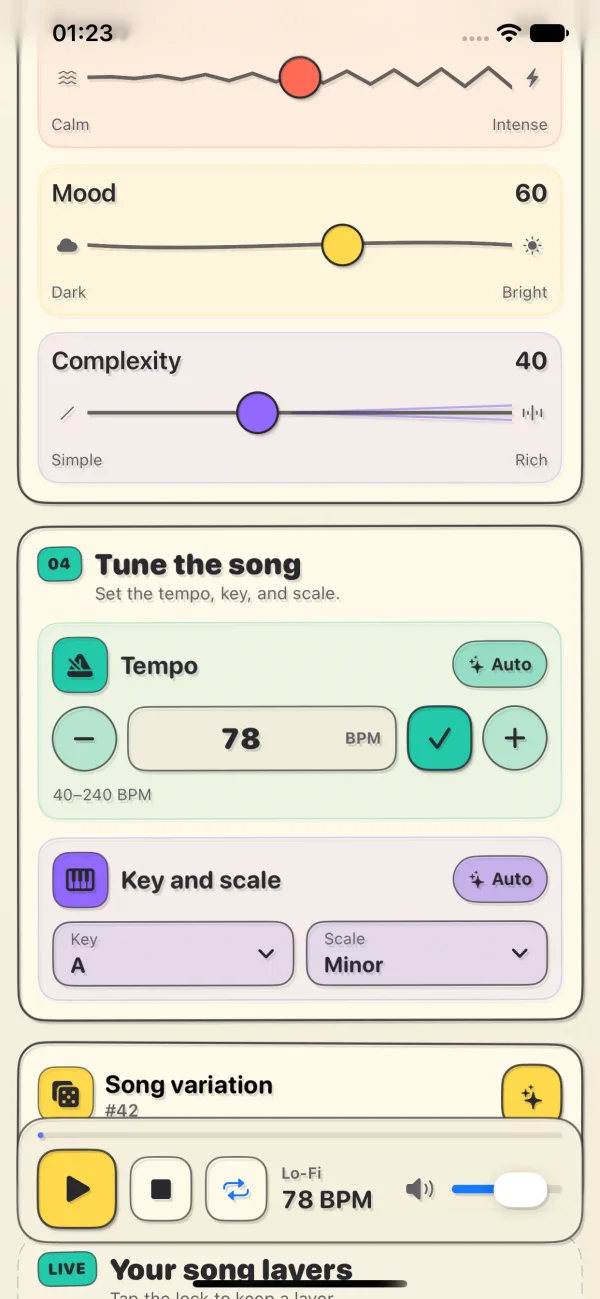
• Energy: calm to intense
• Mood: dark to bright
• Complexity: simple to rich
These three approachable controls make audible changes to tempo, dynamics, harmony, rhythm density, and arrangement detail—without exposing a complicated mixer or piano roll.
KEEP WHAT YOU LOVE
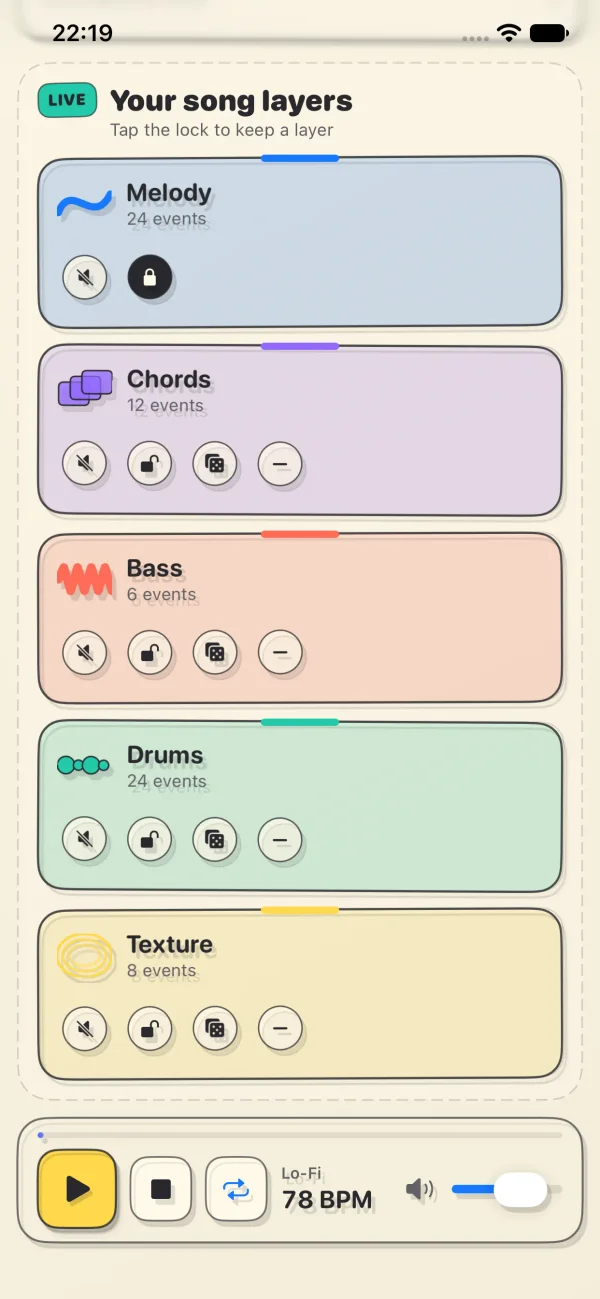
Mute, lock, or regenerate individual chord, bass, drum, and atmosphere layers. Lock the parts you like, then try another random seed to explore a new variation. Your drawn melody remains yours.
PLAY, SAVE, AND SHARE
• Play, pause, stop, and loop
• Automatically save and restore your latest project
• Create and manage multiple musical sketches
• Export real WAV, AIFF, or M4A audio files
• Share your finished track with the system share sheet
• Designed for both iPhone and iPad
Core creation and music generation run directly on your device. No account, cloud service, or internet connection is required.
Want to go further? InkyTune includes Doodle Synth and Doodle FX extensions for compatible AUv3 music apps. Save a song’s style, controls, and random seed to the AUv3 Shared Library, then recall its matching sound preset inside either extension.
One purchase. No subscription. No in-app purchases.
Draw a melody. Make a song.
What’s new
Version 1.13 · Oct 5, 2026
You can now adjust your song’s BPM, key, and major or minor scale right in the editor—or switch back to automatic settings anytime. Your choices stay in place when you change styles or regenerate the arrangement.
This update also adds iCloud project sync and refines the new controls to fit InkyTune’s hand-drawn style.
App privacy
What 宁 徐 declares on the App Store about how this app handles data.
-
Data not collected
The developer does not collect any data from this app.
Privacy practices may vary, for example with the features you use or your age.
Information
- Seller
- 宁 徐
- Category
- Music
- Version
- 1.13
- Updated
- Oct 5, 2026
- Released
- Sep 21, 2026
- Size
- 6.5 MB
- Requires
- iOS 17.0 or later
- Age rating
- 4+
- Price
- $0.99
- Languages
- English, Simplified Chinese
- Copyright
- © 2026 xu ning
You might also like
-
 iSyn Tron: Synth & Beat MakerDrum machine & step sequencer
-
 StellarizerMIDI Sequencer & Pattern Lab
-
 43 Electro Swing: Jazz BandChaos-driven Song Generator
-
 PLICATAWavefold Synth & MPE Keyboard
-
 nondawNo tracks. No timeline.
-
 91 Rock: Guitar Song GeneratorChaos-driven Band & Amp Rig
-
 Texture LoomDual-Sample Atmosphere
-
 Bytebeat: Make Music with CodeWrite a formula, hear music
-
 Vascular - Tactile SynthGenerative modular by touch
-
 Sound With BonesDraw a physical instrument