
iNote- Notes,Study,Collaborate
Handwriting Note Taker
Designed for iPhone, iPad
Free · In-app purchases
- Age rating4+
- CategoryEducation
- DeveloperTu Anh Do
- LanguagesEnglish+ 33 more
- Size8.4 MB
Links to the official App Store page
Download.org hosts no file of iNote- Notes,Study,Collaborate. The button opens its official App Store page, published by Tu Anh Do. Listing last checked on Nov 14, 2026.
Screenshots
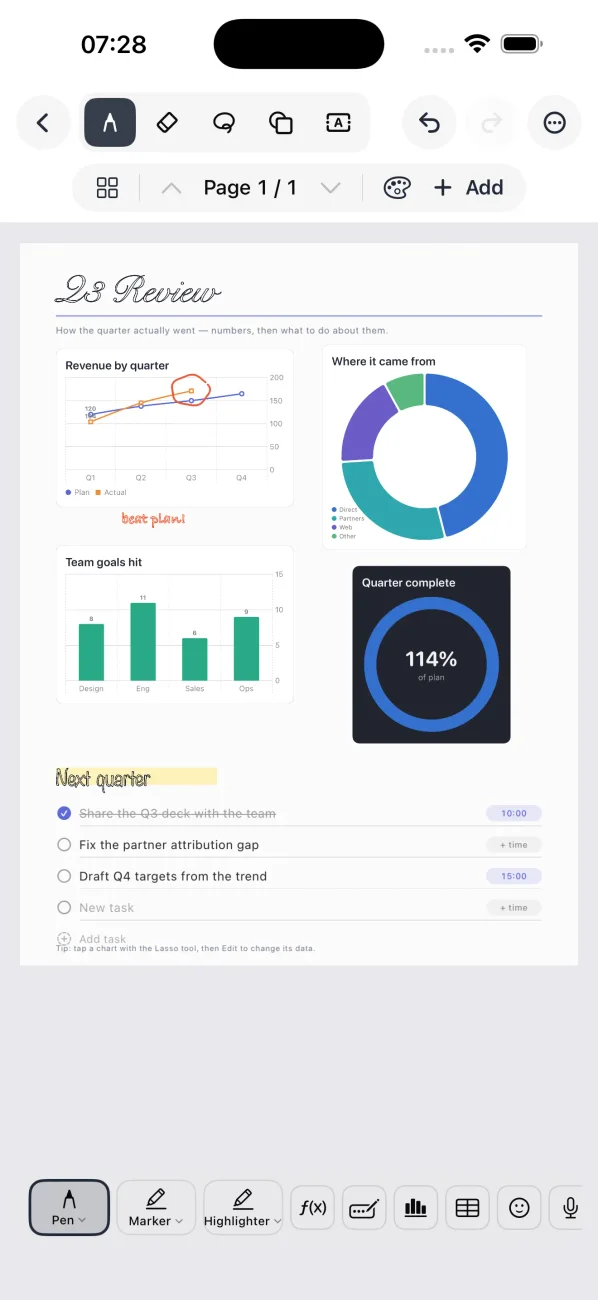

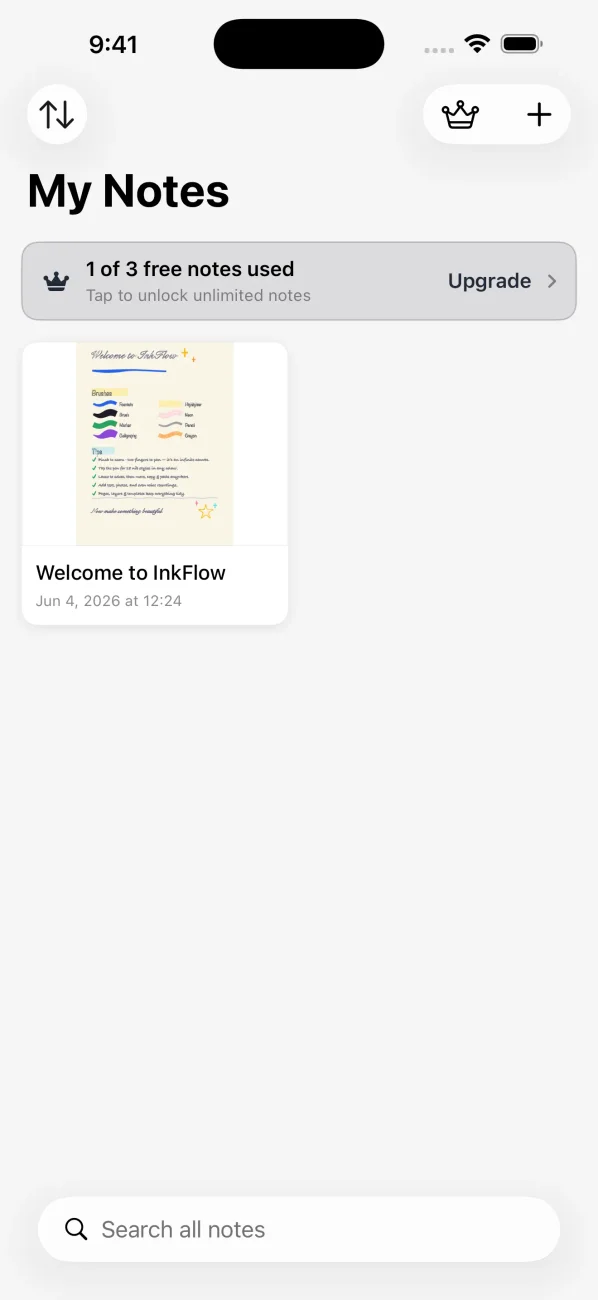
About
Study Notes is a modern handwriting and note-taking app for iPhone and iPad designed to deliver an ultra-smooth digital writing experience with powerful tools for creativity, productivity, and study. Built for students, professionals, artists, and creators, InkFlow combines low-latency ink rendering with advanced Apple Pencil support, giving users a natural handwriting experience that feels fast, fluid, and precise.
Whether you are taking notes, sketching ideas, annotating PDFs, journaling, or organizing concepts on an infinite canvas, InkFlow provides a clean and powerful workspace optimized for speed and flexibility. The app supports pressure-sensitive writing, tilt shading, hover preview, customizable brushes, layers, shape recognition, and intelligent stroke smoothing to make handwriting look beautiful and responsive.
InkFlow also includes advanced tools such as lasso selection, smart eraser, live collaboration support, and high-quality PDF export, making it ideal for both casual note-taking and professional workflows. With a modern interface and GPU-accelerated rendering optimized for ProMotion displays, InkFlow delivers a premium writing experience across all supported devices.
Key Features:
• Ultra-smooth handwriting experience
• Apple Pencil optimized
• Infinite canvas support
• Pressure and tilt sensitivity
• Custom pens, pencils, and highlighters
• Smart stroke smoothing
• PDF annotation and export
• Shape recognition tools
• Layer-based editing
• Fast Metal-powered rendering
Study Notes transforms digital handwriting into a fast, intuitive, and beautifully fluid experience for everyday creativity and productivity.
The App offers two subscription options:
-$2.99 Monthly
-$19.99 Yearly
Prices may vary by location.
Privacy Policy: https://privacy.vanlangapps.com
Terms of Use: https://tos.vanlangapps.com
Should you choose to upgrade to a Pro subscription, payment will be charged to your iTunes account at confirmation of purchase. Subscription automatically renews unless auto-renew is turned off at least 24-hours before the end of the current period. Account will be charged for renewal within 24-hours prior to the end of the current period.
You may cancel automatic renewal and manage your subscription by selecting Manage App Subscriptions in your iTunes Account settings and selecting the subscription you want to modify. Any unused portion of a free trial period, if offered, will be forfeited when you purchase a Pro subscription, where applicable.
What’s new
Version 1.4 · Aug 2, 2026
-Bug fixes and improvements
App privacy
What Tu Anh Do declares on the App Store about how this app handles data.
-
Data not collected
The developer does not collect any data from this app.
Privacy practices may vary, for example with the features you use or your age.
Information
- Seller
- Tu Anh Do
- Category
- Education
- Version
- 1.4
- Updated
- Aug 2, 2026
- Released
- Jun 9, 2026
- Size
- 8.4 MB
- Requires
- iOS 17.0 or later
- Age rating
- 4+
- Price
- Free
- In-app purchases
- Yes
- Languages
- English, Arabic, Bulgarian, Catalan, Croatian, Czech, Danish, Dutch, Finnish, French, German, Greek + 22 more
- Copyright
- © Van Lang Apps
You might also like
-
 LucidPDFMerge, Sign & Offline OCR
-
 Learn Data Science TutorialsLearn Data Science Now
-
 ExamAI: AI Quiz & Test MakerFlashcards & PDF Summarizer
-
 FlashLearn ITIT Cert Study & Practice Quiz
-
 Draftmind: AI TutorHomework Helper, Notes & Study
-
 School NotesNotes Made for the Classroom
-
 Coursat TegaraEducation
-
 Lurai AI: Learn, Recall, ApplyNote, Memorize, Explain Guide
-
 NewtonDesk: Study NotesJEE NEET GATE Preparation App
-
 Bloom AI NotebookRecord. Learn. Master.