
Intermittent Fasting Timer IF
Fasting Tracker Wellness
Designed for iPhone
In-app purchases
- Age rating4+
- CategoryHealth & Fitness
- DeveloperJeff Cedilla
- LanguagesKorean+ 6 more
- Size22.6 MB
Links to the official App Store page
Download.org hosts no file of Intermittent Fasting Timer IF. The button opens its official App Store page, published by Jeff Cedilla. Listing last checked on Nov 12, 2026.
Screenshots
About
Transform Your Health with Smart Intermittent Fasting
Fasting revolutionizes your health journey with intelligent tracking, personalized insights, and seamless automation.
FASTING ZONES - TRACK YOUR METABOLIC STATE
Visualize your body's metabolic phases as you fast:
• Fed State (0-4h) - Digestion and nutrient absorption
• Catabolic (4-8h) - Blood sugar normalizes, fat mobilization begins
• Fat Burning (8-12h) - Body switches to burning stored fat
• Ketosis (12-18h) - Ketone production increases for energy
• Deep Ketosis (18-24h) - Enhanced fat burning and mental clarity
• Autophagy (24h+) - Cellular cleanup and renewal
LIVE ACTIVITIES AND DYNAMIC ISLAND
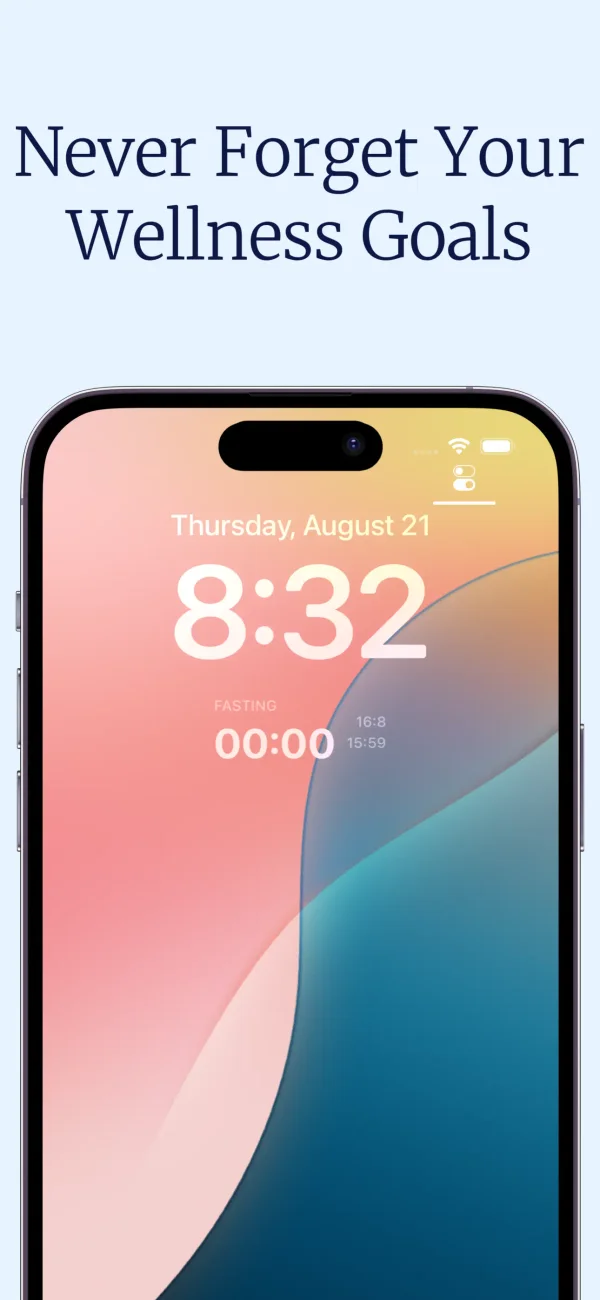
• Live Activity on your lock screen shows elapsed time
• Dynamic Island displays your fasting progress at a glance
• See your current metabolic zone without opening the app
SMART FASTING SYSTEM
• Multiple Fasting Types - 16:8, 18:6, 20:4, OMAD, 24h, 36h, and custom
• Intelligent Timer - Tracks fasting and eating windows precisely
• Calendar Integration - Smart scheduling based on your events
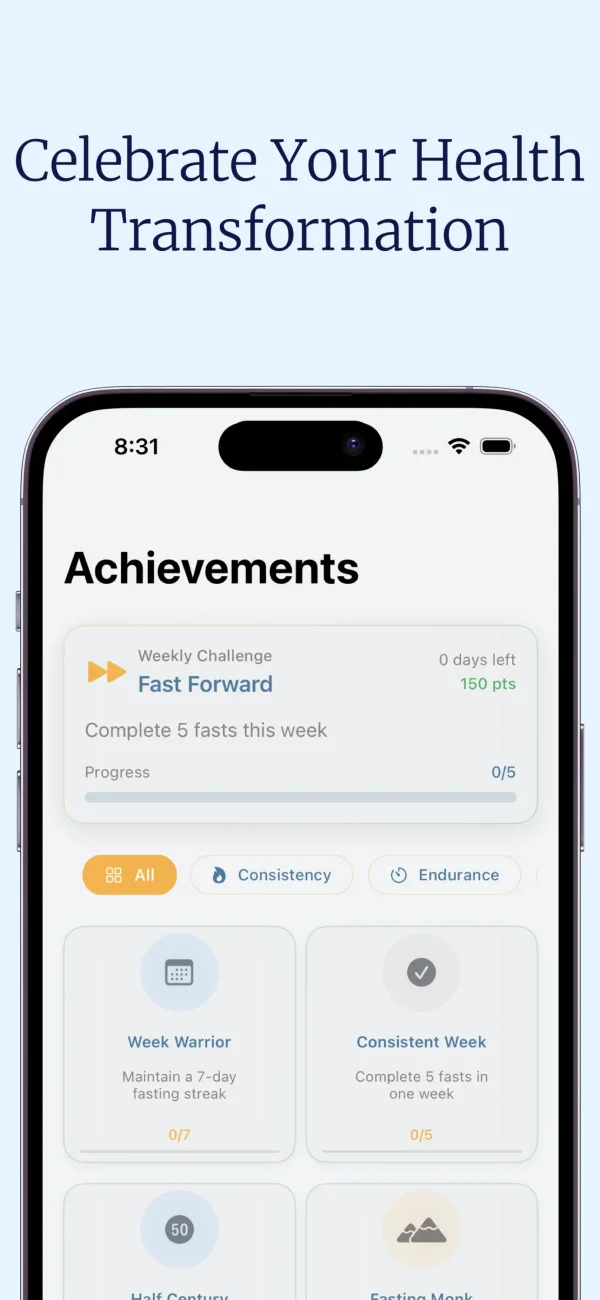
• Achievement System - Unlock milestones and build lasting habits
POWERFUL TRACKING
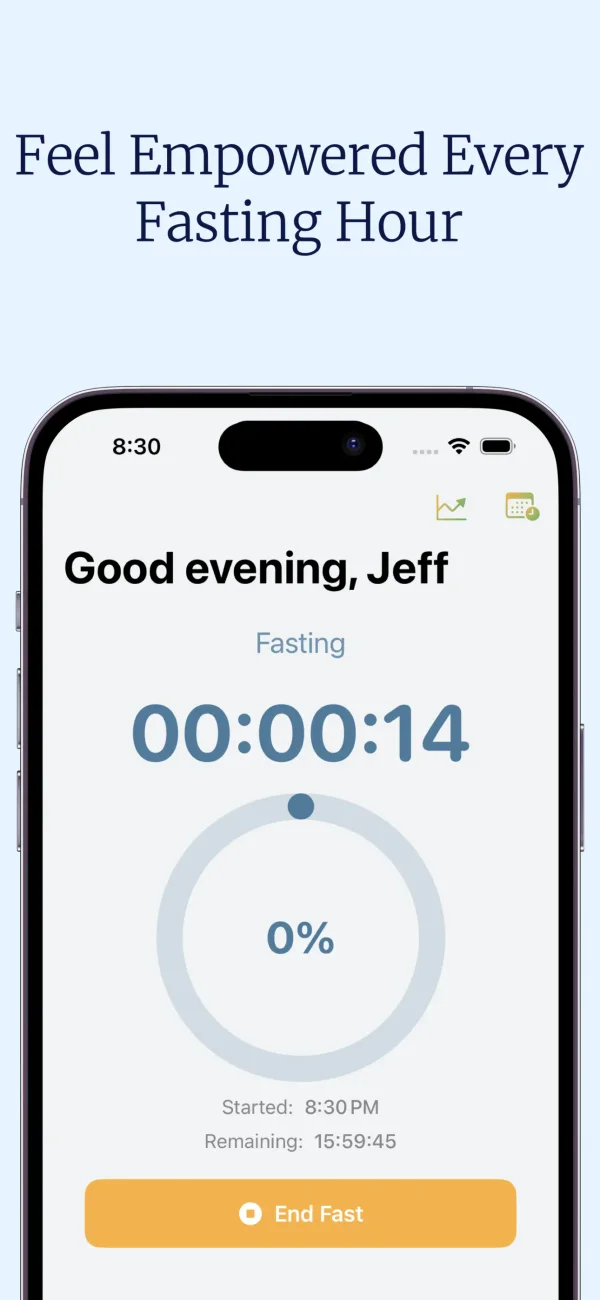
• Real-time fasting timer with visual progress rings
• Detailed fasting history and statistics
• Weekly and monthly analytics dashboards
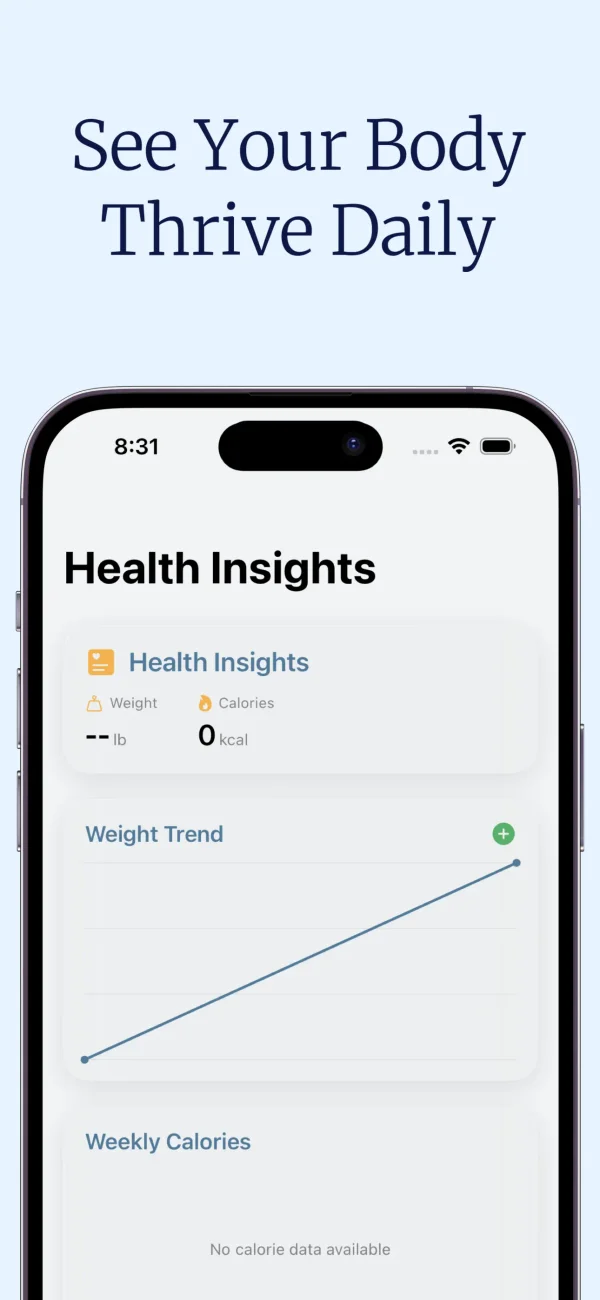
• Streak tracking and weight trends
SEAMLESS AUTOMATION
• Smart Notifications for fasting start/end times
• iCloud Sync across all your devices
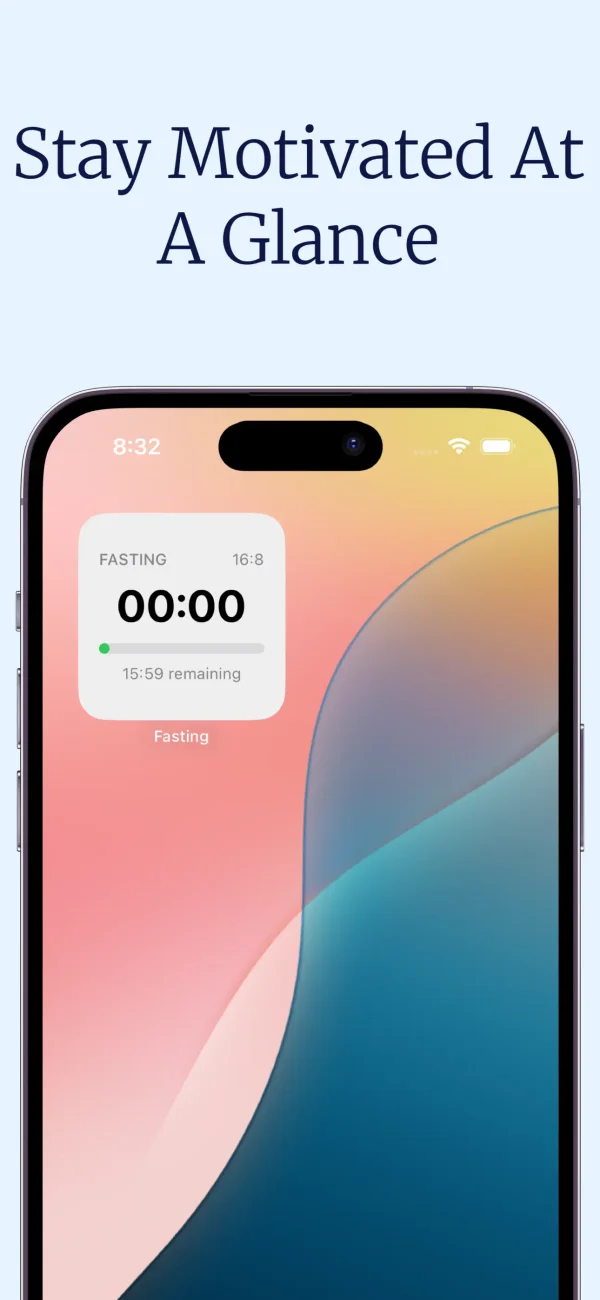
• Widget Support for quick status checks
• Background Tracking continues when app is closed
PERSONALIZED EXPERIENCE
• Interactive Tutorial to learn how the app works
• Custom Fasting Plans that fit your lifestyle
• Health Integration with HealthKit
FREE FEATURES:
• Up to 3 active fasting sessions
• Basic fasting types (16:8, 18:6)
• Timer and notifications
• iCloud sync
PREMIUM FEATURES (Additional Purchase):
• Unlimited sessions and history
• Advanced fasting types
• Advanced analytics
• Weight tracking and trends
• Data export
Perfect for beginners and experienced fasters alike.
Terms of Use (EULA):
https://www.apple.com/legal/internet-services/itunes/dev/stdeula/
What’s new
Version 1.2.1 · Nov 2, 2026
Thank you for using Fasting! This update brings a personal plan from the moment you open the app, a complete visual refresh, and dark mode has finally arrived.
NEW FEATURES:
A PERSONAL PLAN IN UNDER A MINUTE
Getting started has been rebuilt from scratch. Tell us your goal, how much fasting you have done before, what has made it hard in the past and when you usually eat, and Fasting builds a plan around your day. You will see your eating window and hour-by-hour milestones before you begin.
YOUR FIRST FAST STARTS FROM YOUR LAST MEAL
The last step of setup asks when you last ate, and your first fast starts from then rather than from the moment you finish. The hours you have already fasted count from day one.
DARK MODE
Fasting now follows your system appearance. Checking your timer late at night no longer means a bright white screen.
A REDESIGNED TIMER
Your elapsed time now sits inside the progress ring instead of above it, so there is one clear focal point. Start time, end time and time remaining sit together just below, and End Fast is always within reach without scrolling.
A FRESH LOOK THROUGHOUT
Every screen has been rebuilt on a single design. Consistent cards, one colour family and clearer spacing carry from the timer through to Achievements, Health, Analytics and Settings.
IMPROVEMENTS:
• Text is easier to read everywhere thanks to higher contrast
• Larger text sizes are now fully supported, with no cut-off labels
• Your fasting activity is now shown as a clear twelve-week grid
• All achievements are visible, so you can see what is ahead of you
• The Health tab explains what it reads before asking for access
• The widget and Live Activity now match the look of the app
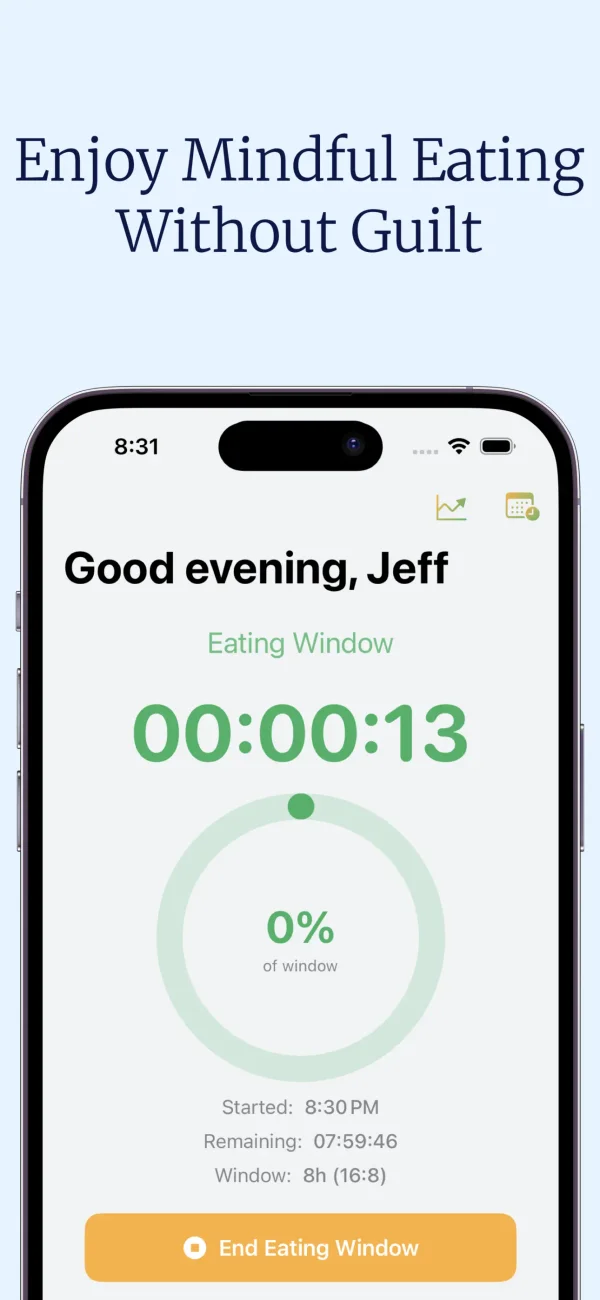
• Your eating window screen now mirrors the fasting timer
BUG FIXES:
• OMAD, 36 Hour and Custom fasts now use their real length instead of starting a 16 hour fast
• Default Fast Type in Settings now applies to your next fast
• The weekly pattern chart now reflects your actual fasting days
• The remaining fasts counter no longer shows more than your plan allows
• German, Spanish, French, Italian, Japanese and Korean translations have been corrected and completed, including the Start Fast button and several screens that showed text in the wrong language
We appreciate your feedback and continued support. Your input helps us build a better fasting experience for everyone!
App privacy
What Jeff Cedilla declares on the App Store about how this app handles data.
-
Data not linked to you
May be collected but is not linked to your identity.
- Usage data
Privacy practices may vary, for example with the features you use or your age.
Information
- Seller
- Jeff Cedilla
- Category
- Health & Fitness
- Version
- 1.2.1
- Updated
- Nov 2, 2026
- Released
- Aug 24, 2025
- Size
- 22.6 MB
- Requires
- iOS 26.0 or later
- Age rating
- 4+
- In-app purchases
- Yes
- Languages
- Korean, German, Spanish, English, Italian, Japanese, French
- Copyright
- © 2026 Jeff Cedilla
You might also like
-
 FastTime - Fasting Timer & LogSimple Fasts & Weight Calendar
-
 Fasting Timer: Simple TrackerFasting timer & daily records
-
 Wemorph: Intermittent FastingWeight Loss & Metabolic Health
-
 단식노트Health & Fitness
-
 Intermittent Fasting: PlanFasting Timer & Tracker
-
 Fasting Clock - IFHealth & Fitness
-
 Hone: Intermittent FastingFasting Tracker, Timer & Coach
-
 runclip – run photo trackerTurn your run into one photo
-
 Fast Window - Fasting TrackerYour 16:8 clock on Lock Screen
-
 Fasted: Intermittent fastFasts, Meals, Water, & Weight