
Internet Data Tracker Manager
Daily Usage Monitor : Roaming
Designed for iPhone, iPad
Free · In-app purchases
- Age rating4+
- CategoryUtilities
- DeveloperSwetha MB
- LanguagesEnglish+ 30 more
- Size16.5 MB
Links to the official App Store page
Download.org hosts no file of Internet Data Tracker Manager. The button opens its official App Store page, published by Swetha MB. Listing last checked on Nov 12, 2026.
Screenshots

About
Will help you to avoid to avoid bill shocks when you are on internation roaming- with a home screen widget, Apple Watch support and alerts before you hit your carrier's limit. No VPN required.
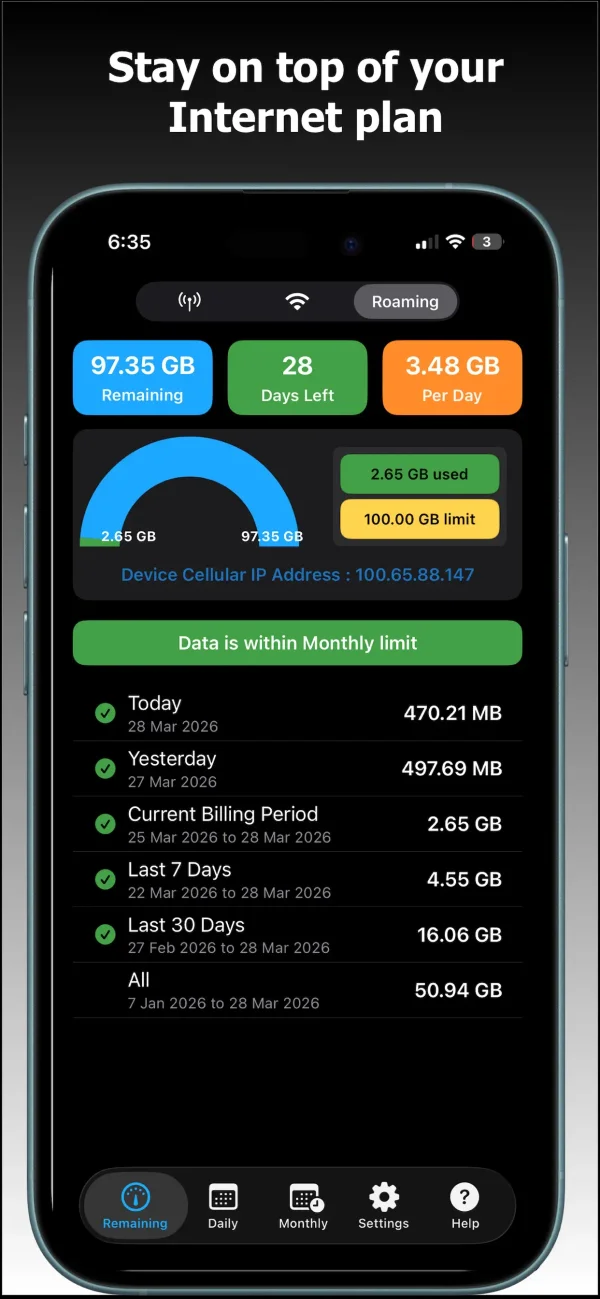
App shows how much data you've used, how much is left and how many days you can safely use it without hitting your limit.
Works with all network types - 5G, LTE, 4G, 3G, Wi-Fi and international roaming.
REMAINING AT A GLANCE
Monitor Cellular, Wi-Fi and Roaming usage in one place
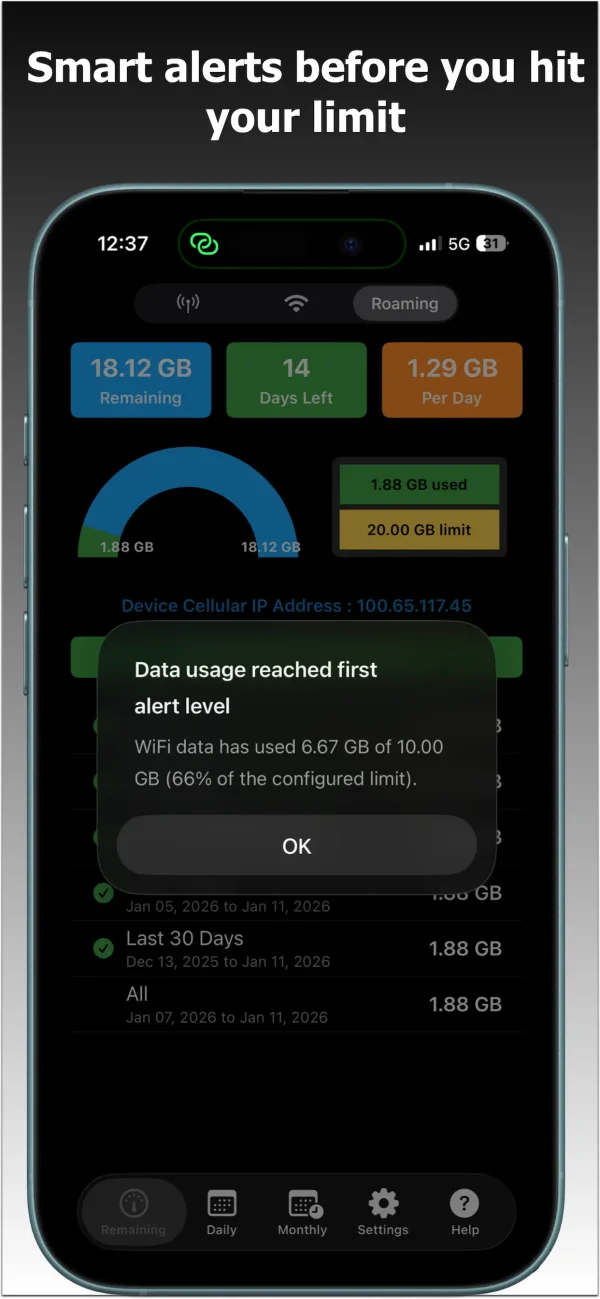
See Remaining data, Days left and Per-day allowance at a glance
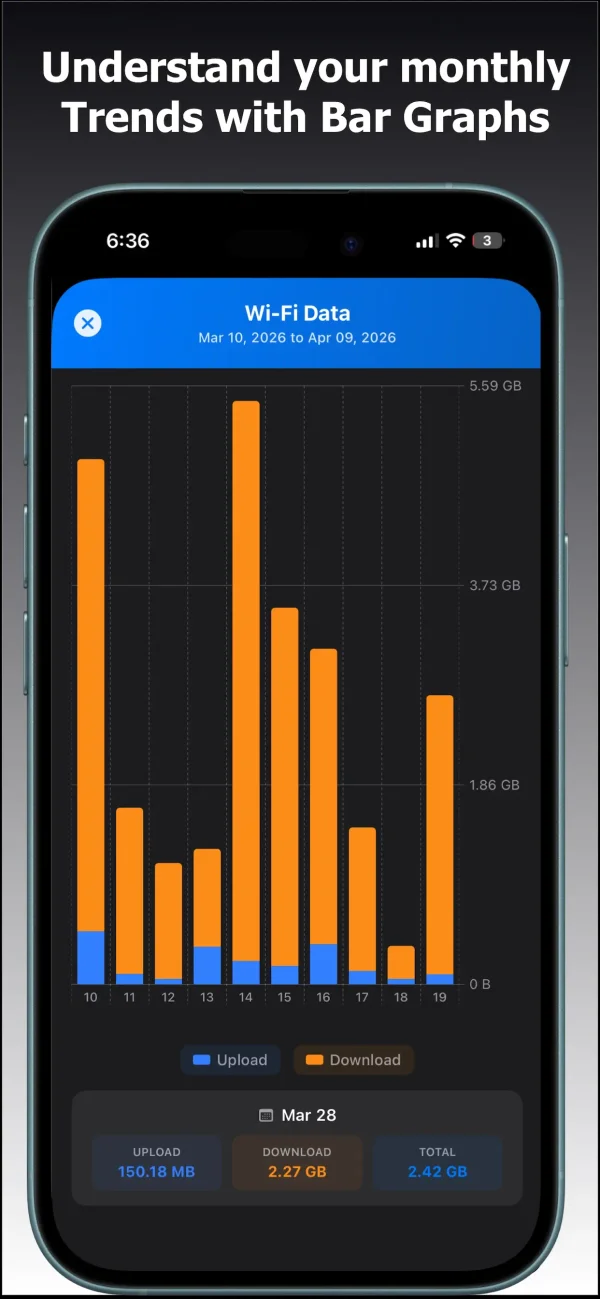
Understand monthly trends with a clear bar graph of your billing periods
Tap any bar to see a color-coded upload vs download breakdown
REAL-TIME · NO VPN · NO SERVER
All monitoring happens on-device using live network interface counters. No VPN profile is installed. No data ever leaves your phone. 100% private, 100% on-device.
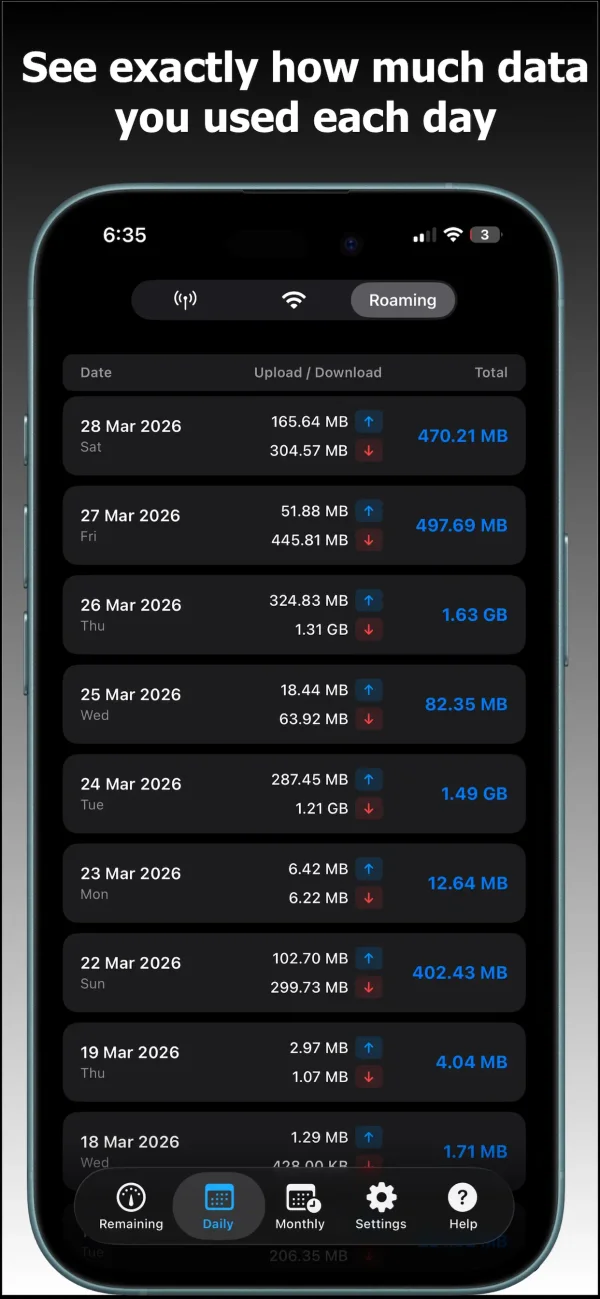
DAILY & MONTHLY HISTORY
Track today's and yesterday's usage separately
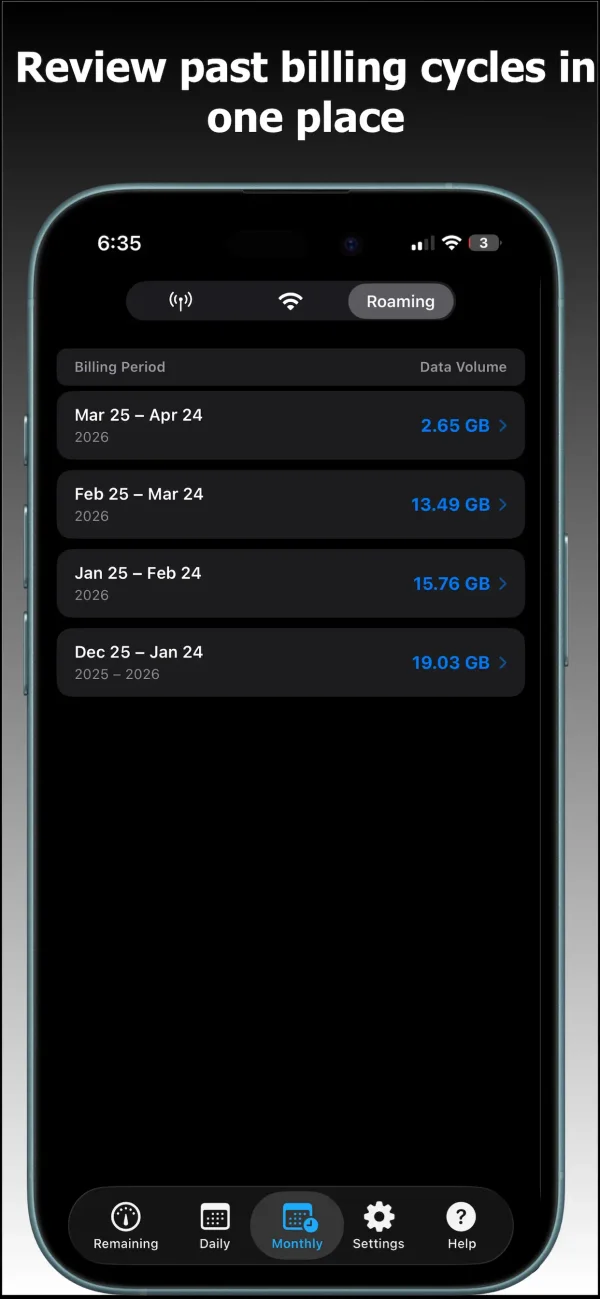
Review up to the last 6 billing cycles with per-period totals
Quickly spot spikes so you can avoid overages and throttling
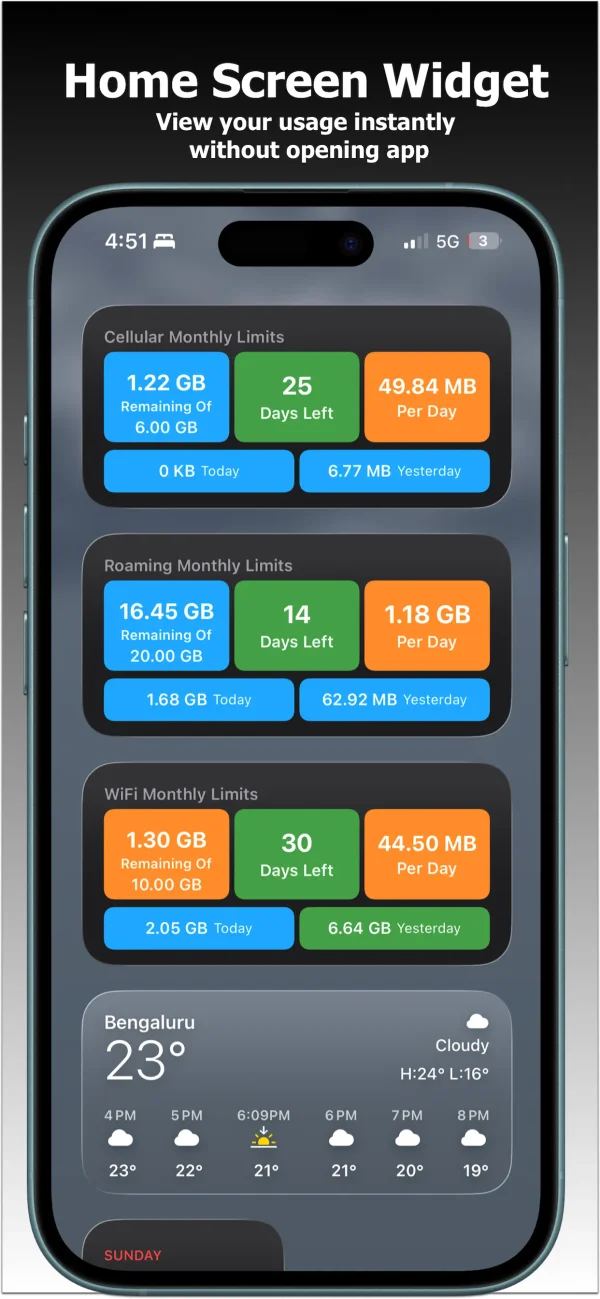
HOME SCREEN WIDGET
Add the InternetTracker widget to your Home Screen
See Remaining / Days Left / Per Day plus Today & Yesterday usage without opening the app
Tap the widget to jump straight into the correct mode (Cellular, Wi-Fi or Roaming)
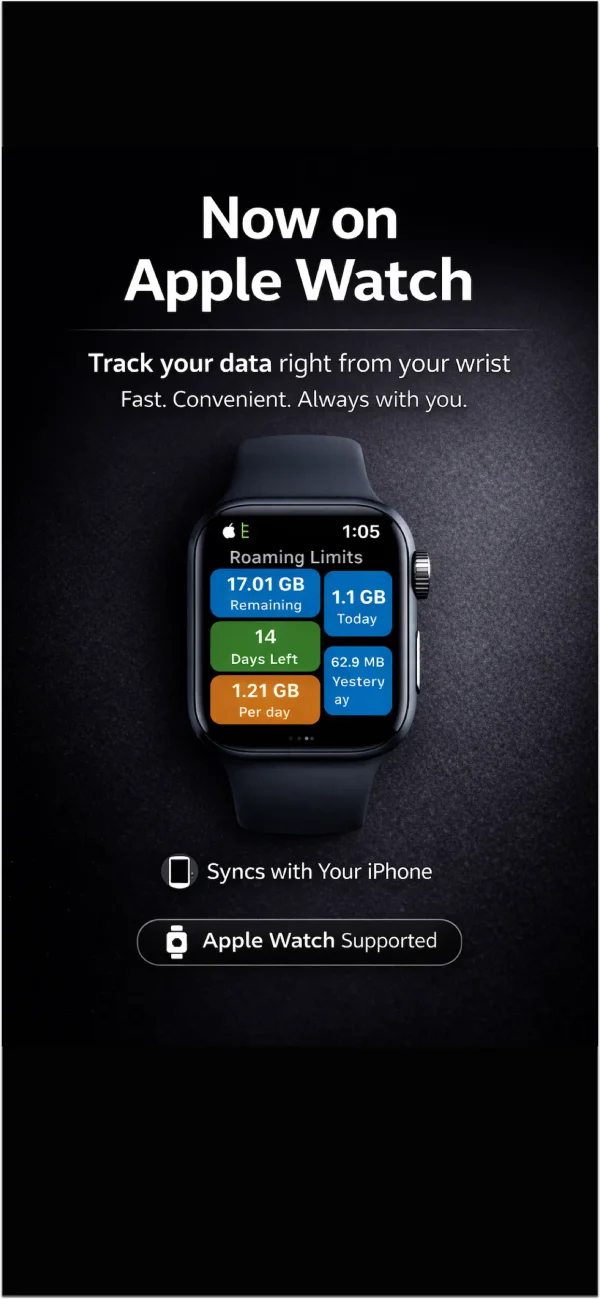
APPLE WATCH
Use Apple Watch complications to see your status at a glance
View your current remaining data and days left on Apple Watch
Check usage while traveling, right from your wrist
Data is synced from your iPhone so your watch always reflects your latest usage
SMART ALERTS
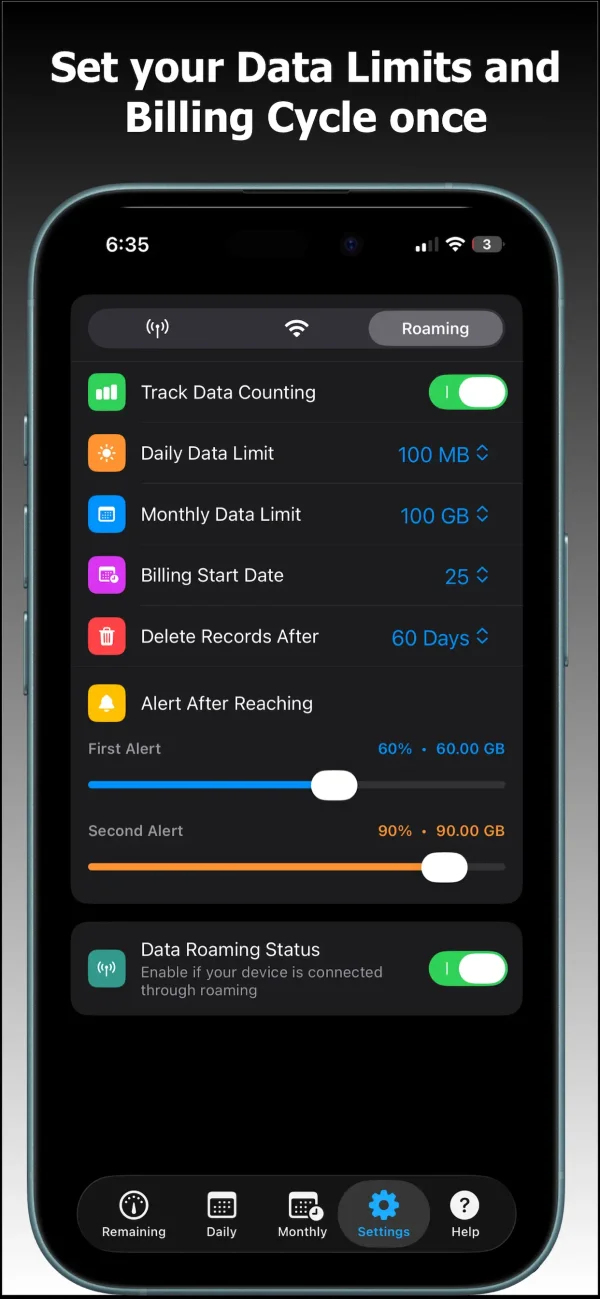
Set your monthly limit and billing cycle day once per bearer (Cellular, Wi-Fi, Roaming)
See a clear status banner: within limit, nearing limit or exceeded
Optional alerts before you hit your configured threshold
ROAMING TRACKER - TRAVELING ABROAD?
Switch to Roaming mode to track international data separately.
Get alerted before you hit your carrier's roaming cap and avoid expensive overage charges.
INTELLIGENT GAP RECOVERY
Didn't open the app for a few days? No problem. The app estimates your usage from raw hardware interface counters and fills in the missing days automatically — so your history stays complete and your monthly total stays accurate.
INTERNET TRACKER PRO
Upgrade to InternetTracker Pro to unlock the full experience:
- Remove all banner ads across the app
- Unlock full Remaining, Daily and Monthly views with complete history
- Enable detailed monthly usage graphs for each data bearer
- Use Home Screen widgets and Apple Watch to check usage instantly
InternetTracker is designed for clarity, not clutter. Whether you're on a strict roaming plan, sharing a hotspot or just want to avoid surprise bills, InternetTracker gives you the numbers that matter - right when you need them.
Enjoying the app? A quick rating helps others find it - thank you!
What’s new
Version 16.0 · May 6, 2026
Now you can do speed test on your phone, see network parameters like ping, jitter.
App privacy
What Swetha MB declares on the App Store about how this app handles data.
-
Data used to track you
May be used to track you across apps and websites owned by other companies.
- Identifiers
-
Data not linked to you
May be collected but is not linked to your identity.
- Identifiers
Privacy practices may vary, for example with the features you use or your age.
Information
- Seller
- Swetha MB
- Category
- Utilities
- Version
- 16.0
- Updated
- May 6, 2026
- Released
- Apr 14, 2016
- Size
- 16.5 MB
- Requires
- iOS 17.0 or later
- Age rating
- 4+
- Price
- Free
- In-app purchases
- Yes
- Languages
- English, Arabic, Catalan, Croatian, Czech, Danish, Dutch, Finnish, French, German, Greek, Hebrew + 19 more
- Copyright
- © Swetha MB
You might also like
-
 Didget: Data Usage WidgetMobile Network Traffic Monitor
-
 DataWidgetRealtime Data Usage Widget
-
 Data Monitor: Track & SaveUtilities
-
 Data Pill: Data MonitorTrack Mobile Data Usage
-
 Data Plan - Network UsageCellular, eSIM, Wi-Fi, VPN
-
 NetTools - Network AnalyzerPro Network Toolkit
-
 Data Usage: Cellular TrackerForecast & prevent overages
-
 Network Usage MonitorTrack WiFi and Cellular Usage
-
 Data Remaining: Usage TrackerCellular & Wi-Fi Plan Monitor
-
 BeeData Widget - Data Monitorcellular memory cpu status