Interval Chime: Repeat Timer
Timed chimes for work & breaks
Designed for iPhone
Free · In-app purchases
- Age rating4+
- CategoryUtilities
- DeveloperNACHI KANEDA
- LanguagesEnglish+ 2 more
- Size9.1 MB
Links to the official App Store page
Download.org hosts no file of Interval Chime: Repeat Timer. The button opens its official App Store page, published by NACHI KANEDA. Listing last checked on Nov 21, 2026.
Screenshots

About
A quick browse turns into more time than you planned.
You get absorbed in work and miss a chance to take a break.
Add a small pause to those moments with a chime.
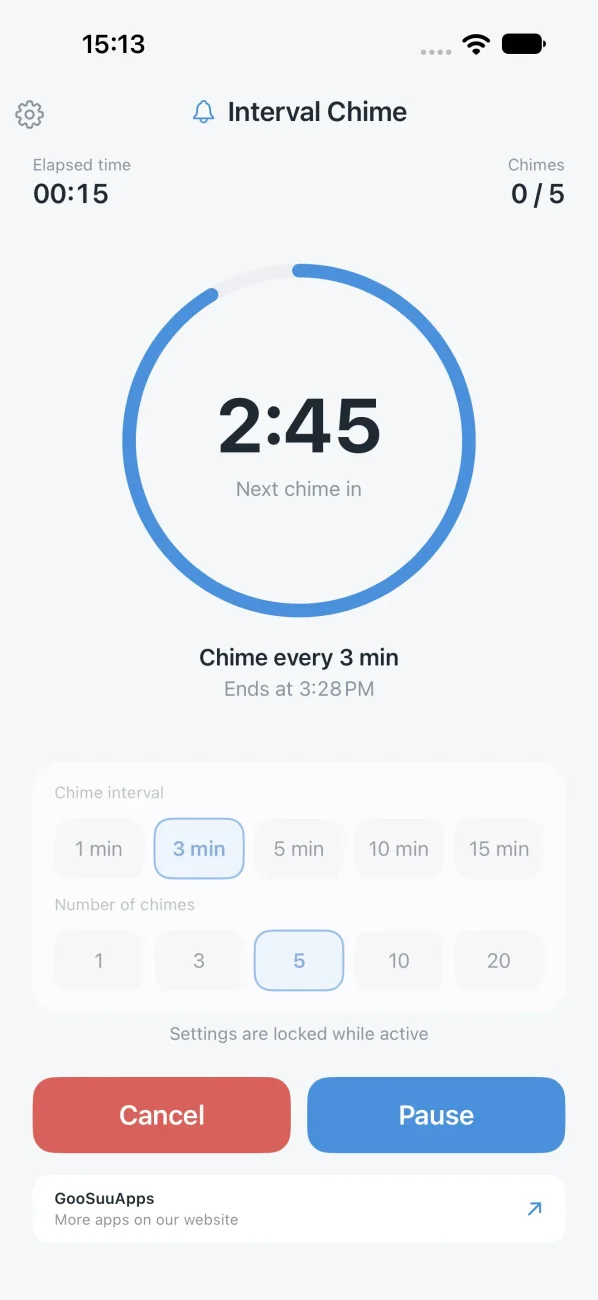
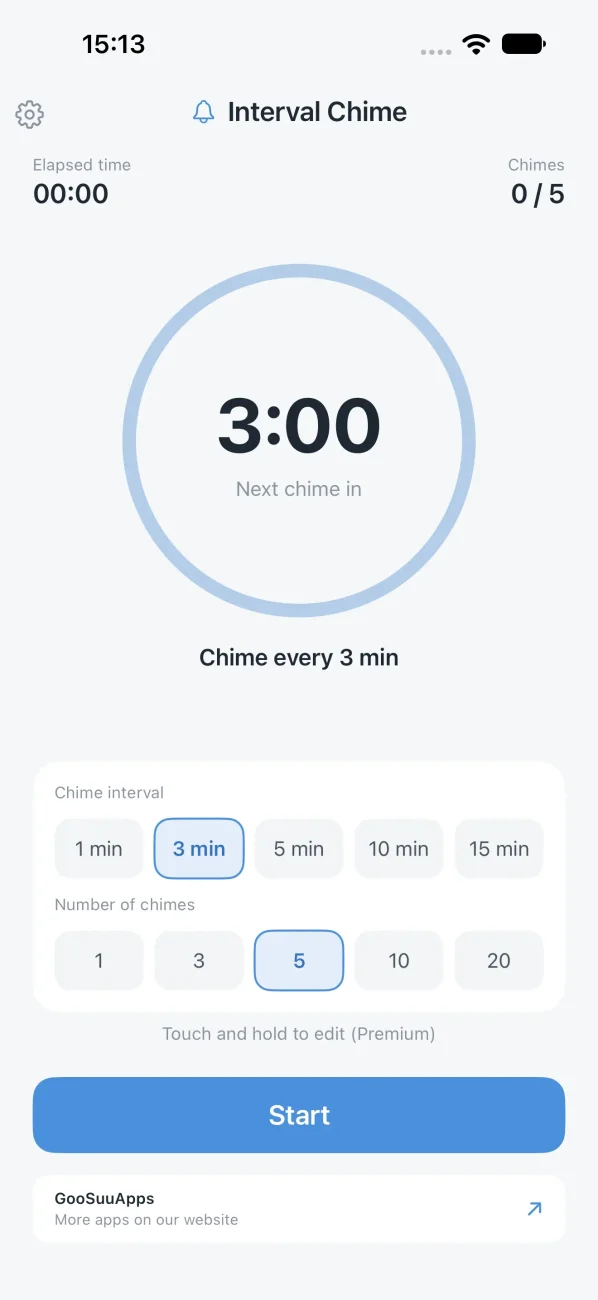
Interval Chime sounds at your chosen interval and stops after the number of chimes you set. Try a chime every 3 minutes as a cue to pause and decide whether to keep going. Create time markers for study, work, or stretching without repeatedly checking the clock.
For example, choose a 3-minute interval and 5 chimes, then tap Start for a 15-minute session.
FREE FEATURES
• Interval presets: 1, 3, 5, 10, or 15 minutes
• Chime count presets: 1, 3, 5, 10, or 20
• Elapsed time, time until the next chime, and the number of chimes played
• Pause, resume, and cancel
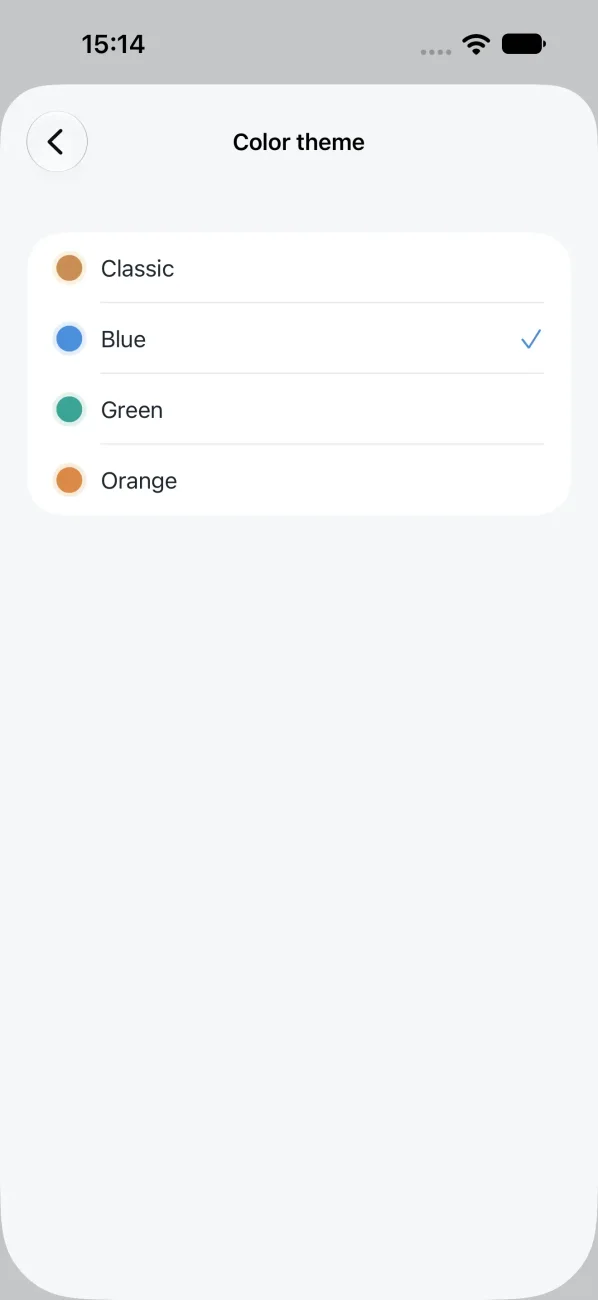
• Four chime sounds and four color themes
• An optional double chime at the end
• Saved interval, count, sound, and theme settings
• Notifications while your screen is locked or you use another app
• Live Activities showing the timer status and your chosen settings
PREMIUM — ONE-TIME IN-APP PURCHASE
• Customize five interval presets from 1 to 60 minutes, in 1-minute steps
• Customize five count presets from 1 to 60 chimes
• Touch and hold a preset to edit it
• Hide the banner linking to our other apps
No subscription. See the price in the app's purchase screen. You can restore your purchase from the same screen.
BEFORE YOU START
Requires an iPhone with iOS 17.0 or later.
Interval, chime count, chime sound, and theme cannot be changed while a timer is running or paused.
Notifications must be allowed for chimes while the app is in the background or the screen is locked. Notification sounds follow your silent mode, ringer/alert volume, Focus, and other system settings. Chimes while the app is on screen use media volume.
Live Activity availability and display depend on your iPhone and system settings. Dynamic Island is available only on supported iPhones.
LANGUAGES
English, Japanese, and Korean. The app uses your preferred supported language.
YOUR DATA
Timer settings and session state are stored on your device. No app account is required. Purchases and restores use Apple's App Store, with RevenueCat managing purchase access. See the privacy policy for details.
What’s new
Version 1.1.4 · Nov 15, 2026
• Adjusted button sizes and screen spacing.
• Improved screen presentation after purchasing or restoring Premium.
App privacy
What NACHI KANEDA declares on the App Store about how this app handles data.
-
Data not linked to you
May be collected but is not linked to your identity.
- Purchases
Privacy practices may vary, for example with the features you use or your age.
Information
- Seller
- NACHI KANEDA
- Category
- Utilities
- Version
- 1.1.4
- Updated
- Nov 15, 2026
- Released
- Sep 15, 2026
- Size
- 9.1 MB
- Requires
- iOS 17.0 or later
- Age rating
- 4+
- Price
- Free
- In-app purchases
- Yes
- Languages
- English, Japanese, Korean
- Copyright
- © 2026 NACHI KANEDA
You might also like
-
 RecurringTimerUtilities
-
 SoundIntervalTimer byNSDevwith the countdown sound.
-
 Infinite Alarm: Interval TimerUtilities
-
 時鳥(時報と時間の読み上げアプリ)Utilities
-
 HoraeKeeper: Chime & RemindersHourly, Pomodoro, Countdown
-
 Enumerator - Tally CounterHabit Tracker & Daily Log
-
 メモ習慣 - 目標とタスクを楽しく管理・楽しみ分析アプリUtilities
-
 GPS記録Utilities
-
 パスワード生成|1秒で強固なパスワードを自動作成できるアプリUtilities
-
 繰り返しタイマー - 自分で作るインターバルUtilities