
Inventory Counter
Stock Take & Tally Clicker
Designed for iPhone, iPad, iPod touch
In-app purchases
- Age rating4+
- CategoryUtilities
- Developerryo muranaka
- LanguagesJapanese+ 32 more
- Size43.7 MB
Links to the official App Store page
Download.org hosts no file of Inventory Counter. The button opens its official App Store page, published by ryo muranaka. Listing last checked on Nov 23, 2026.
Screenshots
About
Make Your Daily Counting Smarter and More Fun
Experience beyond just counting - transform your daily life with this new app. Our counter combines simple operation with rich features to perfectly meet all your counting needs. From tracking workouts to daily habits and collection management, it's your reliable partner for any situation.
Colourful design and stylish interface make daily counting enjoyable. Sound effects and vibration feedback enhance satisfaction and motivation. Create your own unique counter app with personal customisation.
------------------------------------------------------------
Key Features:
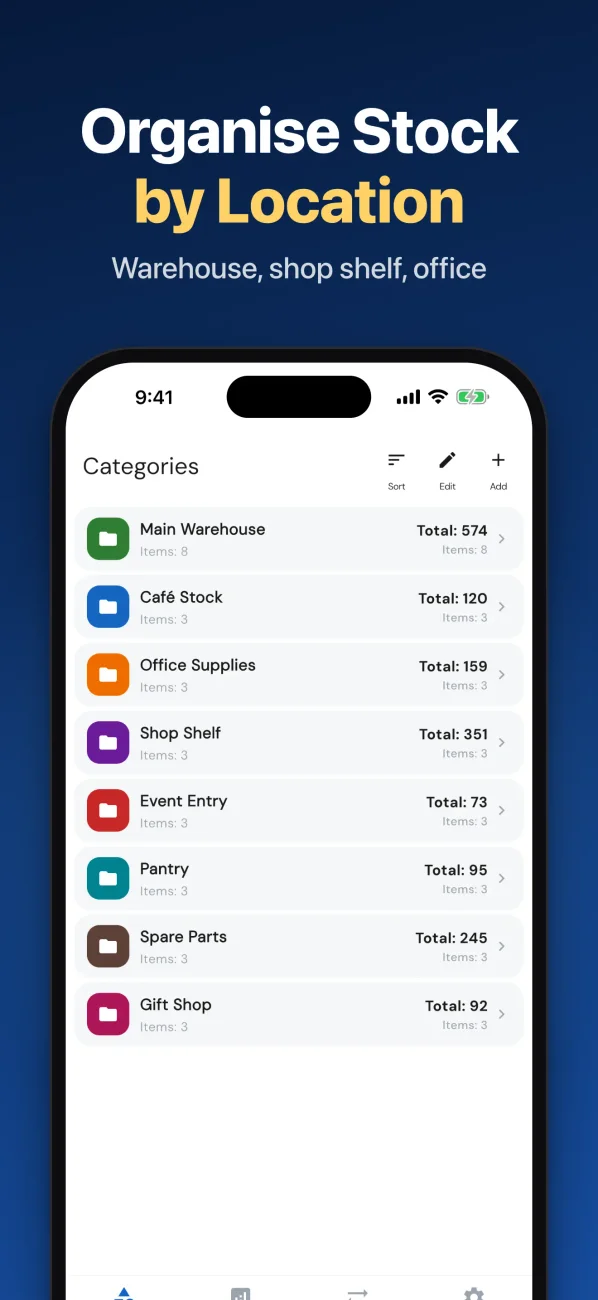
Category Management
• Organise counters by categories
• Create, edit, delete and reorder categories
• Favourite categories and share category information
• Free plan: up to 5 categories; Premium: unlimited categories
Counter Items
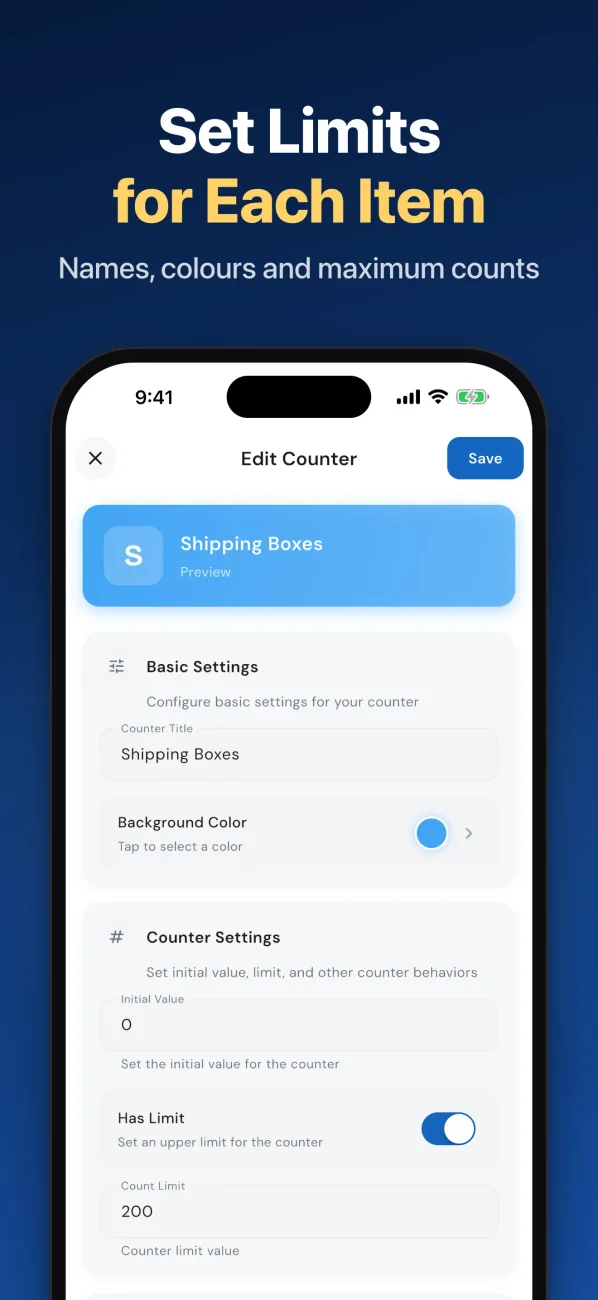
• Multiple counters per category with customisable:
• Title and initial value
• Background colour
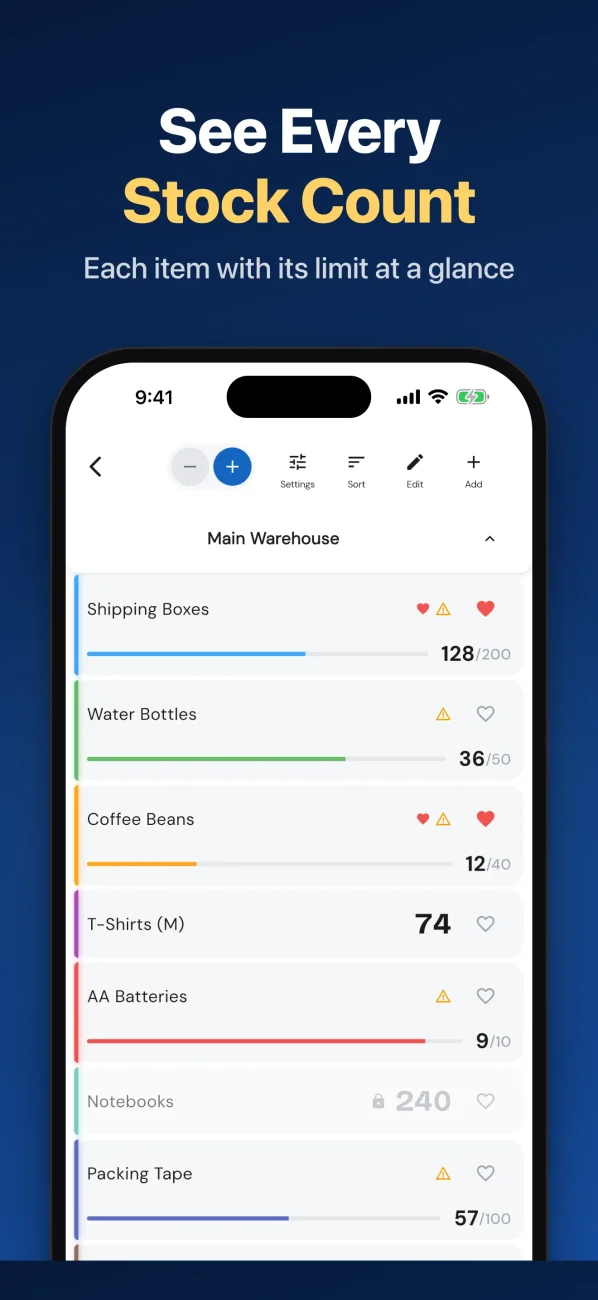
• Maximum value (optional)
• Lock function
• Sound effects
• Special value alerts
• Favourite marking
Display Modes
• List view: detailed information and editing
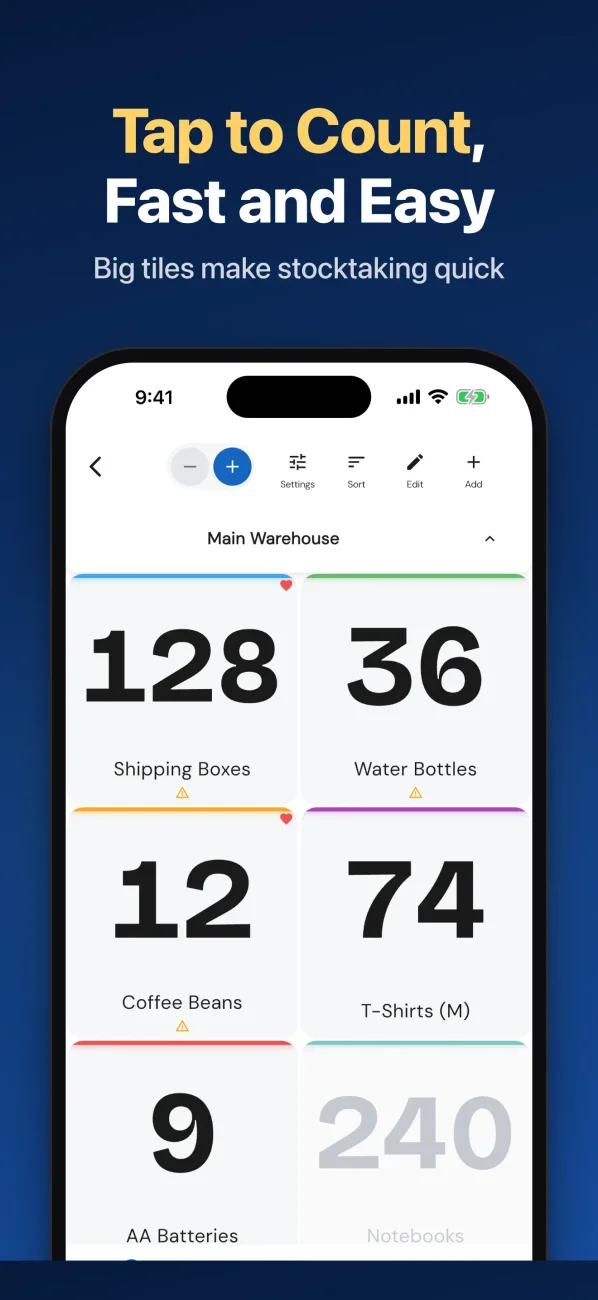
• Grid view: compact display for quick counting
• Easy switching between modes
Counting Operations
• Increase with "+" button
• Decrease with "-" button
• Toggle between increment/decrement modes
• Sound effects and vibration feedback (toggleable)
• Reset to initial value
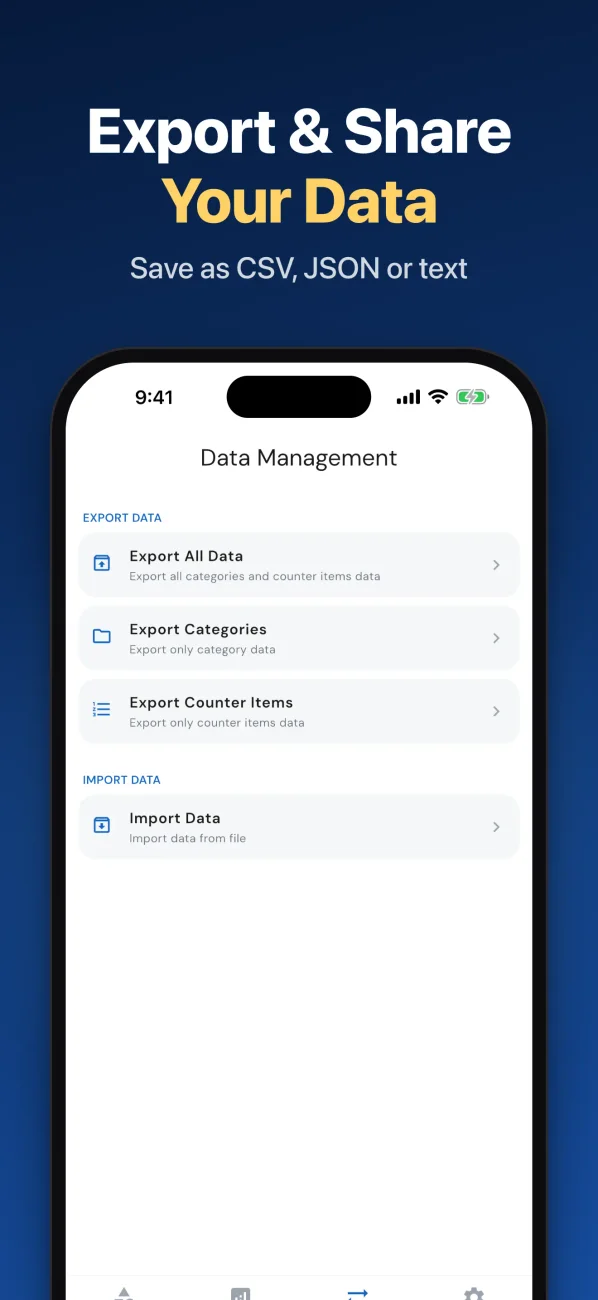
Data Management
• Export options (JSON, CSV, TXT)
• All data, by category, or by counter
• Share files or copy to clipboard
• Import from JSON files or clipboard
• Selective import of categories/counters
Analysis Features
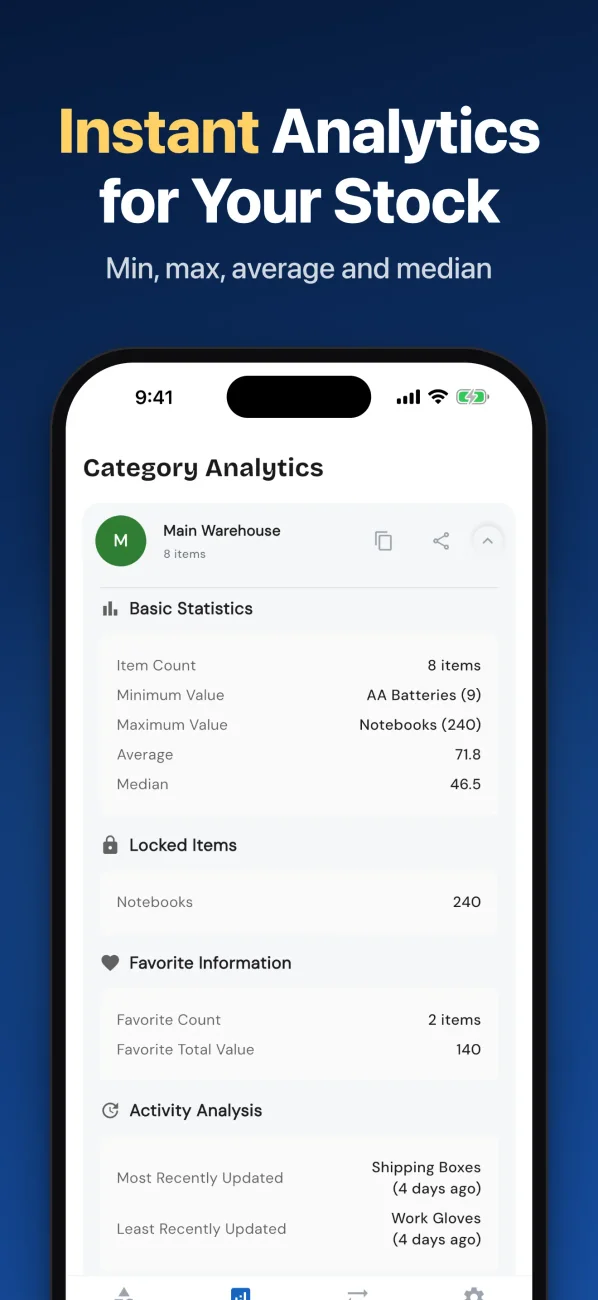
• Detailed statistics by category
• Basic stats (count, min/max, total, average, median)
• Favourites information
• Items meeting maximum values
• Locked item list
• Date information
• Counter list with creation/update dates
Customisation
• Theme settings (system, light, dark)
• Sound settings with various counting sounds
• Vibration feedback options
Premium Plan
• Unlimited categories and counters
• Unlimited colour and sound customisation
• Counter locking
• Special value alerts
• Unlimited analysis sharing
• Unlimited data import/export
This counter app is your perfect partner for making counting tasks fun and efficient. With beautiful design, intuitive operation, and extensive customisation, it transforms your counting experience for workouts, habit tracking, event counting, collection management, and more. Why not transform your daily life with your original counter today?
What’s new
Version 1.0.12 · Nov 14, 2026
Minor improvements and stability updates.
App privacy
What ryo muranaka declares on the App Store about how this app handles data.
-
Data not linked to you
May be collected but is not linked to your identity.
- Purchases
Privacy practices may vary, for example with the features you use or your age.
Information
- Seller
- ryo muranaka
- Category
- Utilities
- Version
- 1.0.12
- Updated
- Nov 14, 2026
- Released
- Apr 20, 2025
- Size
- 43.7 MB
- Requires
- iOS 15.0 or later
- Age rating
- 4+
- In-app purchases
- Yes
- Languages
- Japanese, Arabic, Italian, Indonesian, Ukrainian, Dutch, Catalan, Greek, Croatian, Swedish, Spanish, Slovak + 21 more
- Copyright
- © 2025 Ryo Muranaka. All rights reserved.
You might also like
-
 SnapCount: Object CounterAI Counts Anything in a Photo
-
 Tally Counter: Count & ClickerTap Tracker: Scores & Habits
-
 Multi Counter - Count up/downMake a counter & count up/down
-
 Inventra - Inventory ManagerSmart Stock & Item Tracker
-
 Tally - Counter AppScore Keeper and Count Tracker
-
 EasyStockUtilities
-
 Stokio - Inventory ManagerTrack stock & assets
-
 Dot Counter: Count AnythingTap to Count Objects in Photos
-
 Counter: History & WidgetsUtilities
-
 FuelLog: Fuel Economy TrackerFuel economy and vehicle log