
Inventory: Game Collection
Keep track of your games!
Designed for iPhone, iPad, Mac
Free · In-app purchases
- Age rating4+
- CategoryEntertainment
- DeveloperMoritz Scholz
- LanguagesEnglish
- Size18.0 MB
Links to the official App Store page
Download.org hosts no file of Inventory: Game Collection. The button opens its official App Store page, published by Moritz Scholz. Listing last checked on Nov 16, 2026.
Screenshots

About
Keep track of your games and have them with you all the time using this app!
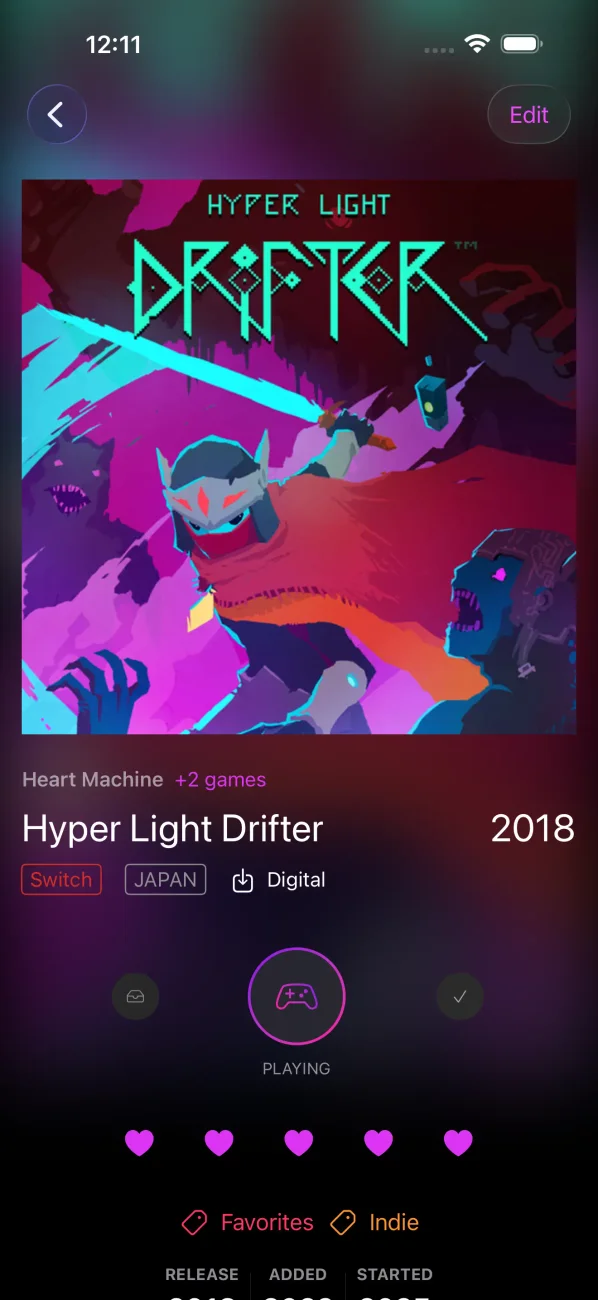
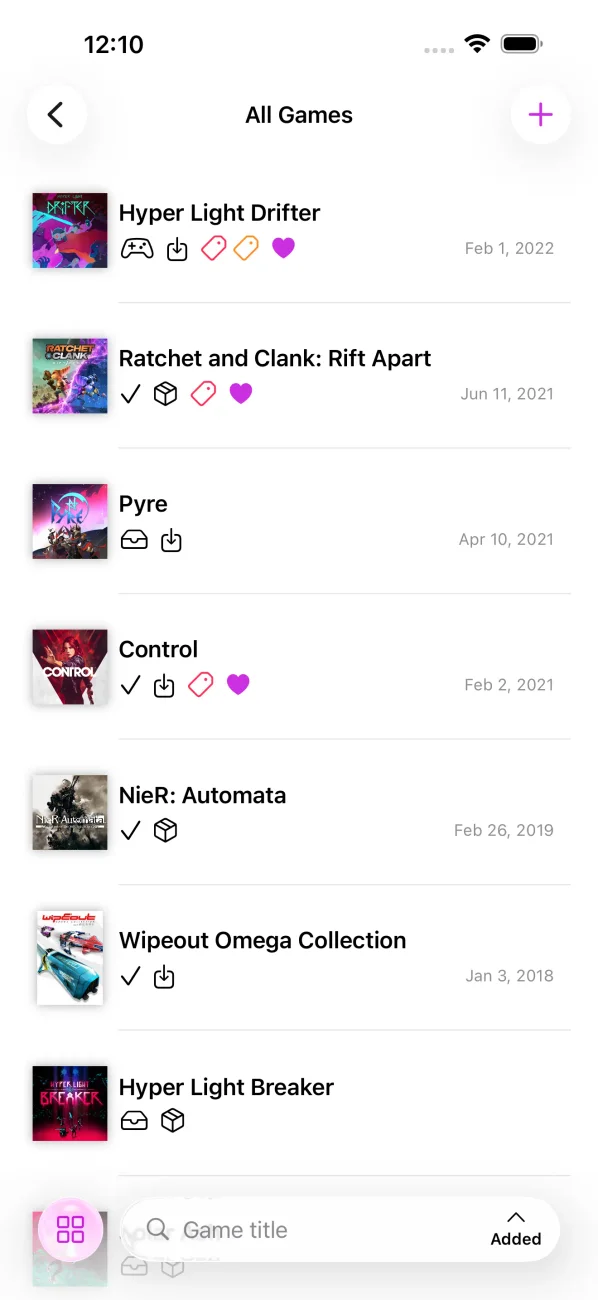
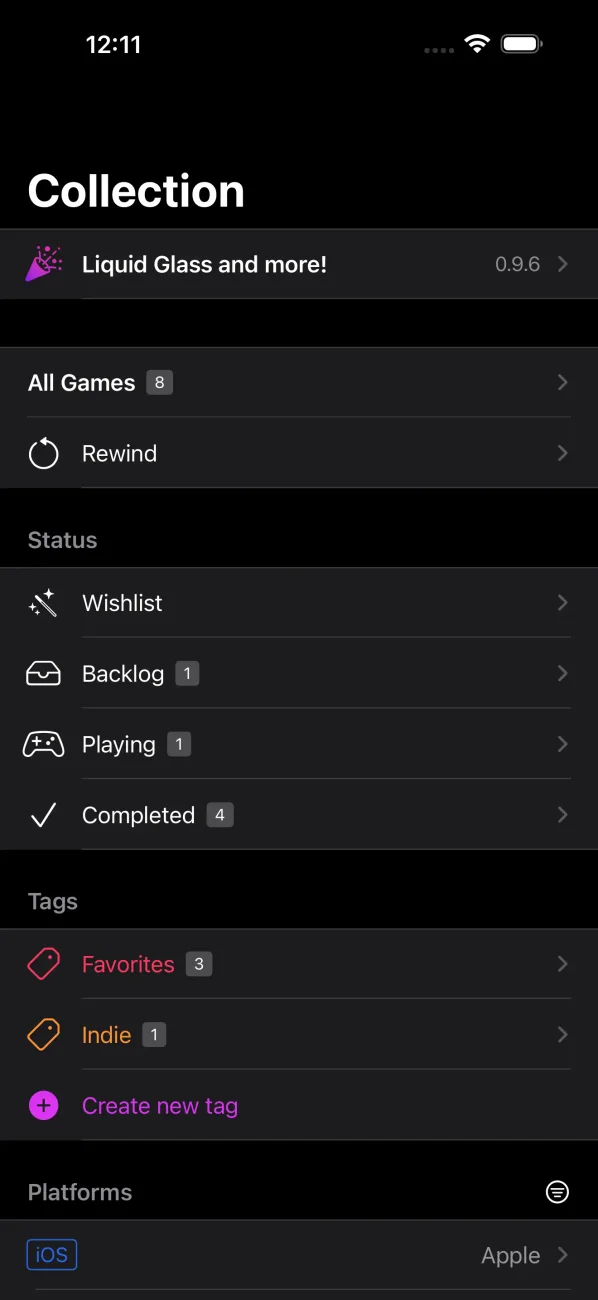
The app "Inventory: Game Collection" allows you to keep track of the games you own. You can filter by platforms or status and create tags to further organise your collection. An import function makes transition from other solutions or spreadsheets easy.
To make your games really stand out, "Inventory" has a sleek, non-intrusive design while offering essential features. When making it, I aimed for an experience that makes it fun to look at your collection and presents your games in a beautiful way.
Adding your games is really easy, just use the search-feature and "Inventory" pre-fills information like the game's release date and cover image. Of course it's also possible to customise any information and add your own cover image.
You can also do a bulk import of many games, using a CSV-file. If you already have cover images for your games, you can import them as well. This makes it easy for you to transition to this app from another solution or a spreadsheet you may already have.
I want you to be in control of your data and not be locked-in with this app. That's why you can easily make a full backup of all your games to a simple spreadsheet, including cover images! If at any time you would rather switch to another solution, or want to make a backup of your data, just export it!
All your games are synchronized to iCloud, so you can use the app across devices as well.
FEATURES
- Simple, sleek design. Looks nice in dark-mode and light-mode.
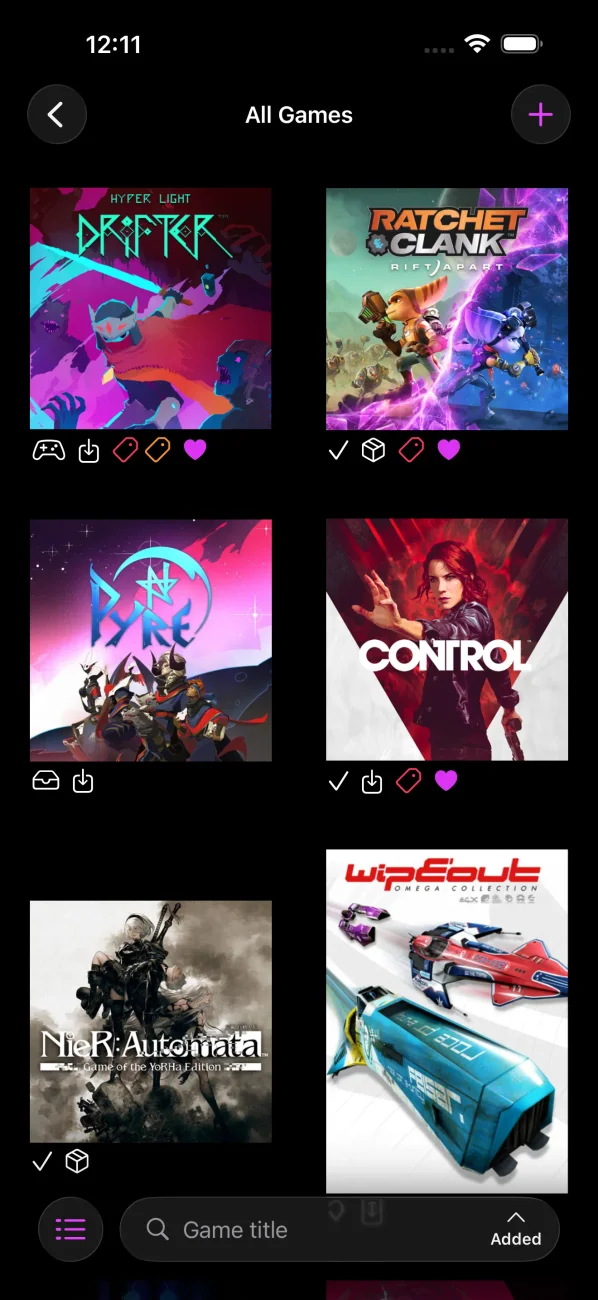
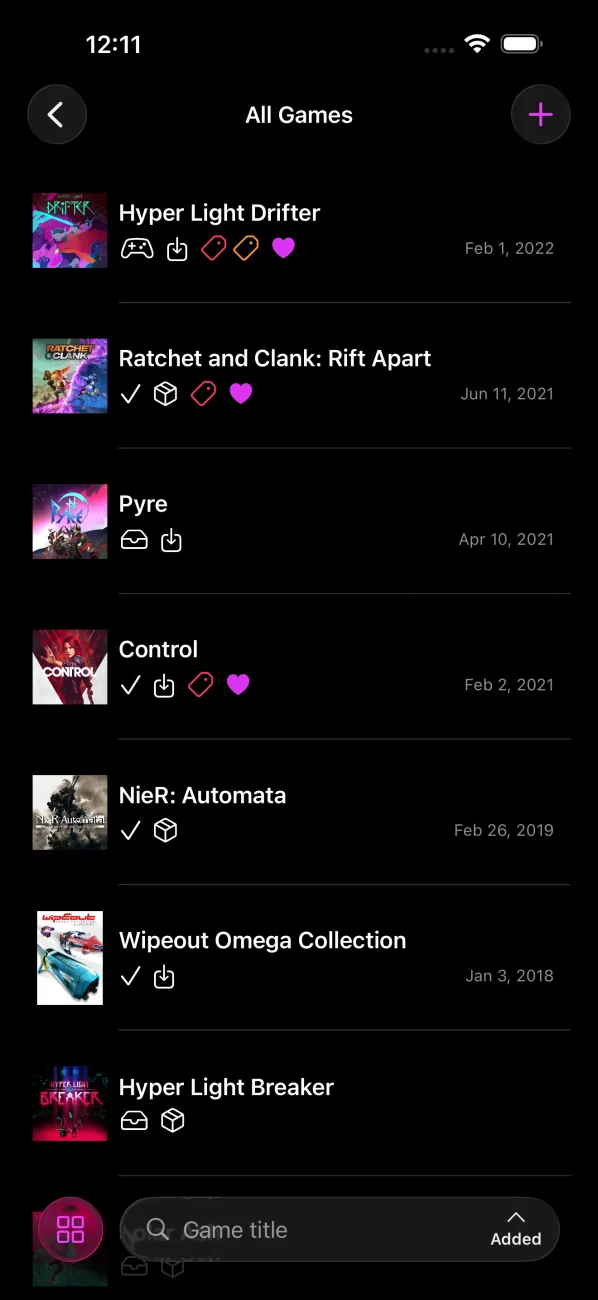
- Two ways of looking at your collection: in a list (more information) and as tiles (bigger covers).
- Search the internet when adding new games and pre-fill information.
- Organise your collection by platforms, status or tags.
- Add "moments" with cool screenshots you took or to note down your thoughts on a game.
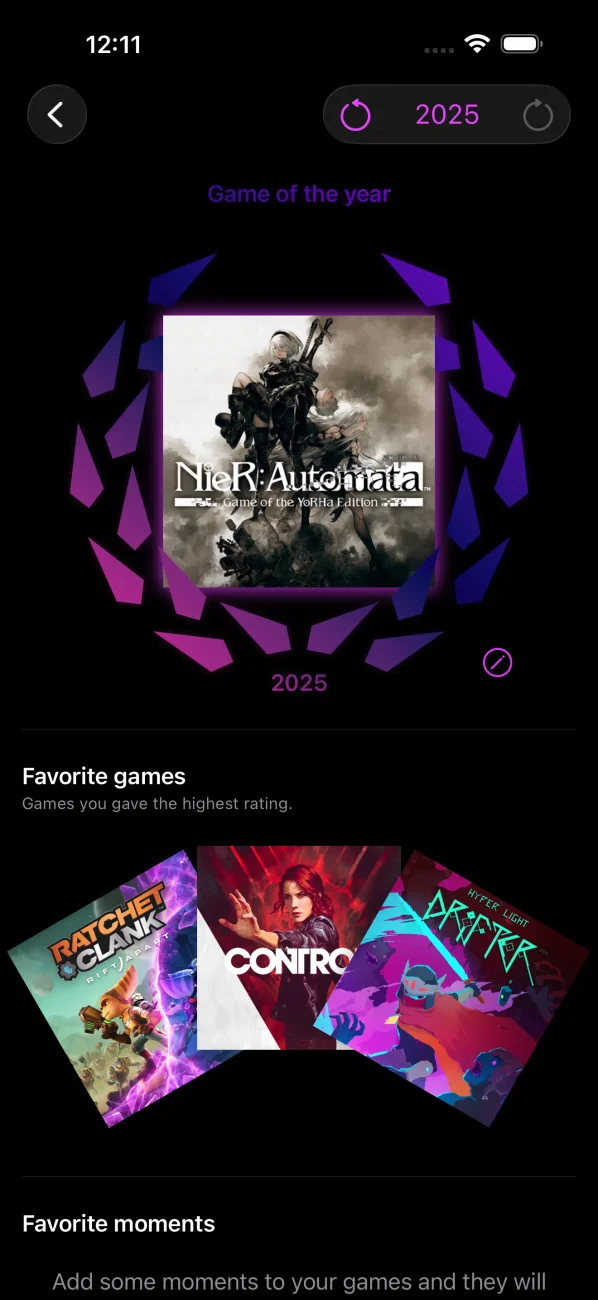
- Look back at previous years with the Rewind-feature and decide your game of the year!
- Add metadata for the region of a game: Important for collectors!
- Import lots of games through a CSV-file.
- Stay in control of your data with the export-feature.
- Use across devices with full iCloud sync.
I plan to further improve the app and add more features. Please tell me any feedback or wishes you have and I'll try to include them. You can contact me via the app.
PRICING
The app is free and offers all features for adding up to five games. If you like the app, I'd appreciate if you would support development and server-costs by buying any of the included in-app purchases - you can choose yourself how much you want to pay. Any of them unlocks adding unlimited games.
Please note that all of the game covers shown in the screenshots above are merely to demonstrate the functionality of the app and all trademarks and copyrights belong to their respective owners.
What’s new
Version 0.10.0 · Oct 18, 2026
This update brings a native macOS version of the app.
Previously, Inventory ran its iPad-version on Mac. The new native version improves usability by using native Mac features and UI patterns.
There are also a few other improvements:
- You can now add, edit and delete regions, developers, publishers and tags as well as manage them from a central list (via "Library management")
- Images can be added from files on your device as well, in addition to the photos library, and via drag & drop
- MacOS gets an improved image viewer that opens in a separate window
- The game search should be easier to use now
- Performance is improved, in particular when having a lot of large images in "Rewind"
- Game covers and thumbnails should appear sharper now
Thanks for your feedback and I hope you continue enjoying using my app! :)
App privacy
What Moritz Scholz declares on the App Store about how this app handles data.
-
Data not linked to you
May be collected but is not linked to your identity.
- Search history
- Diagnostics
Privacy practices may vary, for example with the features you use or your age.
Information
- Seller
- Moritz Scholz
- Category
- Entertainment
- Version
- 0.10.0
- Updated
- Oct 18, 2026
- Released
- Mar 30, 2021
- Size
- 18.0 MB
- Requires
- iOS 26.0 or later
- Age rating
- 4+
- Price
- Free
- In-app purchases
- Yes
- Languages
- English
- Copyright
- © 2020 Moritz Scholz
You might also like
-
 NextGam - Games collectionsEntertainment
-
 Video Game Tracker - GameLogTrack Your Gaming Library
-
 Game Ludens: Game TrackerVideo game tracker
-
 Game Shelf: Rate Video GamesBacklog Tracker & Collection
-
 Gamery: Organize Your LibraryStay on top of your collection
-
 GameJournalYour Gaming Life, Organized!
-
 My Games: Collection & TrackerYour video games catalog
-
 Games - Collection TrackerOrganize your video games
-
 Playsit: Find your gameCommunity for game lovers
-
 Gamelir: Game Library AppTrack, rank & collect games