Inventory Tracker Stockpile
Track stock, sales and profit
Designed for iPhone, iPad
Free · In-app purchases
- Age rating4+
- CategoryBusiness
- DeveloperApp Harbour ApS
- LanguagesEnglish+ 3 more
- Size1.5 MB
Links to the official App Store page
Download.org hosts no file of Inventory Tracker Stockpile. The button opens its official App Store page, published by App Harbour ApS. Listing last checked on Nov 16, 2026.
Screenshots

About
Know what every sale actually made you. Stockpile keeps track of what you own, what you paid for it, and what you earned when it sold, all on your iPhone with no account to create.
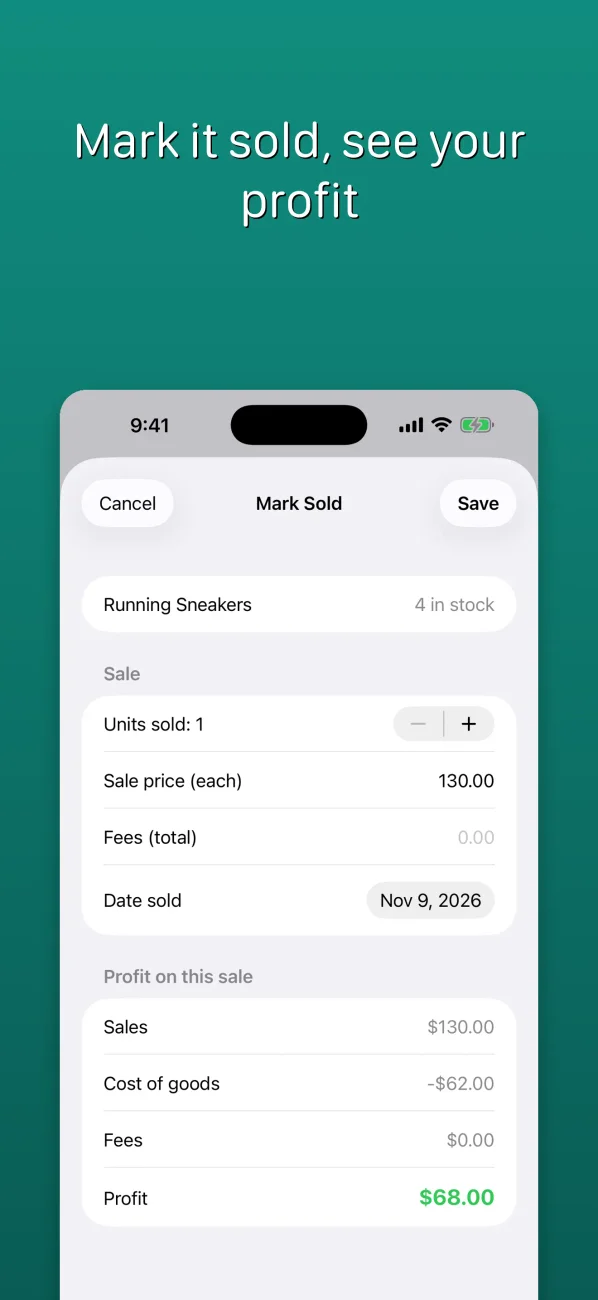
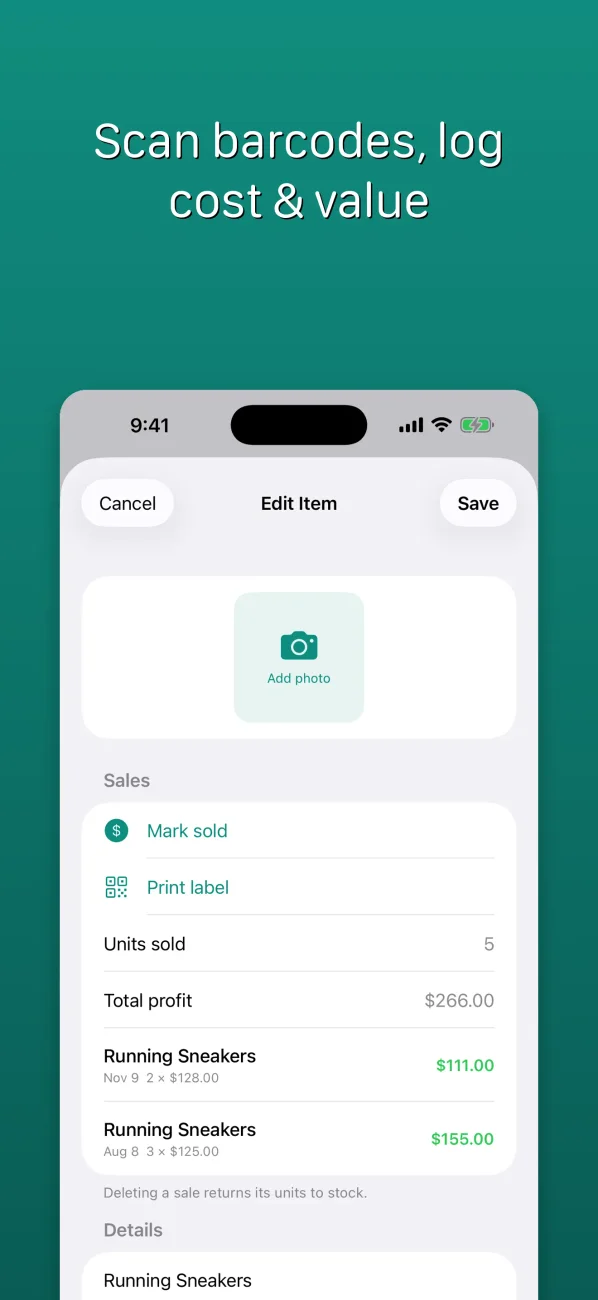
Add an item in seconds: scan its barcode or type it in, add a photo, quantity, cost and value, and file it under a shelf, bin or room. When it sells, tap Mark sold and enter the price, fees and date. Stockpile lowers the stock count, works out the profit on that sale, and keeps a running total for the item.
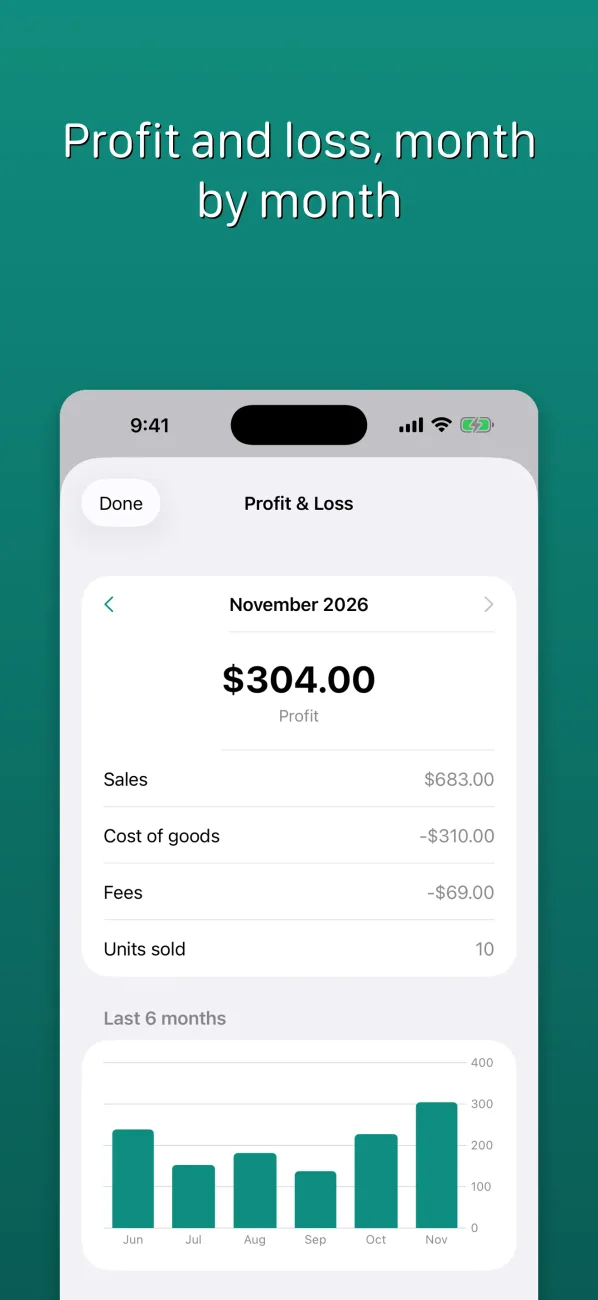
The monthly profit and loss screen adds it all up: sales, cost of goods, fees and profit for any month, with a six-month chart that shows the trend at a glance. Entered something wrong? Delete the sale and the units go back into stock.
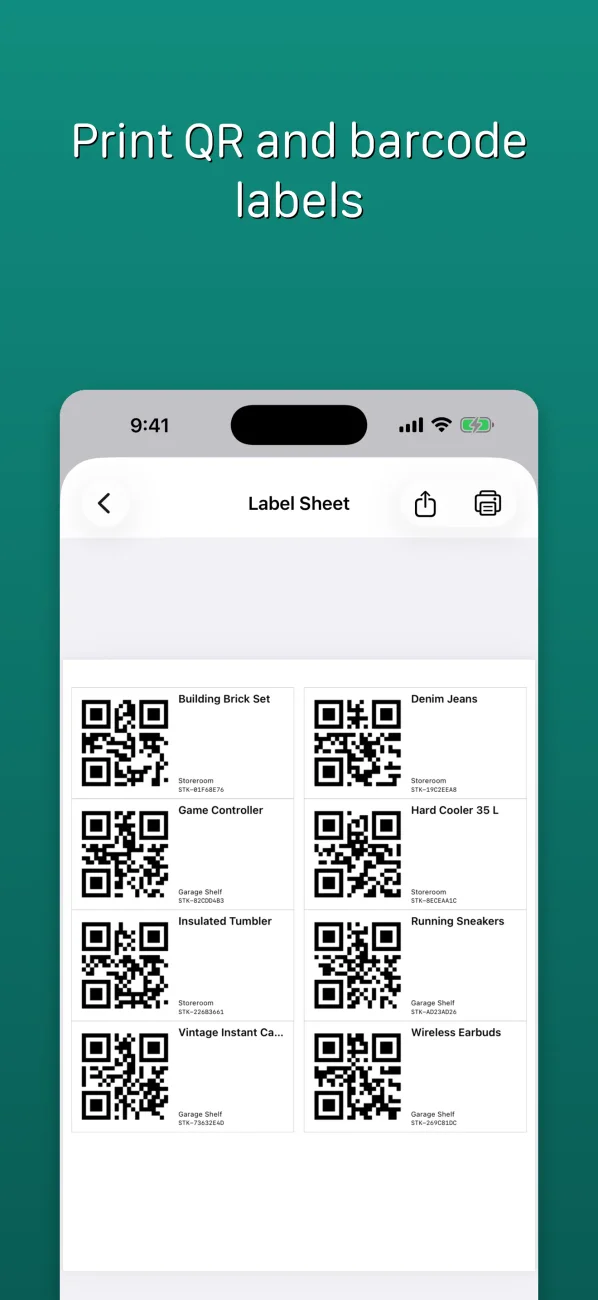
Time to organize the shelves? Print QR or barcode labels on A4 or US Letter sheets with AirPrint, or save them as a PDF. Items without a barcode get a code of their own, and scanning a label opens the right item straight away.
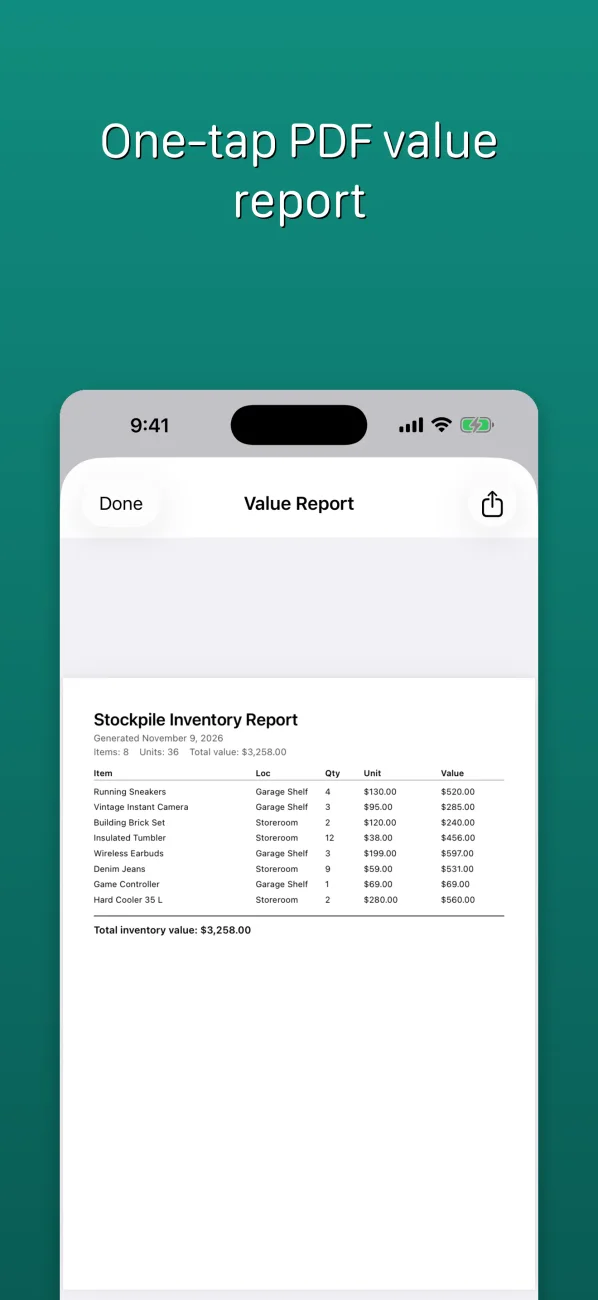
Stockpile also flags items running low, searches your whole inventory, shows your total value, imports and exports CSV files, and builds a PDF value report for insurance or your records. It works offline, and your inventory stays on your device.
The free version covers 1 location and up to 25 items, with sales tracking and labels included. Premium removes those limits and adds CSV export and the PDF value report. Get it with a single lifetime purchase, or a weekly or annual plan.
This app offers a weekly subscription with a 3-day free trial, and an annual subscription. A one-time lifetime purchase is also available. Payment is charged to your Apple ID at confirmation of purchase. Subscriptions automatically renew unless cancelled at least 24 hours before the end of the current period. Manage or cancel subscriptions in your Apple ID Account Settings. Restore purchases from the app settings.
Terms of Use (EULA): https://www.apple.com/legal/internet-services/itunes/dev/stdeula/
Privacy Policy: https://www.appharbour.com/stockpile/privacy.html
What’s new
Version 1.1.0 · Nov 10, 2026
New in this version:
- Mark sold: record the price, fees and date of a sale and see the profit on every item
- Monthly profit and loss with a six-month chart
- Print QR or barcode labels on A4 or US Letter, then scan a label to open the item
- The app is now fully translated into German, French and Spanish
- The upgrade screen no longer appears at the end of setup
App privacy
What App Harbour ApS declares on the App Store about how this app handles data.
-
Data not collected
The developer does not collect any data from this app.
Privacy practices may vary, for example with the features you use or your age.
Information
- Seller
- App Harbour ApS
- Category
- Business
- Version
- 1.1.0
- Updated
- Nov 10, 2026
- Released
- Jun 17, 2026
- Size
- 1.5 MB
- Requires
- iOS 17.0 or later
- Age rating
- 4+
- Price
- Free
- In-app purchases
- Yes
- Languages
- English, French, German, Spanish
- Copyright
- © 2026 App Harbour ApS
You might also like
-
 Stockpile: Inventory TrackerBarcode scanner, count & label
-
 Inventory Tracker - StockManage your stock & inventory
-
 Inventory Now: Stock TrackerFor Resellers, Shops & Sellers
-
 Mobile Inventory: Scan & TrackCount & manage stock with team
-
 Inventory Tracker ItemlistHome & Business Management
-
 Telesto: Inventory ManagementTracker for Small Business
-
 Inventory Management - BoxKitStockroom & Stock Tracker
-
 Stockroom InventoryInventory Made Easy
-
 Assetsy: Inventory Tracker AppBusiness Inventory Management
-
 Inventory for BusinessInventory Tracker & Control