
Inventory with barcode
Stock Management System
Designed for iPhone, iPad
Free · In-app purchases
- Age rating4+
- CategoryProductivity
- Developeremmanuel orvain
- LanguagesEnglish+ 7 more
- Size40.4 MB
Links to the official App Store page
Download.org hosts no file of Inventory with barcode. The button opens its official App Store page, published by emmanuel orvain. Listing last checked on Nov 20, 2026.
Screenshots
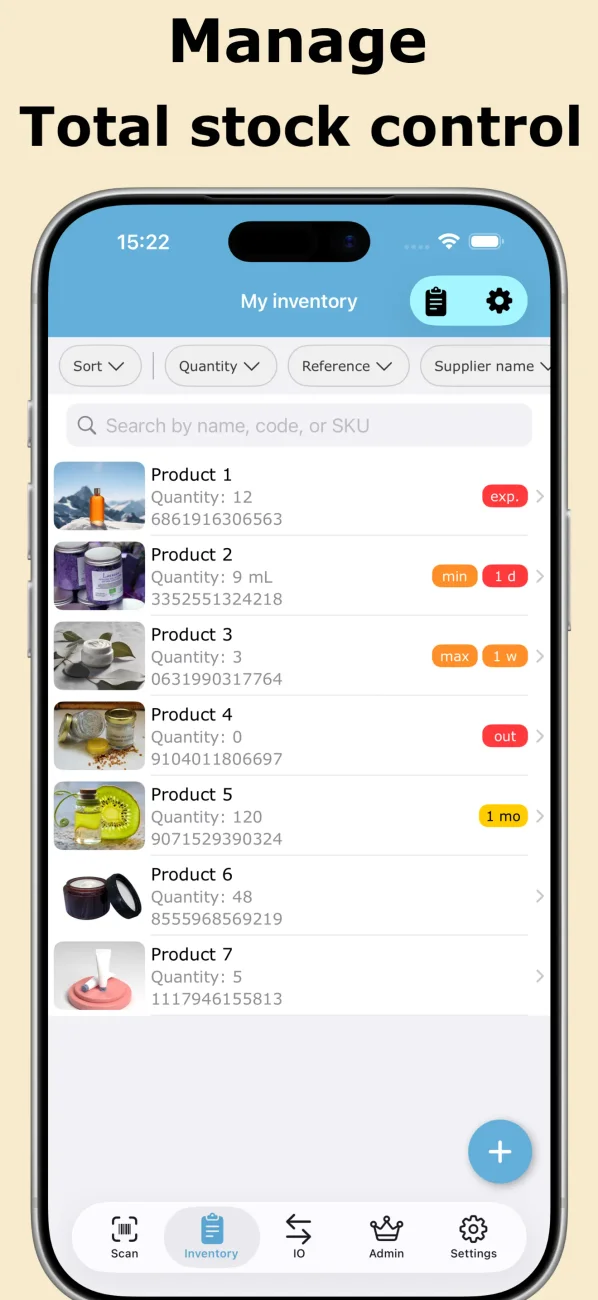


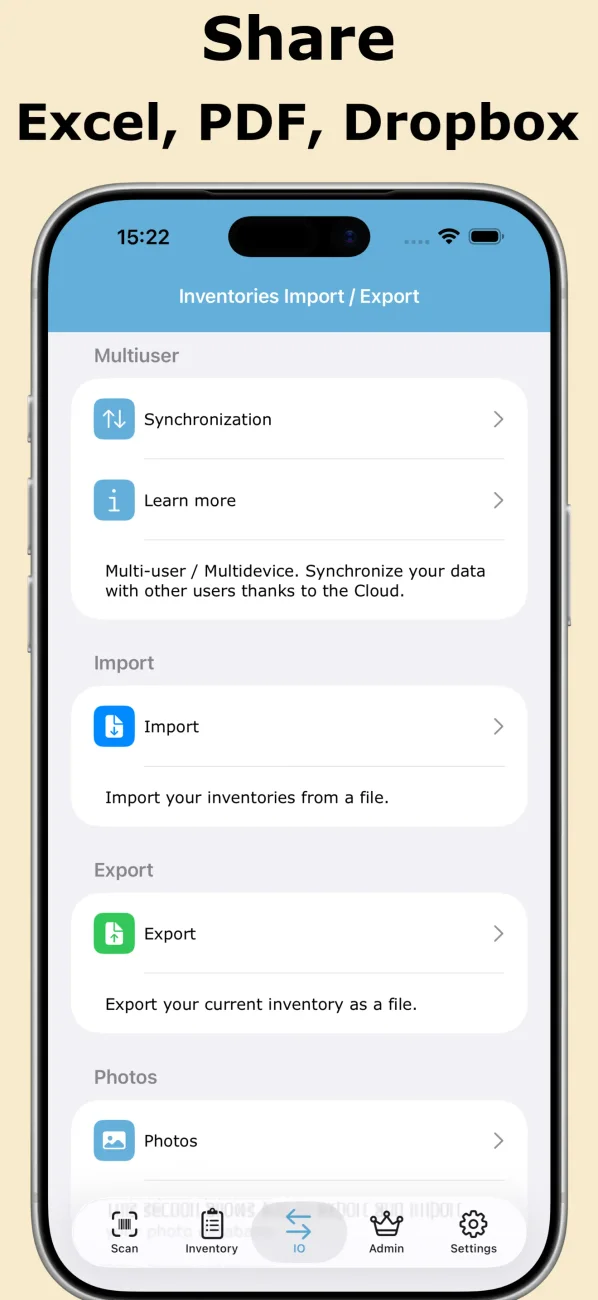
About
Inventory With BarCode: Professional Inventory Management & High-Performance Barcode Scanner
Turn your iPhone into a powerful tool for real-time stock management!
Perfect for shops, restaurants, libraries, warehouses, and manufacturers, this app lets you automate and simplify the management of your physical inventory with an ultra-fast barcode scanner and comprehensive features.
IWBC is the ideal mobile app for managing your store’s inventory. With our built-in barcode detector, easily find product sheets and save time to focus on what truly matters for your business.
Why Choose Inventory With Barcode?
Save Time: Scan products in an instant to update quantities or add new items.
- Accuracy: Reduce human errors with automatic barcode detection.
- Flexibility: Use the app in-store, in the warehouse, or on the go.
- Collaboration: Sync your data with Dropbox for multi-user workflows.
- Efficiency: Scan barcodes quickly and access product information instantly.
- Data Export: Export your inventory as a file for in-depth analysis.
- Compute margin, margin rate, markup rate
Key Tools for Optimal Management
Smart Scanner
- Instantly detect new products via their barcodes.
- Check-in/Check-out modes to track stock movements.
- Flash: Scan even in low-light conditions.
- Compatible with Bluetooth scanners (e.g., NETUM NT-1228BC).
- Bluetooth scanner manufacturers: Contact us to integrate your device!
- Centralized Product Management
Edit product details (name, quantity, photo, public price, etc.).
- Create new product types by scanning their barcodes.
Multi-Format Import/Export
- Import data from a CSV file. Our tool lets you update your product database quickly and efficiently, reducing errors and saving valuable time.
- Export your database in the following formats:
Excel (XLSX) with photos
PDF, CSV, SQLite
ZIP archive for photos
Advanced Features
- Supplier Management: Organize and track your partners.
- Multi-Inventory: Create, clone, or rename inventories as needed.
- Customization: Adjust scan filters to optimize barcode detection.
Supported Barcodes
- Codabar, Code 39/93/128, EAN-8/13, ITF, UPC-A/E, Aztec, Data Matrix, PDF417, QR Code, and many more!
Links:
- Site web : https://occirama.com/inventory-barcode/
- FAQ : https://occirama.com/inventory-barcode/en/faq.html
- Terms Of Use : https://occirama.com/inventory-barcode/terms-of-use/
- Privacy Policy : https://occirama.com/inventory-barcode/privacy/
What’s new
Version 8.3.0 · Oct 19, 2026
In this new version of Inventory with Barcode, we improve user experience.
App privacy
What emmanuel orvain declares on the App Store about how this app handles data.
-
Data not collected
The developer does not collect any data from this app.
Privacy practices may vary, for example with the features you use or your age.
Information
- Seller
- emmanuel orvain
- Category
- Productivity
- Version
- 8.3.0
- Updated
- Oct 19, 2026
- Released
- Apr 24, 2021
- Size
- 40.4 MB
- Requires
- iOS 16.0 or later
- Age rating
- 4+
- Price
- Free
- In-app purchases
- Yes
- Languages
- English, French, German, Italian, Japanese, Portuguese, Simplified Chinese, Spanish
- Copyright
- Copyright © 2021-2026 Sm4rtApp. All rights reserved
You might also like
-
 Inventory Control with ScannerInventory Tracker, Barcode, QR
-
 Barcode Scanner - Orca ScanInventory & Asset Tracker
-
 Scan to Sheets - QR & BarcodeFast scanning to Google Sheets
-
 Stockroom InventoryInventory Made Easy
-
 Scan to ExcelFast scanning to Excel
-
 Photo Inventory RetinelleCapture, Organize, Export
-
 MyStuff2 ProHome Inventory and Database
-
 ItemtopiaFor Home, Work & Collections
-
 Inventory Tracker ItemlistHome & Business Management
-
 BoxOrganizer - InventoryOrganize just everything