
- Age rating4+
- CategoryBusiness
- DeveloperInellipse
- LanguagesEnglish+ 4 more
- Size9.7 MB
Links to the official App Store page
Download.org hosts no file of iOptiCut. The button opens its official App Store page, published by Inellipse. Listing last checked on Nov 24, 2026.
Screenshots


About
Stop wasting material.
iOptiCut calculates the most efficient way to cut your boards, sheets, and panels — automatically.
Whether you're building cabinets, shelving, furniture, or framing, iOptiCut turns your parts list into a precise cutting plan in seconds. It’s used by woodworkers, cabinet makers, tile setters, metalworkers, and DIYers worldwide.
7 CUTTING ALGORITHMS — FINDS THE BEST ONE FOR YOU
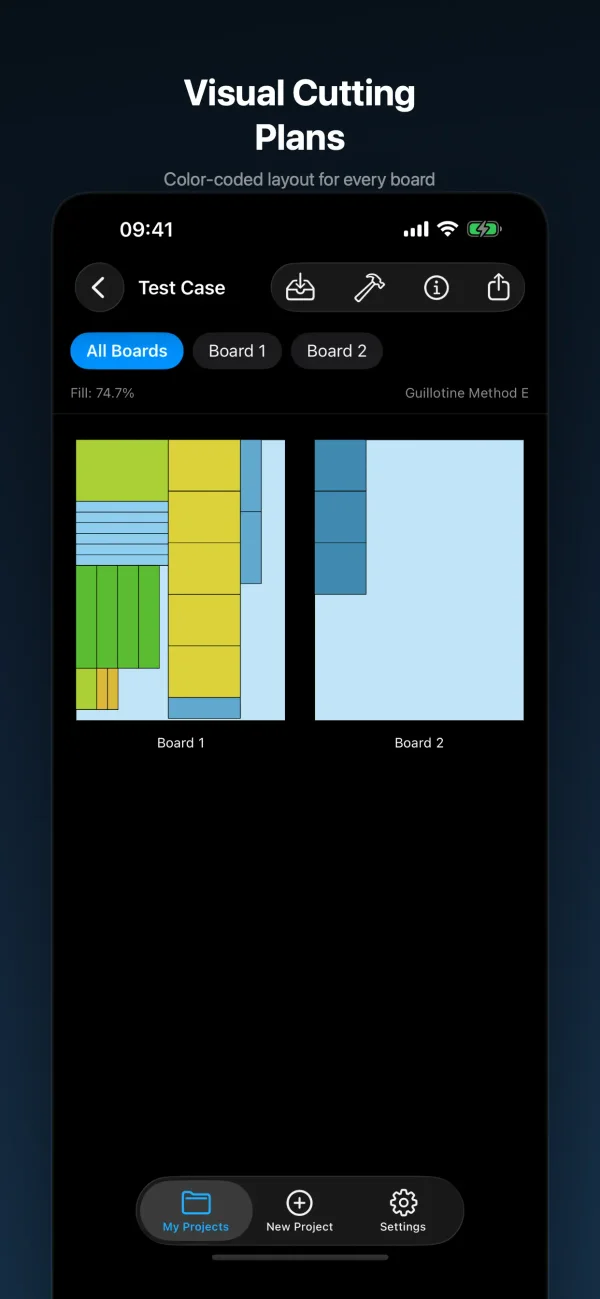
iOptiCut runs all seven optimization methods (five guillotine + two nesting) on your project and automatically ranks the results by material efficiency. One tap shows you which method wastes the least.
WORKSHOP MODE — CUT WITH CONFIDENCE
Follow your plan step by step. Each cut highlights exactly what to do next, shows dimensions clearly, and dims everything else. Tap to advance and never lose your place in the shop.
GRAIN DIRECTION & EDGE BANDING
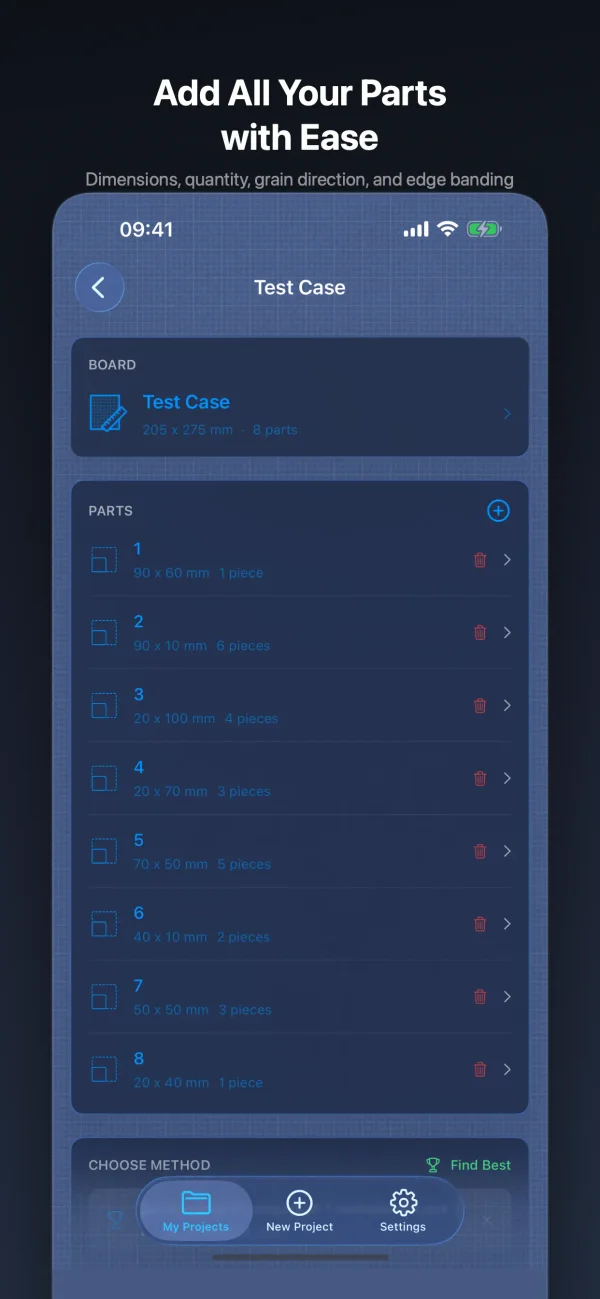
Specify grain direction (horizontal, vertical, or custom) per part — the algorithm respects it. Add edge banding per side with visual indicators, and get a complete edge banding list in your export.
BOARD INVENTORY — REUSE YOUR OFFCUTS
Save leftover boards to your inventory. iOptiCut uses them first before allocating new material. After optimization, remaining pieces are automatically saved back. Always know what you have on hand.
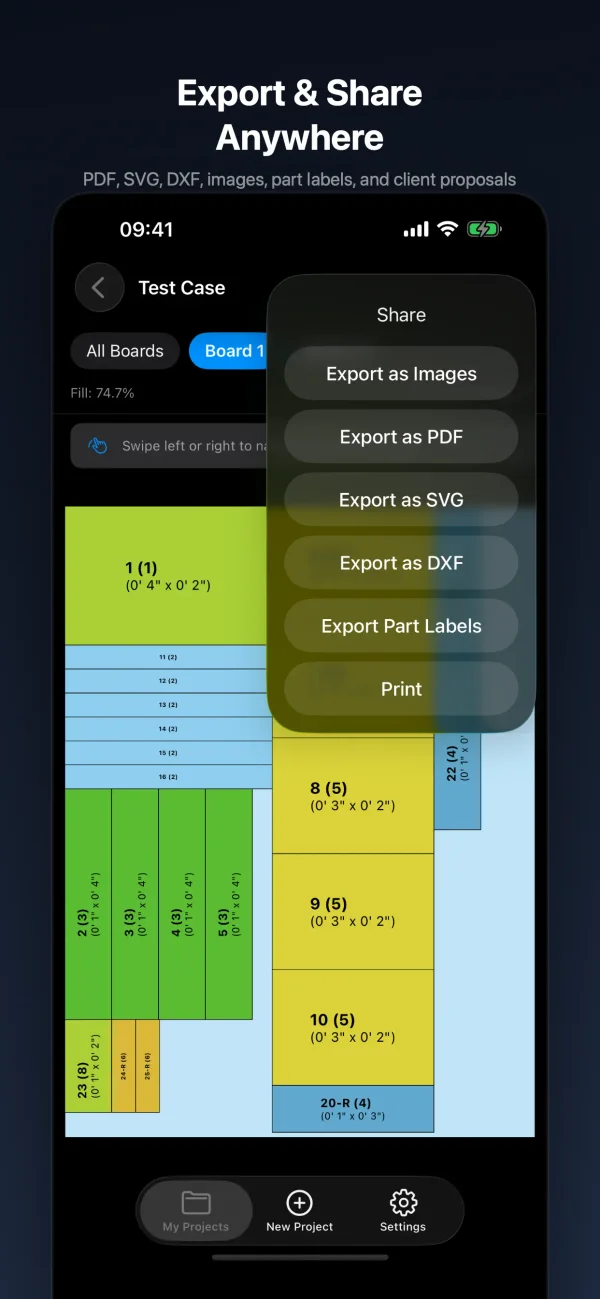
PROFESSIONAL PDF EXPORT
Export a complete package: cutting diagrams, full cut lists with dimensions, material summaries, and client-ready proposals with cost breakdowns.
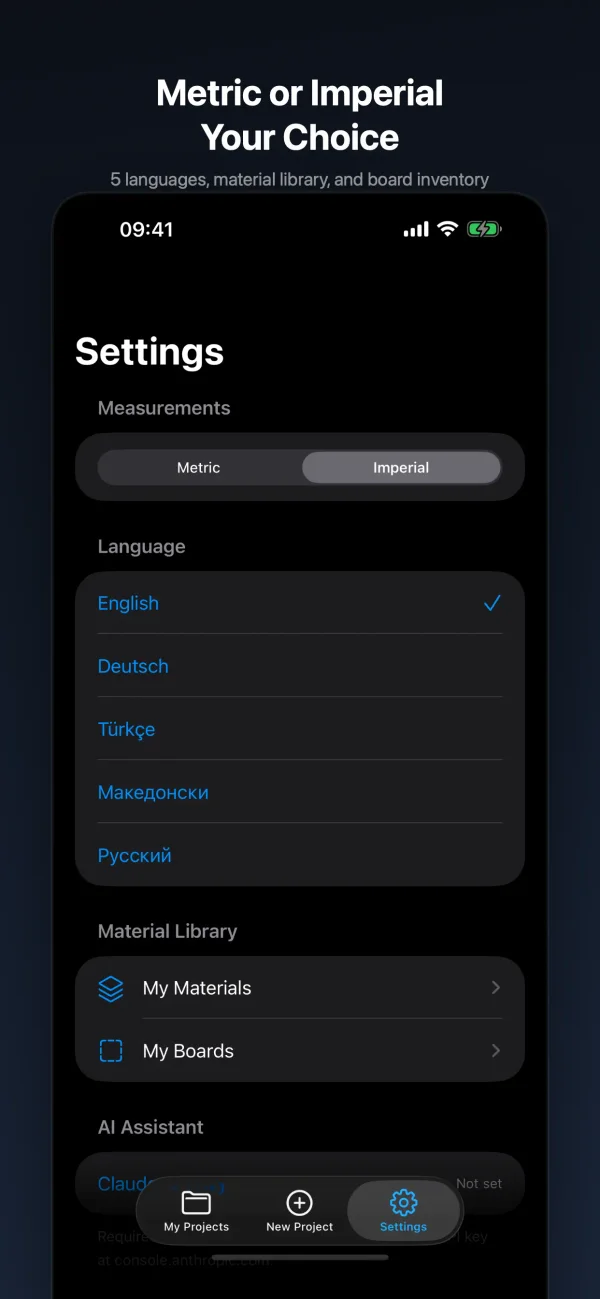
MATERIAL LIBRARY & COST CALCULATOR
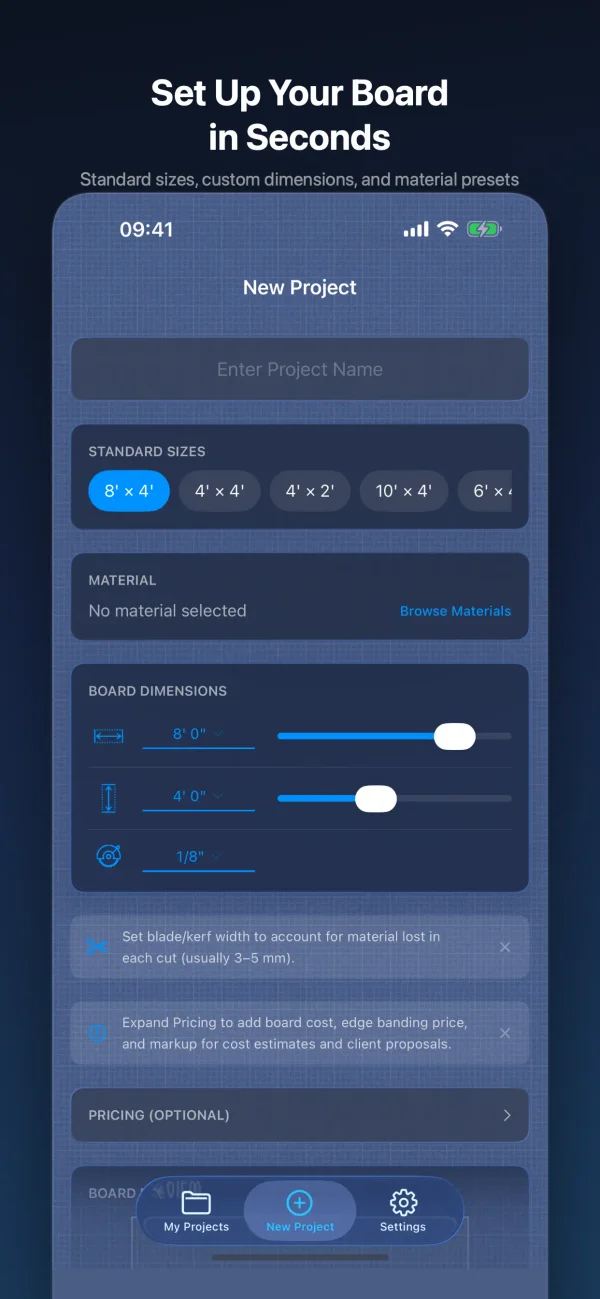
Choose from built-in presets (plywood, MDF, hardwood, sheet metal, tile, and more) or create your own. Add material costs, edge banding costs, and markup to instantly calculate project pricing and generate client quotes.
CSV IMPORT
Already have your parts list in a spreadsheet? Import it via CSV. Upload a file or paste text, preview it, and get started instantly with a downloadable template.
SVG & DXF EXPORT
Export cutting layouts as SVG or DXF — clean, labeled files ready for CNC routers, laser cutters, or CAD software.
MORE FEATURES
Metric and imperial units (feet, inches, fractions)
Kerf (blade width) calculation
Unplaced parts warnings
Auto-sized part labels on diagrams
Printable part label sheets
iPad-optimized layouts
Light & dark mode
5 languages: English, German, Turkish, Macedonian, Russian
WHO IT’S FOR
Woodworkers building furniture or cabinets
Carpenters planning sheet material cuts
CNC and laser cutter operators
Tile and glass cutters
Anyone who wants to reduce material waste
iOptiCut — measure twice, cut once.
What’s new
Version 3.4 · Jul 29, 2026
Imperial measurements no longer round up to the whole inch — exact fractions everywhere, including existing projects. Deleting a part now asks first.
App privacy
What Inellipse declares on the App Store about how this app handles data.
-
Data not collected
The developer does not collect any data from this app.
Privacy practices may vary, for example with the features you use or your age.
Information
- Seller
- Inellipse DOOEL
- Category
- Business
- Version
- 3.4
- Updated
- Jul 29, 2026
- Released
- Jun 3, 2010
- Size
- 9.7 MB
- Requires
- iOS 16.6 or later
- Age rating
- 4+
- Price
- $8.99
- Languages
- English, German, Macedonian, Russian, Turkish
- Copyright
- © 2026 Inellipse DOOEL
You might also like
-
 Nesting Optimizer1&2 D single size cutting
-
 CutMatryx: Cutting PlannerBars, profiles and miter cuts
-
 Bear MachinesBusiness
-
 Build Method AppBusiness
-
 Crown CutSmartBusiness
-
 Poolify - Pool HelperFor a cleaner Swimming Pool
-
 ListaSimple - Shopping listA simple shopping list
-
 CentPayFinance
-
 On-Site-ProBusiness
-
 ForNoteHandwrite Notes, Annotate PDFs