
IP Finder - Network Tools
My IP Address, Ping, DNS Leak
Designed for iPhone, iPad
Free · In-app purchases
- Age rating4+
- CategoryUtilities
- DeveloperHai Tran Xuan
- LanguagesEnglish+ 5 more
- Size13.5 MB
Links to the official App Store page
Download.org hosts no file of IP Finder - Network Tools. The button opens its official App Store page, published by Hai Tran Xuan. Listing last checked on Nov 8, 2026.
Screenshots

About
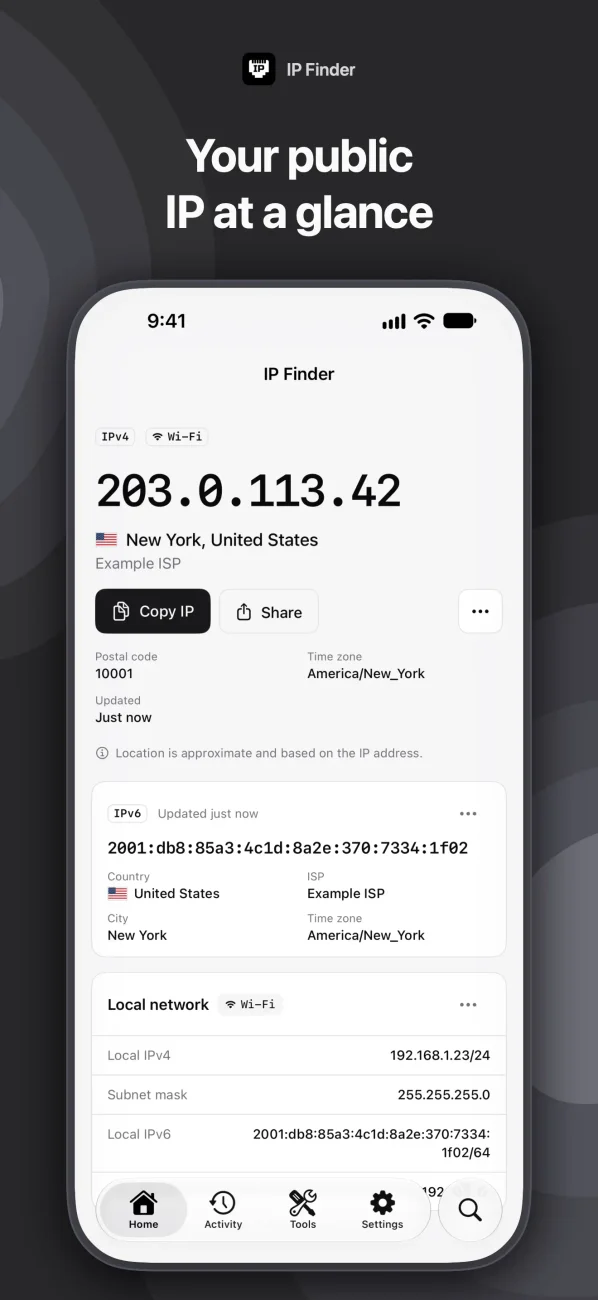
IP Finder shows the public IP address your iPhone or iPad uses on the internet, with the provider and an approximate, IP-based location. It adds a few focused tools to check your connection: IP lookup, live ping, a DNS leak test and a log of IP changes.
YOUR PUBLIC IP
• Public IPv4 and IPv6 address, internet provider and approximate location
• Copy or share the address with one tap
• Local network: connection type, local IPv4 and IPv6, subnet mask and DNS servers, as far as iOS provides them
IP LOOKUP
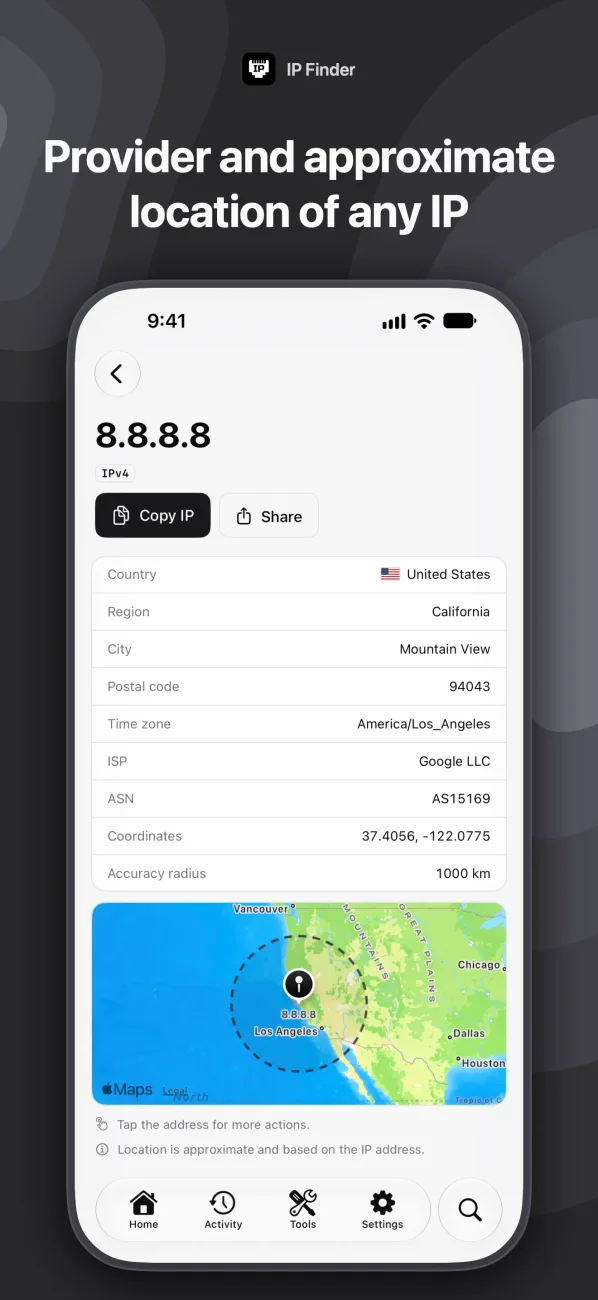
• Look up any public IPv4 or IPv6 address
• Provider, ASN, country, region, city and time zone, with the approximate position on a map
LIVE PING
• Ping several hosts at once, such as a website, a DNS server or your router
• Live latency chart; full statistics (average, jitter, packet loss) with IP Finder Pro
• Save targets and share the result as an image
DNS LEAK TEST
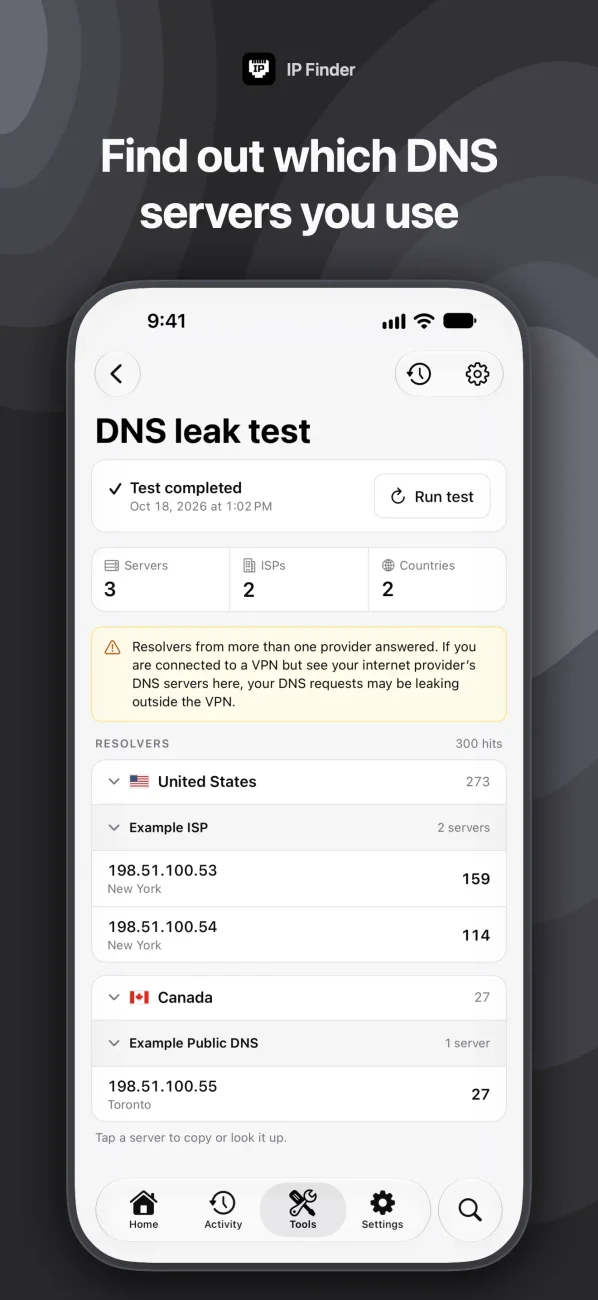
• See which DNS servers answer your device's requests, grouped by country and provider
• Useful with a VPN: if your internet provider's DNS servers appear, your DNS requests may be leaving the VPN
• Keep a history of past tests
IP ADDRESS LOG
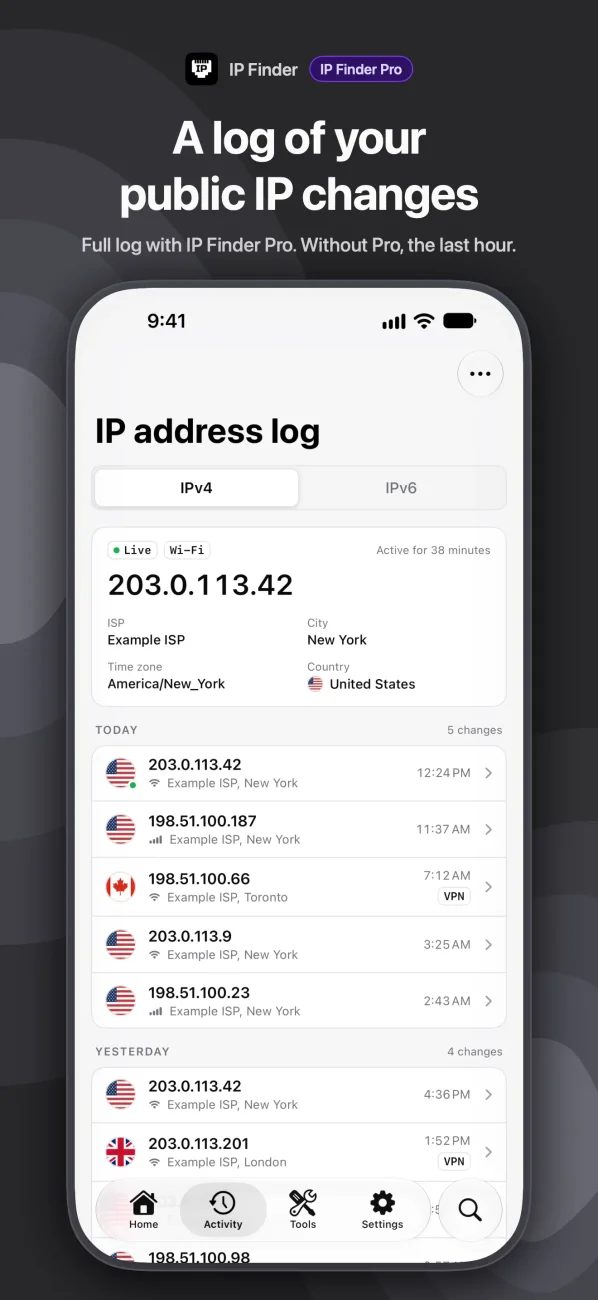
• Records when your public IP changes, with the network and location at that time
• Can also check in the background when iOS allows it
• Stored only on your device
WIDGETS
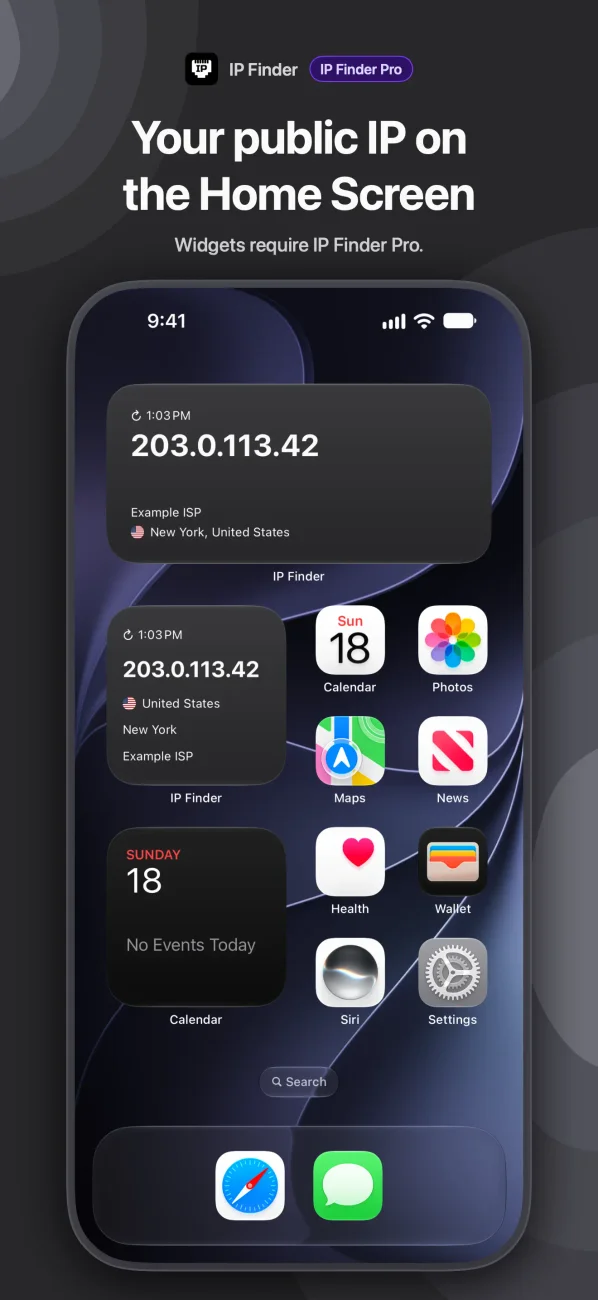
• Home Screen and Lock Screen widgets with your public IP
• Choose IPv4 or IPv6, mask part of the address, and refresh or copy with a tap
• Requires IP Finder Pro
IP FINDER PRO
A one-time purchase, no subscription. Pro removes the daily limits and unlocks the widgets:
• Unlimited IP lookups (5 per day without Pro)
• Unlimited DNS leak tests (3 per day without Pro)
• Up to 5 favorite ping targets (2 without Pro)
• Every ping statistic: average, minimum, maximum, jitter and loss
• The full IP address log (the last hour without Pro)
• Home Screen and Lock Screen widgets
GOOD TO KNOW
• Location is approximate and based on the IP address. It is not your GPS position.
• IP Finder is not a VPN: it does not hide your IP address or change your DNS settings.
• No account, no ads, no tracking. Your IP log and history stay on your device.
App privacy
What Hai Tran Xuan declares on the App Store about how this app handles data.
-
Data not linked to you
May be collected but is not linked to your identity.
- Location
- Search history
- Identifiers
Privacy practices may vary, for example with the features you use or your age.
Information
- Seller
- Hai Tran Xuan
- Category
- Utilities
- Version
- 1.0
- Updated
- Oct 22, 2026
- Released
- Oct 22, 2026
- Size
- 13.5 MB
- Requires
- iOS 17.0 or later
- Age rating
- 4+
- Price
- Free
- In-app purchases
- Yes
- Languages
- English, Dutch, French, German, Indonesian, Spanish
- Copyright
- © 2026 Hai Tran Xuan
You might also like
-
 Presence RemoteRemote lock and slide clicker
-
 NetDoctor: WiFi & NetworkFix Slow Internet, Lag & Drops
-
 ClearEther - EMF AwarenessSense your environment
-
 Kashf Lens - Sensor ExplorerMagnetic & Sound Sensor Tool
-
 Radien: Network ToolboxIP Scanner, Ping, Wake on LAN
-
 My IP WidgetCheck Your IP Address Fast
-
 Cluero: Visual Clue BoardNotes, Photos & Ideas
-
 Internet Speed Test & WiFiPing, Upload & Download Meter
-
 Rust Admin ToolPlayers, Chat & RCON-console
-
 Ping Analyzer: Latency MonitorGraphical Ping Diagnostics