IP Scanner & Uptime Monitor
LAN & port scan, server alert
Designed for iPhone, iPad, iPod touch
Free · In-app purchases
- Age rating4+
- CategoryUtilities
- DeveloperCao Vu Hung
- LanguagesEnglish+ 11 more
- Size38.4 MB
Links to the official App Store page
Download.org hosts no file of IP Scanner & Uptime Monitor. The button opens its official App Store page, published by Cao Vu Hung. Listing last checked on Nov 25, 2026.
Screenshots

About
IP Scanner & Uptime Monitor helps IT support teams, network administrators and CCTV technicians diagnose devices and services on the LAN they are connected to.
LAN DISCOVERY AND PORT CHECKS
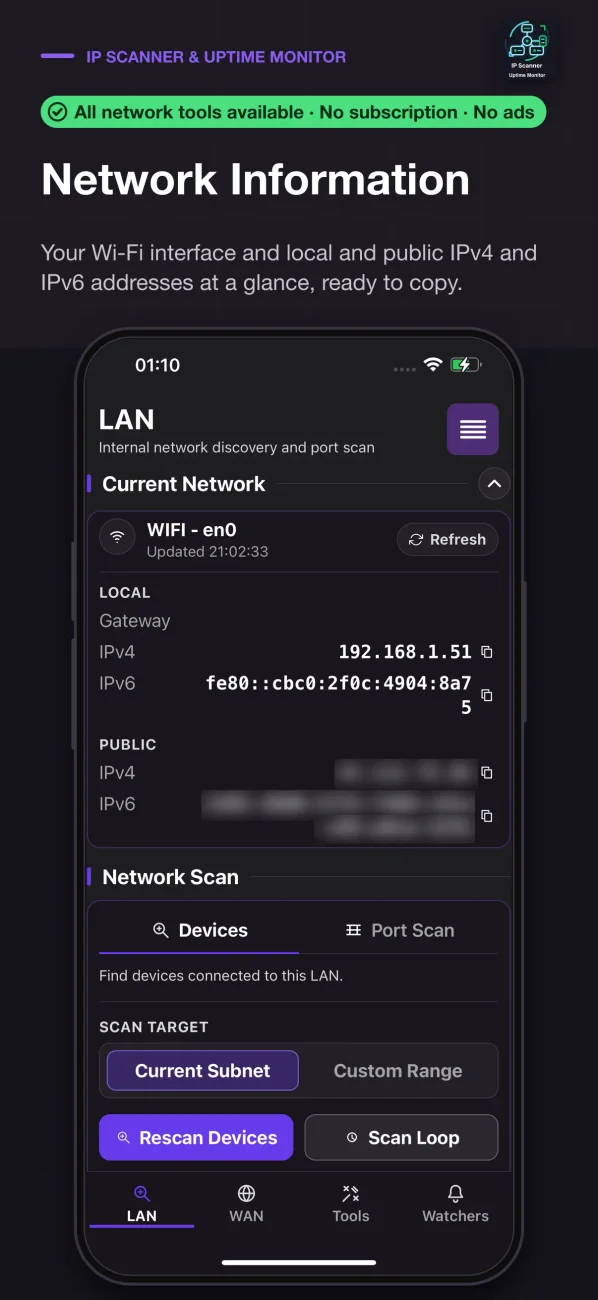
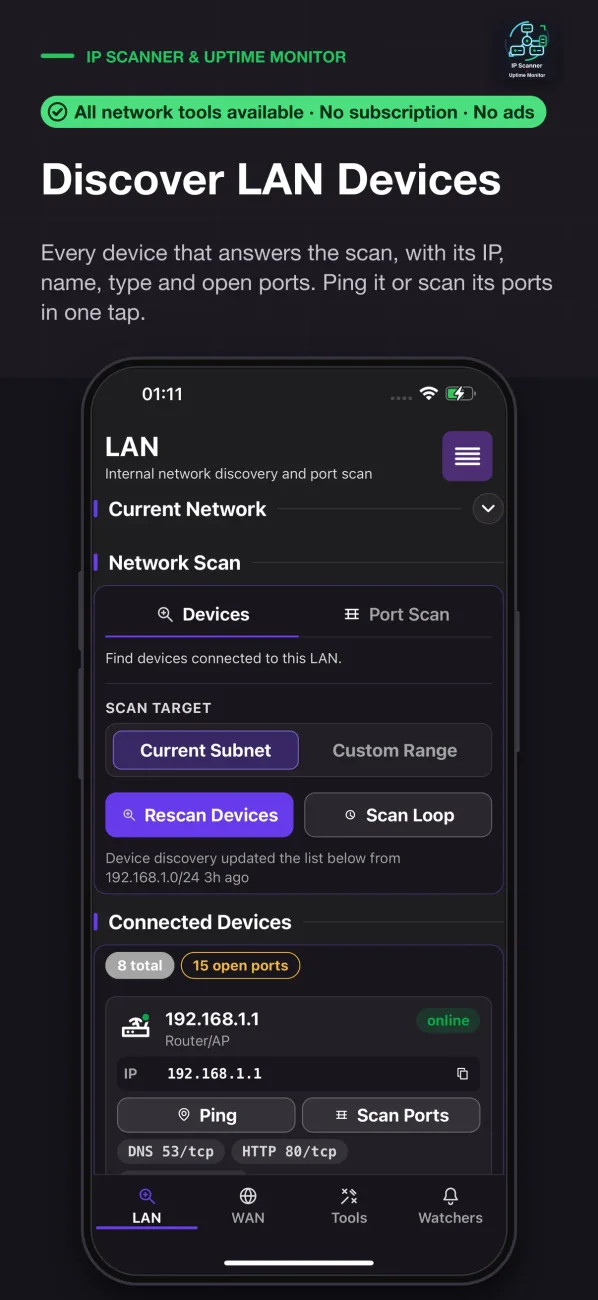
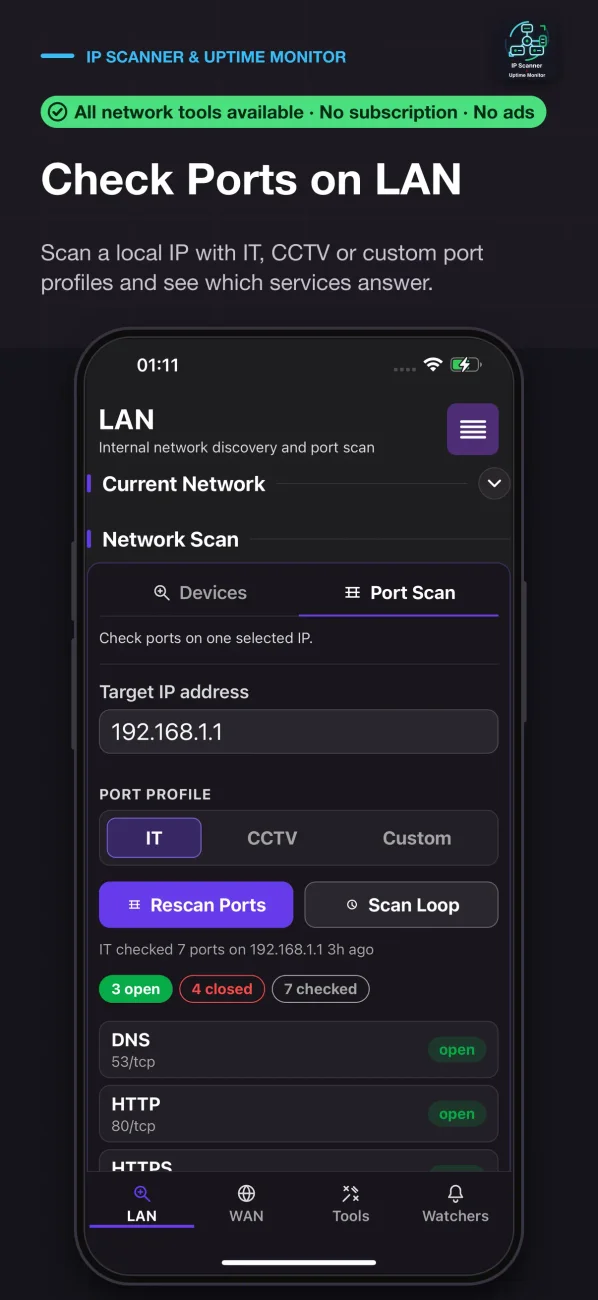
Discover hosts on the current subnet or a custom CIDR/IP range. See each responding host's IP address, open ports and likely device type. Check TCP ports with the built-in IT and CCTV profiles, or enter custom ports. Discovery results depend on device responses and OS permissions.
NETWORK TOOLS
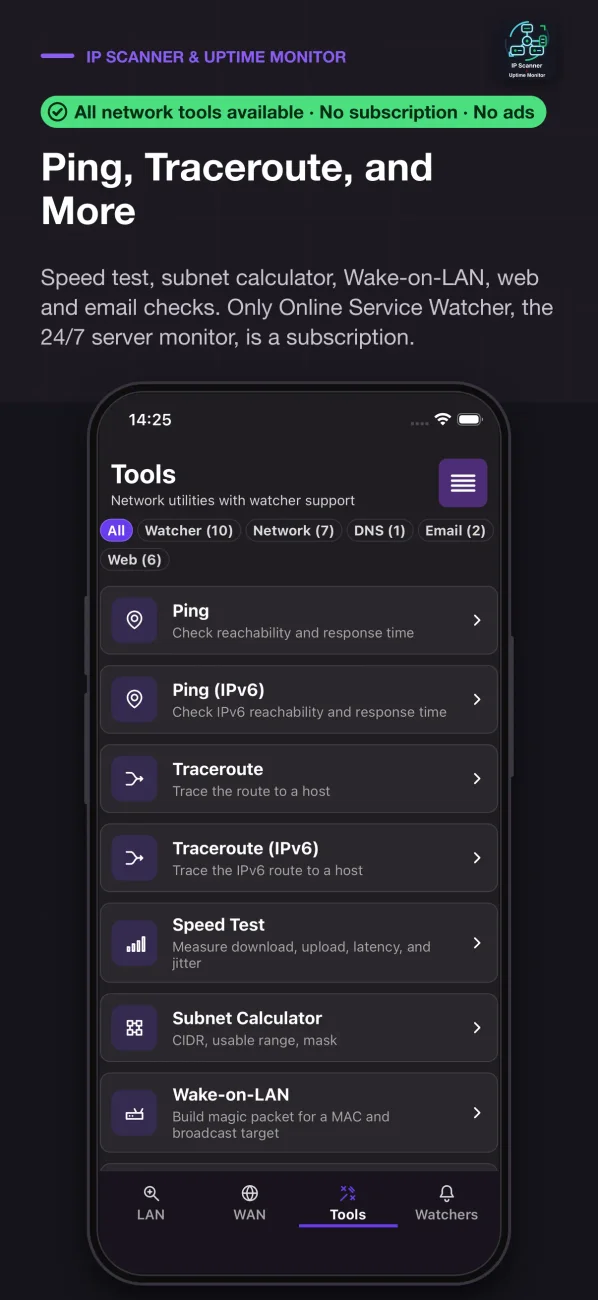
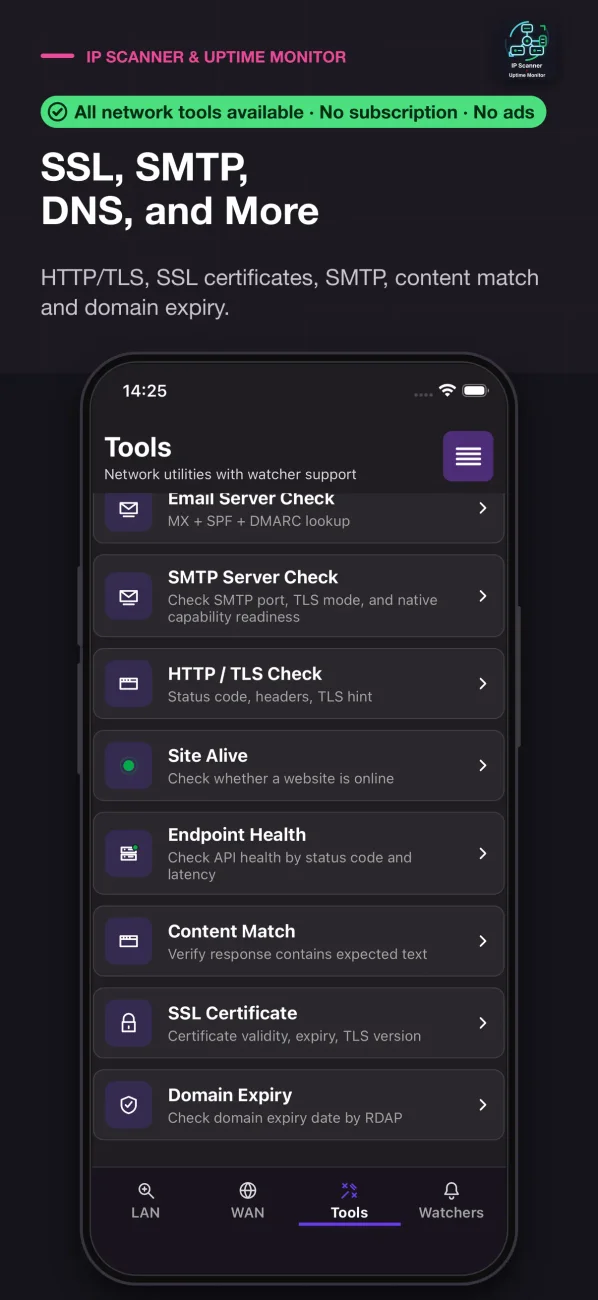
Run ping, DNS lookup and traceroute. Check public IP and WAN port reachability through an external probe. Inspect SSL/TLS certificates, HTTP endpoints, page content and domain expiry. Use the subnet calculator and Wake-on-LAN. IPv6 support depends on the tool and operating system. Run ping, port scans and traceroute in parallel and reopen them from the running-task list.
SERVICE AND SERVER MONITORING
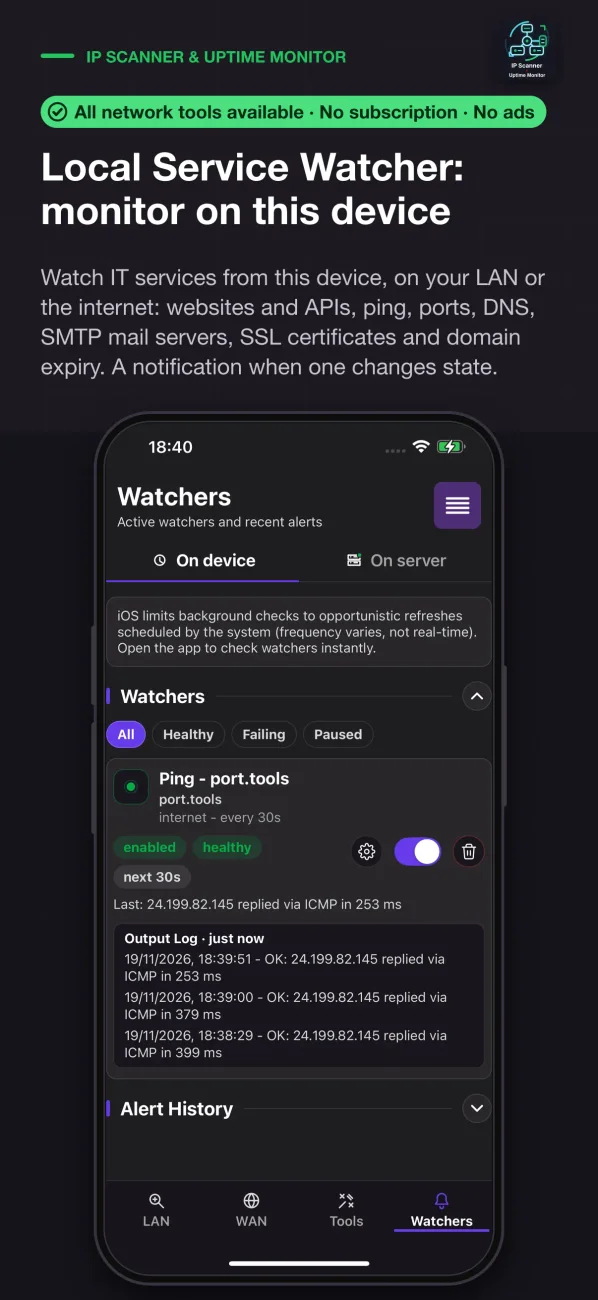
Create recurring checks for supported tools. Review failures, recoveries and history, with thresholds, duplicate suppression, cooldowns and optional notifications.
Local Watcher runs on your device: up to 10 active watchers for free, unlimited with a subscription. Background checks depend on OS execution limits; iOS can suspend them when the app leaves the foreground.
ONLINE WATCHER (OPTIONAL SUBSCRIPTION)
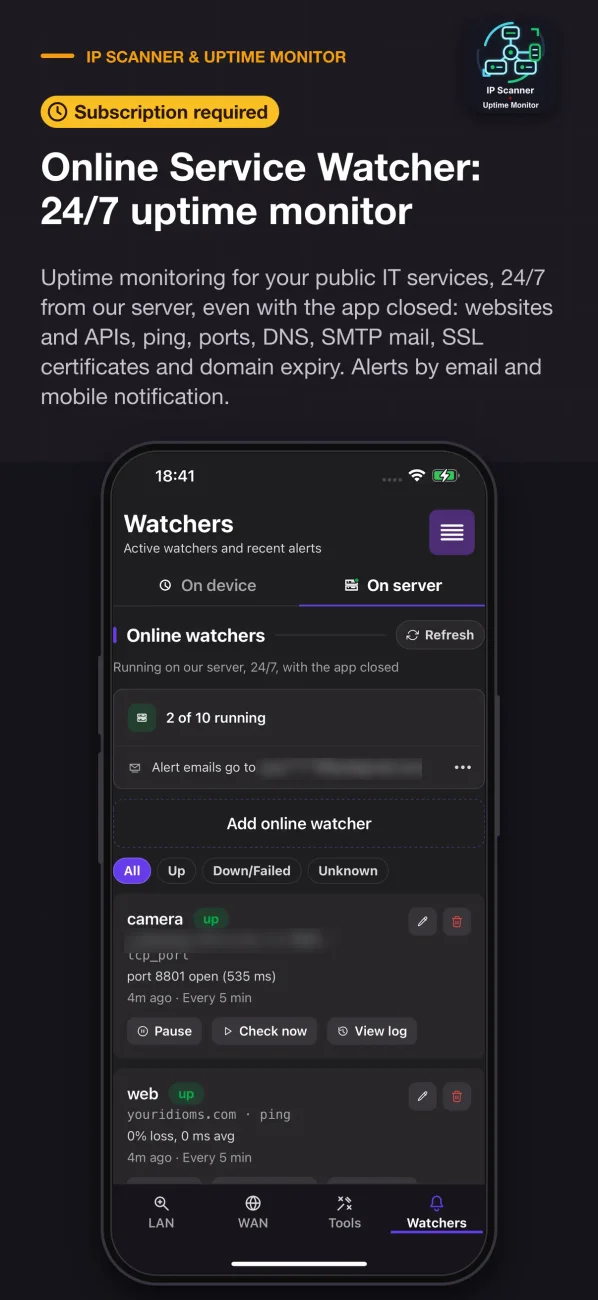
Online Watcher checks public hosts from our server around the clock, including when the app is closed, and alerts you by push notification and email when a host goes down or recovers. Private LAN addresses and port 25 are not supported. To keep checking while your phone is off, our server stores each Online Watcher's host or IP address, port or URL, its settings and recent results. Your LAN scans and Local Watchers stay on your phone.
• Registering an email to receive alerts is required to use Online Watcher. One device, one email: a device holds only one email, and an email is active on one device at a time. The same email brings your Online Watchers and subscription back after a reinstall or on a new device. To use a different email, delete the Online Watcher account first.
• Free trial: 1 Online Watcher, checked every 15 minutes, for 7 days. No purchase is needed and nothing renews when it ends.
• Watcher Lite, monthly: 7 Online Watchers, checks as often as every 10 minutes, unlimited Local Watchers.
• Watcher Pro, monthly: 10 Online Watchers, checks as often as every 5 minutes, unlimited Local Watchers.
When the trial or a subscription ends, or a purchase is refunded, your Online Watchers are paused, not deleted: they are kept for at least 90 days and run again when you subscribe. A smaller plan pauses the newest ones above its limit. Check history is kept for 3 days.
LAN scanning, port checks and network tools are free and need no account or email. Use the app only on networks and systems you own or are authorized to test.
SUBSCRIPTION TERMS
Watcher Lite and Watcher Pro are auto-renewing monthly subscriptions. Payment is charged to your Apple Account when you confirm the purchase. A subscription renews automatically unless it is canceled at least 24 hours before the end of the current period; the renewal is charged within the 24 hours before the period ends. Manage or cancel it in your App Store account settings. If a renewal payment fails, Online Watchers pause when the paid period ends, until Apple collects the payment.
Terms of Use: https://port.tools/terms-of-use/
Privacy Policy: https://port.tools/privacy-policy/
What’s new
Version 3.0.0 · Nov 24, 2026
- New Online Watcher: checks public hosts from our server 24/7, even with the app closed, and alerts you by push notification and email when a host goes down or recovers.
- Online Watcher starts with a free 7-day trial of one watcher. The optional Watcher Lite and Watcher Pro monthly subscriptions add more Online Watchers, faster checks and unlimited Local Watchers. Scanning, tools and Local Watcher stay free.
- Ten new UI languages: German, Spanish, Italian, Brazilian Portuguese, Simplified Chinese, Russian, French, Korean, Japanese and Dutch. Your language choice is saved.
App privacy
What Cao Vu Hung declares on the App Store about how this app handles data.
-
Data linked to you
May be collected and linked to your identity.
- Purchases
- Contact info
- User content
- Identifiers
- Usage data
- Diagnostics
Privacy practices may vary, for example with the features you use or your age.
Information
- Seller
- Cao Vu Hung
- Category
- Utilities
- Version
- 3.0.0
- Updated
- Nov 24, 2026
- Released
- Jun 23, 2026
- Size
- 38.4 MB
- Requires
- iOS 15.1 or later
- Age rating
- 4+
- Price
- Free
- In-app purchases
- Yes
- Languages
- English, Dutch, French, German, Italian, Japanese, Korean, Portuguese, Russian, Simplified Chinese, Spanish, Vietnamese
- Copyright
- © 2026 Port.Tools
You might also like
-
 Coddiq - Network ScannerScan WiFi, Find Devices, Ping
-
 Network Intrusion DetectionA basic IDS for Mobiles.
-
 Network Scanner & IP,PORT,WİFİLan,Device,PORT,IP,WİFİ Scan
-
 Angry Port ScannerNetwork & Port Scanner
-
 WiFi Device FinderFind devices on your WiFi
-
 Network Scanner ProWiFi Security & Device Scanner
-
 Simply IP ScannerNetwork Scanner with Utilities
-
 BLE SnifferPassive Bluetooth LE scanner
-
 IP Scanner: Network ToolsIP Tools & Network Scanner
-
 Unlock Device - IMEI & NetworkNetwork Unlock Device & IMEI