
IP Television: IPTV Player
M3U, Xtream, EPG on TV
Designed for iPhone, iPad
$1.99 · In-app purchases
- Age rating4+
- CategoryPhoto & Video
- DeveloperPaolo Rossignoli
- LanguagesEnglish+ 7 more
- Size120.1 MB
Links to the official App Store page
Download.org hosts no file of IP Television: IPTV Player. The button opens its official App Store page, published by Paolo Rossignoli. Listing last checked on Nov 28, 2026.
Screenshots





About
YOUR TV, ANYWHERE, WITHOUT LIMITS
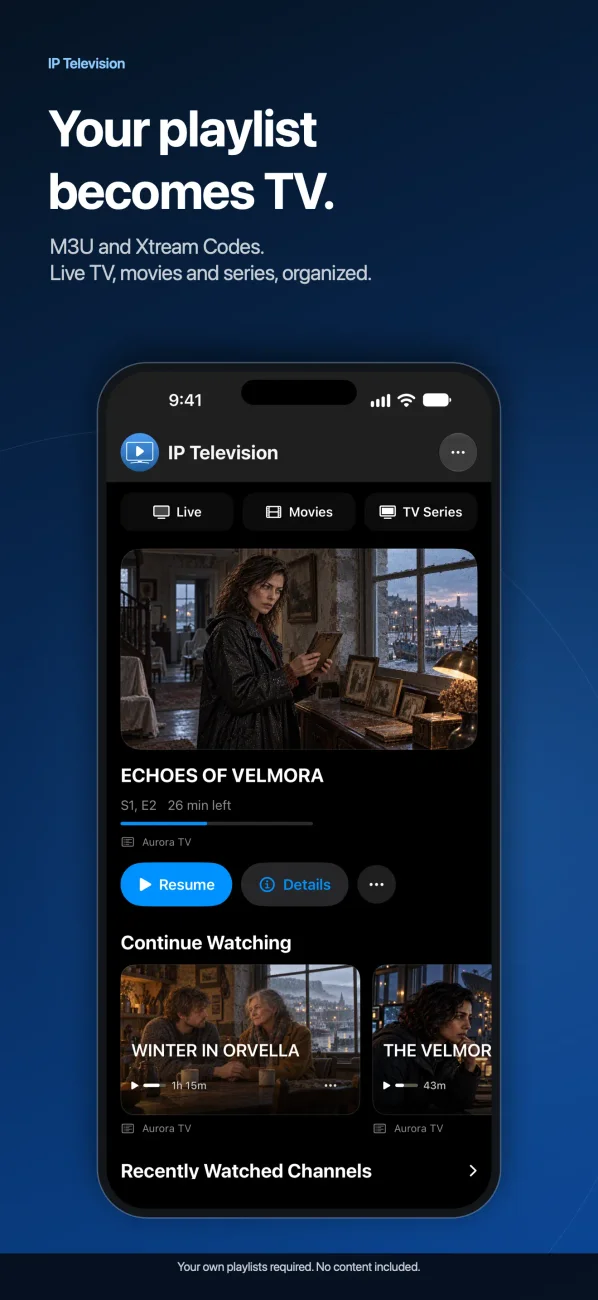
IP Television is not just a player: it is today's television. Add your own IPTV playlists (M3U8 or Xtream Codes) and the app turns them into a complete TV experience on iPhone, iPad and Apple TV. Handle huge numbers of channels, on-demand movies and series and live sport with the smoothness of real TV, with Replay AI on iPhone and iPad to analyse sports plays. The content is yours: the app is the most advanced way to enjoy it.
IP Television is a player: it does not provide or include any channel, movie or content. All content comes exclusively from the personal playlists you add.
NEW: REPLAY AI - THE AI-POWERED REPLAY
In the Replay AI studio on iPhone and iPad, choose a frame and the key moments of the play. Read the summary, the technical explanation and what the images show (or don't), in the app's language.
- Works with football, tennis, Formula 1, MotoGP and basketball
- Choose the tone of the answer: technical, fan or ironic
- Share the analysis with one tap, even as a WhatsApp comment
- Available on live sports channels
Replay AI requires a monthly or yearly subscription. A free 3-day trial is offered when available for your account.
WHAT TO WATCH? AND SIRI
Not sure what to watch? Ask in your own words, like "a highly rated thriller" or "a science-fiction series": the app suggests the right titles from your playlist and the programmes on air, without the ones you've already seen. With Siri your voice is enough: watch a channel, resume your last title or find out what's on tonight. The same commands are in Shortcuts and Spotlight.
WHY CHOOSE IP TELEVISION
Incredibly Simple
Add your IPTV playlists in seconds and start watching straight away. Full support for M3U8 and Xtream Codes. Import playlists from the web with copy and paste.
Professional Quality
Video player based on VLC, the engine used by millions of people worldwide. Smooth streaming even on weaker connections, full playback control, multiple subtitles and selectable audio tracks.
Universal Compatibility
Customizable User Agent with ready-to-use presets. Solves compatibility issues with demanding servers.
KEY FEATURES
Smart Playlist Management
- Unlimited playlists with the "Multiple Playlist" upgrade
- Automatic organization of huge numbers of channels from your lists
- Favorites for quick access
- Fast search by name or category
- Automatic playlist updates
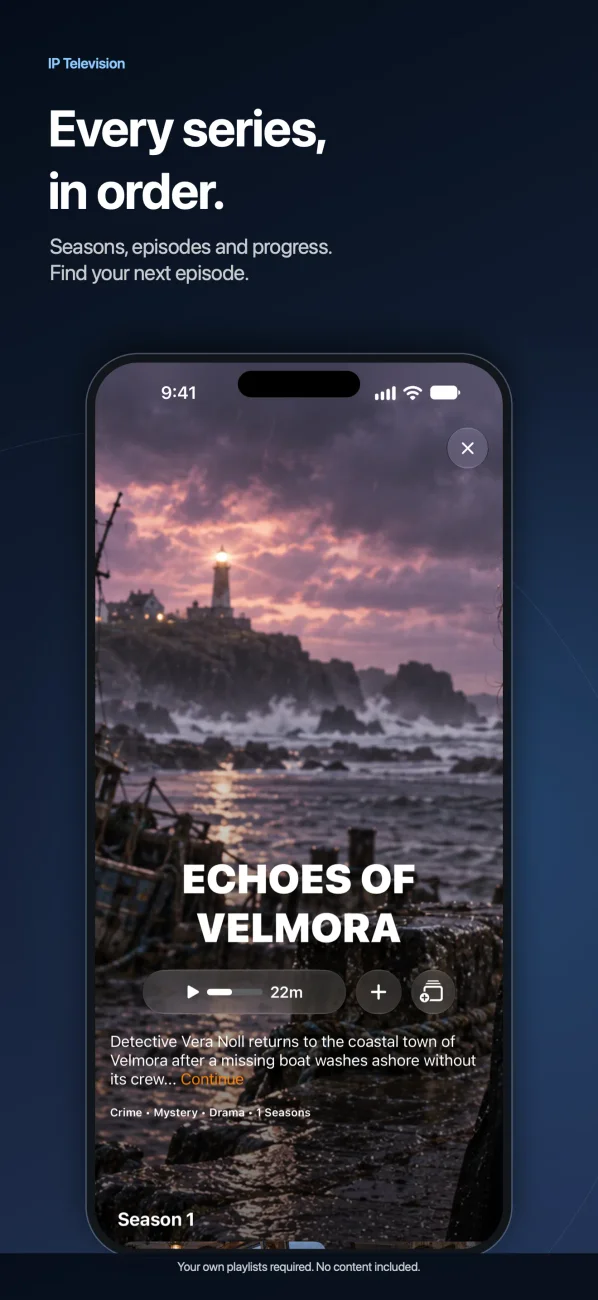
On-Demand Movies and Series
- VOD catalogue with HD artwork
- Automatic series grouping by season
- Automatic position saving: resume where you left off
- Detailed information: cast, plot, ratings
- Filters by genre, year, rating
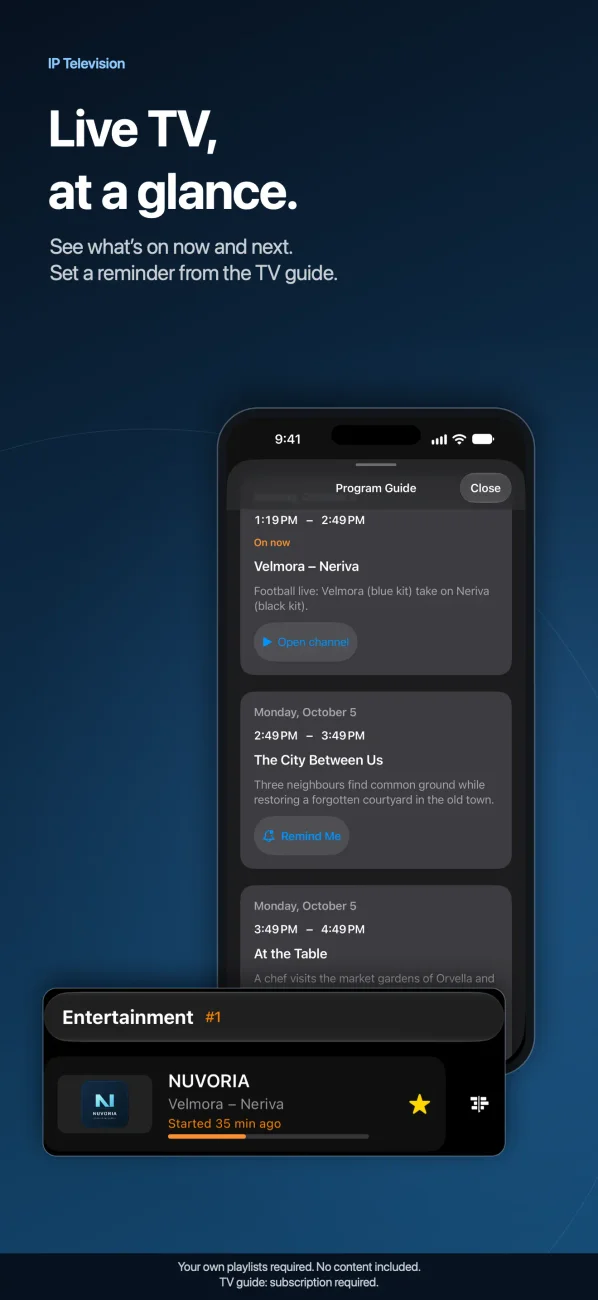
Live Television
- Handles huge numbers of channels from your playlists
- Electronic Program Guide (EPG) with the full schedule
- Ultra-fast zapping like real TV
- Replay AI to analyse sports plays on iPhone and iPad
- Parental controls that protect your content with PIN and Face ID
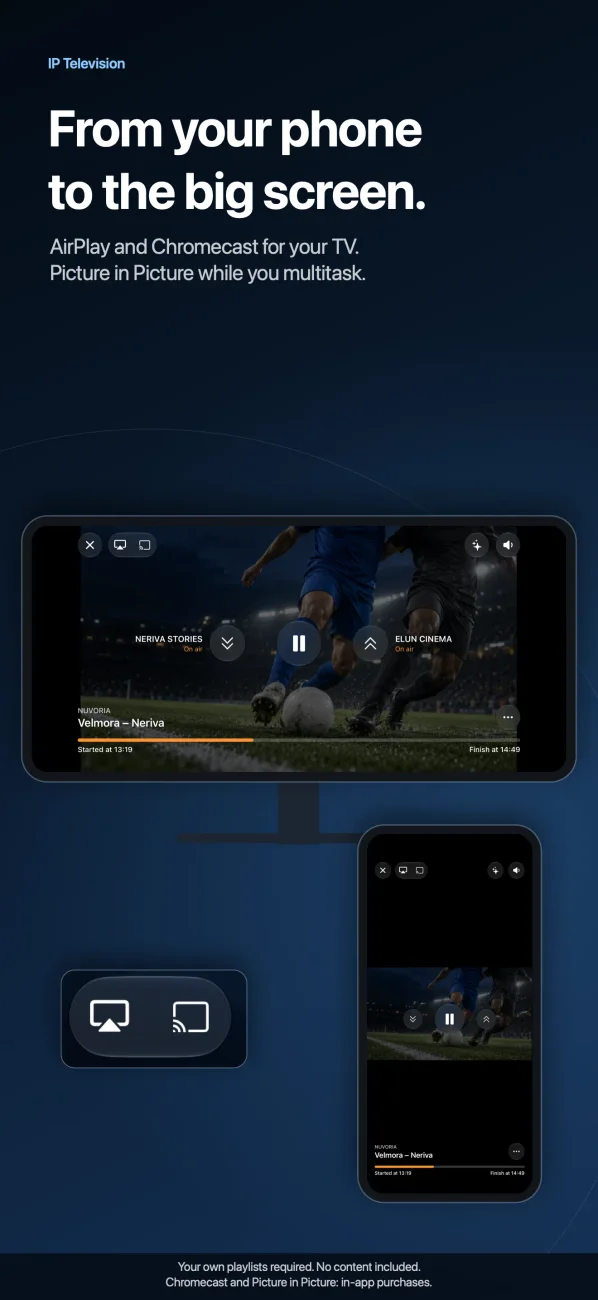
Stream Everywhere
- Built-in Chromecast to watch on your home TV
- Picture-in-Picture for multitasking
- Automatic sync across devices with iCloud
- AirPlay supported
ONE PURCHASE, ALL DEVICES
Buy IP Television once and use it on iPhone, iPad and Apple TV. All future updates included, no hidden costs.
Privacy Policy: http://www.iptelevision.tv/policy-privacy/
Terms and Conditions: http://www.iptelevision.tv/terms-conditions/
Download IP Television now and discover a new way to watch TV!
What’s new
Version 8.0.10 · Nov 13, 2026
A release focused on the reliability of the player, Chromecast and playlists.
PLAYER
- If the network drops, the player tells you (“No internet connection” or “Reconnecting…”) and resumes on its own as soon as it is back.
- Position and “watched” status of movies and episodes are kept even when playback is interrupted.
- The previous/next buttons on the Lock Screen stay active after every channel change.
- Improved resuming after a phone call.
CHROMECAST
- More stable casting when you return to the app and when changing channels.
- Improved resuming of movies on the TV.
- Clear notices when the TV does not respond or local network access is not allowed.
PLAYLISTS
- Downloads cope better with slow servers and very large lists.
- Clear error messages: credentials, expired account, invalid address.
- Xtream accounts: if the playlist link does not respond, the app tries to fetch channels and movies from the server.
- More channels recognised in M3U lists, and support for .m3u.gz files.
ALSO
- A more robust launch.
- A lighter catalogue: channels of playlists that no longer exist are removed.
App privacy
What Paolo Rossignoli declares on the App Store about how this app handles data.
-
Data not linked to you
May be collected but is not linked to your identity.
- Usage data
- Diagnostics
Privacy practices may vary, for example with the features you use or your age.
Information
- Seller
- Paolo Rossignoli
- Category
- Photo & Video
- Version
- 8.0.10
- Updated
- Nov 13, 2026
- Released
- Jul 4, 2014
- Size
- 120.1 MB
- Requires
- iOS 18.0 or later
- Age rating
- 4+
- Price
- $1.99
- In-app purchases
- Yes
- Languages
- English, French, German, Italian, Portuguese, Russian, Spanish, Turkish
- Copyright
- 2014-2026 ©IP Television
You might also like
-
 IPTV Streamer MaxIPTV the way you like it!
-
 M3U8 Stream Player: TV & VideoM3U, IPTV & HLS Playlist
-
 iPTV Pro - iPTV Smarter PlayerSmart Player lite, Live TV App
-
 IPTV One: TV & Movie PlayerMulti-Device Sync & Stream
-
 ProgTVIPTV,OTT,TV/Radio player
-
 iMPlayer IPTV PlayerPhoto & Video
-
 ARC PlayerFast OTT & IPTV Media Player
-
 Conflux - Video PlayerAll-Format Player · NAS Cloud
-
 VxioNDI Monitor
-
 MaxPlayer: IPTV M3U PlayerM3U Playlists & Xtream Codes