iPocket Calculator
Adding Machine, Tax & Margin
Designed for iPhone, iPad, Mac
Free · In-app purchases
- Age rating4+
- CategoryUtilities
- DeveloperMahmoud Suliman
- LanguagesEnglish
- Size21.2 MB
Links to the official App Store page
Download.org hosts no file of iPocket Calculator. The button opens its official App Store page, published by Mahmoud Suliman. Listing last checked on Nov 21, 2026.
Screenshots

About
Fix the line, not the whole sum.
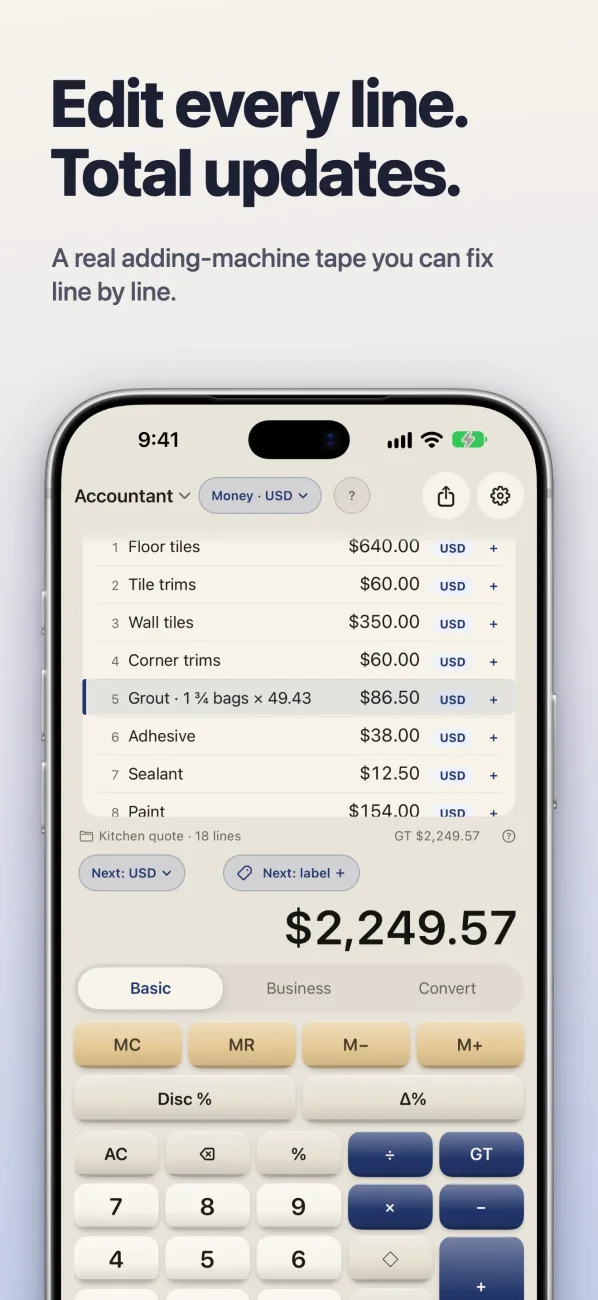
iPocket is a pocket calculator with a tape you can edit, like a classic adding machine. Mistype an amount three lines up, tap it, put it right, and the subtotal, total and grand total recalculate on the spot.
One app, three calculators: a simple calculator for everyday sums, a business and accounting calculator with a printing tape, and a scientific, fraction and graphing calculator for students. It goes where you go, from iPhone to iPad to Mac, through your own iCloud.
ADDING MACHINE AND TAPE CALCULATOR
• A 10-key style tape with subtotal, total and grand total (GT)
• Edit, label or delete any line, and every total follows
• Memory keys: MC, MR, M− and M+
• Add notes to a tape and save it in folders
TAX, MARGIN AND BUSINESS CALCULATOR
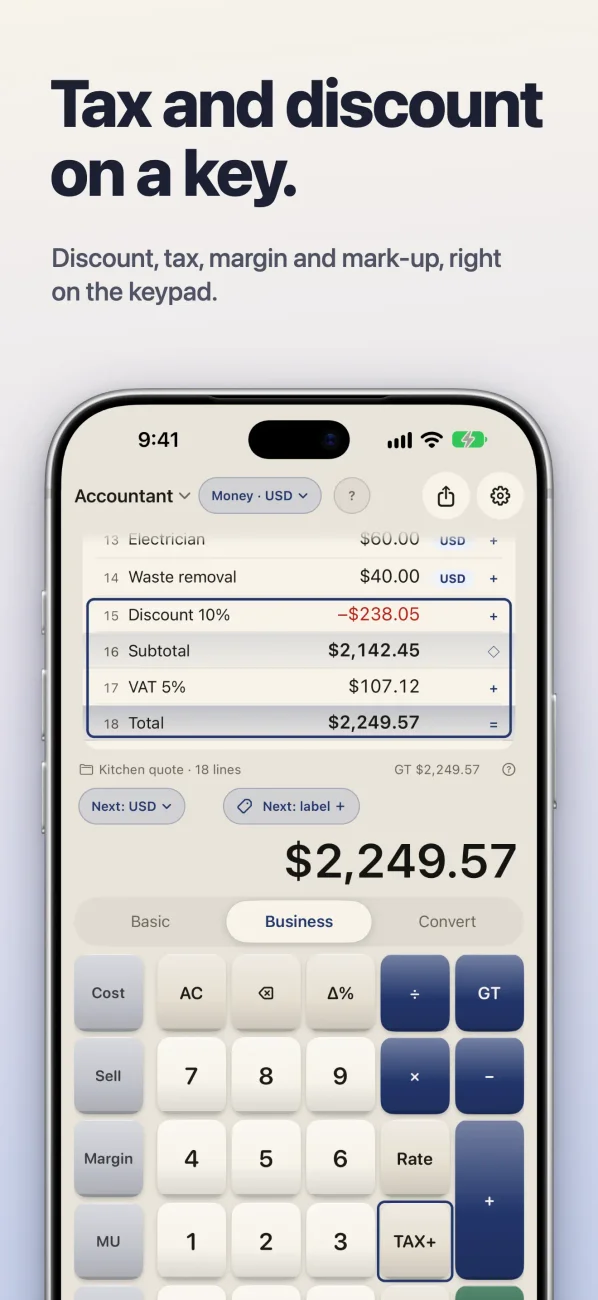
• Tax calculator: add tax or take it out, at your own rate
• Margin calculator: find a sell price from a cost and a margin
• Mark-up, discount and percent change, each on one key
• Ready for invoices, quotes, receipts, cash counts and the day's takings
PRINT AND EXPORT
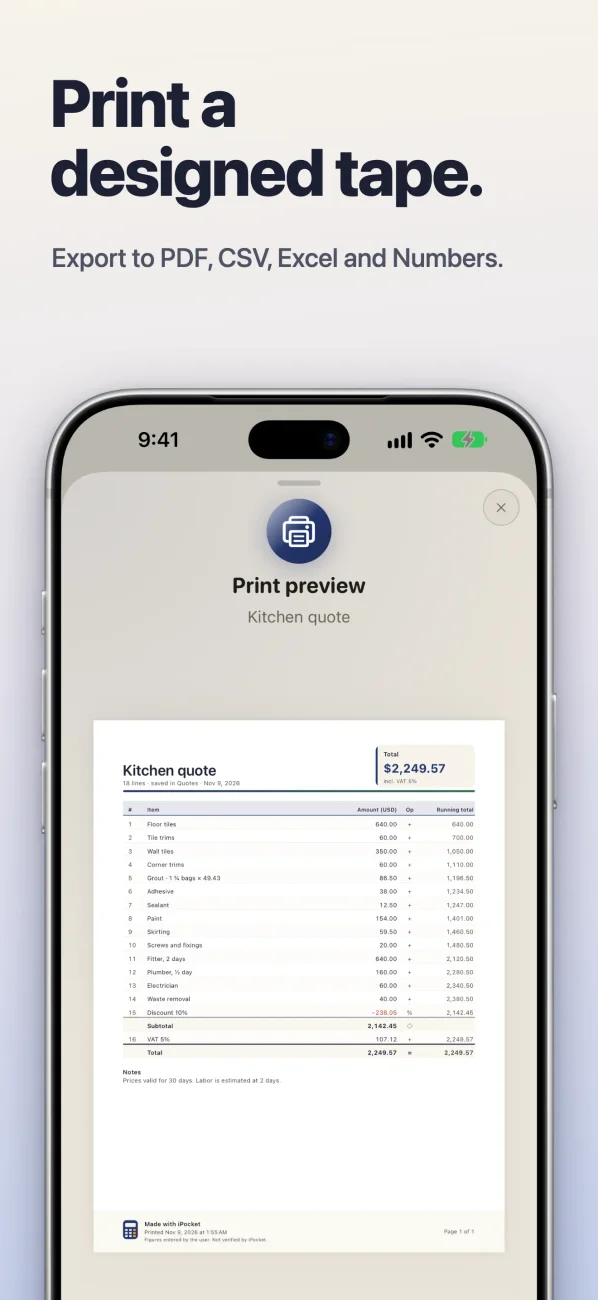
• Print a tape as a clean, professional page: every line with its running total, the total, and your notes
• Save it as a PDF, or export to Excel and Numbers with working SUM formulas, or to CSV
• Print or save any graph or chart as a PDF, in color or black and white, or copy it as an image
CURRENCY CONVERTER ON THE TAPE
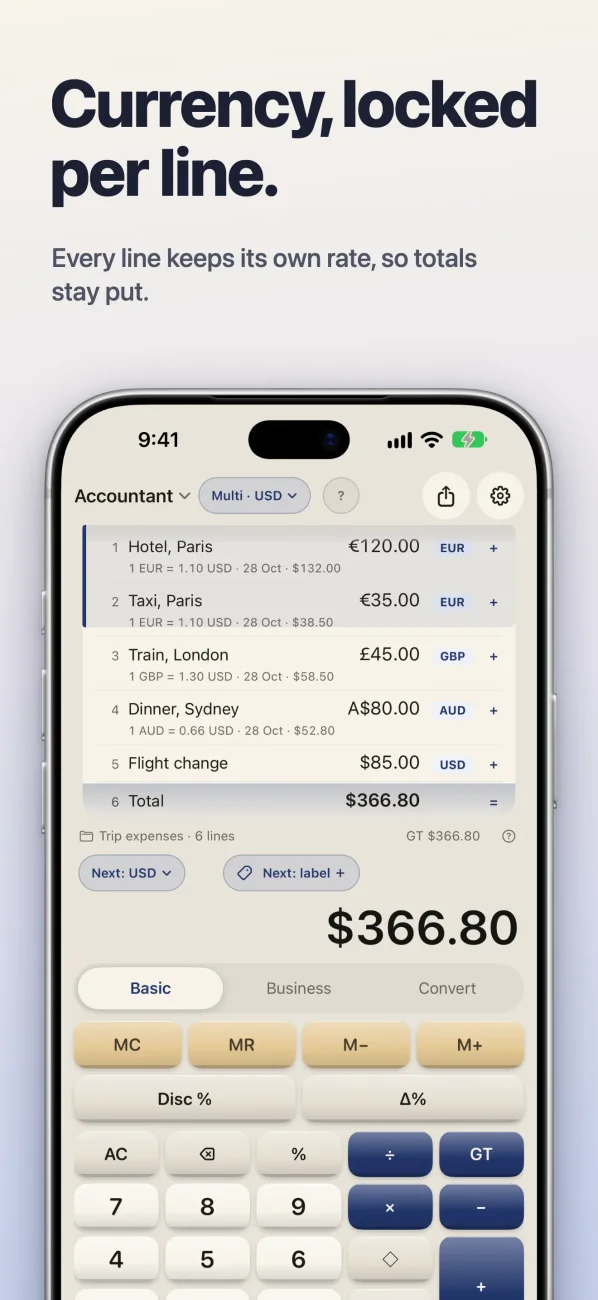
Pay in euros, pounds or dollars and add them all to the same tape. The total is in your home currency, the one you choose in Settings. Each line is converted at the day's rate and locked, so yesterday's dinner stays at yesterday's price. Need the total in another currency? Pick one from the tape menu and see it.
SCIENTIFIC AND GRAPHING CALCULATOR FOR STUDENTS
• A full scientific keyboard: trigonometry, logs, powers and roots, in degrees or radians
• Fraction calculator with exact fractions and mixed numbers
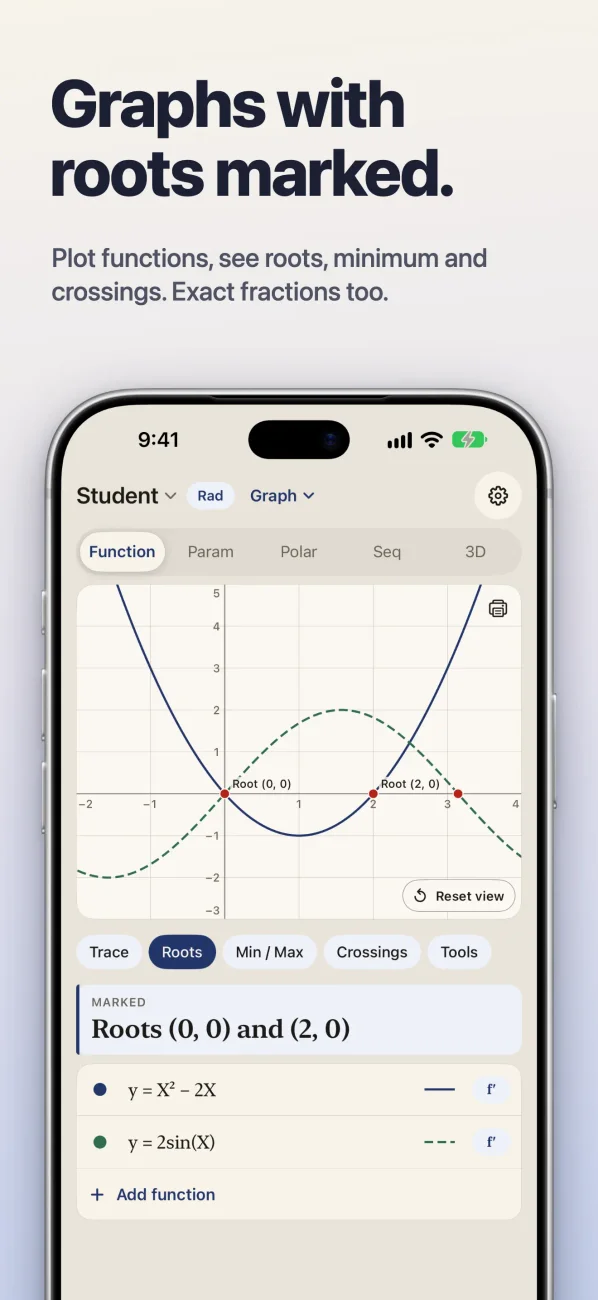
• Graph functions, parametric curves, polar curves and sequences, with roots, highest and lowest points and crossings marked
• 3D graphs: plot a surface and turn it to any angle
• Calculus on the graph: derivatives, tangent lines, and integrals shown as the shaded area under a curve or between two curves
• Value tables, and every answer ready for the next step
• Unit converter built in
STATISTICS AND CHARTS
• Scan a table: take a photo of a printed table, pick an image or a file, or paste your data, then check every cell before you use it
• Mean, median, standard deviation and more from one list or two
• Histogram, box plot and scatter plot, with a line of best fit: linear, quadratic, exponential, logarithmic, power and inverse
• Distributions with their chart: normal, inverse normal, binomial and Poisson, with the probability shaded and limits you can drag on the normal curve
MADE FOR EVERY SCREEN
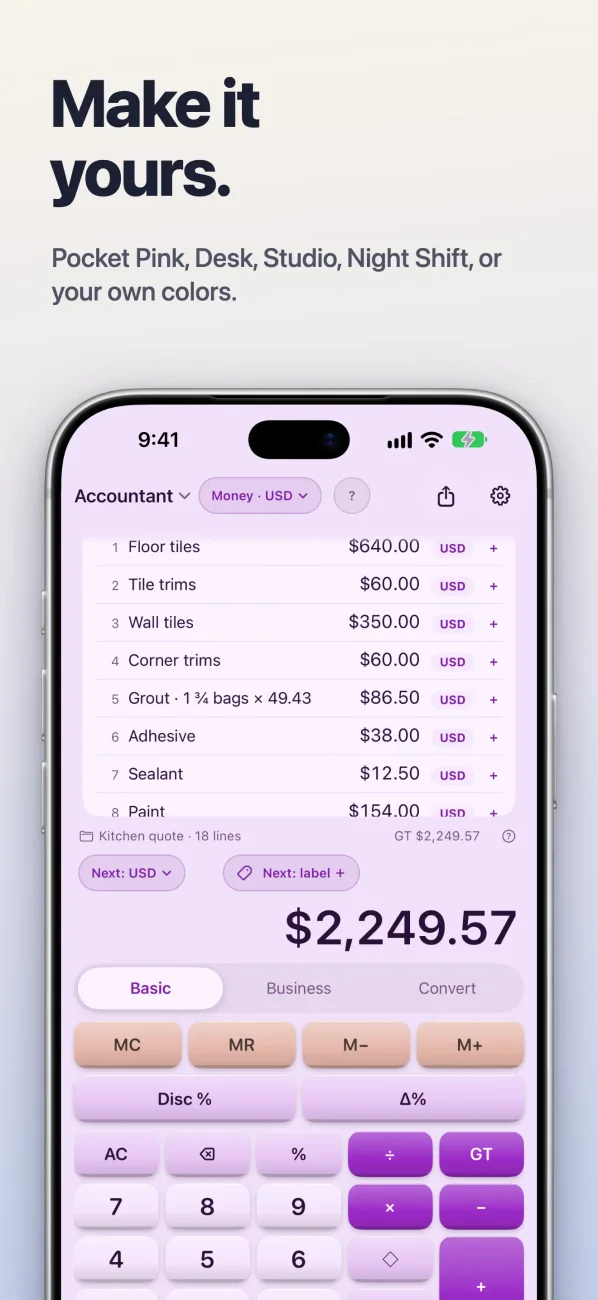
On iPad and Mac, run two calculators side by side and send a result from one to the other. The Mac app is fully native, with a sidebar, a tape you edit with a double-click, and keyboard shortcuts for the keys you use most. Make it yours with themes, from the classic Ledger to Pocket Pink, or colors you pick yourself.
FREE, WITH PRO WHEN YOU NEED IT
The everyday calculator with a labeled tape and memory keys, the classic cream Ledger theme and your recent history are free, with no ads.
iPocket Pro unlocks the editable tape, business and student modes, currency and units, saved tapes, history on every device, export and print, dark mode and every theme, the second calculator and extra widgets. Pro works on iPhone, iPad and Mac.
PRIVATE BY DESIGN
No account to sign up for. Your tapes live in your own iCloud, where no one else can read them.
Exchange rates are for reference only and may be delayed or unavailable. iPocket is a calculator, not financial advice.
What’s new
Version 2.0 · Nov 13, 2026
iPocket Calculator isn't just simple anymore. It still fits in your pocket, but now it's a real adding machine, a business calculator and a student calculator in one app.
• Edit any line on the tape and watch every total follow
• One-tap tax, margin, mark-up and grand total
• Student mode: scientific keys, exact fractions, statistics, and 2D and 3D graphs
• Add amounts in any currency and see the total in yours
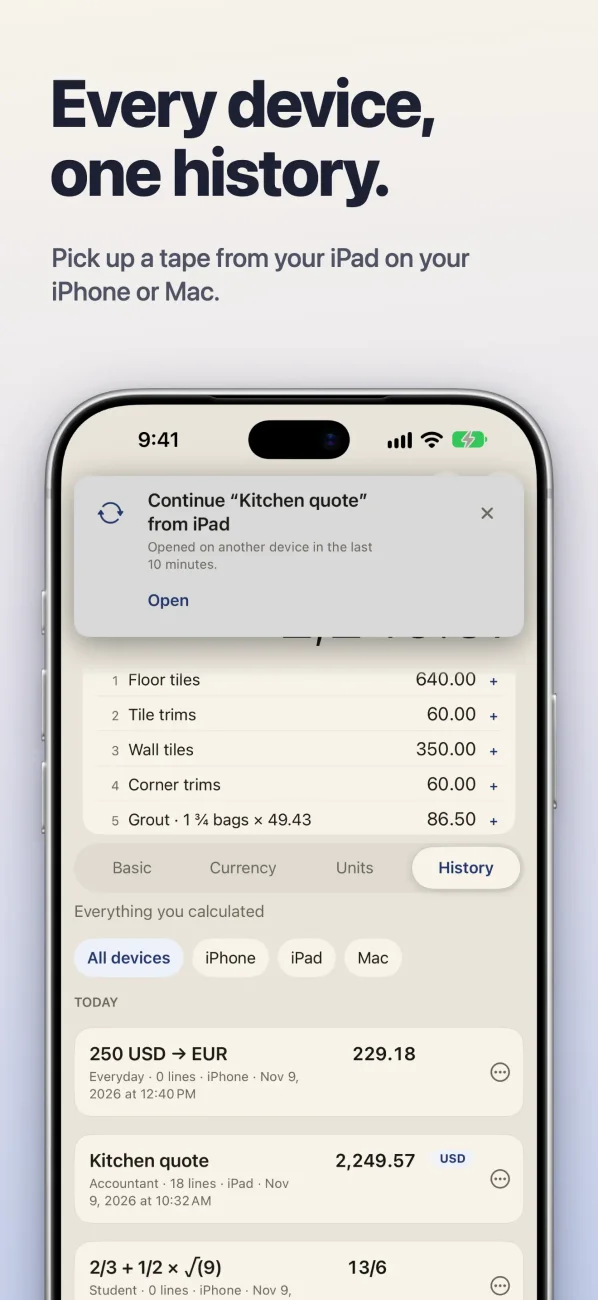
• Your history and tapes on iPhone, iPad and Mac, through iCloud
• A fully native Mac app
• Export to Excel, Numbers, CSV and PDF, and print
• New themes, with Pocket Pink, the look you know
App privacy
What Mahmoud Suliman declares on the App Store about how this app handles data.
-
Data linked to you
May be collected and linked to your identity.
- Purchases
- User content
- Identifiers
- Usage data
Privacy practices may vary, for example with the features you use or your age.
Information
- Seller
- Mahmoud Suliman
- Category
- Utilities
- Version
- 2.0
- Updated
- Nov 13, 2026
- Released
- Mar 12, 2023
- Size
- 21.2 MB
- Requires
- iOS 18.0 or later
- Age rating
- 4+
- Price
- Free
- In-app purchases
- Yes
- Languages
- English
- Copyright
- © 2026 Digital Rock
You might also like
-
 Big Yellow CalculatorCustom Layout Calculator
-
 Input CalculatorYour All-in-One Calculator!
-
 Numerix CalculatorModern Calculator with Style
-
 RedCrab CalculatorScientific Calculator& History
-
 interCalculatorCompact yet powerful
-
 Minimum CalcSimple, unique calculator
-
 Ad Free Calculator AppWith History & Custom Themes
-
 Calculator :) - Scientific AIMath scanner & homework tutor
-
 Calculator: AI Math Solver ProAll-in-one Calculator App
-
 Cuspart: myCalScientific & Unit Converter