iPrinter: Smart Wireless Print
Mobile Printing Center & Setup
Designed for iPhone, iPad
Free · In-app purchases
- Age rating4+
- CategoryUtilities
- DeveloperRAISIN APPS LTD
- LanguagesEnglish+ 1 more
- Size44.1 MB
Links to the official App Store page
Download.org hosts no file of iPrinter: Smart Wireless Print. The button opens its official App Store page, published by RAISIN APPS LTD. Listing last checked on Nov 17, 2026.
Screenshots

About
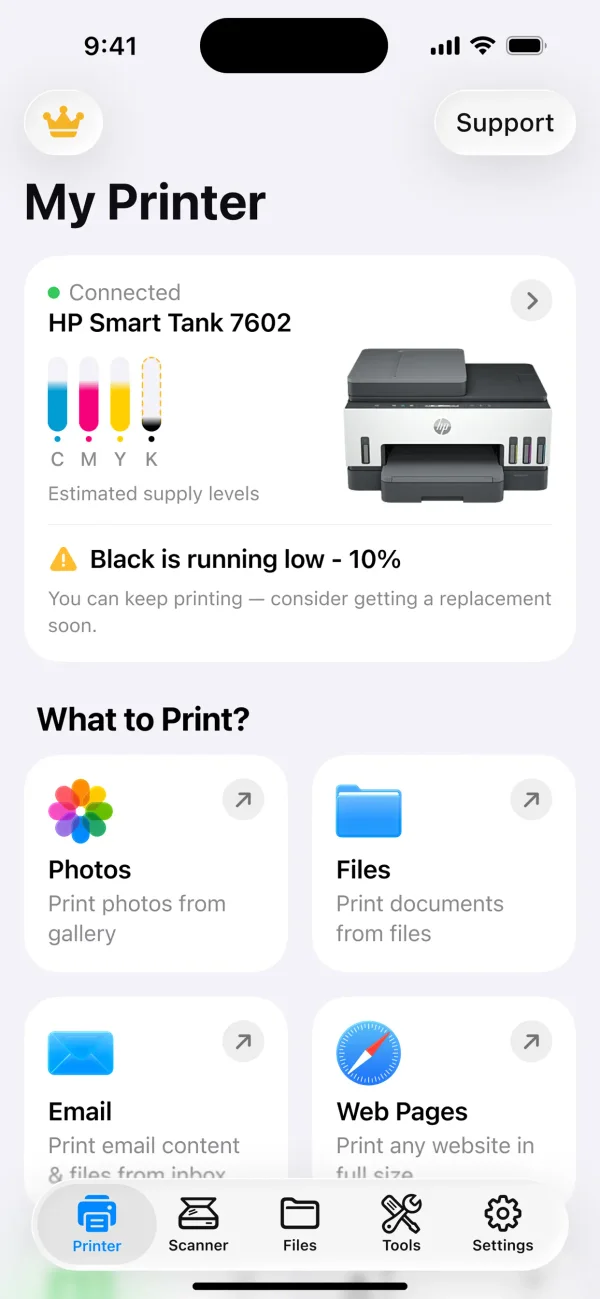
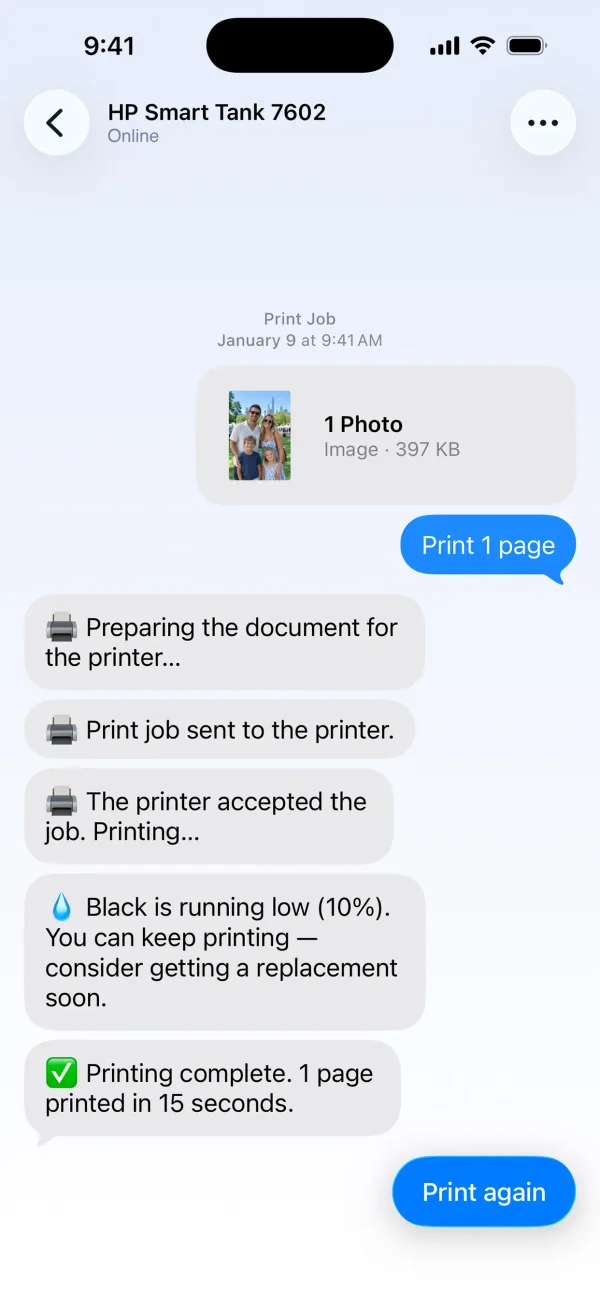
iPrinter lets you print and scan from your iPhone or iPad over Wi-Fi — quickly, easily, and without drivers or extra software. Connect to your printer in a few taps, print whenever you need, and scan right on your printer's glass.
Whether it's photos, PDFs, or paper documents, iPrinter keeps everything simple, with a clean and intuitive interface.
FEATURES
• Wireless printing — Print over Wi-Fi to AirPrint-compatible printers
• Scan on your printer — Scan pages on the glass of your Wi-Fi all-in-one printer, no cable or computer needed
• Copy — Scan a page and print a copy, just like a copier
• Smart scan modes — ID cards (both sides on one page, real size), books (spreads split into pages), photos (several at once, each saved to Photos), receipts (each saved as its own file), and text (copy text from any document)
• Camera scanner — Scan paper documents, receipts, and notes with your camera
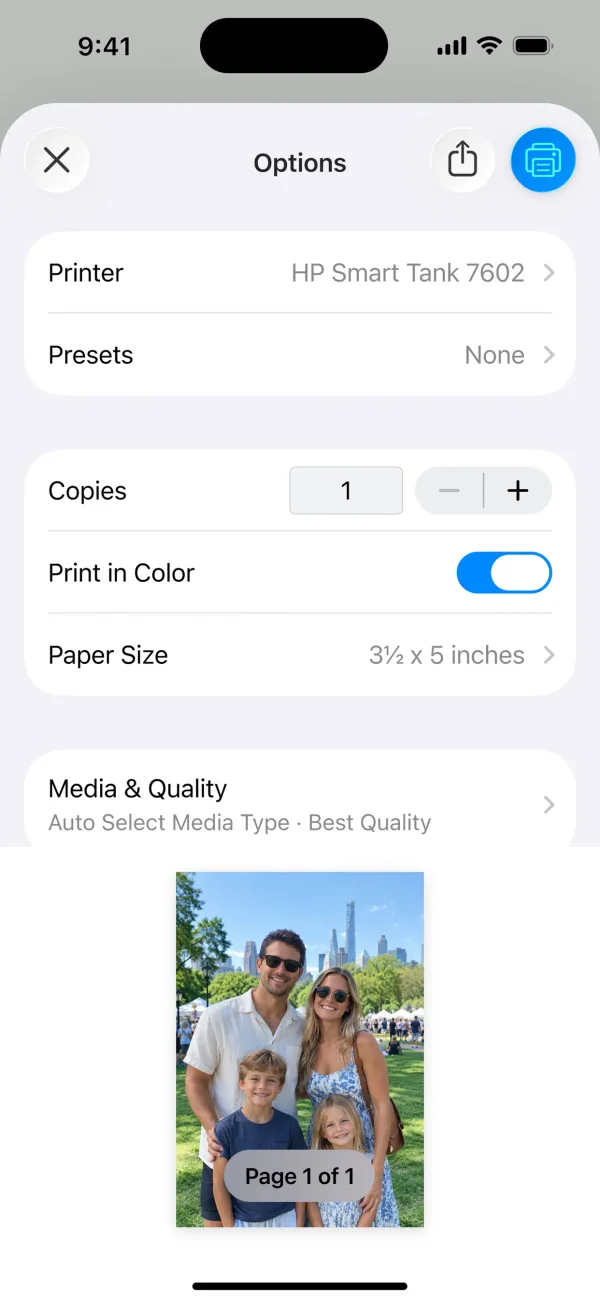
• Photo printing — Print photos from your library in popular paper sizes
• Documents & PDF — Print PDFs and other files from the Files app
• Editing tools — Crop, rotate, apply filters, adjust, draw, and add your signature
• PDF tools — Merge files and reorder pages before printing
• Print options — Two-sided printing, booklets, color or black & white, and paper sizes
• Ink levels & printer status — Check ink and toner levels and get alerts like paper out or paper jam
• Printer setup — Step-by-step help to set up and connect your printer
• Print from other apps — Use "Print via Wi-Fi" from the Share menu
iPrinter works with most Wi-Fi printers that support AirPrint. Scanning on the printer's glass works with all-in-one printers that support network scanning (eSCL).
PREMIUM FEATURES
• Unlimited printing
• Access to all features
---
Privacy Policy: https://raisinapps.io/printer/privacyPolicy
Terms of Use: https://raisinapps.io/printer/termsOfUse
Support: hello@raisinapps.io
What’s new
Version 1.2 · Oct 30, 2026
Improved printing logic for more stable, predictable results. Connecting and setting up a printer is now simpler and more reliable. This update also fixes a number of minor bugs and polishes the app overall.
App privacy
What RAISIN APPS LTD declares on the App Store about how this app handles data.
-
Data not linked to you
May be collected but is not linked to your identity.
- Purchases
- Identifiers
- Usage data
- Diagnostics
Privacy practices may vary, for example with the features you use or your age.
Information
- Seller
- RAISIN APPS LTD
- Category
- Utilities
- Version
- 1.2
- Updated
- Oct 30, 2026
- Released
- Oct 20, 2026
- Size
- 44.1 MB
- Requires
- iOS 18.0 or later
- Age rating
- 4+
- Price
- Free
- In-app purchases
- Yes
- Languages
- English, Japanese
- Copyright
- © RAISIN APPS LTD
You might also like
-
 CoreCaptionPrivate Video & Audio Captions
-
 Label ButcherThe Smart Mailing Label Carver
-
 Text Case ConvertercamelCase, snake, kebab, slug
-
 Pocket Label ConverterA4 slip to 4×6 label
-
 iPrinter - Wireless PrinterPhoto, Doc, PDF & Web Printing
-
 YouskyWorry-Free Pool Care
-
 FUGOO LinkTechnology simplifies life
-
 bgBatteryGenieUtilities
-
 water time—simple water remindUtilities
-
 M-Deal Hot AIAI will helps you succeed