- Age rating4+
- CategoryEntertainment
- DeveloperLudovic Bouguerra
- LanguagesEnglish
- Size12.4 MB
Links to the official App Store page
Download.org hosts no file of IPTV Cast Pro. The button opens its official App Store page, published by Ludovic Bouguerra. Listing last checked on Nov 10, 2026.
Screenshots


About
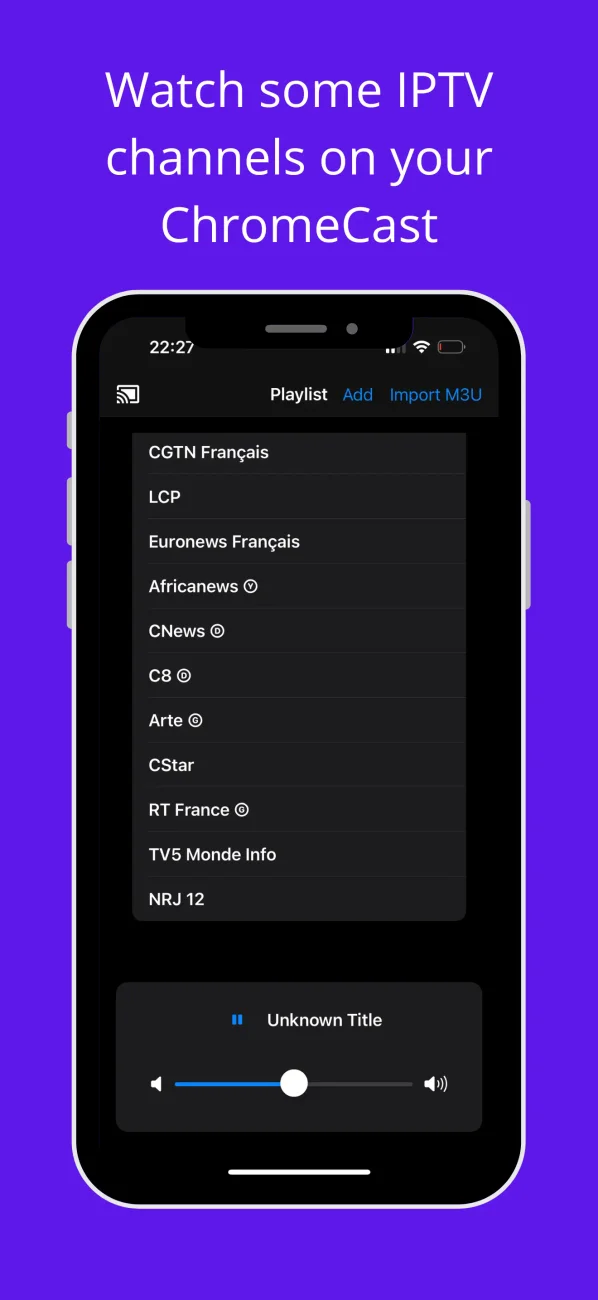
You can now easily import M3U playlists to watch your favorite IPTV channels. With just a few taps, bring your collection of live TV streams or VOD content directly into the app and stream it on your Chromecast.
How it works:
• Easy Import: Use the document picker to import your M3U playlist from your device.
• Automatic Parsing: The app will read and parse the M3U file to extract channel names and stream URLs.
• Seamless Playback: All channels will be added to your playlist, ready to be played on your Chromecast device.
Steps to import an M3U playlist:
1. Click on the “Import M3U” button in the playlist view.
2. Choose your M3U file from your device’s file storage.
3. The app will automatically import and display the channels in your playlist.
Enjoy a smooth and simple experience to manage and stream your favorite IPTV channels on your Chromecast device.
App privacy
What Ludovic Bouguerra declares on the App Store about how this app handles data.
-
Data not collected
The developer does not collect any data from this app.
Privacy practices may vary, for example with the features you use or your age.
Information
- Seller
- Ludovic Bouguerra
- Category
- Entertainment
- Version
- 1.0
- Updated
- Oct 3, 2024
- Released
- Oct 3, 2024
- Size
- 12.4 MB
- Requires
- iOS 17.5 or later
- Age rating
- 4+
- Languages
- English
- Copyright
- © Ludovic Bouguerra
You might also like
-
 IPTV CastWatch TV Online - Live Stream
-
 iStreamXDiscover Endless IPTV Stream
-
 IPTV Player Pro - Smart TVEntertainment
-
 Jelvi IPTV PlayerSleek M3U IPTV Player
-
 IPTV Player Rock: M3U & TVLive TV, Movies, EPG & Cast
-
 ChannelizeYour Own Tailored Television
-
 IPTV Stream & Cast - FlayerM3U Xtream AirPlay Chromecast
-
 SimpleIPTV - IPTV & M3U PlayerLive TV, movies & series
-
 IPTV Player XperienceLive TV, movies & series
-
 MyPTV Smart IPTV PlayerM3U8, M3U, Xtream & Stalker