IPTV Deck: Player & TV Guide
Live TV, M3U & Xtream Codes
Designed for iPhone, iPad, Mac
Free · In-app purchases
- Age rating17+
- CategoryEntertainment
- DeveloperZbigniew Szepczyski
- LanguagesEnglish+ 13 more
- Size182.7 MB
Links to the official App Store page
Download.org hosts no file of IPTV Deck: Player & TV Guide. The button opens its official App Store page, published by Zbigniew Szepczyski. Listing last checked on Nov 25, 2026.
Screenshots


About
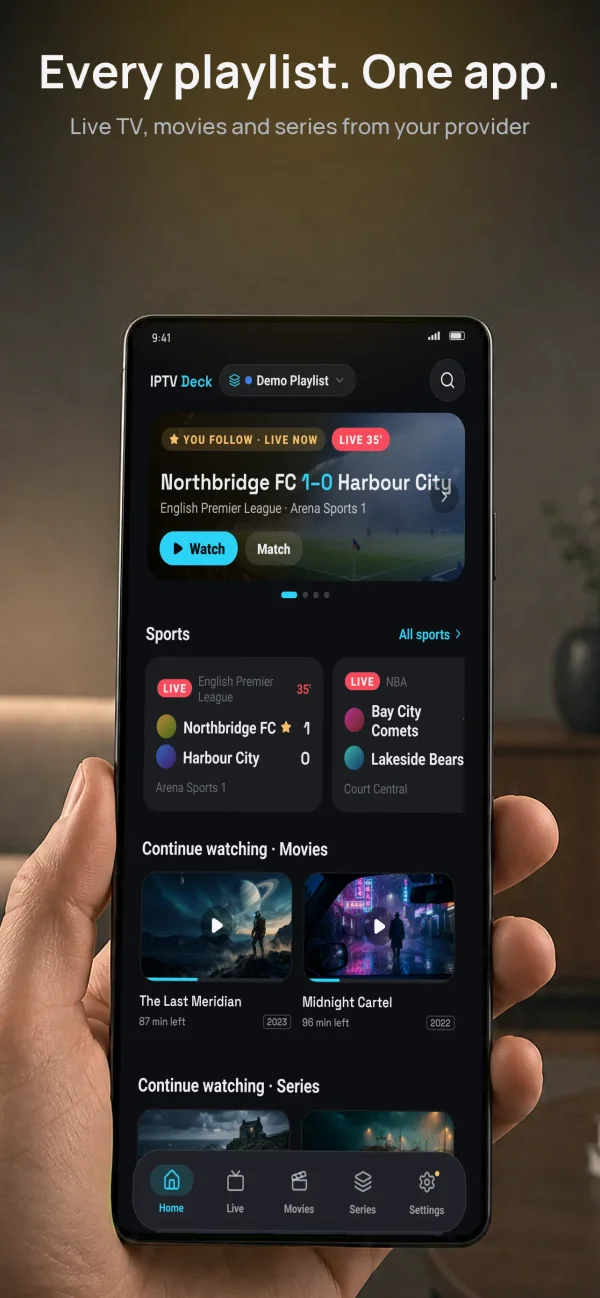
IPTV Deck is an IPTV player that turns your own playlist into a proper TV experience. Bring an Xtream Codes account, an M3U link or a file from your device — everything else is handled: a full programme guide, catch-up, favourites, offline downloads, and playback that stays smooth on playlists with over 100,000 channels. It also connects to your own Jellyfin, Emby or Plex media server.
HIGHLIGHTS
• Profiles — everyone in the house gets their own favourites, history and watchlist, with a kids profile and a PIN
• Live sync — start on your phone, finish somewhere else; playlists, favourites, watchlist and your exact position follow you
• End-to-end encryption — your provider passwords never sit readable in the cloud
• Multiview — up to nine channels at once, side by side or stacked
• Send to TV — pick something on your phone and it starts playing on a television running IPTV Deck
• Picture in Picture and lock screen controls
• MAC portals — add a Stalker or Ministra portal next to Xtream Codes and M3U
• Jellyfin, Emby and Plex — add your own media server next to your playlists: its films and series with posters and episodes, watched status and resume position kept in sync, and the Live TV of Jellyfin and Emby
• Remembered tracks — subtitles and audio stay as you chose them for every film and episode, on all your devices
• Genres — browse your films and series by genre (with a TMDB account)
• Recording — record live programmes and watch them later
• AirPlay — send a film or a channel to an Apple TV or an AirPlay 2 television
PLAYLISTS
• Xtream Codes, M3U link, or a local file
• Several playlists with a quick switcher
• 100,000+ channels without lag — the catalogue lives in a local database
• Automatic refresh every 6, 12 or 24 hours, Wi-Fi-only option, refresh on demand
• Per-playlist User-Agent and alternative provider hosts
LIVE TV
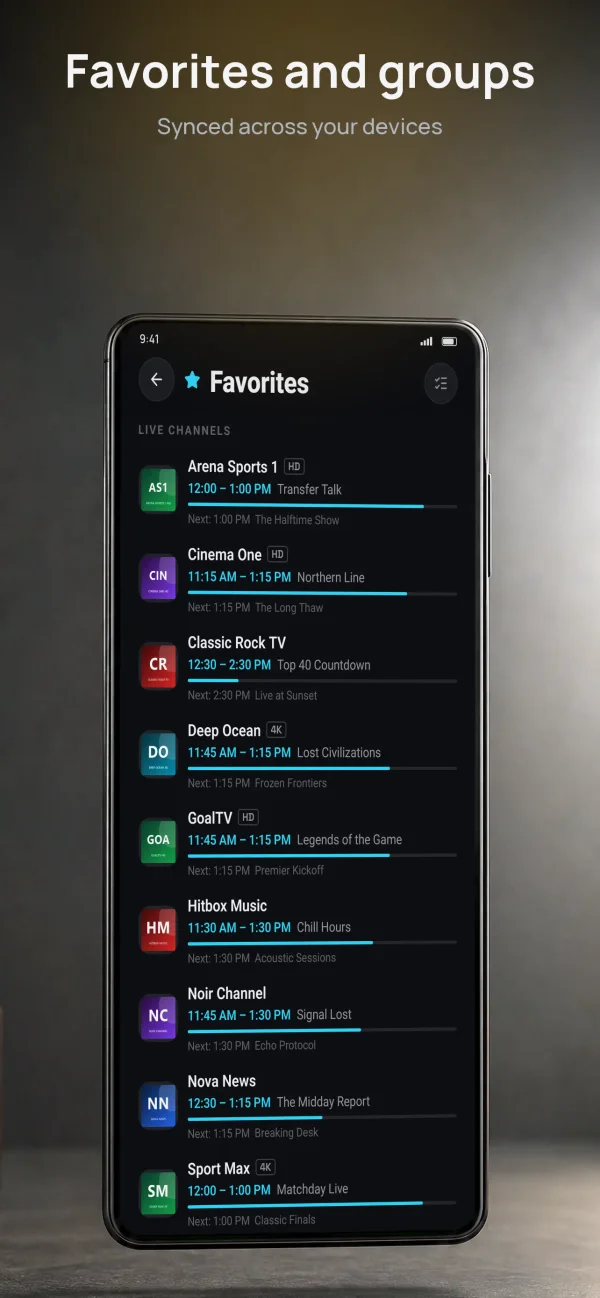
• Now and next on every channel, with a progress bar
• Categories, your own groups, hidden channels, PIN-locked categories
• Favourites in the order you choose
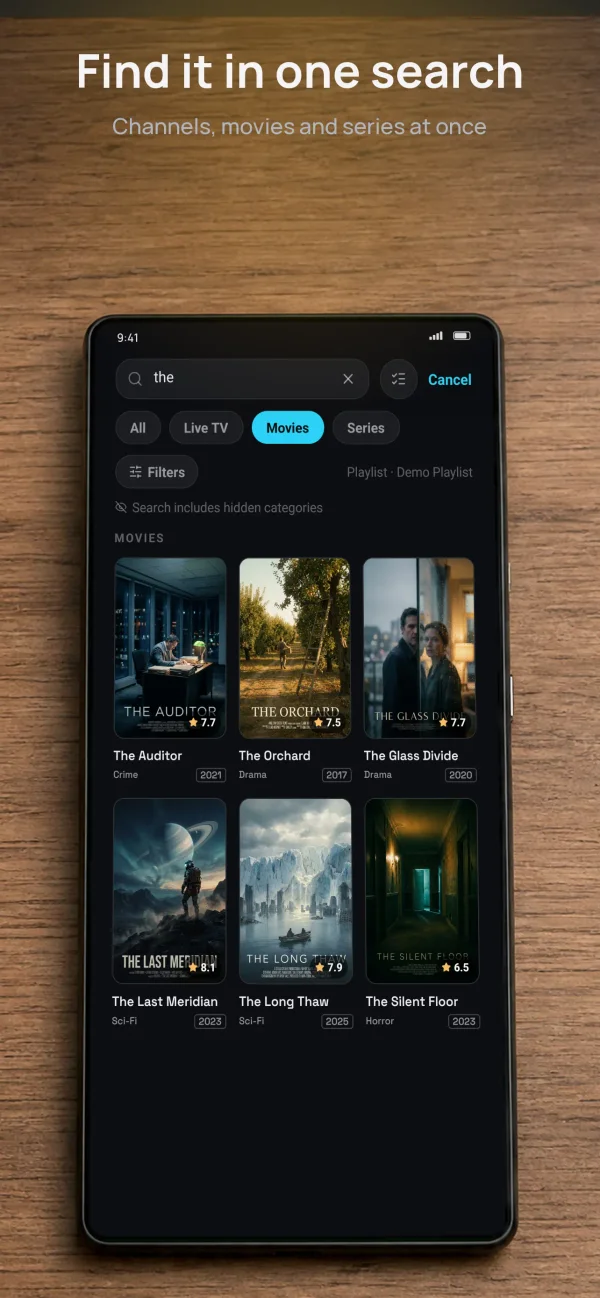
• 4K and HD filters, jump to a letter, instant search
• Channel versions (HD / FHD / 4K) detected and grouped automatically
SPORTS
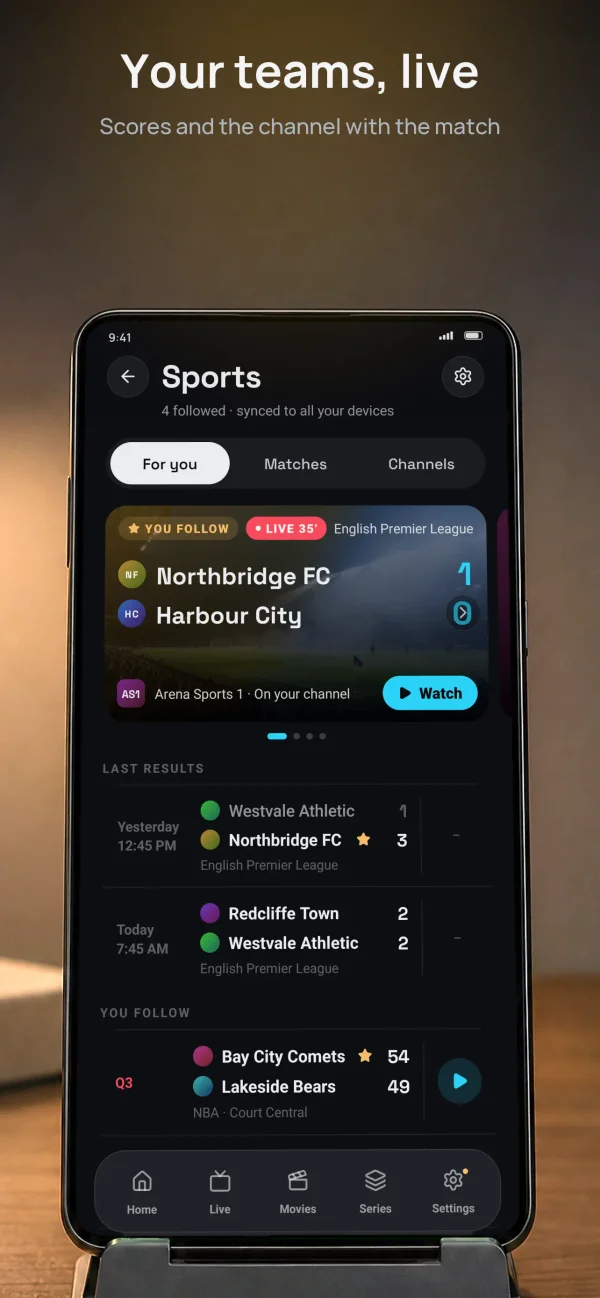
• Today's games from the teams and leagues you follow, with live scores
• The channel showing the match, found in your own playlist and guide
• Kick-off reminders, goal alerts and a hide-scores mode against spoilers
TV GUIDE
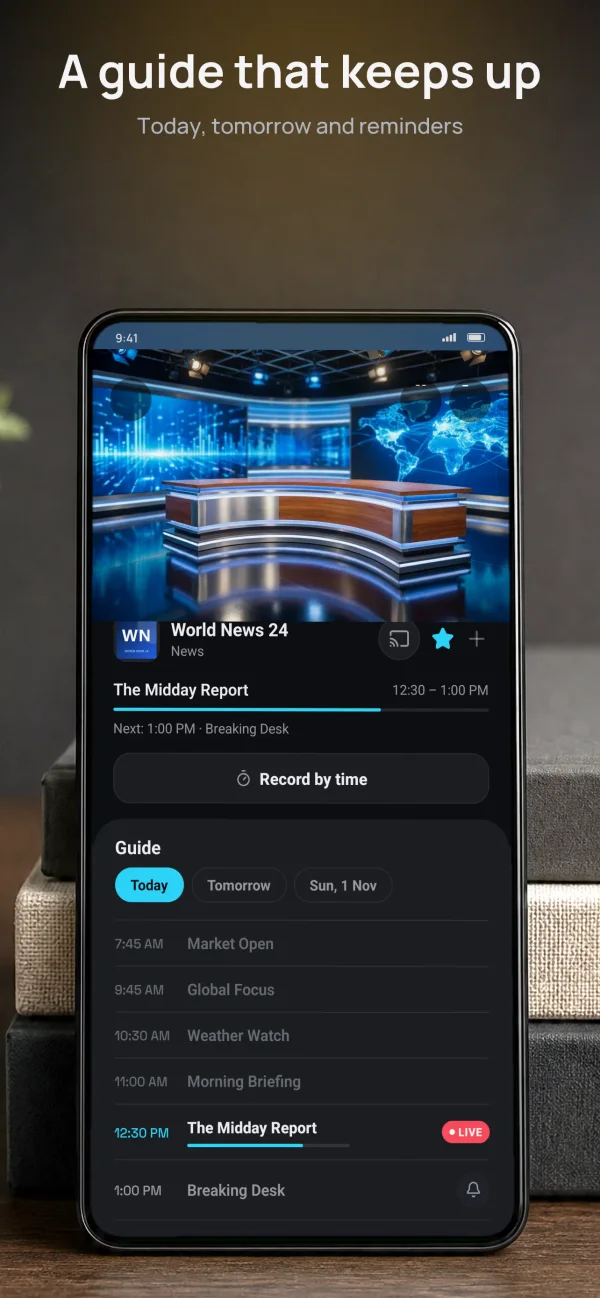
• Full grid with logos, reaching back as far as your provider's catch-up allows
• Tap a programme that already aired to watch it from catch-up; tap a future one to set a reminder
• Several XMLTV sources, automatic channel matching, time offset
• Reminders arrive even when the app is closed
MOVIES & SERIES
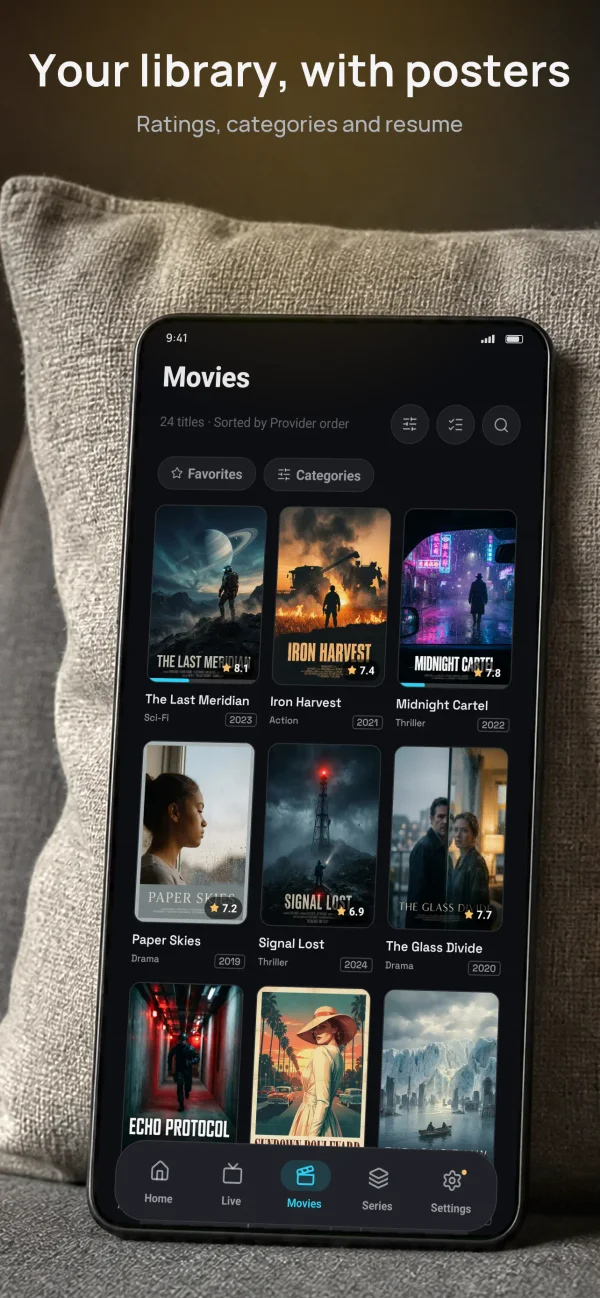
• Posters, metadata, resume bars, watched episodes
• Sort by date added, name, year or rating
• Watchlist and Continue watching
• Offline downloads — whole films or single episodes
PLAYER
• Plays what other apps choke on, HEVC and AC-3 included
• Subtitles from OpenSubtitles, matched to the title, with adjustable size
• Edge gestures for brightness and volume, double-tap to skip, pinch to zoom
• Sleep timer, background audio, autoplay next episode
• Catch-up playback with "go live" and "from the start"
CHROMECAST
• Cast anything and pick audio and subtitle tracks from your phone
PRIVACY & PARENTAL CONTROL
• App lock with a PIN and PIN-locked categories
• Selective sync — you decide which data ever leaves the device
• Backup and restore to a file
IPTV Deck does not include, provide or sell any channels, films or subscriptions, and contains no content of its own. You need your own playlist from your provider.
What’s new
Version 1.9.4 · Nov 23, 2026
• Sports has Winter sports and Skating: alpine skiing, biathlon, cross-country skiing and figure skating to follow, and ski jumping, luge, bobsleigh and speed skating from your own guide.
• Big match cards show each team in its own colours with its crest, and Add row gives any competition its own row in For you.
• New in Sports: Liga MX, the South African Premiership, HSBC Sevens and the rugby U20 championships.
• Device templates: save how a device is set up, such as Kids or Guest, and apply it to your other devices.
• Save your look as a theme for any profile and device, or share it as a code or a link.
• Record on your TV from the iPhone, and see or cancel what your other devices will record.
• Skip ad break shows during the marked ad breaks of recordings and of Plex or Jellyfin titles, or skips them by itself.
• Search your settings: type a word at the top of Settings and the setting opens highlighted.
• The TV Guide shows programme pictures, second titles such as the episode name, the date where each day starts and as many days ahead as your guide has.
• Home can show what you watched and the unwatched films and series of Plex, Jellyfin or Emby, and a title can be sent to another profile.
• Finish time while watching shows when a film or an episode will end, and favourites have a red heart, so a star always means a rating.
• Rating on posters fills a whole screen at once, and Movies and Series can show a list with descriptions.
• Swipe the picture down into the small player, an iPad in the TV layout shows channel rows under the picture, and downloads and recordings can wait for Wi-Fi.
• Sports lets you pick its playlists, their order and the version that plays first, can show only the matches on your channels, and its switching when the picture stops follows your profile.
• A category can keep its own sort, and the country, language and quality filters hide the categories they leave empty.
• The app answers much sooner while a large playlist updates, and playlists update faster and take much less space.
• MAC portals try your spare MACs in turn and play the films and series of more portals, and Plex films no longer stop after half an hour.
• AetherEngine starts live channels sooner and keeps the sound in the background, and a recording goes on when the channel drops and comes back.
• Talk to a person can send the app logs with your message, crash reports no longer carry your account, and support is at support@iptv-deck.com.
App privacy
What Zbigniew Szepczyski declares on the App Store about how this app handles data.
-
Data linked to you
May be collected and linked to your identity.
- Purchases
- Contact info
- User content
- Identifiers
- Usage data
- Other data
-
Data not linked to you
May be collected but is not linked to your identity.
- Diagnostics
Privacy practices may vary, for example with the features you use or your age.
Information
- Seller
- Zbigniew Szepczyski
- Category
- Entertainment
- Version
- 1.9.4
- Updated
- Nov 23, 2026
- Released
- Jul 17, 2026
- Size
- 182.7 MB
- Requires
- iOS 16.4 or later
- Age rating
- 17+
- Price
- Free
- In-app purchases
- Yes
- Languages
- English, Arabic, Dutch, French, German, Hindi, Indonesian, Italian, Polish, Portuguese, Romanian, Spanish + 2 more
- Copyright
- © 2026 Zbigniew Szepczynski Software
You might also like
-
 Spectati: IPTV & Plex PlayerJellyfin, Emby & NAS client
-
 RunTV - IPTV Player & RemoteM3U & Xtream multiview, no ads
-
 NowSeen - IPTV & Media PlayerJellyfin, Emby, Plex & Live TV
-
 Aerial TV: IPTV PlayerLive TV, M3U, Xtream & EPG
-
 Fjord IPTV PlayerLive TV, M3U & Xtream Codes
-
 Zaply: IPTV Player & Live TVM3U, Xtream & series alerts
-
 Crivid IPTV Player: M3U XtreamLive TV, EPG guide & Multiview
-
 GridstreamrSmart IPTV Playlist Management
-
 OneTV Connect: IPTV PlayerIPTV Player, Media & Sports
-
 IPTV Player: TivEPG Sports HubSport TV, Tivimate, UHF, EPG