
ItemMap: 3D Inventory Scanner
A search bar for your stuff
Designed for iPhone
Free · In-app purchases
- Age rating4+
- CategoryProductivity
- DeveloperItemMap, Inc.
- LanguagesEnglish
- Size122.8 MB
Links to the official App Store page
Download.org hosts no file of ItemMap: 3D Inventory Scanner. The button opens its official App Store page, published by ItemMap, Inc. Listing last checked on Nov 20, 2026.
Screenshots
About
Your home has a search bar now.
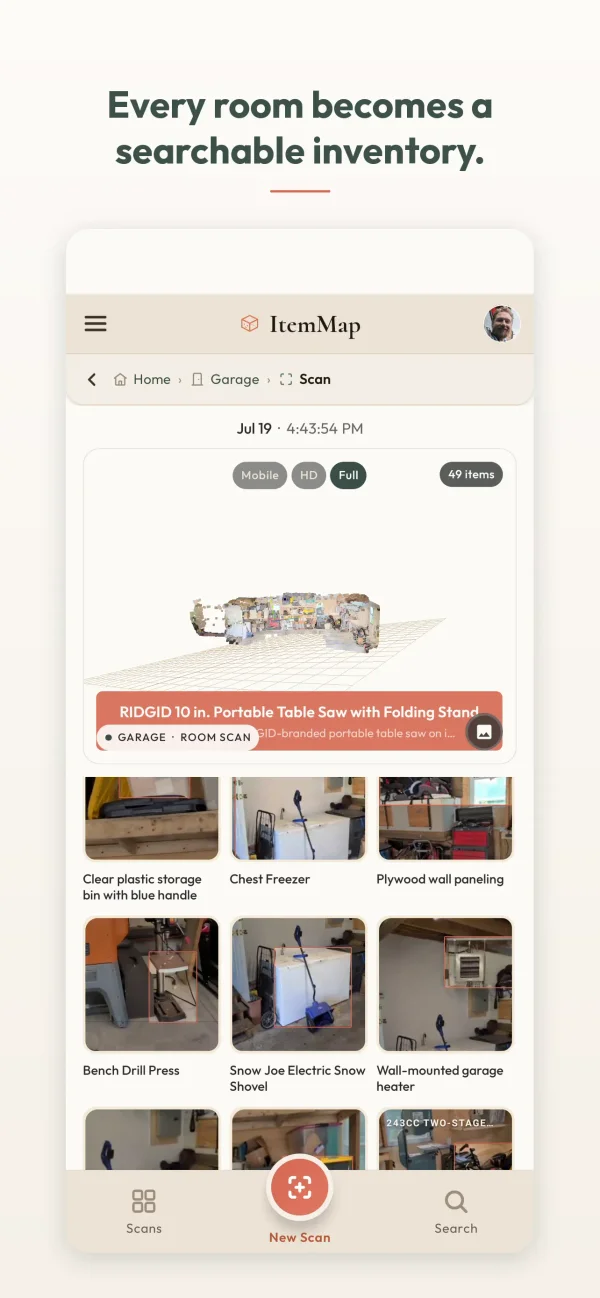
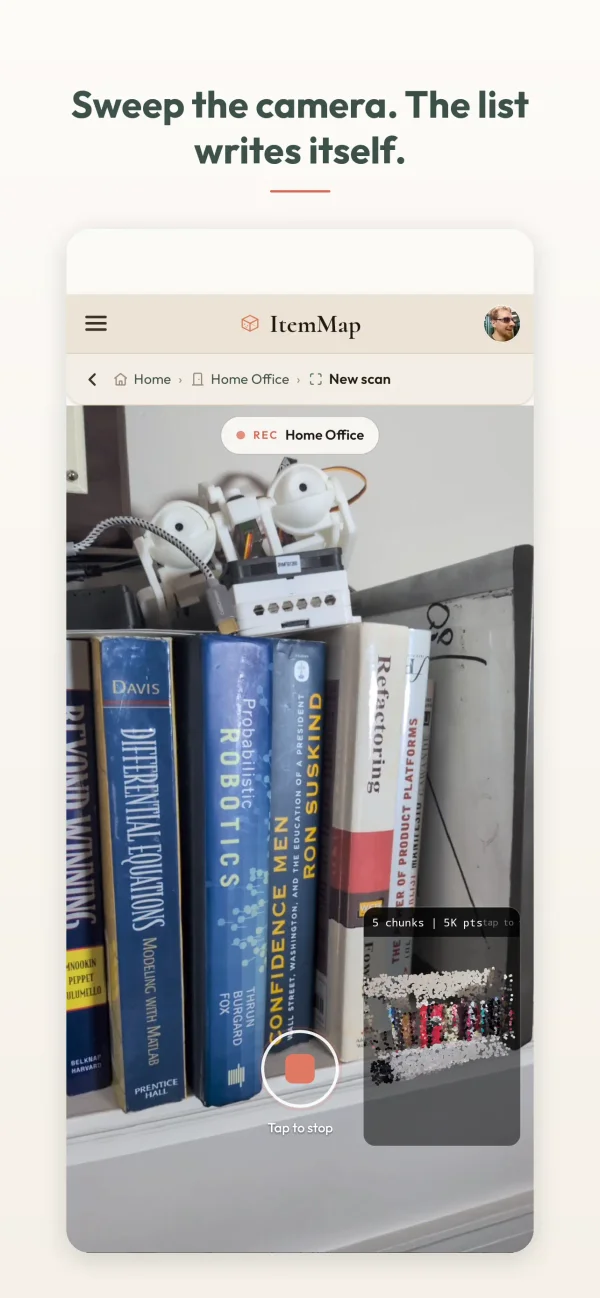
ItemMap lets you sweep your phone over the things you own, and makes a 3D inventory of what it sees. It matches each item against like items across the internet, puts what it sees into words, and hands you the list.
HOW IT WORKS
1. Scan. Sweep your phone across the room. Items start appearing while you are still scanning.
2. Give it a minute. ItemMap works through what it saw, writes it up, and prices what it can identify.
3. Search. Find what it found, from your phone or from your computer at app.itemmap.app.
WHAT YOU GET
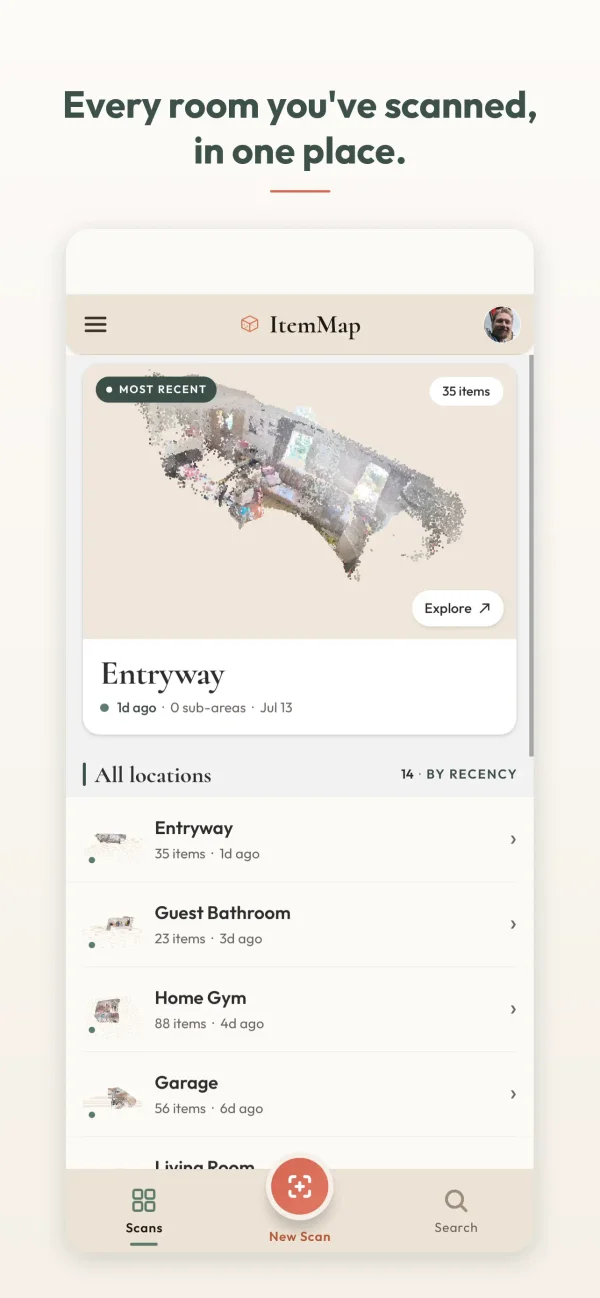
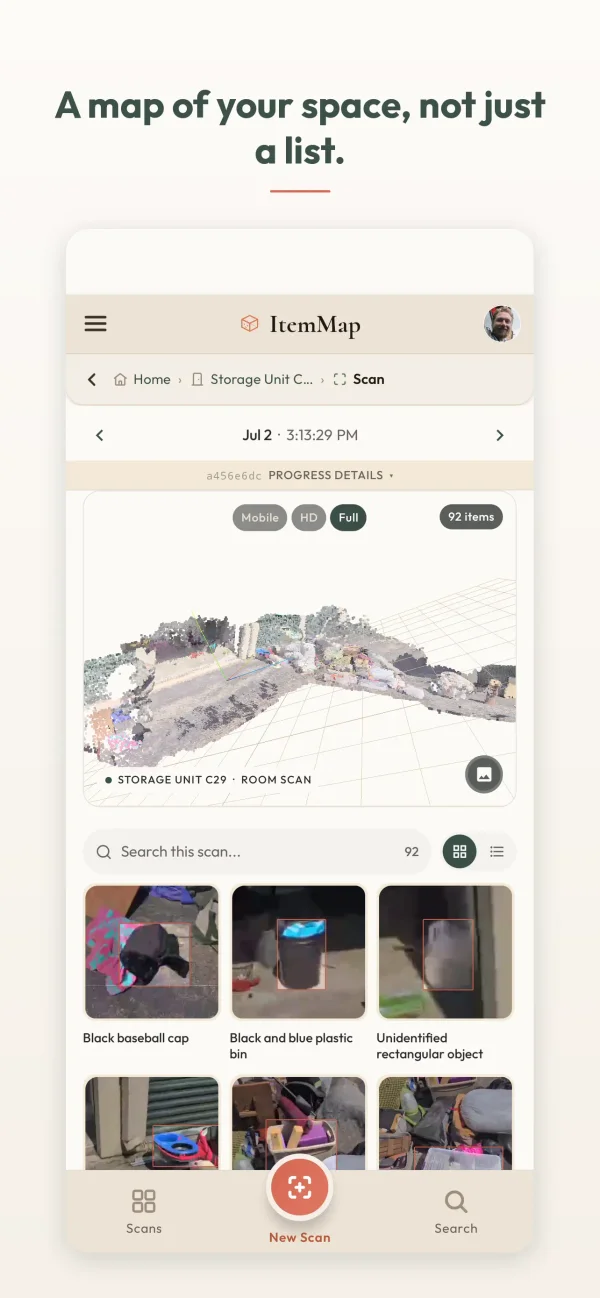
• A 3D map of the space, not just a list. See where each thing actually sits.
• A written record of what the camera found: a name, a description, and the spot it was standing in.
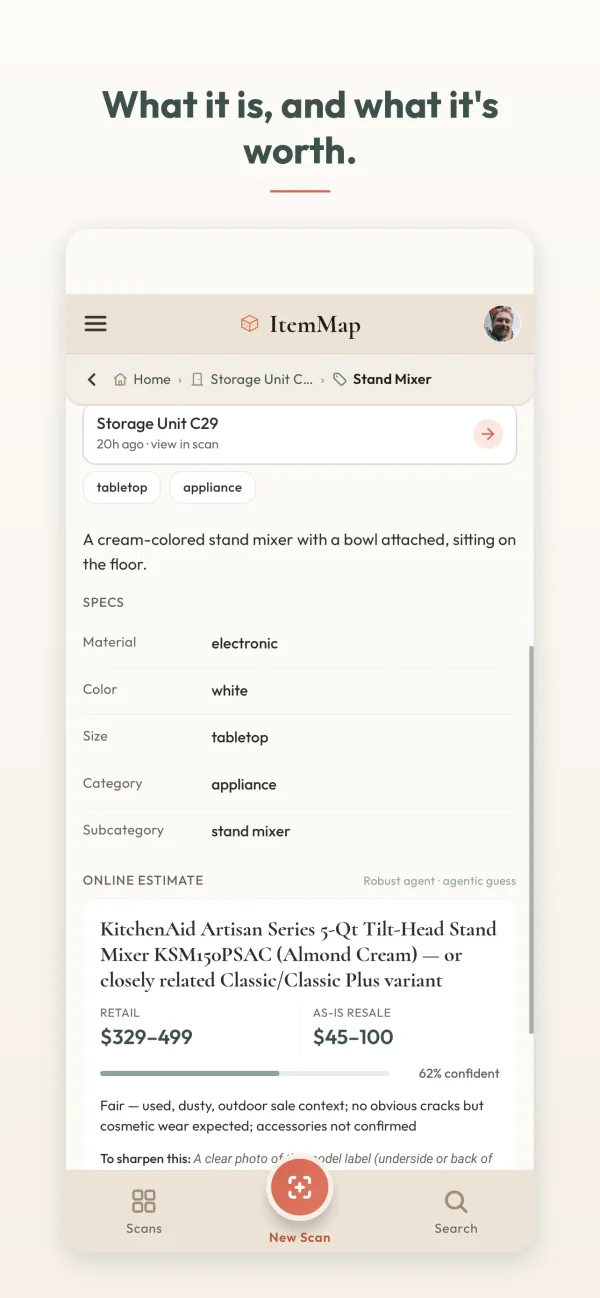
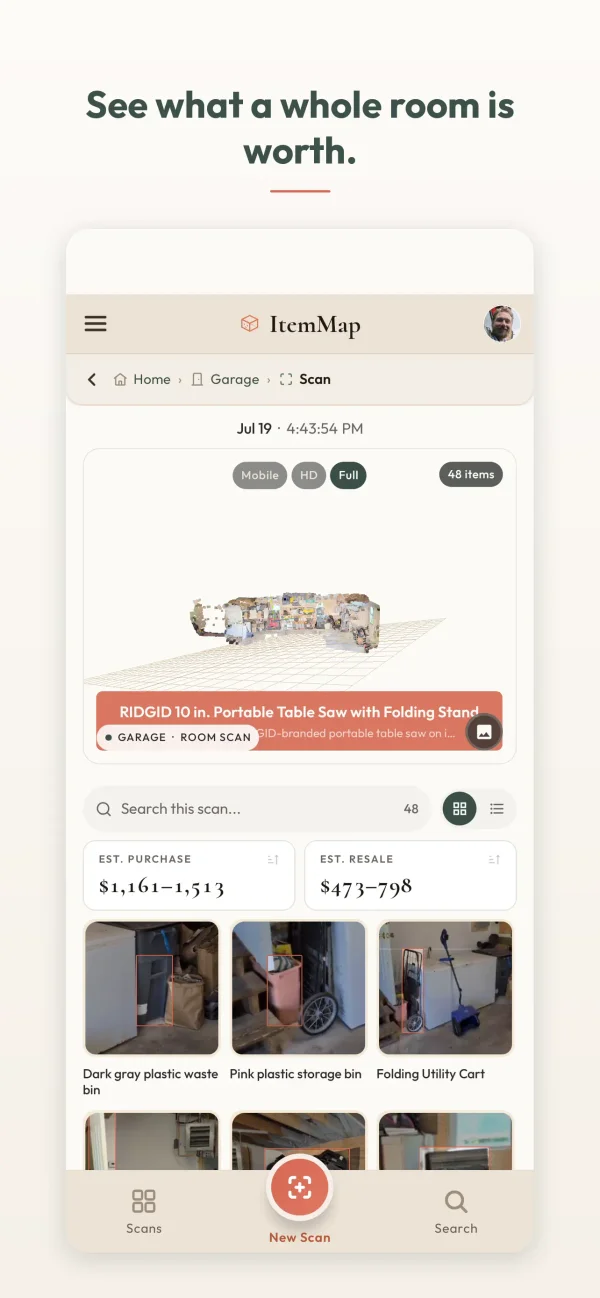
• Retail and resale numbers for the items it recognizes, drawn from current listings and recent completed sales.
• Locations, zones, and containers, so the inventory is organized the way your space already is.
• Fast search. Ask for "the good drill" or "grandma's china" and get it.
• Export. A print-ready PDF catalog for insurance, a CSV spreadsheet, or the raw 3D scan as a .glb file.
IT TELLS YOU WHEN IT IS NOT SURE
ItemMap does not bluff. When all it can tell is that something is a black electronic device, that is what it writes down. Estimates carry a confidence figure and a short note on what would sharpen them, usually a clearer angle on a label or a brand badge.
WRONG? TELL IT
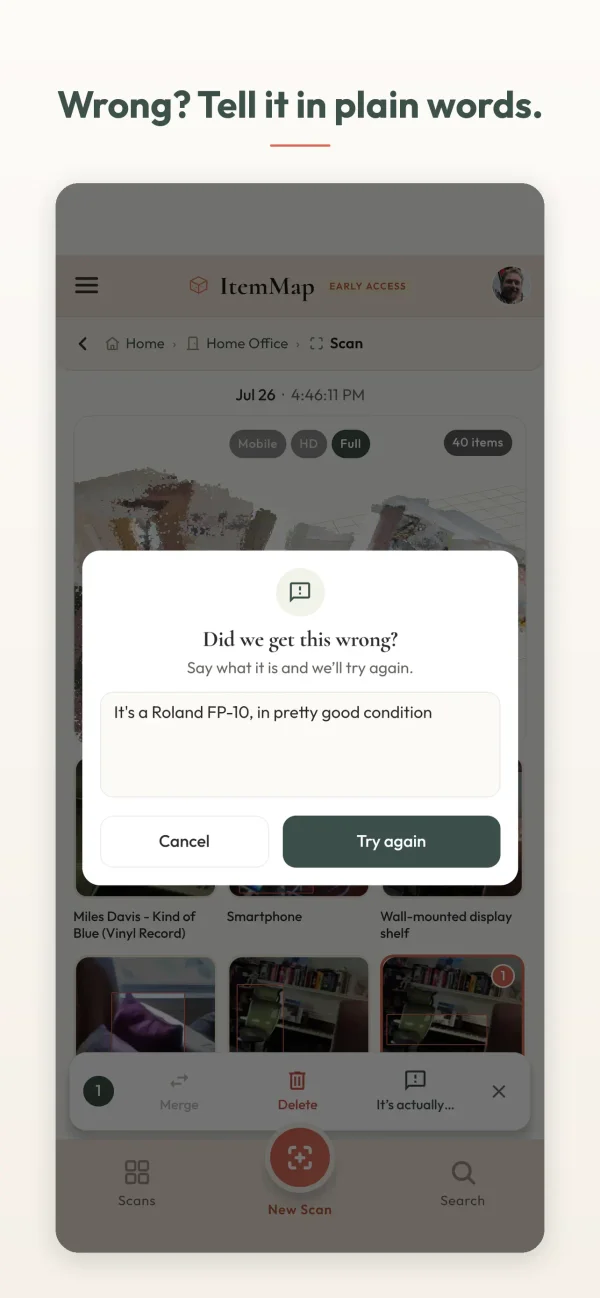
Pick anything it misread, tap "It's actually...", and say what it is in your own words. "It's a Roland FP-10, in pretty good condition" is plenty. ItemMap rebuilds the name, the description, the specs and the estimate around your answer, and keeps your sentence on the record. Your word beats its guess.
GETTING A GOOD SCAN
Point it at things the camera can see. A bookshelf, a table of gear, an open bin, one wall of the garage. Pan and turn rather than walking toward things, because sideways movement is what gives us depth. Go slow, give the room some light, and do not worry about length: several short scans of one room beat one long one. Deep piles and taped up boxes keep their contents to themselves, so what the camera cannot see stays a question mark with a photo and a place.
PEOPLE USE IT FOR
Moving and pack-outs. Storage units. Insurance documentation. Downsizing and estates. Small business stockrooms. Any time somebody has to write down what is in a room.
SUBSCRIPTIONS
Your first room is free. To keep scanning, ItemMap Unlimited is an optional auto-renewing subscription:
• ItemMap Unlimited Monthly: $19.99 per month
• ItemMap Unlimited Annual: $149.99 per year, with a 7-day free trial for eligible new subscribers
Prices are in U.S. dollars and may vary by country. Payment is charged to your Apple Account at confirmation of purchase, or when a free trial ends. The subscription renews automatically unless auto-renew is turned off at least 24 hours before the end of the current period, and your account is charged for renewal within 24 hours before the period ends. Manage or cancel anytime in your Apple Account settings. Browsing, search and export of everything you've scanned stay free.
Terms of Use (EULA): https://www.apple.com/legal/internet-services/itunes/dev/stdeula/
ItemMap Terms of Service: https://itemmap.app/terms
Privacy Policy: https://itemmap.app/privacy
PRIVACY
No ads, ever. We do not sell your data. Your inventory is private to your account unless you choose to share it. The camera and microphone are live only during a scan you start. You can delete any scan, any item, or your whole account from inside the app.
Full policy: https://itemmap.app/privacy
WHAT YOU NEED
An ARKit-capable iPhone and an internet connection. Scanning streams video to our servers, where the 3D reconstruction and item identification happen.
Questions, or something scanned badly? hello@itemmap.app
What’s new
Version 3.2.0 · Nov 13, 2026
A new way to start a scan. Pick Walk the room, One spot up close, or the new Pick things, box them: point at each thing and tap Add, then tap the box it goes in. Only what you tap gets cataloged, and ItemMap lists what is in each box.
App privacy
What ItemMap, Inc. declares on the App Store about how this app handles data.
-
Data linked to you
May be collected and linked to your identity.
- Contact info
- User content
- Identifiers
- Usage data
- Surroundings
Privacy practices may vary, for example with the features you use or your age.
Information
- Seller
- ItemMap, Inc.
- Category
- Productivity
- Version
- 3.2.0
- Updated
- Nov 13, 2026
- Released
- Aug 7, 2026
- Size
- 122.8 MB
- Requires
- iOS 16.4 or later
- Age rating
- 4+
- Price
- Free
- In-app purchases
- Yes
- Languages
- English
- Copyright
- © 2026 ItemMap, Inc.
You might also like
-
 WhereKept: Home InventoryFind anything in your house
-
 WIMT - Where is My ThingsProductivity
-
 Home Inventory Tracker: FindItPantry & Home Manager - No Ads
-
 WriterPro: Ai KeyboardAi Keyboard & Writer App
-
 MyThings ManagerWhere's My Stuff
-
 StuffKeeper: Home InventoryCatalog your belongings
-
 Chrona: Global TimeTimezone Converter & Clock
-
 Jokebook - Stand Up ComedyProductivity
-
 Greyer - Smart AI AssistantVoice, Email, Notes & Tasks
-
 Memo AI - Voice Notes TakerRecord & Transcribe Memos