iTer - IT learning
ITer for a job interview
Designed for iPhone, iPad, Mac
$0.99 · In-app purchases
- Age rating4+
- CategoryDeveloper Tools
- Developer天从 何
- LanguagesEnglish+ 2 more
- Size18.5 MB
Links to the official App Store page
Download.org hosts no file of iTer - IT learning. The button opens its official App Store page, published by 天从 何. Listing last checked on Nov 12, 2026.
Screenshots



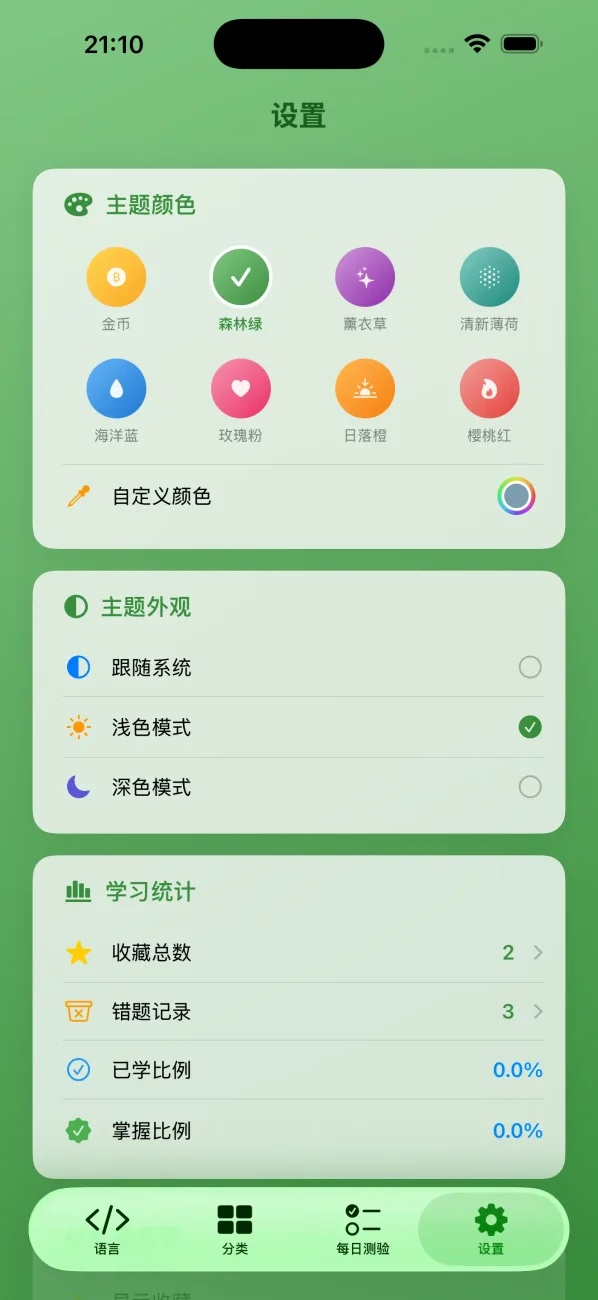
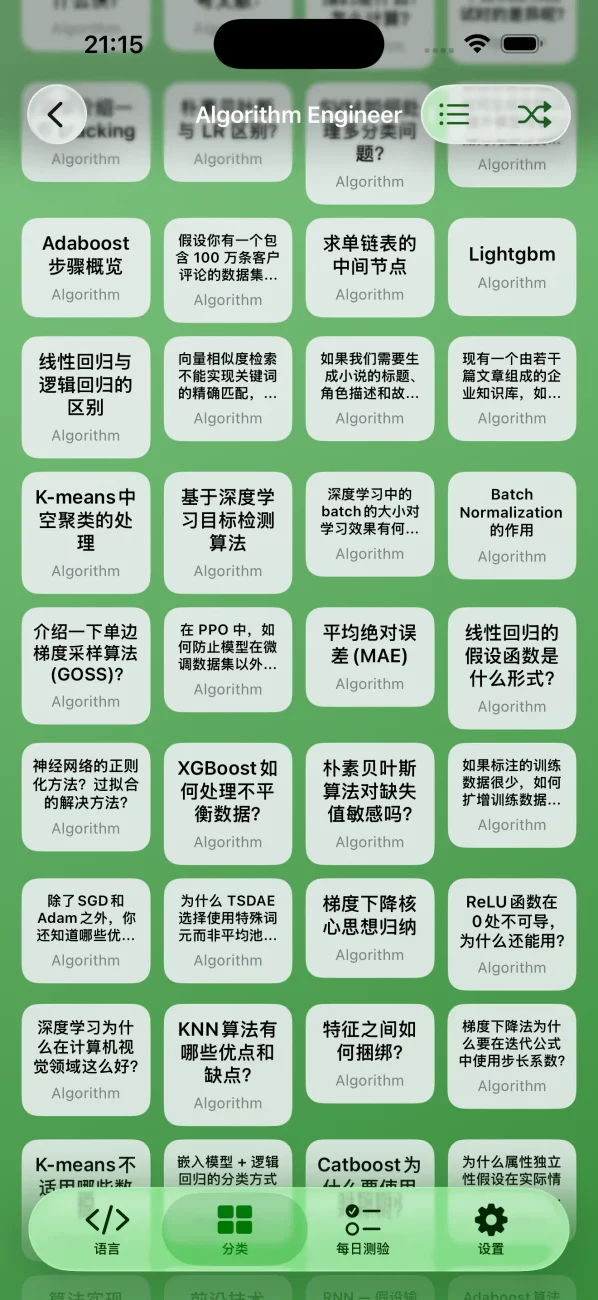

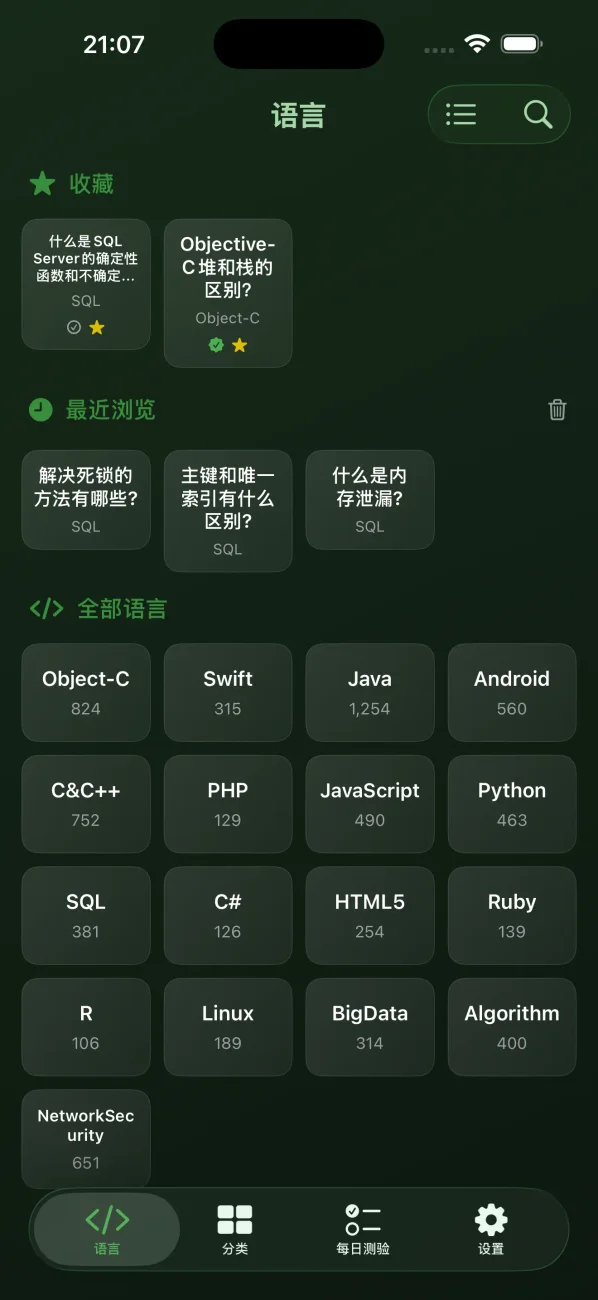
About
iTer is your offline interview question library for developers.
For ten years, iTer has helped programmers study smarter for job interviews. Version 10 is a full SwiftUI rebuild that brings 10,000+ curated questions, company exams, and practical study tools into one clean, fast, always-ready app. Whether you are preparing for campus recruiting, switching jobs, or refreshing fundamentals, iTer turns spare minutes into real progress.
1. Massive offline question bank
- 10,000+ interview questions, fully offline
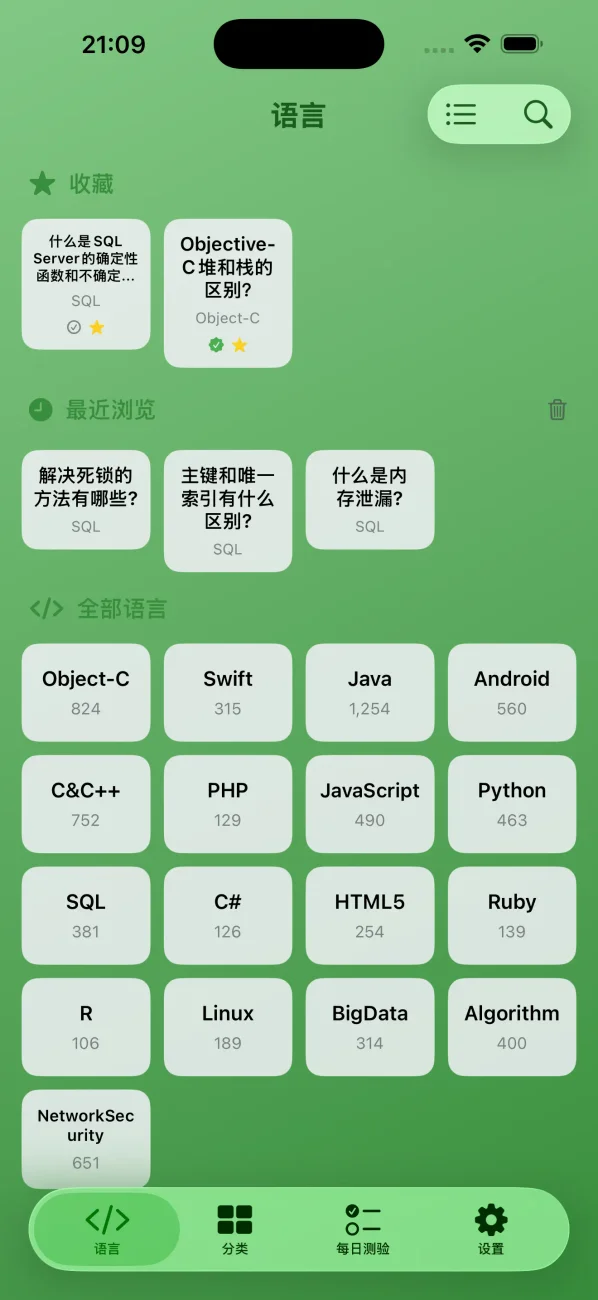
- 16 language tracks: Objective-C, Swift, Java, C/C++, PHP, JavaScript, Python, SQL, C#, HTML5, Ruby, R, Linux, Big Data, Algorithms, Network Security
- 12 career paths: iOS, Java, Web, PHP, Python, Game, Database, Big Data, Linux, Algorithm, and Network Engineering
- 12 company exam collections from Google, Microsoft, Baidu, Tencent, Alibaba, JD, 360, NetEase, and more
- Multiple-choice and Q&A formats covering language basics, frameworks, algorithms, and common interview topics
2. Smart learning management
- Star important questions for quick review before interviews
- Recent history picks up where you left off
- Mastery labels: unlearned, learned, mastered
- Wrong-answer notebook collects mistakes from daily quizzes
- Learning stats summarize favorites, wrong answers, and mastery rate
3. Daily quiz habit builder
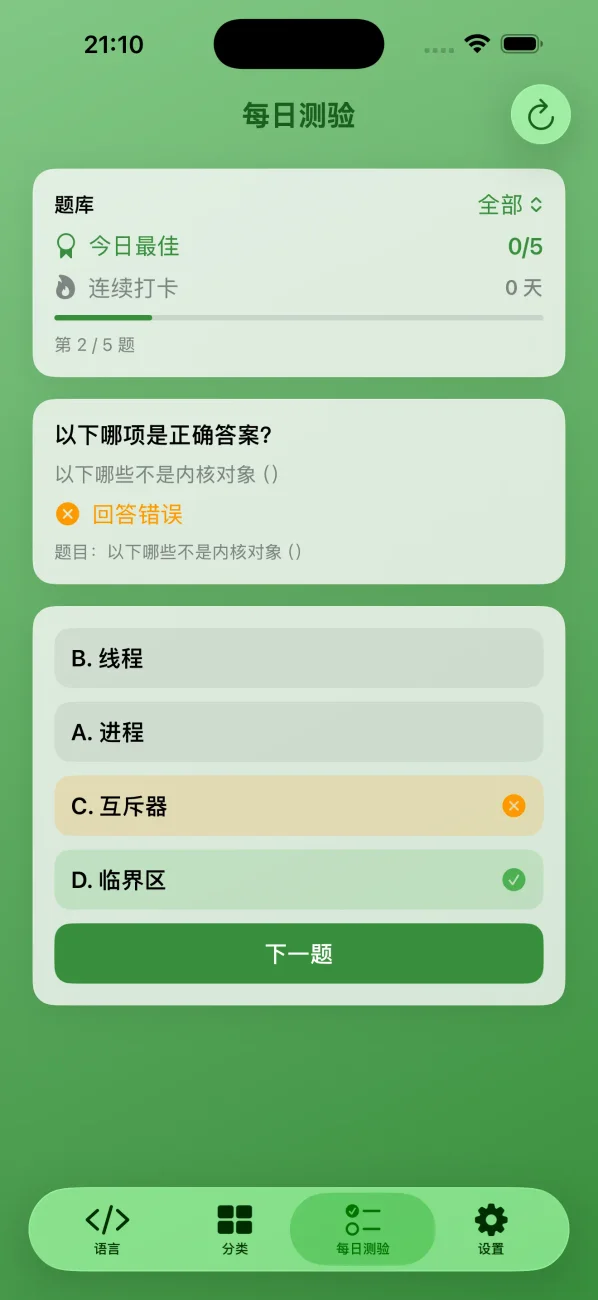
- Five multiple-choice questions every day, seeded by date
- Streak counter keeps you motivated
- Instant scoring with encouraging feedback
- Wrong-answer review shows your answer vs the correct one
- Retry today or reshuffle for extra practice
4. Powerful global search
- Search questions, answers, and knowledge keywords
- Filter by language or company exams
- Jump straight to question details from results
-【iPad + keyboard】⌘F to search, ⌘1–⌘4 for tabs. In question detail (from a multi-question list): ← Previous, R Random, Space Show answer, → Next — faster review on iPad.
5. Categories and advanced learning
- Browse by career path or company exam papers
- Advanced learning links to LeetCode, Objc.io, NSHipster, Awesome lists, Gitbook tutorials, and practice projects
- External links open inside the app with in-app Safari
6. Home screen widgets
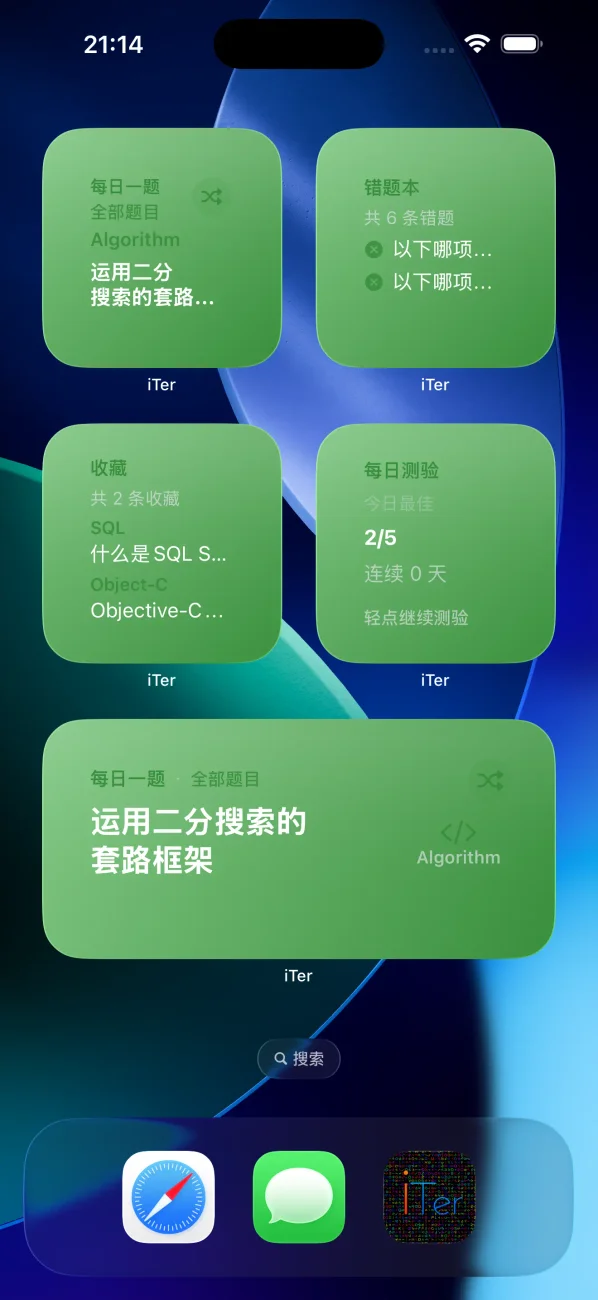
- Daily Question: one interview question on your home screen
- Quiz Glance: today score and streak
- Favorites Glance: track saved questions
- Wrong Book Glance: reminders for mistakes to review
- Widget background can follow your app theme
7. Home screen quick actions
- Long-press the app icon to pin up to 4 shortcuts
- Jump to search, daily quiz, favorites, wrong book, categories, feedback, or App Store review
- Deep links open the right screen instantly
8. Rich question detail experience
- Tap to reveal or hide answers for Q&A items
- Interactive multiple-choice practice before seeing explanations
- Toolbar actions for favorite, mastery, and share
- Copy question and answer text for notes
- Shuffle question order in lists
- Share cards render a long image with QR code for friends and teammates
9. 15 beautiful themes
- Presets including Gold, Ocean Blue, Forest Green, Rose Pink, and more
- Custom accent color support
- Light, dark, and system appearance
- List and grid layouts across language, category, and question screens
10. Native multi-platform experience
- iOS and iPadOS 16: full features including widgets and quick actions
- macOS 13: native Mac app with tabs, keyboard shortcuts, share cards, and tips
11. Settings and support
- Toggle favorites and recent sections on the Languages tab
- In-app feedback email to the developer
- Tip the developer to support ongoing updates
- About page with version info and open-source credits
Why iTer
- Ten years focused on developer interviews
- Offline-first study, anywhere anytime
- Questions, quizzes, wrong book, and widgets in one learning loop
- One purchase, works on iPhone, iPad, and Mac
Add iTer to your home screen or Dock. Five questions a day adds up to interview confidence.
What’s new
Version 10.1.0 · Jun 6, 2026
iTer v10 Tenth Anniversary Edition
Since 2016, iTer has helped developers prepare for technical interviews. For our tenth anniversary, we rebuilt the entire app with SwiftUI for a faster, cleaner, and more modern experience.
Brand-new SwiftUI experience
- Complete rewrite from UIKit to native SwiftUI
- Refreshed gradients, cards, and navigation
- Universal app for iPhone, iPad, and native Mac
- Mac keyboard shortcuts: Command 1-4 for tabs, Command F for search
Smarter learning workflow
- Favorites, recent history, wrong-answer notebook, and mastery labels
- Daily 5-question quiz with date-based questions and streak tracking
- Wrong-answer review after each quiz, with retry and reshuffle options
- Learning stats dashboard for favorites, mistakes, and mastery rate
Browse and search
- 10,000+ offline interview questions, no network required
- 16 language categories, 12 career paths, 12 company exam sets
- Global search with language or company filters
- List and grid views with adjustable grid columns
Widgets and shortcuts
- Four home screen widgets: daily question, quiz glance, favorites glance, wrong-book glance
- Widget background follows your theme color
- Customizable home screen quick actions, up to 4 items
Share and grow
- Beautiful share cards with long image and App Store QR code
- Advanced learning hub with Awesome lists, Gitbook, Objc.io, NSHipster, and more
- External links open in in-app Safari
Personalization
- 15 theme presets plus custom accent color
- Light, dark, and system appearance
- Toggle favorites and recent sections on the Languages tab
Thank you for ten years with iTer. Here is to your next offer.
App privacy
What 天从 何 declares on the App Store about how this app handles data.
-
Data not collected
The developer does not collect any data from this app.
Privacy practices may vary, for example with the features you use or your age.
Information
- Seller
- 天从 何
- Category
- Developer Tools
- Version
- 10.1.0
- Updated
- Jun 6, 2026
- Released
- Apr 11, 2017
- Size
- 18.5 MB
- Requires
- iOS 16.0 or later
- Age rating
- 4+
- Price
- $0.99
- In-app purchases
- Yes
- Languages
- English, Simplified Chinese, Traditional Chinese
- Copyright
- © @iHTCboy
You might also like
-
 高效程序员的45个习惯Developer Tools
-
 Python Compiler - AI AssistantLearn Python on Mobile with AI
-
 Java Recipes ProJava + SQL, runnable code
-
 Java Compiler - AI AssistantLearn Java on Mobile with AI
-
 前端面试指南Developer Tools
-
 HugoifyMulti-platform self-service w
-
 MuxCLIRemote AI CLI Sessions
-
 Java PrepYour Java Job Prep Toolkit
-
 Giteer For Gitee(码云)- 国内开发者必备Developer Tools
-
 Assembly Lab: 8086 NASM IDE8086 NASM emulator & debugger