Jigcar Driver
Vehicle jobs and handovers
Designed for iPhone, iPad, iPod touch
Free
- Age rating4+
- CategoryBusiness
- DeveloperJigcar
- LanguagesEnglish
- Size23.7 MB
Links to the official App Store page
Download.org hosts no file of Jigcar Driver. The button opens its official App Store page, published by Jigcar. Listing last checked on Nov 16, 2026.
Screenshots


About
Jigcar Driver is the app professional drivers use to run a day of vehicle movements. It is a work tool. Your account is set up by the company you drive for, and you sign in with your mobile number or your organisation's single sign-on. There is no sign-up in the app — you open it and see your day's work.
YOUR DAY
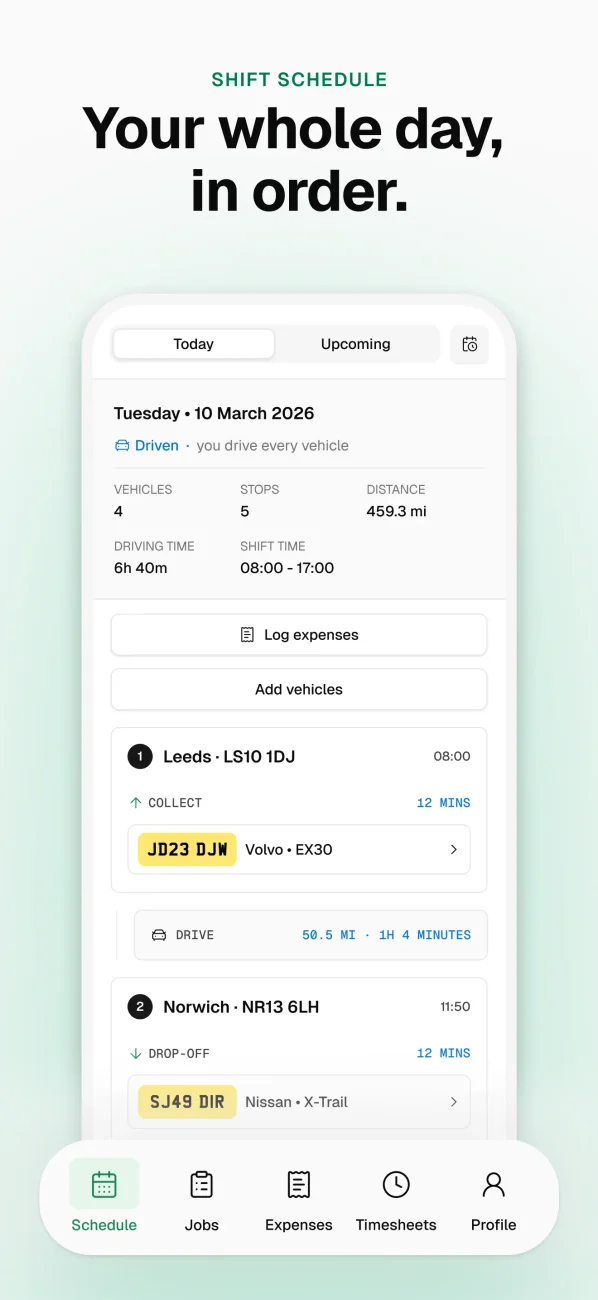
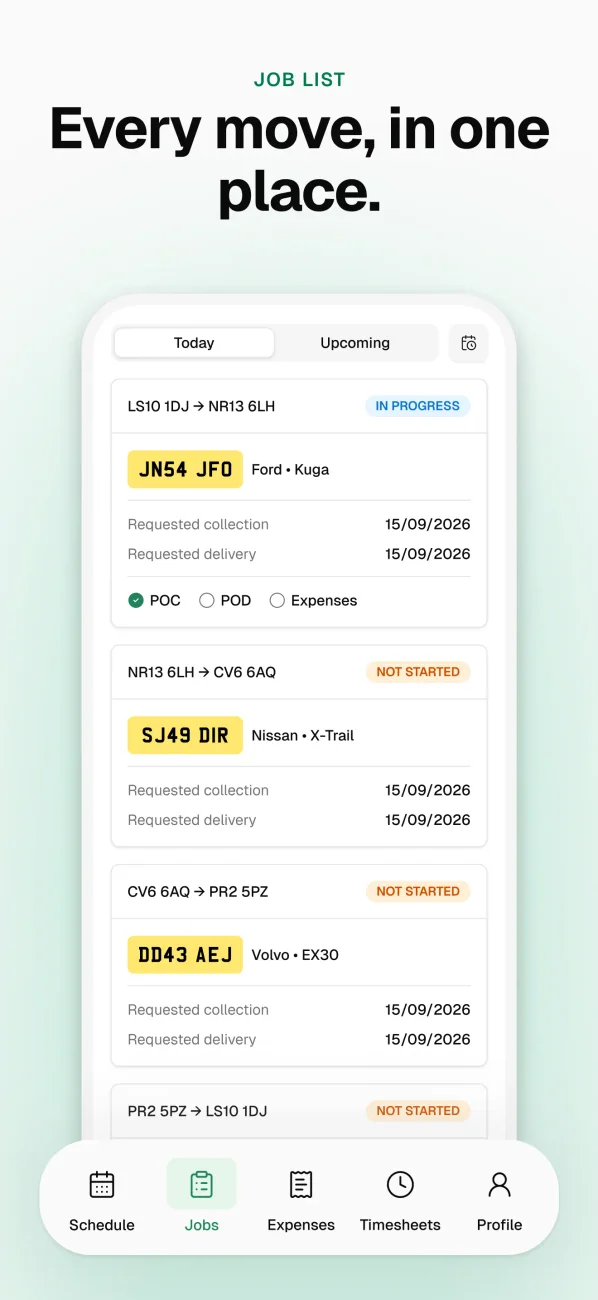
See the route built for you: every collection and every delivery, in order, with addresses, contact names and the vehicles at each stop. Accept the plan, or reject it and say why. Tap to navigate and your phone's maps app opens with the next address already in it.
PROOF OF COLLECTION AND DELIVERY
At each handover the app takes you through the record step by step: the mileage reading, the vehicle's condition, photographs of any damage marked against a diagram of the car, the fuel or charge level, and then two signatures — yours, and the signature of the person handing the vehicle over or taking it from you. That record is what answers a damage question three weeks later, so the app does not let you leave a gap in it.
EXPENSES
Photograph the receipt. The app reads the amount, the category and how you paid straight off the image and fills the form in for you; you check it and submit. Fuel, taxi, train, tolls, parking, accommodation, meals, bus, car wash, charging — categorised the way your finance team expects, and attached to the job it belongs to.
TIMESHEETS
Record your shift start and end times, and the mileage for each job. The billable hours are worked out for you.
CHECK-IN
If you work on a prep or retail site rather than on the road, the app opens on a check-in screen instead: photograph or type the registration, find the vehicle, and confirm it has arrived.
IT WORKS WITH NO SIGNAL
Underground car parks, compounds, motorway services with one bar of signal. You can finish a whole handover offline — the form and the photographs are held on the phone and sent when signal comes back. Accepting a route, marking a collection or a delivery, and submitting an inspection all queue the same way. Nothing depends on you remembering to do it again later.
WHO IT IS FOR
Vehicle logistics operators, dealer groups, auction houses, leasing companies, and the drivers who move their vehicles. The app is for drivers whose company uses Jigcar — you'll need an account set up by your organisation to sign in.
iPhone only.
What’s new
Version 1.0.2 · Oct 12, 2026
The app now runs full-screen on iPad, with a tablet-friendly layout
App privacy
What Jigcar declares on the App Store about how this app handles data.
-
Data linked to you
May be collected and linked to your identity.
- Financial info
- Contact info
- User content
- Identifiers
- Usage data
- Diagnostics
Privacy practices may vary, for example with the features you use or your age.
Information
- Seller
- Jigcar Ltd
- Category
- Business
- Version
- 1.0.2
- Updated
- Oct 12, 2026
- Released
- Sep 28, 2026
- Size
- 23.7 MB
- Requires
- iOS 15.0 or later
- Age rating
- 4+
- Price
- Free
- Languages
- English
- Copyright
- © 2026 Jigcar Ltd