
- Age rating4+
- CategoryEducation
- DeveloperMarius Bjerregaard
- LanguagesEnglish+ 1 more
- Size10.8 MB
Links to the official App Store page
Download.org hosts no file of JouleSketch. The button opens its official App Store page, published by Marius Bjerregaard. Listing last checked on Nov 24, 2026.
Screenshots



About
Draw a circuit by hand. JouleSketch solves it.
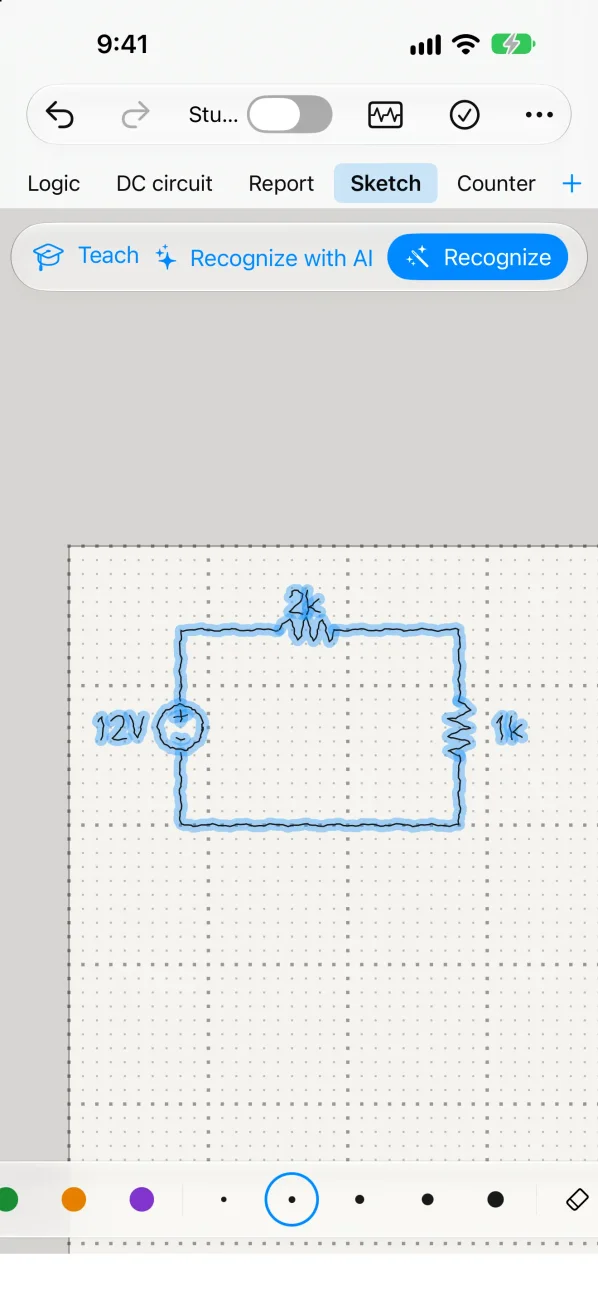
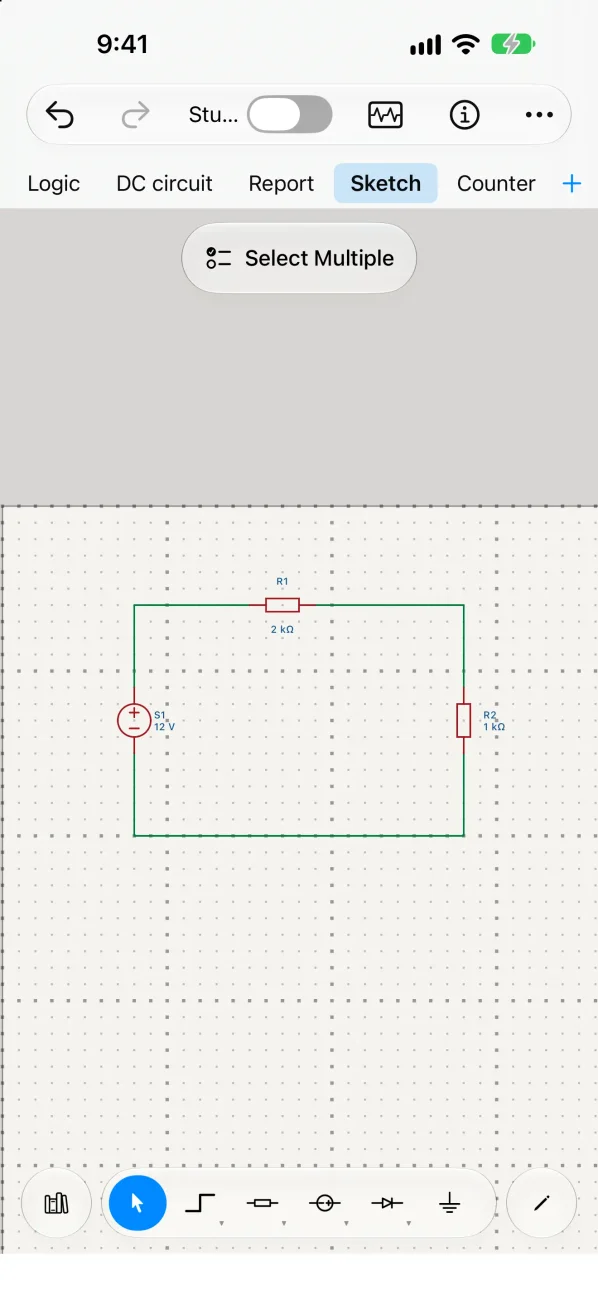
Sketch a schematic with your finger, Apple Pencil, mouse or trackpad, write the values beside the symbols, and JouleSketch turns it into a clean diagram and calculates the rest: voltages, currents, power and missing component values. Or draw it with the tools and watch it update as you go.
It's made for students, teachers and anyone who wants to understand a circuit, not just get the answer.
DRAW BY HAND
• Freehand: sketch wires, resistors, coils, capacitors, batteries, sources, diodes and grounds, and tap Recognize
• Values written beside the symbols, such as 12V or 4k7, are read on the device and given to the right component
• Teach JouleSketch how you draw the symbols
• Optional: Recognize with AI lets Claude read the whole sketch, using your own Anthropic API key
ANALOG CIRCUITS
• Resistors, capacitors, inductors, diodes, LEDs, transistors, switches and push buttons
• Voltage and current sources, dependent sources and signal generators
• DC and AC analysis with phasors (amplitude ∠ phase)
• Voltage probes, voltage drops, current arrows, mesh currents and power
• Equivalent resistance, Thevenin and Norton equivalents between any two points
• Transients, load lines, op-amps and an oscilloscope
• Build your own components and import them from a library
STEP BY STEP
• Guided walkthroughs of nodal analysis, mesh analysis, superposition and equivalent resistance
• See every equation, from setup to result
• Export the equations as ready-to-run Maple code
DIGITAL LOGIC
• AND, OR, NOT, NAND, NOR, XOR and XNOR gates with up to 8 inputs
• Live simulation: wires carrying a 1 light up as you flip the inputs
• Truth tables and Karnaugh maps generated from your drawing
• Minimal SOP and POS expressions, with the grouping explained step by step
• Type a truth table and JouleSketch finds the gates and draws the circuit for you
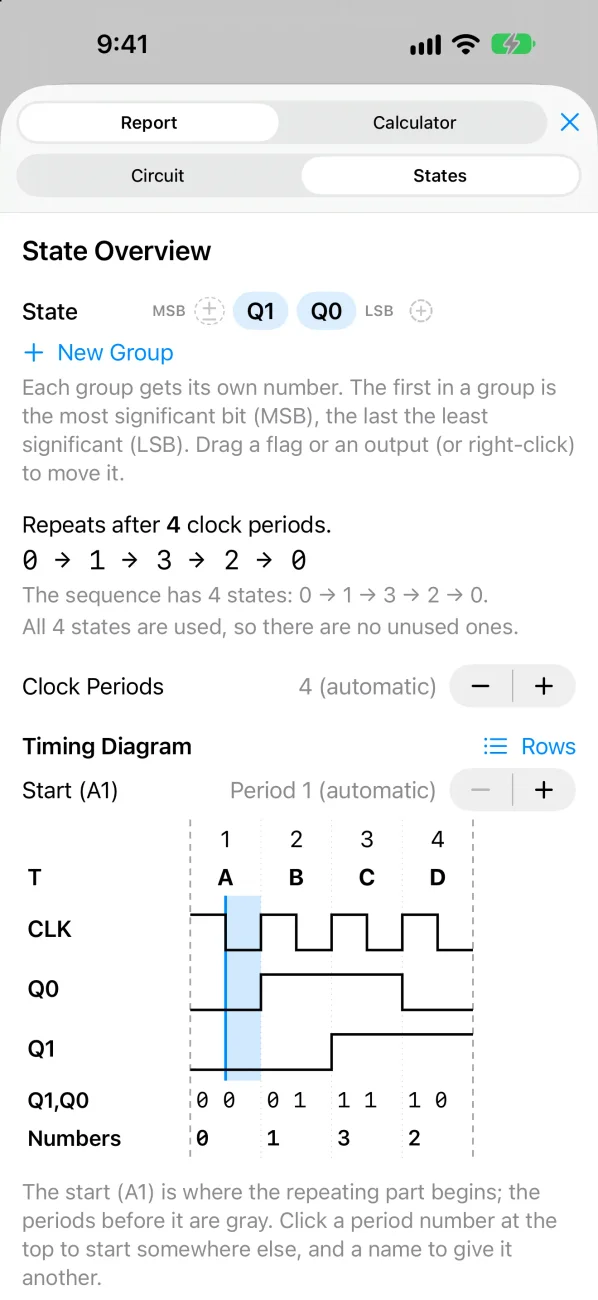
• D, JK, T and SR flip-flops, clocks, timing diagrams, state tables, state diagrams and state machines
• Design synchronous counters: enter a sequence and get the flip-flop inputs
• A library of standard blocks and real ICs such as the 7400 series, 74HC74, 74HC138 and 74HC163, with their real pin numbers, or build your own
STUDY MODE
Turn off the answers and work the exercise yourself: write your answers on the sheet, fill in truth tables, Karnaugh maps, state tables and timing diagrams, and tap Check.
REPORTS
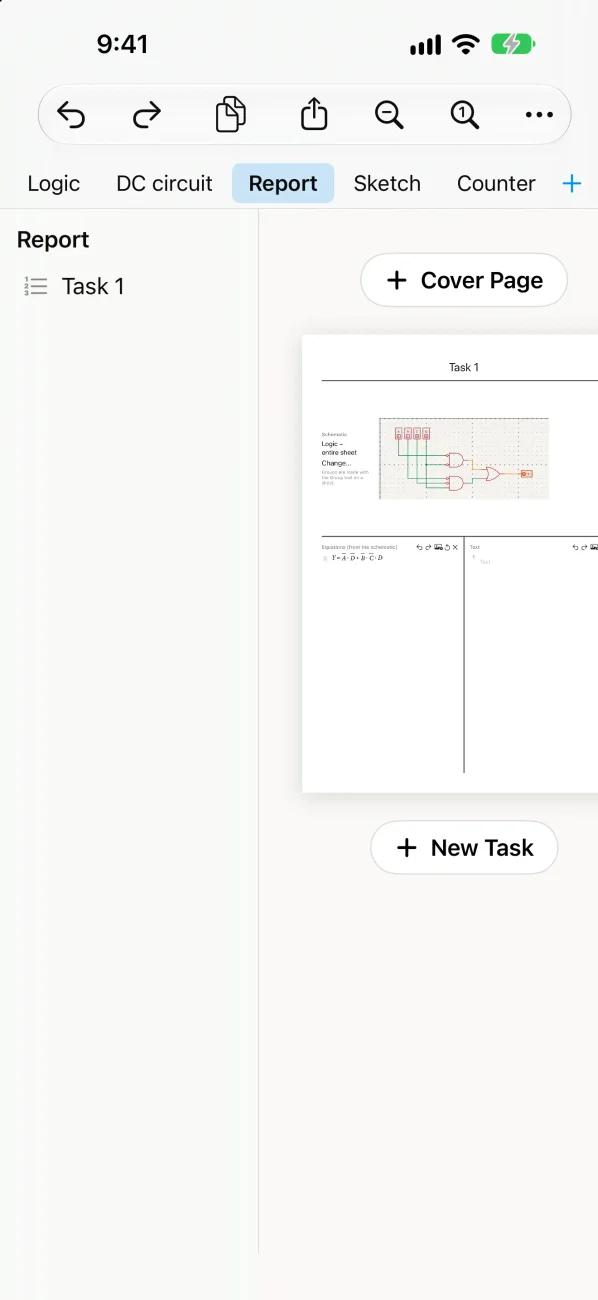
• Put diagrams, equations, tables and your own text on report pages
• Write maths with LaTeX and evaluate formulas using values from your circuit
• Add a front page and several assignments in one document
• Export everything as a single PDF
• Copy tables as text or LaTeX into Word, Pages or spreadsheets
BUILT FOR MAC, IPAD AND IPHONE
• Works with mouse, trackpad, touch and Apple Pencil
• Keyboard shortcuts you can customise
• Files are kept in iCloud Drive and stay in sync between your devices
• A built-in guide that explains every tool
No account, no ads and no tracking. Your circuits stay on your device and in your iCloud Drive. Optionally, you can let Claude read a hand-drawn sketch using your own Anthropic API key; the sketch is then sent to Anthropic only when you ask for it.
What’s new
Version 2.4 · Nov 23, 2026
DRAW BY HAND
• Freehand: sketch the circuit with your finger, Apple Pencil, mouse or trackpad, and tap Recognize. Resistors, coils, capacitors, batteries, sources, diodes, grounds and wires become a real schematic
• Write the values beside the symbols, such as 12V or 4k7, and they are read on the device and given to the right component
• Teach: show JouleSketch how you draw the symbols
• Recognize with AI: with your own Anthropic API key, Claude can read the whole sketch. Optional, and only when you tap it
ALSO NEW
• Exercise tools: Thevenin and Norton, transients, load lines, op-amps and state machines
• Study mode: write your own answers on the sheet and tap Check
• Oscilloscope and transistor models
• Bug fixes
App privacy
What Marius Bjerregaard declares on the App Store about how this app handles data.
-
Data not collected
The developer does not collect any data from this app.
Privacy practices may vary, for example with the features you use or your age.
Information
- Seller
- Marius Bjerregaard
- Category
- Education
- Version
- 2.4
- Updated
- Nov 23, 2026
- Released
- Nov 11, 2026
- Size
- 10.8 MB
- Requires
- iOS 18.0 or later
- Age rating
- 4+
- Price
- Free
- Languages
- English, Danish
- Copyright
- © 2026 Marius Bjerregaard
You might also like
-
 Model Engineer & WorkshopReference
-
 Quiz Prep: Intro to GeneticsDNA, Evolution Flashcards, MCQ
-
 Physics++with Formula Calculators
-
 UniVertexEducation
-
 Slopes: Differential EquationsEducation
-
 Circuit-DesignDesign Simulate Solve Simplify
-
 Histology QuizHistology Quiz Trivia
-
 GlyptoteketEducation
-
 Team Teach ConnectBehaviour Insights On-Demand
-
 FalahPrayer times, adhkar & Qibla