
Journly Shift Planner
Shift calendar with rotation
Designed for iPhone, iPad, iPod touch
Free · In-app purchases
- Age rating4+
- CategoryProductivity
- DeveloperROLAND 1. BRANDSTETTER
- LanguagesEnglish+ 1 more
- Size9.6 MB
Links to the official App Store page
Download.org hosts no file of Journly Shift Planner. The button opens its official App Store page, published by ROLAND 1. BRANDSTETTER. Listing last checked on Nov 23, 2026.
Screenshots



About
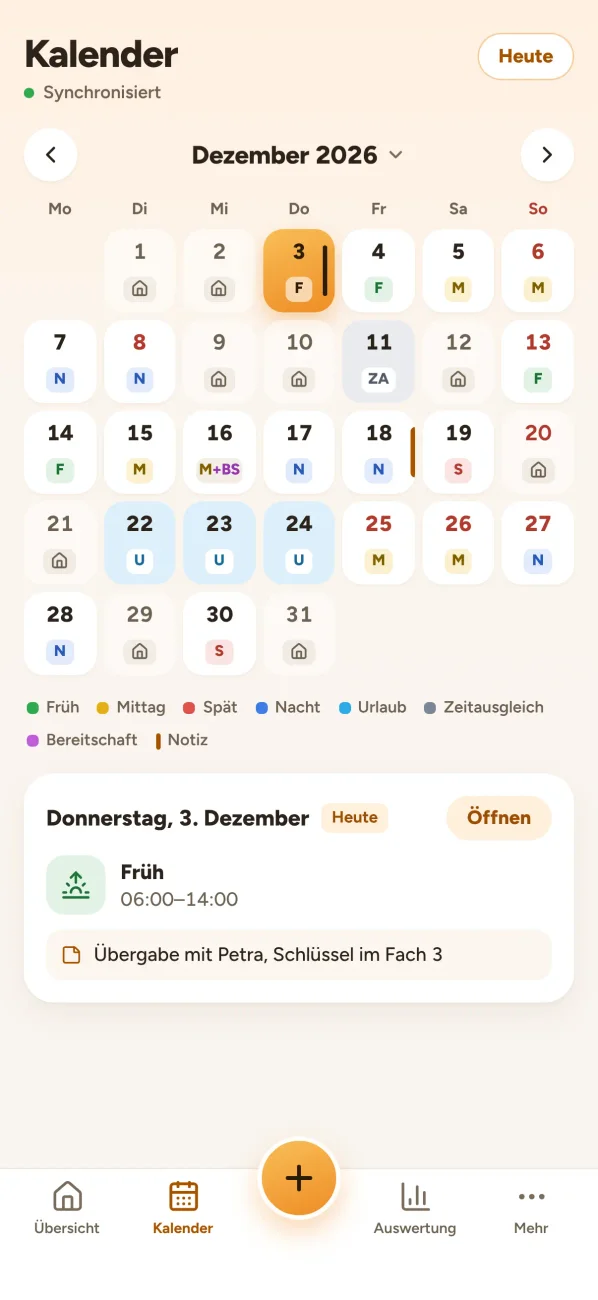
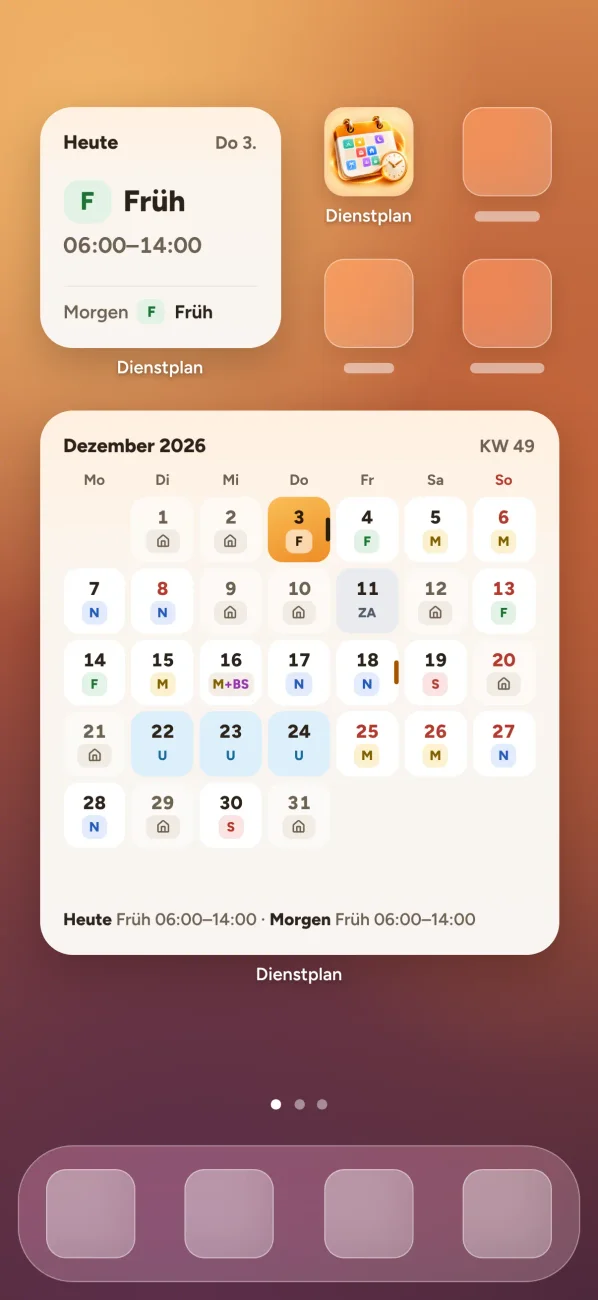
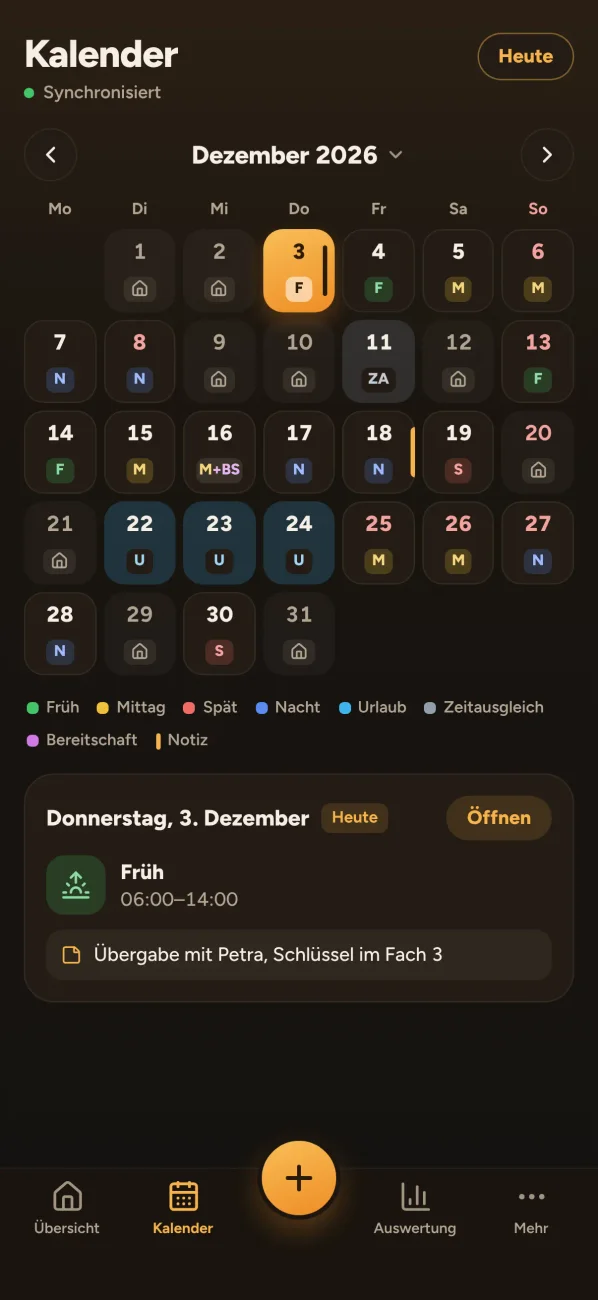
Journly Shift Planner is your shift calendar for iPhone and iPad. Enter your shifts in seconds, set up your rotation once and always keep track of early, late and night shifts and your days off.
Quick entry
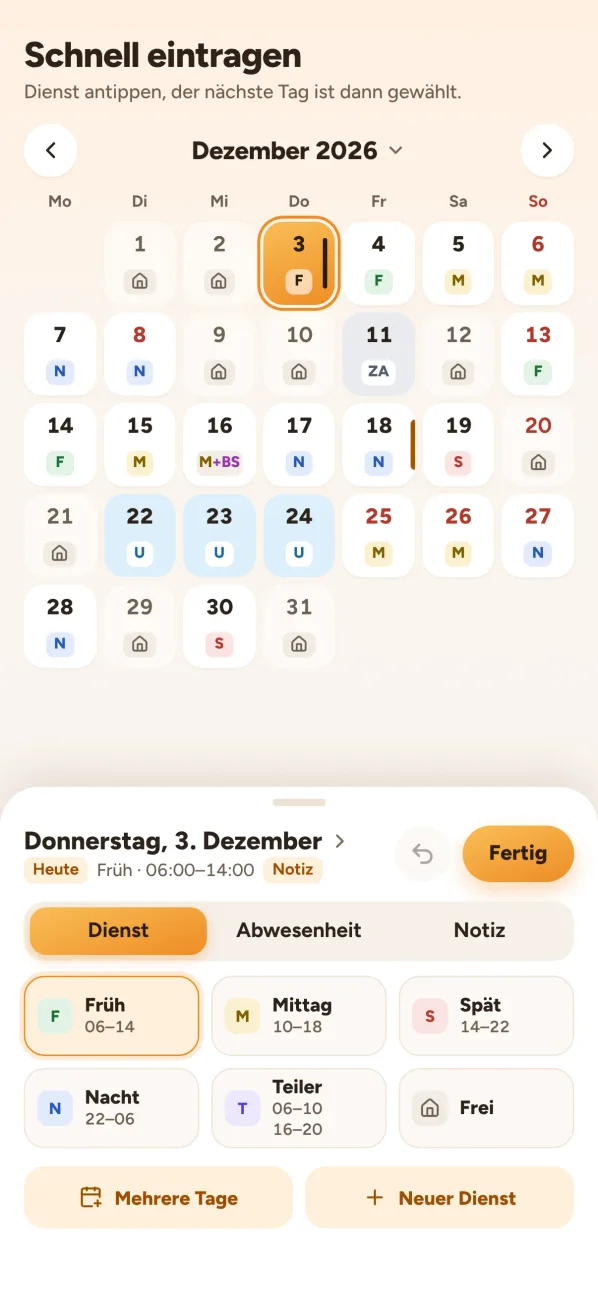
Tap plus, choose a shift – and the next day is selected. A whole week is entered in a few seconds. With “Several days” you enter a whole period in one go.
Your rotation
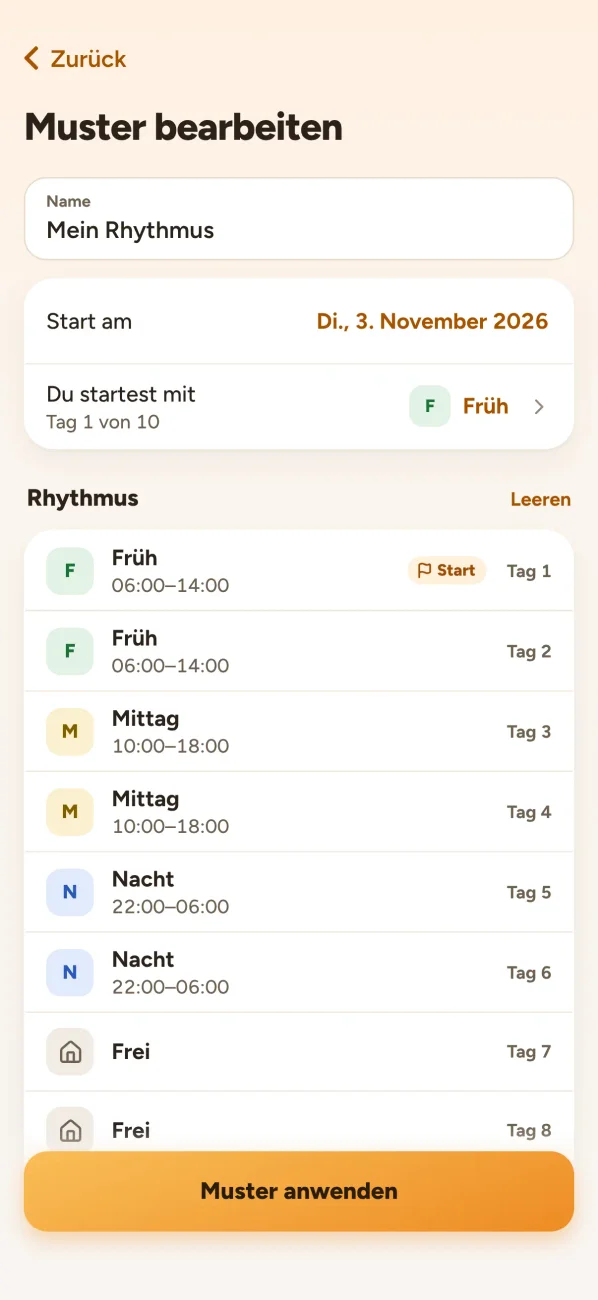
Set up your shift rotation once – for example two early, two late, two night shifts and four days off – together with the day it starts and the shift you begin with. It fills your calendar automatically, and you can change single days at any time.
Your shifts
Up to 5 shifts with name, abbreviation, colour, icon and times, including split shifts with two working times – with Pro up to 25. “Day off” is always there.
Calendar, overview and public holidays
Month and week, today and tomorrow at a glance. Public holidays for Austria, Germany, Switzerland and Liechtenstein, matching your state or canton.
Notifications
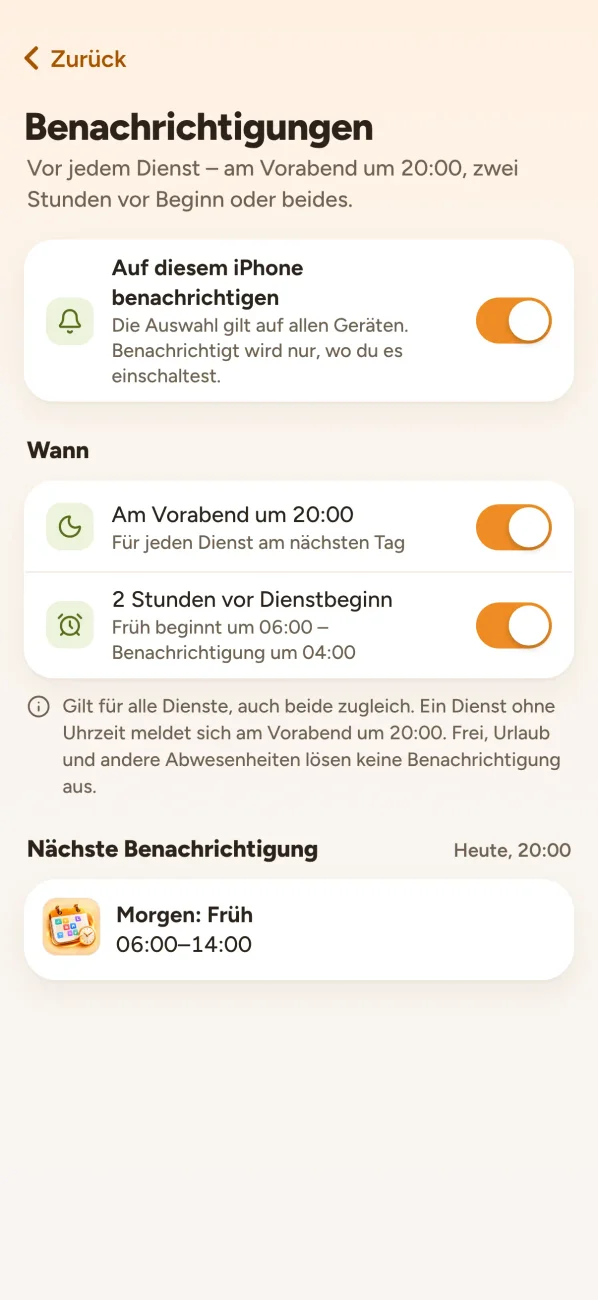
Before every shift – the evening before at 20:00, two hours before it starts, or both.
Statistics
Days per shift, days off, weekends and public holidays worked – for a month, a year or a period of your choice.
Widget
Today and tomorrow on your Home Screen, on the Lock Screen and in StandBy.
iPhone and iPad
You sign in with Apple. Your plan is on both devices and backed up on our server in Austria. Entering shifts also works without internet.
Journly Pro
With the Journly Pro subscription, you get:
• Up to 25 shifts (without Pro: 5)
• Annual leave and absences, including custom ones such as a company shutdown
• Notes for every day
• PDF export for up to 24 months
• Roster photos: up to 6 photos of the original
• Widget with week and month
Journly Pro is available as a monthly or yearly subscription. Payment is charged to your Apple ID. The subscription renews automatically unless you cancel it at least 24 hours before the end of the current period. You can cancel or change it at any time in your Apple ID settings.
No ads, no tracking. We do not need your name or email address. You can delete your account in the app at any time.
Terms of Use: https://dienstplan.matluk.at/nutzungsbedingungen?lang=en
Privacy Policy: https://dienstplan.matluk.at/datenschutz?lang=en
What’s new
Version 1.0.2 · Nov 13, 2026
• New with Pro: your shifts in Apple Calendar. The app adds them to a calendar of their own, “Journly Shift Planner”, and keeps it up to date – with iCloud also on iPad and Mac.
• You choose what goes in: shifts, absences, the note of the day. Tapping an event opens that day in the app.
App privacy
What ROLAND 1. BRANDSTETTER declares on the App Store about how this app handles data.
-
Data linked to you
May be collected and linked to your identity.
- Purchases
- User content
- Identifiers
- Usage data
Privacy practices may vary, for example with the features you use or your age.
Information
- Seller
- ROLAND 1. BRANDSTETTER
- Category
- Productivity
- Version
- 1.0.2
- Updated
- Nov 13, 2026
- Released
- Nov 6, 2026
- Size
- 9.6 MB
- Requires
- iOS 15.0 or later
- Age rating
- 4+
- Price
- Free
- In-app purchases
- Yes
- Languages
- English, German
- Copyright
- © 2026 MatLuk Software
You might also like
-
 To Do List: Smart Tasks & AIReminders,Planner & Organiser
-
 EaseShift: Staff Rota PlannerCreate & Share Work Schedules
-
 BioDoku 2.0Productivity
-
 Calendar Planner TerminKompassOffline & shared schedules
-
 Dopamin Quest: ADHD GameBeat procrastination
-
 Elaria: Digitaler SchreibtischPapierkram einfach erledigen
-
 Shift Calendar & Work RosterNurse & Firefighter Schedule
-
 ztn SüdwestProductivity
-
 Deer: Note, Outline, MindMapStructured Notes
-
 Orizon ConnectProductivity