Jovap
Private geo-stamp camera
Designed for iPhone, iPod touch
Free · In-app purchases
- Age rating17+
- CategoryUtilities
- DeveloperMitch Aguiar
- LanguagesEnglish
- Size10.3 MB
Links to the official App Store page
Download.org hosts no file of Jovap. The button opens its official App Store page, published by Mitch Aguiar. Listing last checked on Nov 12, 2026.
Screenshots


About
Jovap is a private geo-stamp camera — not a social network, navigation app, or public map.
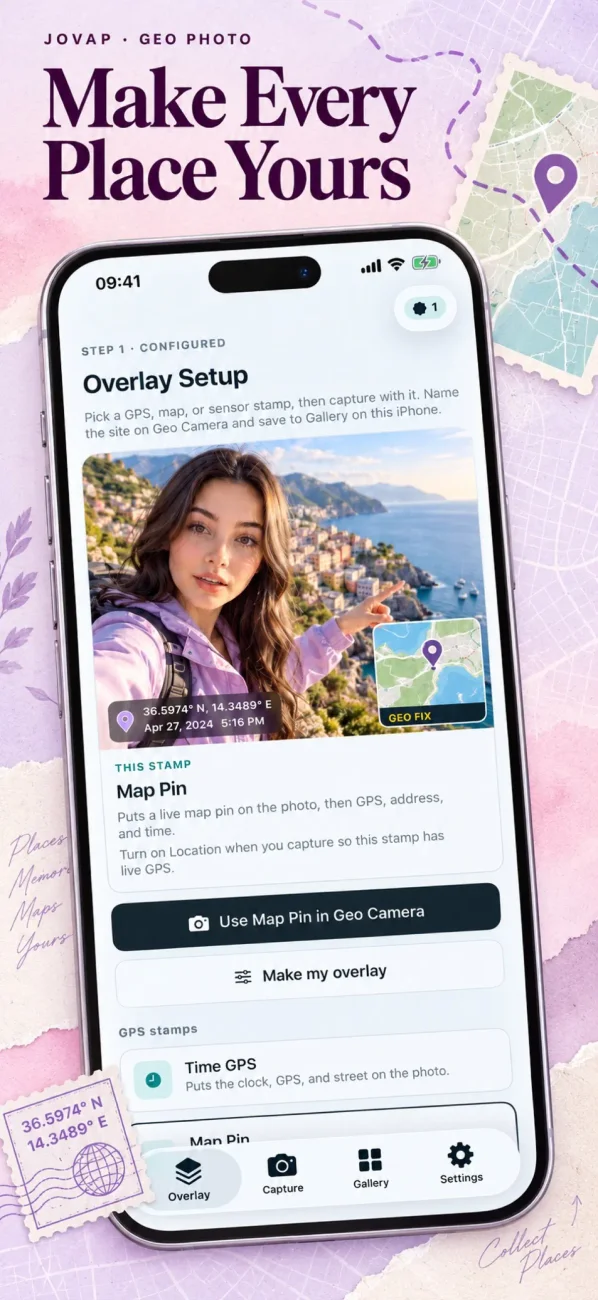
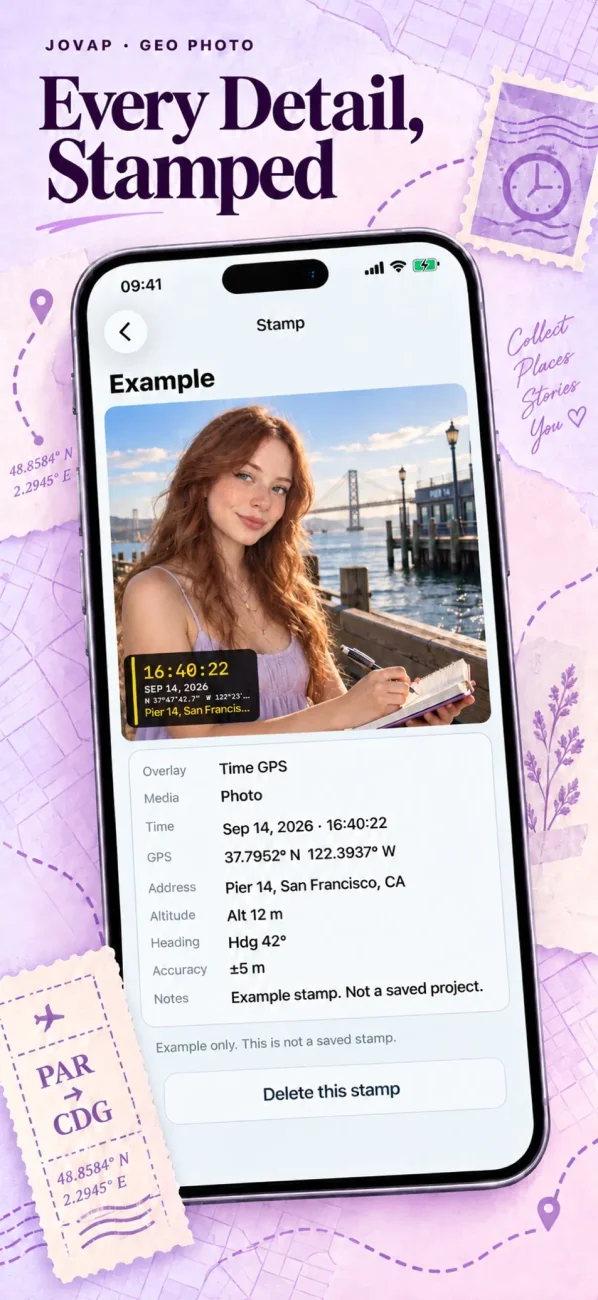
Stamp live GPS, time, address, weather, and level onto photos or videos on this iPhone. Pick an overlay, shoot or import, then keep the file in a local gallery. Finished stamps stay on this iPhone unless you tap Save to Photos, which copies that stamp’s photos and video into Photos. There are no subscriptions and no Restore Purchases.
Features:
• Overlay — built-in stamps; 4 custom overlays included. Extra slots are 8 credits each, up to 8 custom overlays
• Capture — photo, 20-second video (40 seconds or 2 minutes after a one-time Shop unlock), import, or a 20-second voice note; 4 free positions on an unsaved stamp, up to 9
• Gallery — each stamp is its own tile, plus a marked Example that is not a saved stamp. The example can be removed from Gallery. Edit details, replace a photo or video from Photos or record it again, share the file, delete, or save that stamp’s photos and video to Photos.
• Settings — credits, shop, daily check-in, Privacy Policy, Terms of Use, Log Out, Delete Account
• Local storage — projects and media stay on this iPhone
Saving a stamp does not use credits. Extra positions stay on the current unsaved stamp only: a photo position is 5 credits, a video position is 10. After you save, the next stamp starts again at 4 free positions. A longer video length unlocks once for this install: 40 seconds costs 12 credits, 2 minutes costs 30, or 18 if 40 seconds is already unlocked. Sharing a stamp file uses 15 credits. Saving that stamp’s photos and video to Photos uses 10 credits. Eight consumable Geo Capture Credit packs are in Settings → Credits ($0.99–$99.99). Daily check-in grants 3 credits, with 10 more on a 7-day streak. New installs start with 20 credits.
No matching, chat, or live features — just geo stamps on this iPhone.
Privacy Policy: https://jovap-legal.surge.sh/privacy.html
Terms of Use: https://jovap-legal.surge.sh/terms.html
What’s new
Version 1.1 · Oct 20, 2026
Sites in Gallery group saved stamps by project name. Open a site to rename it, save that site’s photos and video to Photos, or share a field report.
A field report is a PDF of the stamp’s time, GPS, address, weather, notes, and comment. It stays on this iPhone. Sharing it uses 12 Geo Capture Credits, and only after you finish sharing. A coordinate code on the PDF repeats the GPS numbers already on the stamp.
Add a comment from Confirm or Gallery Edit. It stays with the stamp in Gallery and is not burned into the photo or video. Gallery search also finds a close spelling of the site, notes, comment, or address.
App privacy
What Mitch Aguiar declares on the App Store about how this app handles data.
-
Data used to track you
May be used to track you across apps and websites owned by other companies.
- Identifiers
-
Data linked to you
May be collected and linked to your identity.
- Identifiers
-
Data not linked to you
May be collected but is not linked to your identity.
- User content
- Identifiers
Privacy practices may vary, for example with the features you use or your age.
Information
- Seller
- Mitch Aguiar
- Category
- Utilities
- Version
- 1.1
- Updated
- Oct 20, 2026
- Released
- Oct 26, 2026
- Size
- 10.3 MB
- Requires
- iOS 15.0 or later
- Age rating
- 17+
- Price
- Free
- In-app purchases
- Yes
- Languages
- English
- Copyright
- © Mitch Aguiar