
- Age rating4+
- CategoryUtilities
- DeveloperMayur Vimal
- LanguagesEnglish
- Size11.0 MB
Links to the official App Store page
Download.org hosts no file of JRC-STS. The button opens its official App Store page, published by Mayur Vimal. Listing last checked on Nov 18, 2026.
Screenshots


About
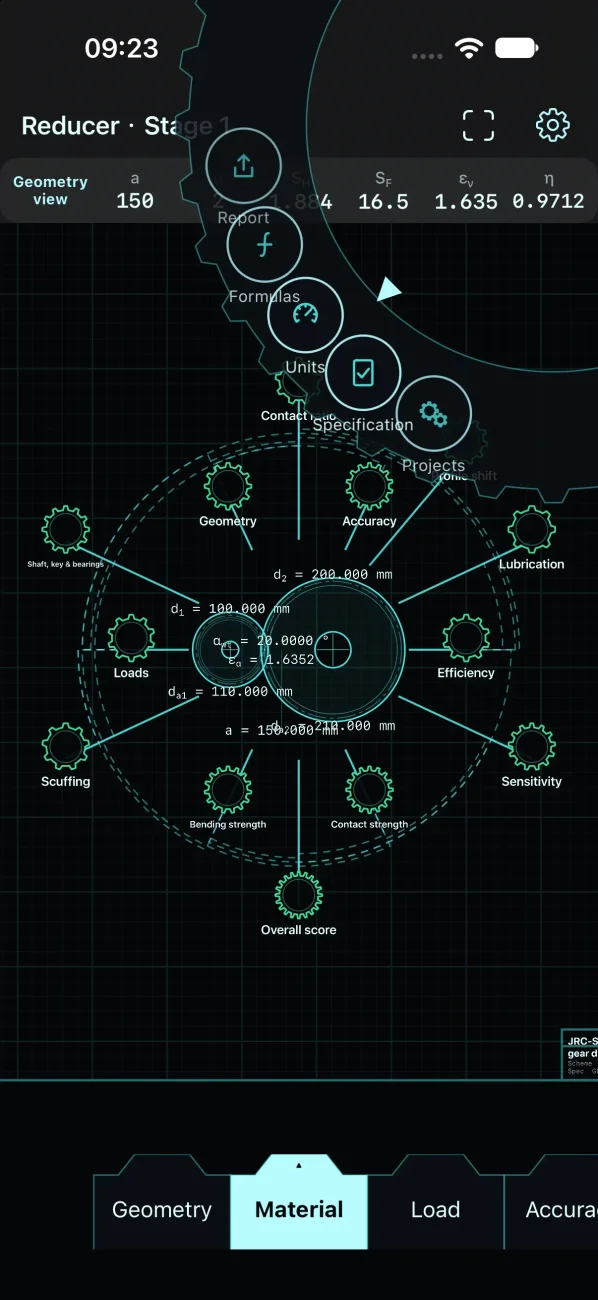
JRC-STS is a mobile workbench for external involute cylindrical gear pairs—spur or helical—not a generic scientific calculator. You keep geometry, loads, and materials on one interactive mesh blueprint while the app runs a full design chain and shows every step on the canvas, in station cards, and in the formula scroll.
FIFTEEN STATIONS, ONE PAIR
• Gear geometry — module, tooth counts, profile shift, helix; center distance, undercut, addendum/root circles
• Contact ratio & sliding — overlap and sliding behaviour
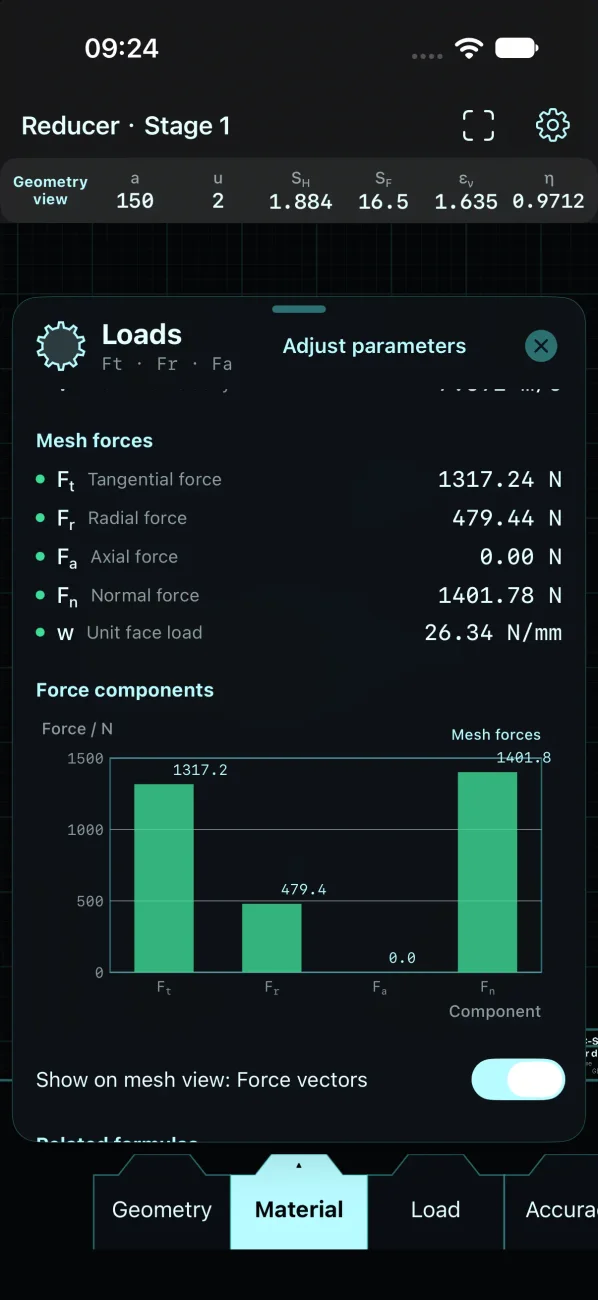
• Tooth loads — tangential and separating forces
• Contact strength — surface fatigue per the active code, with safety factors
• Bending strength — root stress and form factors (ISO 6336-3 tangent and table paths), life and surface factors
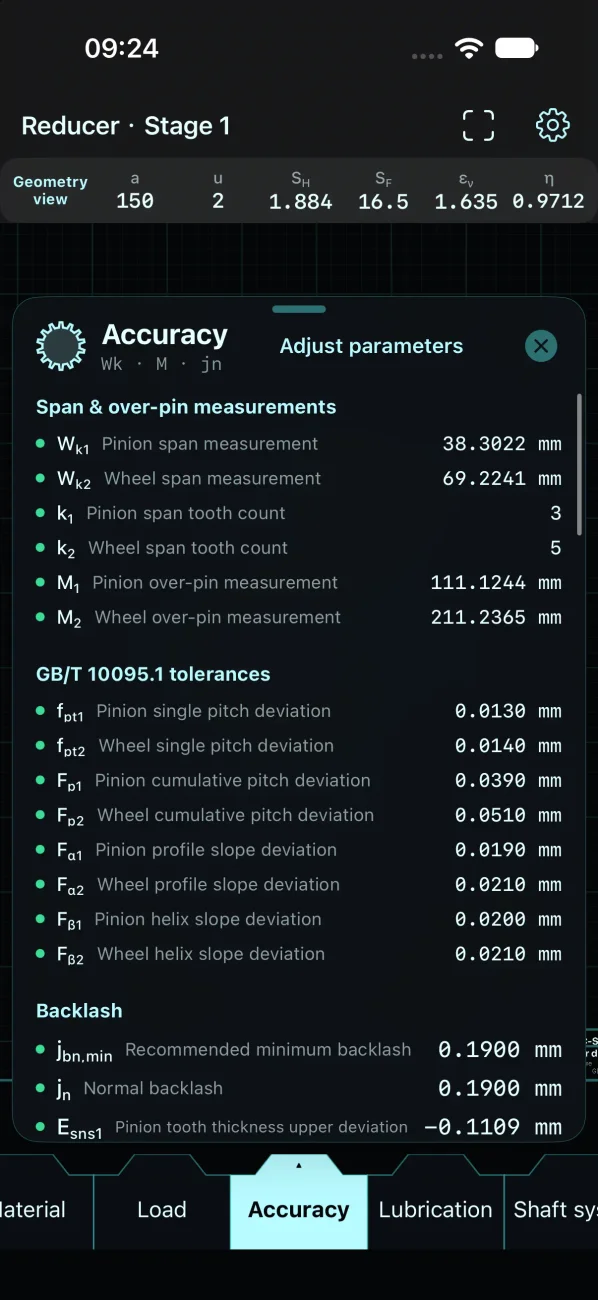
• Accuracy & backlash — grades, span/pin measurement, minimum backlash
• Transmission efficiency — mesh, bearing, and churning losses
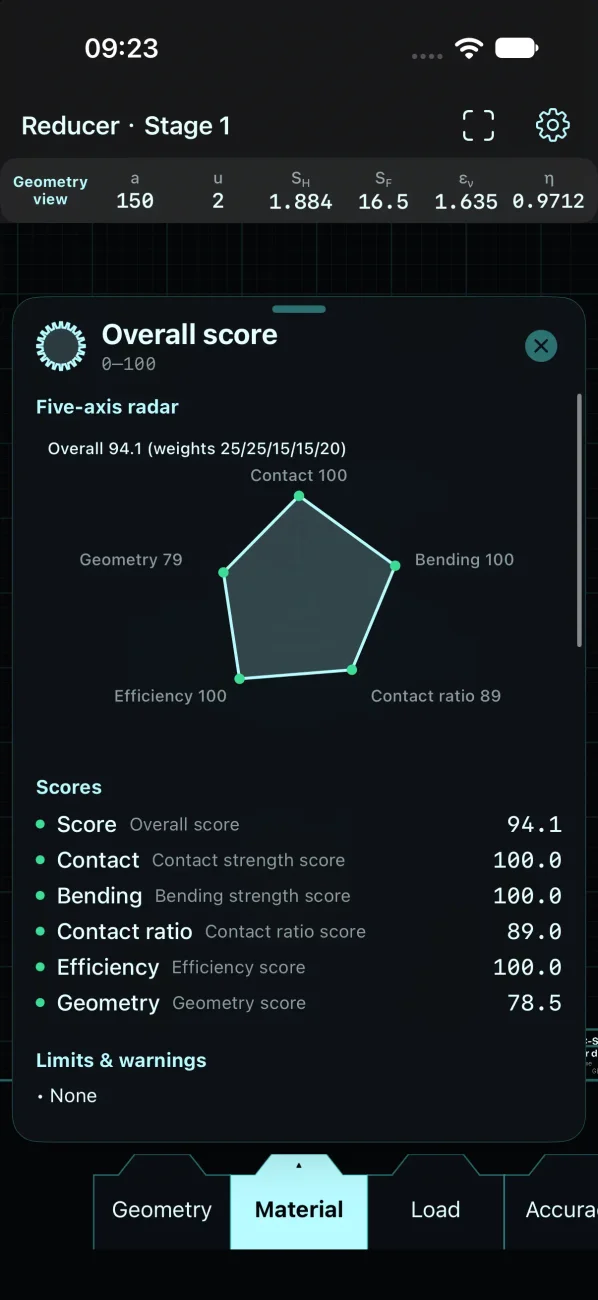
• Overall score — weighted margins with practical resize hints
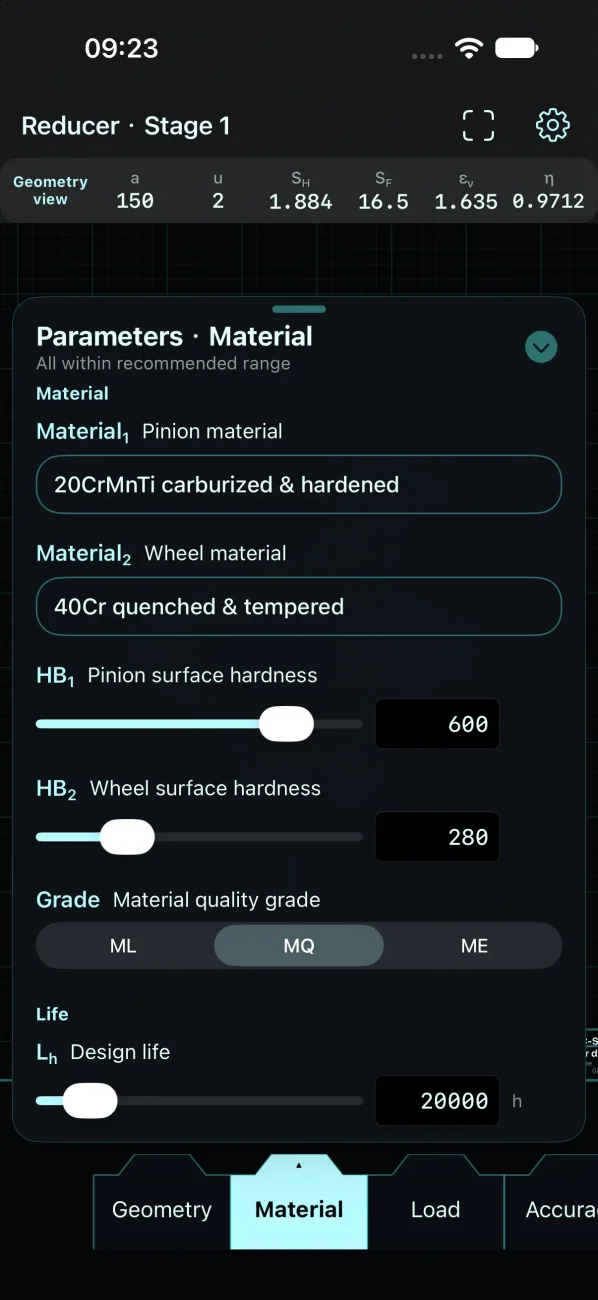
• Material selection — built-in library (ISO 6336-5 style limits, ML/MQ/ME)
• Load factors — application, dynamic, and sharing factors per specification
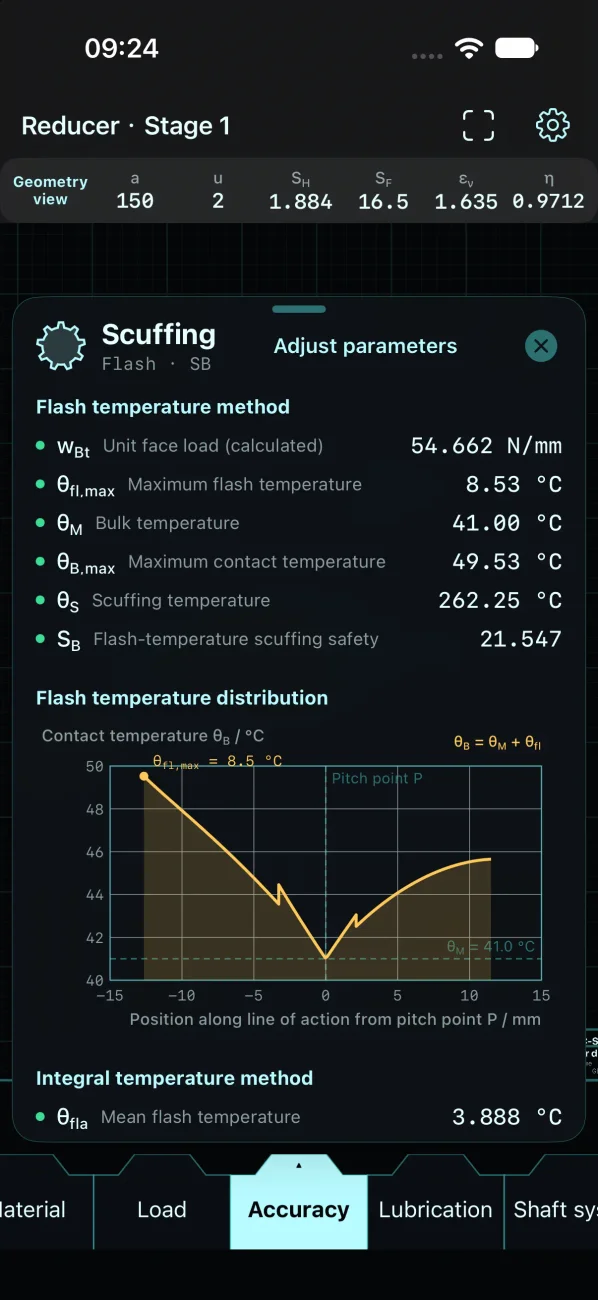
• Scuffing load capacity
• Lubrication & heat balance
• Shaft, key & bearings — linked from the same parameter set
• Profile shift optimization
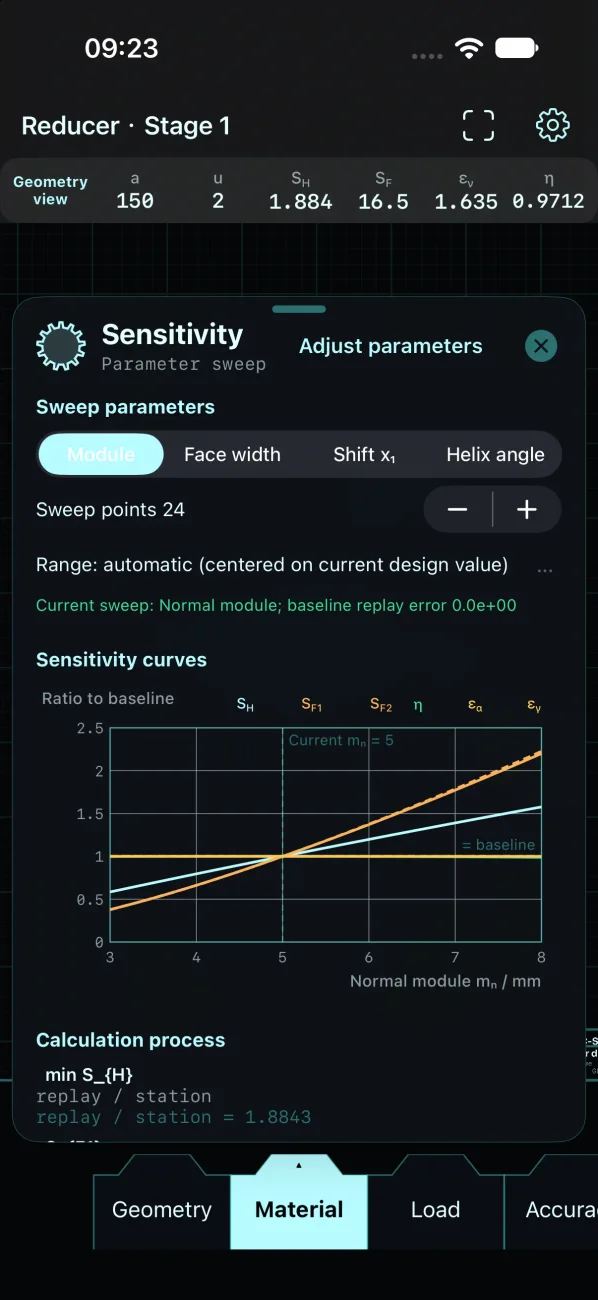
• Parameter sensitivity sweeps
Switch between GB/T 3480 and ISO 6336 in the tool dial. Thresholds and factor methods follow the code you choose.
BLUEPRINT CANVAS
Pinch to zoom the mesh. Tap gear nodes for station cards. Swipe the bottom rack for geometry, material, load, and accuracy drawers. Long-press mesh regions for contextual readouts. Rotate with two fingers to cycle geometry, load, strength, and efficiency lenses. A built-in gauge rulebook warns on overlap, helix scope, undercut, and low safety factors with references.
TOOLS
Projects to compare schemes; unit presets; searchable formula scroll with deep links from any value; calculation report shareable via the system sheet; settings and drawing themes (default night blueprint).
FOR ENGINEERS AND STUDENTS
Mechanical designers sizing reducers and transmissions who need fast what-if on module and profile shift, auditable math, and code-aligned numbers in the field or in meetings.
DISCLAIMER
Results are engineering estimates from public standards and textbook methods. They do not replace detail drawings, testing, or your organization’s approval. Verify safety-critical designs independently.
App privacy
What Mayur Vimal declares on the App Store about how this app handles data.
-
Data not collected
The developer does not collect any data from this app.
Privacy practices may vary, for example with the features you use or your age.
Information
- Seller
- Mayur Vimal
- Category
- Utilities
- Version
- 1.0
- Updated
- Nov 9, 2026
- Released
- Nov 9, 2026
- Size
- 11.0 MB
- Requires
- iOS 16.0 or later
- Age rating
- 4+
- Price
- Free
- Languages
- English
- Copyright
- © JRC-STS