
- Age rating4+
- CategoryProductivity
- DeveloperHeinrich Picar
- LanguagesEnglish
- Size80.5 MB
Links to the official App Store page
Download.org hosts no file of JuanScan. The button opens its official App Store page, published by Heinrich Picar. Listing last checked on Nov 20, 2026.
Screenshots



About
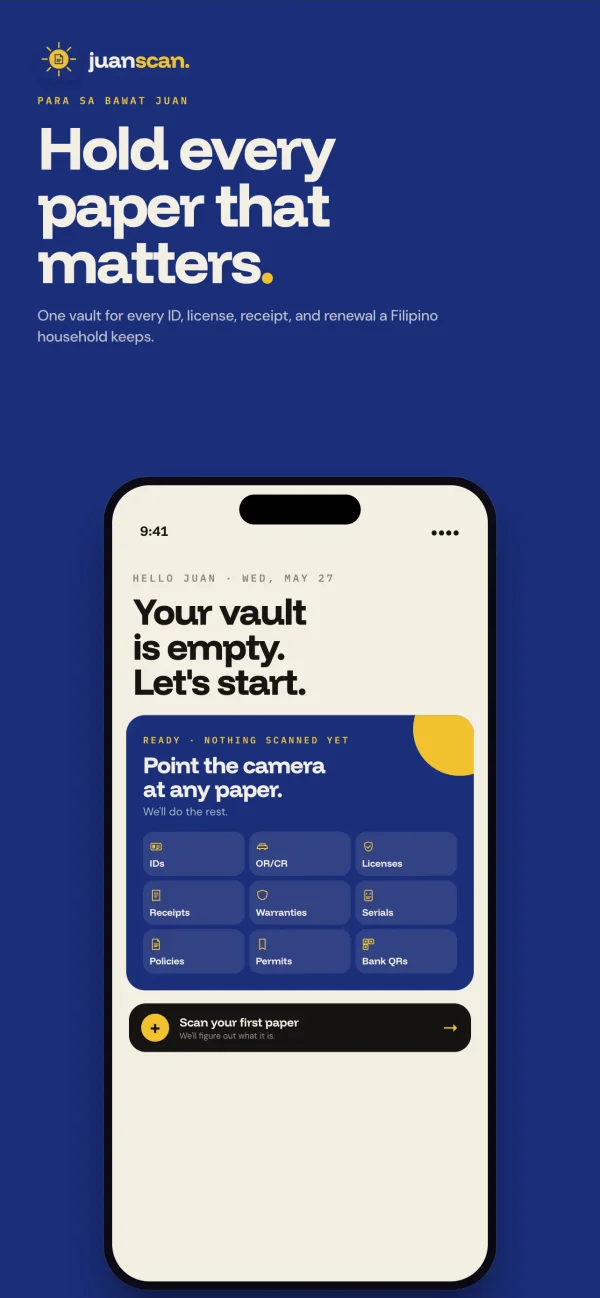
Your most important papers, encrypted on your phone.
Scan once. Sort automatically. Find anything in one tap.
JuanScan turns the messy stack in your wallet, your folder, and your kitchen drawer into a private vault you can search in seconds. No account. No cloud. Nothing readable ever leaves this device.
One vault, nine drawers
• IDs — PhilSys, driver's license, passport, UMID, SSS, PRC, postal, voter's
• Vehicle papers — OR, CR, registration
• Licenses — professional, business permits
• Receipts — every store, every utility, automatically dated
• Warranties — linked to the receipt and the serial number
• Appliance serial numbers — for when something breaks
• Insurance policies — life, HMO, pre-need
• Business registration — DTI, BIR, SEC, mayor's permit
• Bank QRs — GCash, Maya, BPI, GoTyme, and more
Three things JuanScan does well
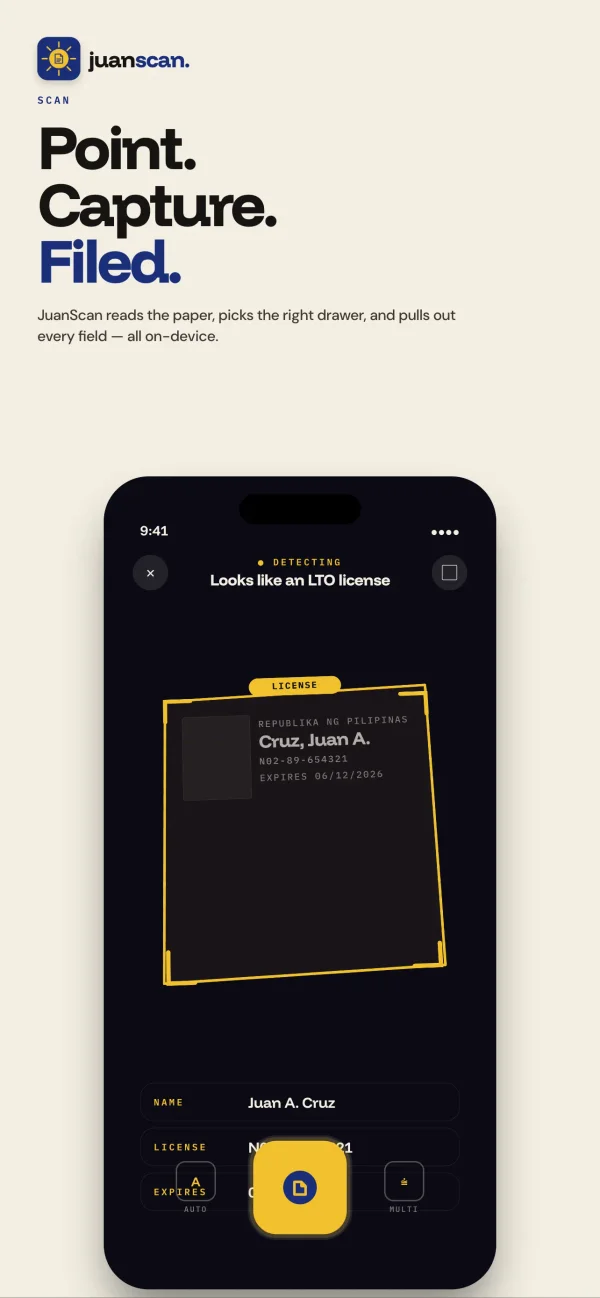
1. Reads every paper. Point your camera. JuanScan figures out what it is, pulls the important numbers, and files it in the right drawer.
2. Finds anything instantly. Search "Meralco April" or "driver's license" — results in milliseconds, even from papers you scanned months ago.
3. Never lets your papers leave. Every scan is sealed on this device with AES-256-GCM encryption. The key is derived from your PIN. There is no server that holds your data.
Quiet reminders
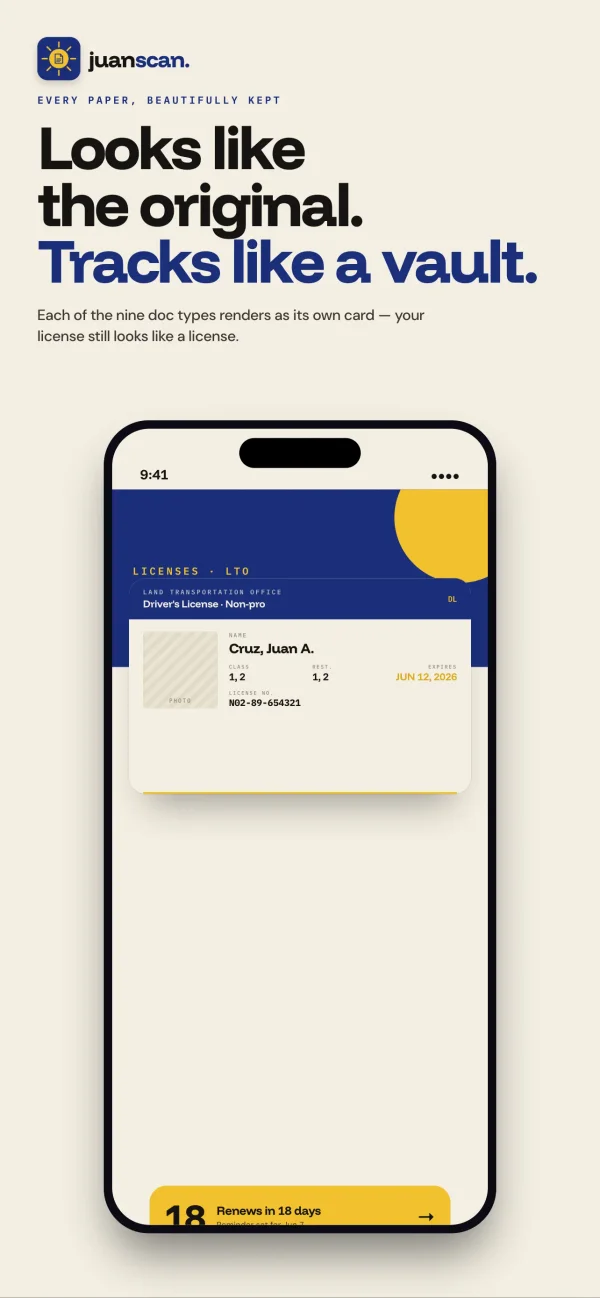
JuanScan reads expiry dates off every paper and reminds you 30 days, 7 days, and on the day. No spam. No SMS. Just a notification from your phone.
Built for the Philippines, designed to last
Knows LTO, BIR, SSS, GSIS, PhilHealth, PhilSys. Reads receipts from SM, Mercury, Maynilad, Meralco, PLDT. Speaks English and Tagalog. Handles `Cruz, Juan A.` the way a Pinoy ID actually reads.
Privacy by architecture, not by promise
• No email. No password. No account.
• Face ID to unlock. Six-digit PIN as backup.
• Locks itself after five minutes in the background.
• Erase everything in one tap — your data goes with the app.
Free. No subscription. The whole product.
— Para sa bawat Juan.
What’s new
Version 1.1.2 · Jun 10, 2026
Fixed a critical bug where documents saved before an app update could appear stuck on "Decrypting" after updating. Your documents were never lost, the app was looking in the wrong folder after iOS moved its storage during the update. They reappear automatically with this version. Also hardened PIN changes to never complete unless every document was safely re-encrypted.
App privacy
What Heinrich Picar declares on the App Store about how this app handles data.
-
Data not collected
The developer does not collect any data from this app.
Privacy practices may vary, for example with the features you use or your age.
Information
- Seller
- Heinrich Picar
- Category
- Productivity
- Version
- 1.1.2
- Updated
- Jun 10, 2026
- Released
- Jun 4, 2026
- Size
- 80.5 MB
- Requires
- iOS 16.0 or later
- Age rating
- 4+
- Price
- Free
- Languages
- English
- Copyright
- © 2026 Picar Inc.
You might also like
-
 Minu — Meeting NotesFor the meetings you're in
-
 Prime Focus: One Task DailyOne focus - Every morning
-
 ApartoPHOffline Rent & Tenant Tracker
-
 Affiliate CentralAffiliate Central
-
 Control: Home Screen WidgetsHabit Tracker, Budget & Todo
-
 Stardate - AI Voice NotesTap, talk, done!
-
 Monolog - Minimalist Notesbacklinks & bookmarks
-
 Private Mind: Local AIPrivate, offline AI assistant
-
 AI Email Writer & ComposerGenerate Professional Emails
-
 SaveToList - Smart BookmarksRecipe saver & travel planner