
- Age rating4+
- CategoryDeveloper Tools
- DeveloperCraig Trim
- LanguagesEnglish
- Size2.1 MB
Links to the official App Store page
Download.org hosts no file of Judder Haptics. The button opens its official App Store page, published by Craig Trim. Listing last checked on Nov 12, 2026.
Screenshots
About
Judder is the best haptic editor on iOS: a workbench for developers who want to design feedback by feel, not by guesswork. Build tactile patterns on the iPhone your users will hold, see every event on a shared timeline, and export the result as AHAP JSON or paste-ready Swift.
Haptics are temporal. One event at full intensity is already the hardware maximum, so stronger feedback comes from rhythm, density, overlap, envelope and context. Most haptic feedback is one buzz. Judder builds the whole chain: transient hits, continuous beds and dense bursts on one axis, overlapping wherever you want them to. Scrub parameters, replay the pattern, and learn what changes the feel before you put it in your app.
START FROM REAL MOMENTS
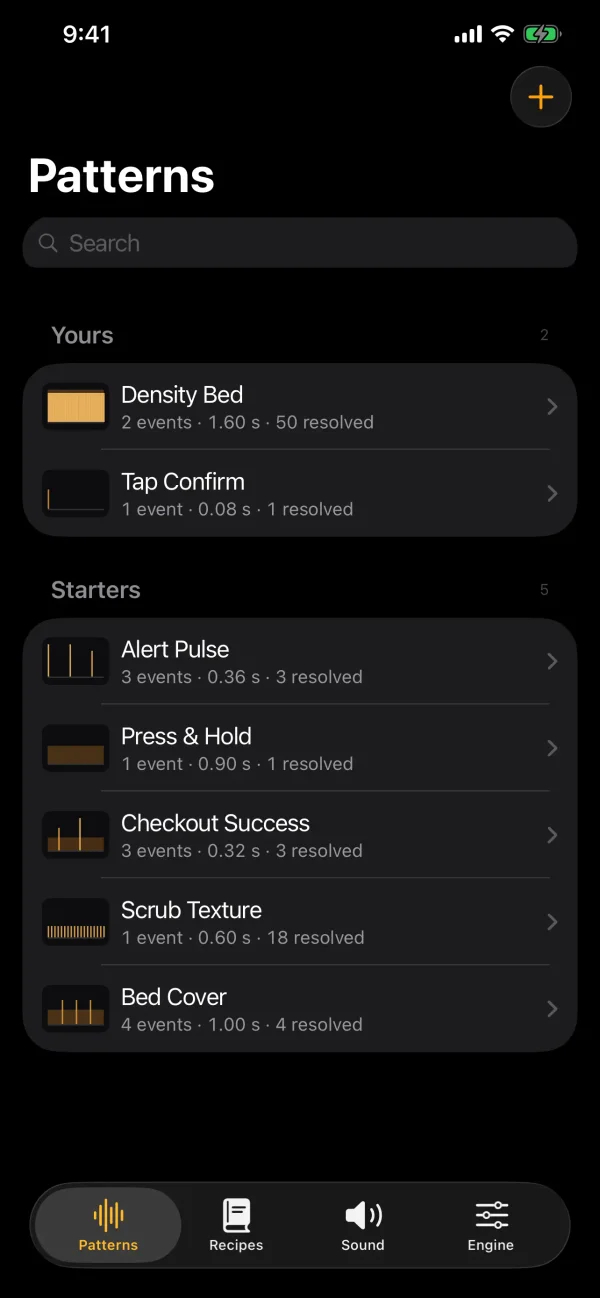
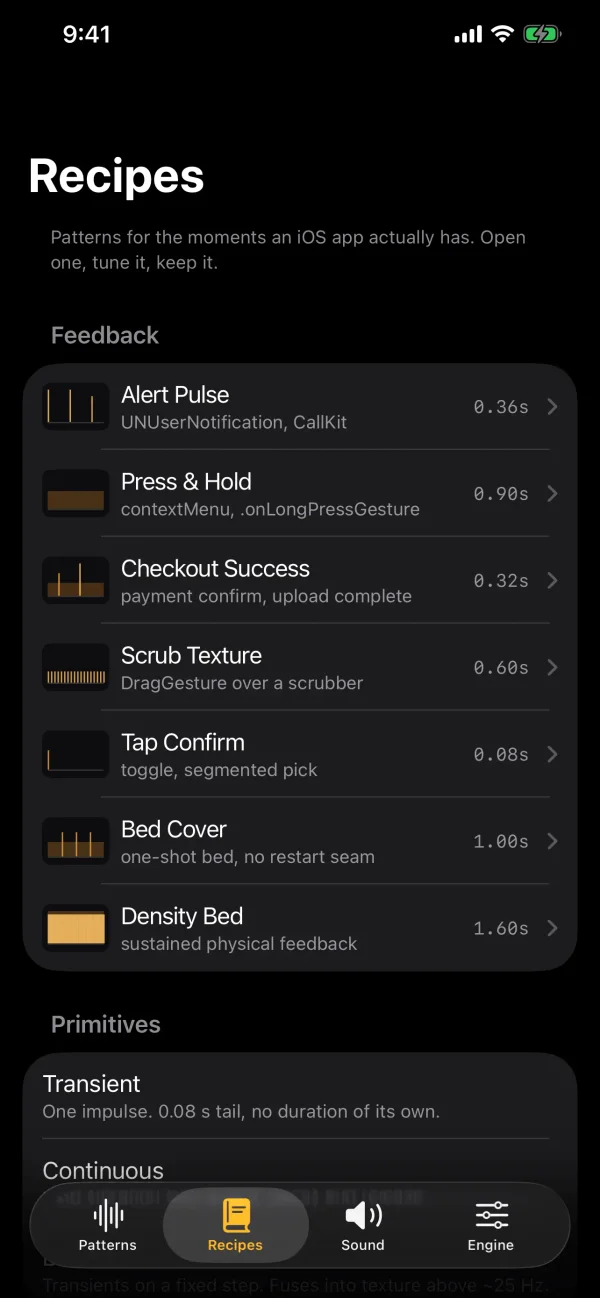
Practical recipes for the moments an iOS app actually has: alerts, incoming calls, long press feedback, checkout success, scrubber texture, toggles and sustained physical effects. Open a pattern and adjust intensity, sharpness, duration, gaps, attack, release, burst spacing, loop behaviour and audio support, then keep the version that feels right.
SEE THE WHOLE PATTERN
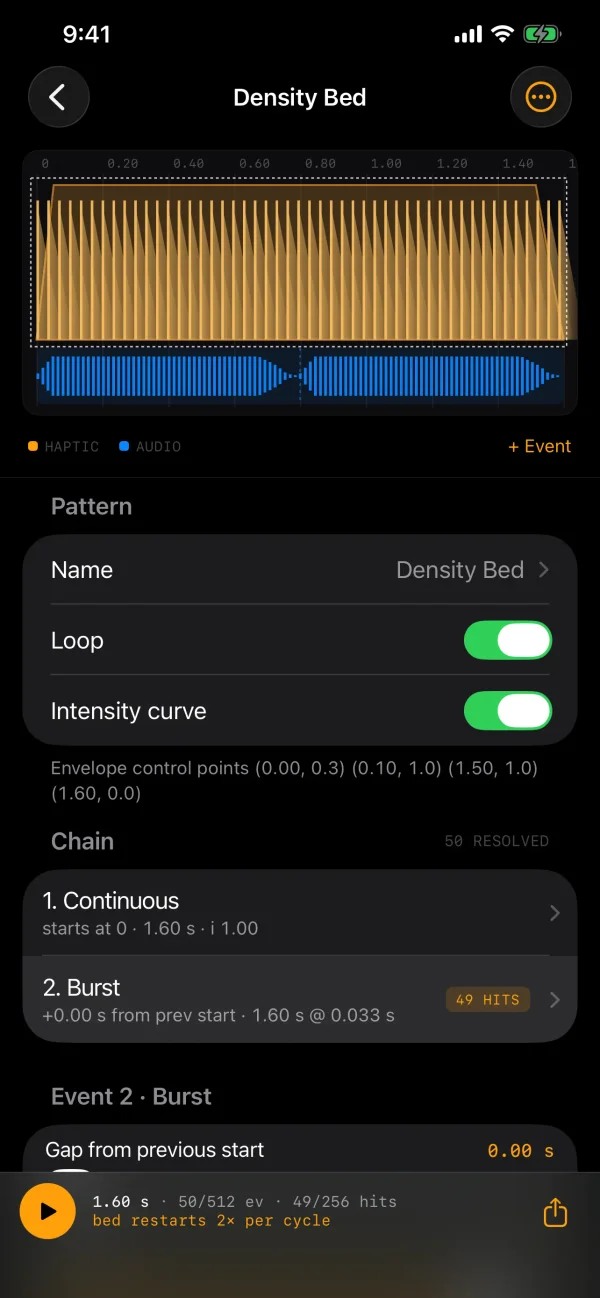
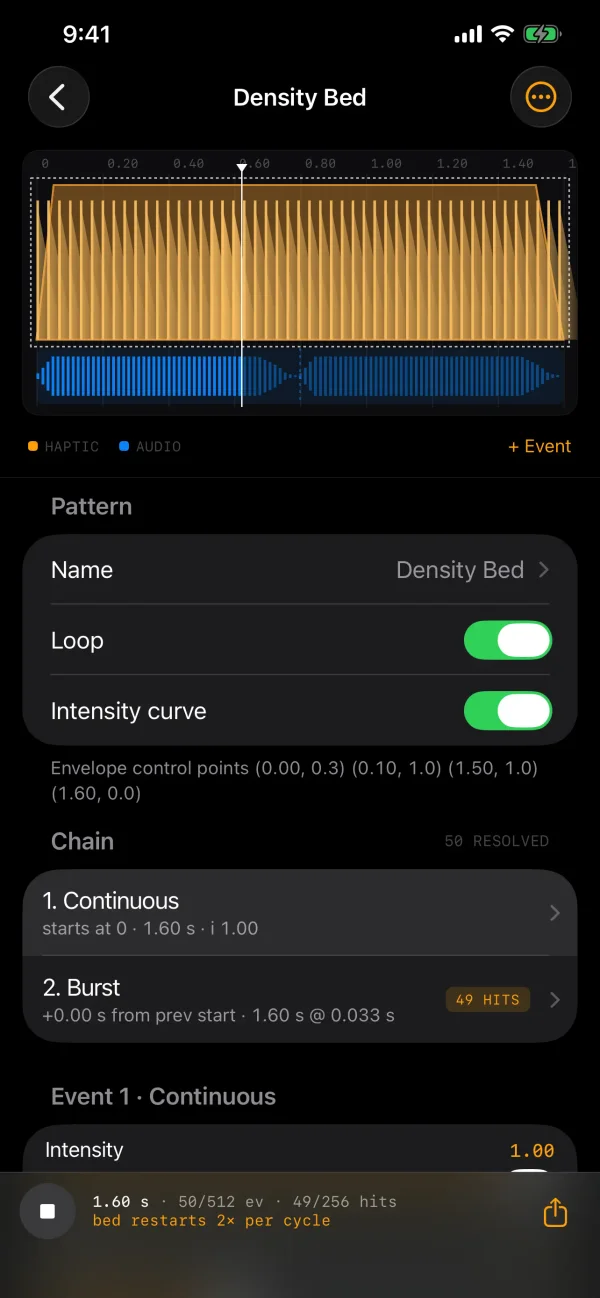
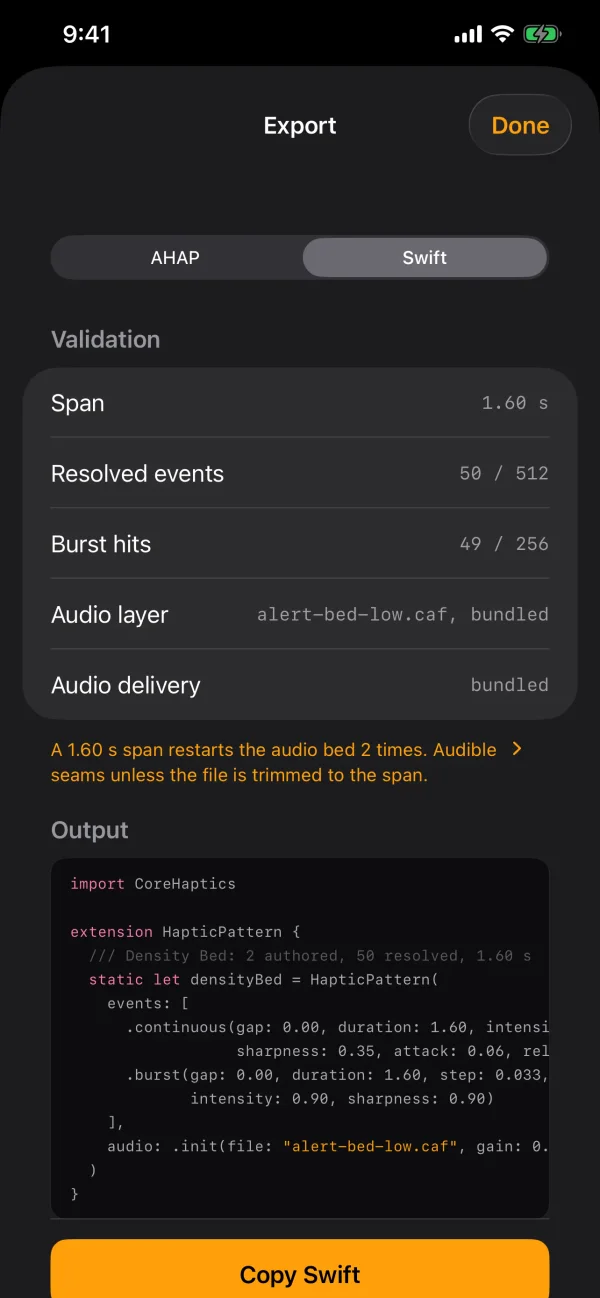
The editor shows a haptic lane over an audio lane with a live playhead, so you can see whether a burst sits on top of a bed, whether an audio file covers the whole pattern, and where loop seams will land. A burst is not one row in a list. It is every impulse it expands into, drawn at the real spacing. Add one of the bundled beds or import your own short audio file, trim it, audition it, and use it alongside the haptic to shape the result.
TAKE IT WITH YOU
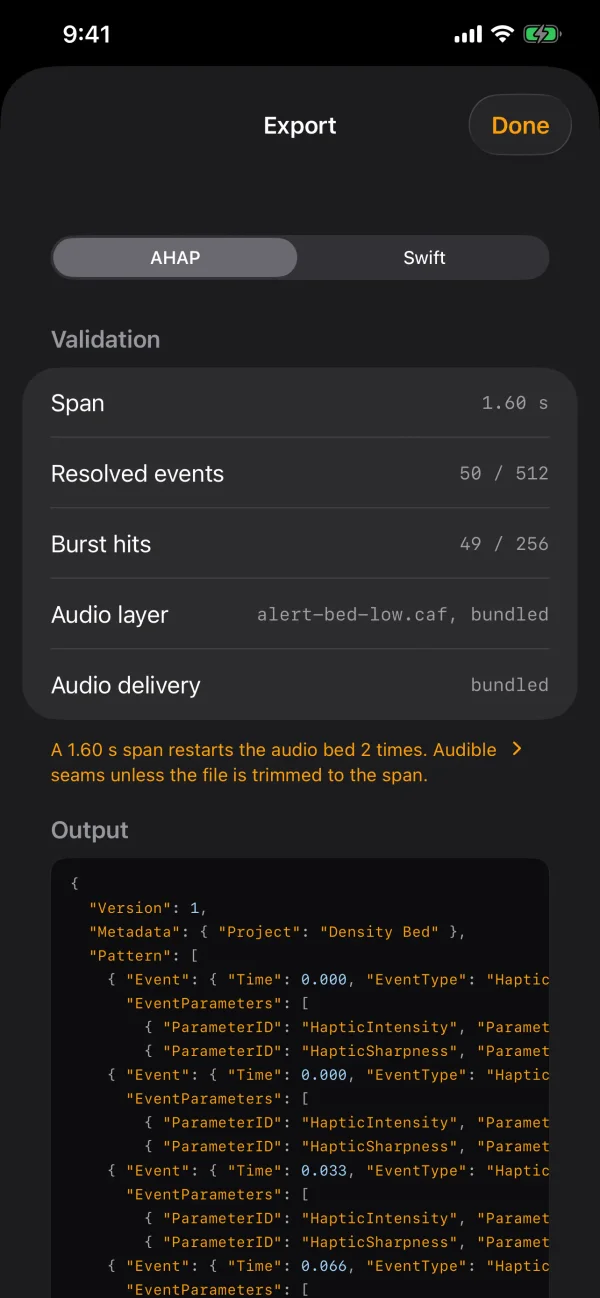
Copy AHAP JSON for a resource file, copy Swift for a constant in your project, or share the files out of the app. The export keeps authored structure where possible, validates the resolved timeline, and includes the audio sidecar when a custom bed needs to travel with the AHAP.
KNOW YOUR HARDWARE
The Engine tab reports haptic hardware support, audio-haptic support, device identity, audio-session behaviour and global playback calibration. On the Simulator, Judder is honest about what cannot be felt. On device, it is a compact lab for getting tactile feedback right before it ships.
Judder is built for developers and design teams who already know haptics matter and need a better way to choose what they should feel like. No account. No backend. No network dependency. Just timeline, playback, tuning and export.
App privacy
What Craig Trim declares on the App Store about how this app handles data.
-
Data not collected
The developer does not collect any data from this app.
Privacy practices may vary, for example with the features you use or your age.
Information
- Seller
- Craig Trim
- Category
- Developer Tools
- Version
- 1.0
- Updated
- Aug 26, 2026
- Released
- Aug 26, 2026
- Size
- 2.1 MB
- Requires
- iOS 17.0 or later
- Age rating
- 4+
- Price
- $0.99
- Languages
- English
- Copyright
- © 2026 Craig Trim
You might also like
-
 Usage Meter for OpenRouterCredits, Spend & Widgets
-
 Haptic ViewerPreview video and haptics
-
 Hoshi TerminalSSH & Mosh Terminal Client
-
 Device Insight Dashboard ProReal-time system monitor, pro
-
 Fetch Me !API Fetcher
-
 Hard RefreshCache & Cookie Cleaner
-
 Beacons Pro: iBeacon ScannerBLE Beacon Broadcaster & RSSI
-
 iDevToolsDesktop DevTools on Safari
-
 HaptiqYour Haptic Design Studio
-
 iCardVerify - Card ValidatorCredit Card Generator