
- Age rating4+
- CategoryProductivity
- DeveloperNaoki Shimizu
- LanguagesEnglish
- Size1.8 MB
Links to the official App Store page
Download.org hosts no file of Jumtradng. The button opens its official App Store page, published by Naoki Shimizu. Listing last checked on Nov 22, 2026.
Screenshots


About
1. launch the app after a fresh install. Do not complete onboarding because none is presented.
Expected: On cold launch, Jumtradng enters the live workspace directly and shows exactly two Starter records.
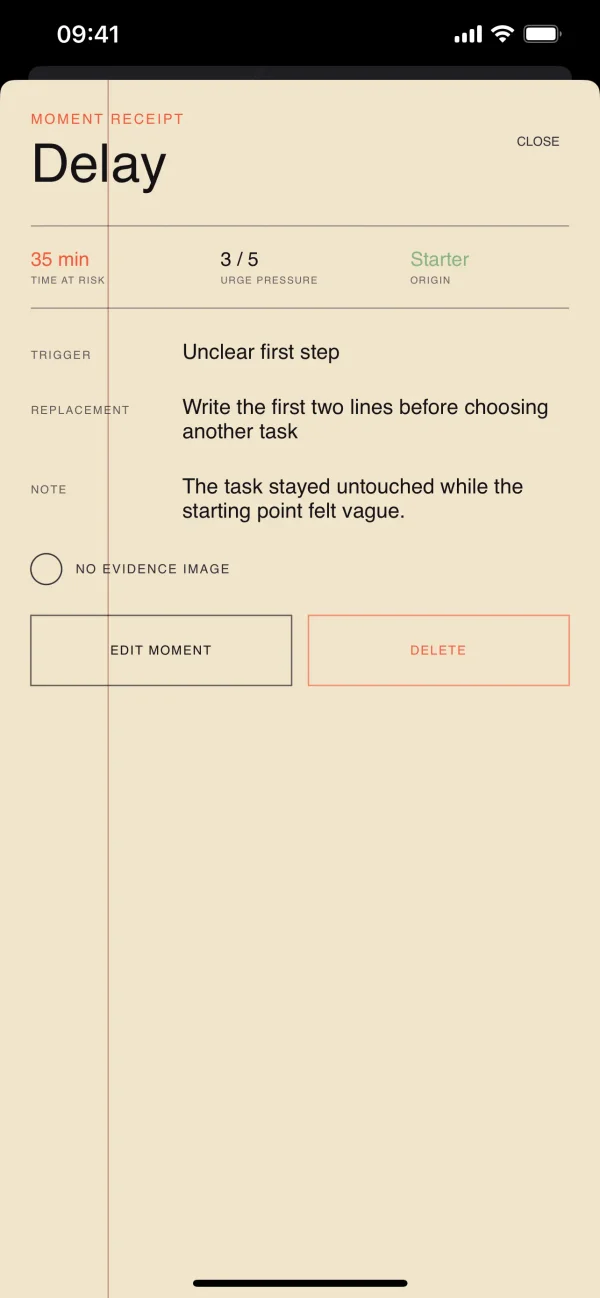
2. Open either Starter receipt, choose its edit action, change one value, and complete it with `Resolve Moment`.
Expected: The edited Starter converts to Yours, its Moment Receipt updates, and the other Starter remains independently removable.
3. Tap `Intercept a Moment`, enter a new impulse-purchase record, select Redirect, and tap `Resolve Moment`. This is the Gate Fold signature motion. After Resolve Moment, the gate closes toward the chosen response, the saved receipt appears, and Cost Knot reflects the new trigger cost.
Expected: The record commits before the finite 0.46-second path, rotation, and scale sequence, then the receipt appears without blocking workspace access.
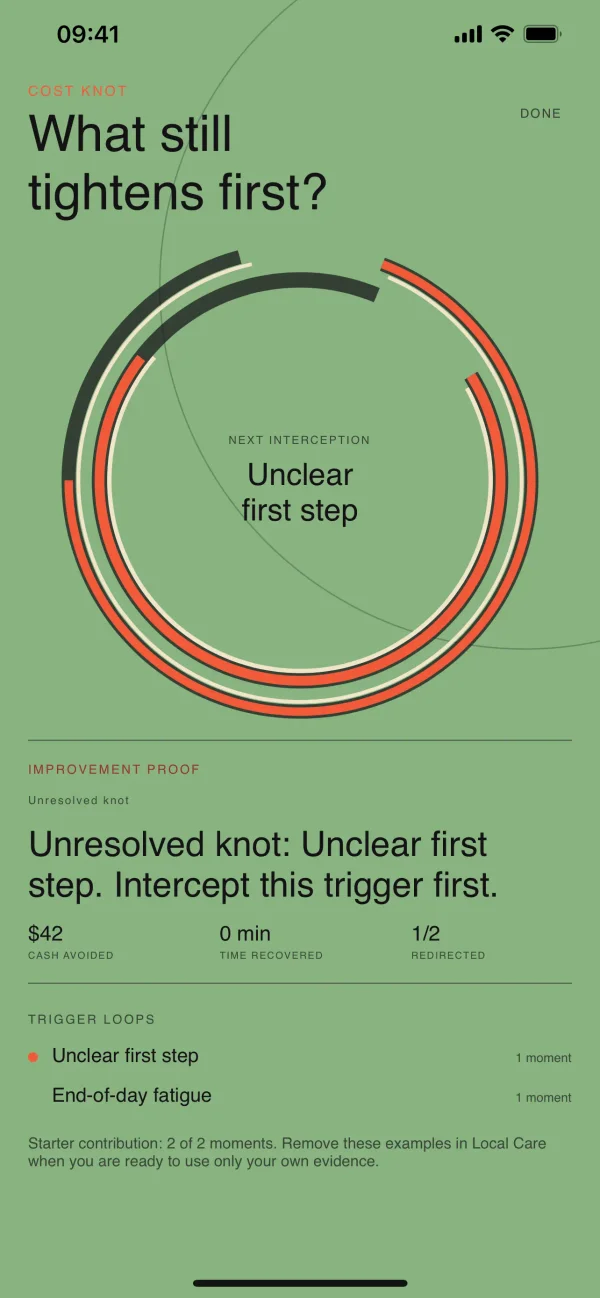
4. Close and reopen the app after creating the record, then open `COST KNOT`.
Expected: The reviewer-created record persists after relaunch, the decision visualization includes its trigger, and Improvement Proof recalculates from stored data.
5. In a new Choice Moment, tap `TAKE PHOTO` and respond to the camera access permission. The matching purpose strings are NSCameraUsageDescription and NSPhotoLibraryUsageDescription.
Expected: On a physical iPhone, the system camera opens on demand; cancelling returns to the editor without changing the local archive.
6. Tap `CHOOSE PHOTO`, select one image in the system photo picker, and return to the editor. Jumtradng does not request full photo library access and stores the selected local attachment under Application Support.
Expected: A new-evidence seal appears, the saved receipt can display that image, and removing the attachment deletes the local image file.
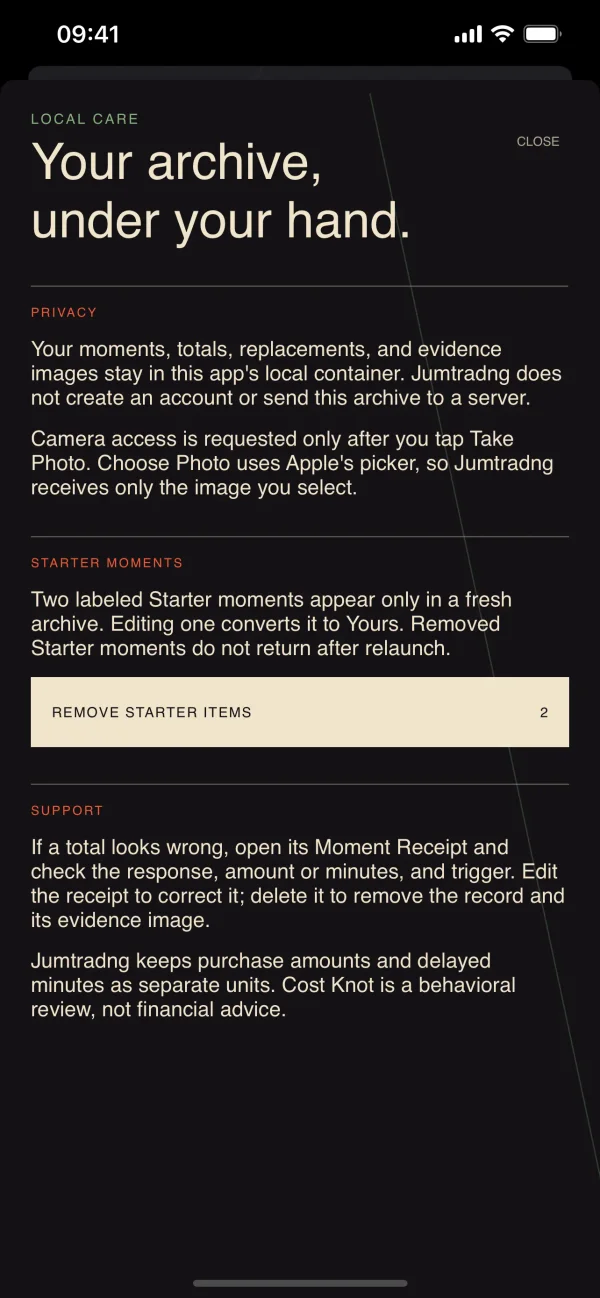
7. Open `LOCAL CARE` and review `PRIVACY` and `SUPPORT`, then use `REMOVE STARTER ITEMS` and confirm `Remove Starter Items`.
Expected: The privacy and support paths remain available, both Starter records are removed, and they do not return after relaunch.
8. Delete the final reviewer-created Moment Receipt with `Delete Moment`.
Expected: The true empty state appears with one Intercept action and no residual Starter or user record.
App privacy
What Naoki Shimizu declares on the App Store about how this app handles data.
-
Data not collected
The developer does not collect any data from this app.
Privacy practices may vary, for example with the features you use or your age.
Information
- Seller
- Naoki Shimizu
- Category
- Productivity
- Version
- 1.0.2
- Updated
- Aug 18, 2026
- Released
- Aug 18, 2026
- Size
- 1.8 MB
- Requires
- iOS 15.0 or later
- Age rating
- 4+
- Languages
- English
- Copyright
- © 2026 Naoki Shimizu