Just Remember: Flashcards
Hide answers in photo notes
Designed for iPhone
In-app purchases
- Age rating4+
- CategoryEducation
- Developeratsuko imai
- LanguagesJapanese+ 30 more
- Size17.2 MB
Links to the official App Store page
Download.org hosts no file of Just Remember: Flashcards. The button opens its official App Store page, published by atsuko imai. Listing last checked on Nov 23, 2026.
Screenshots
About
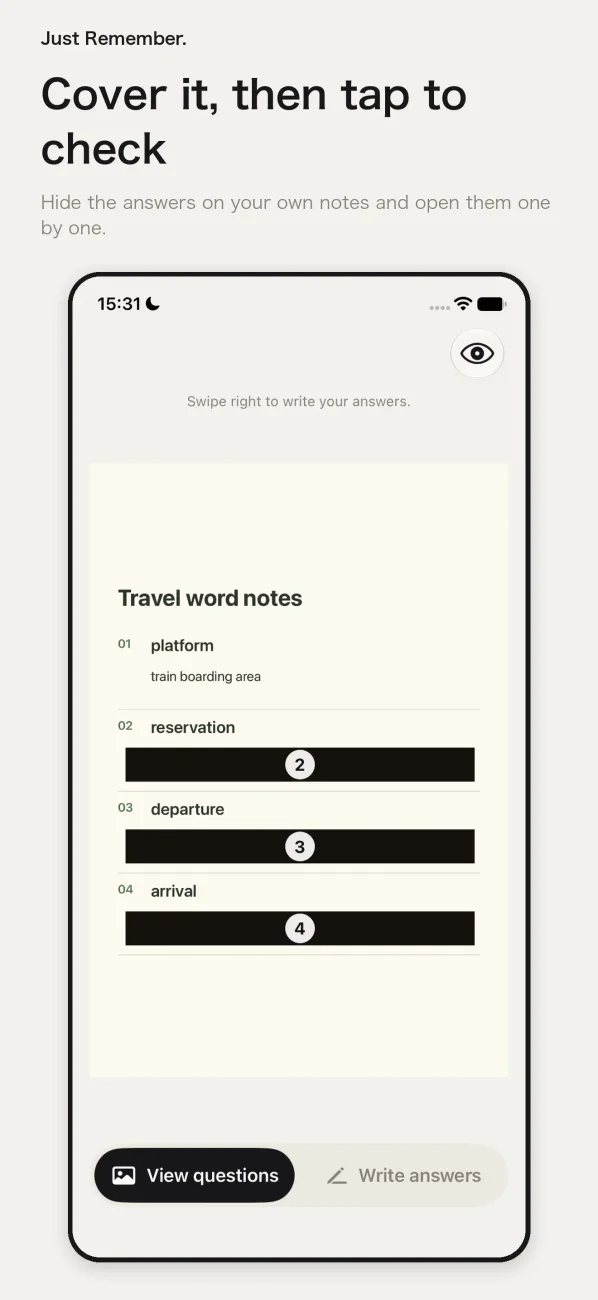
Study from the notes you already have. Take or import a photo, cover the answers, then tap each cover to check what you recalled. Just Remember also keeps your own text flashcards, and image cards with a photo on the front and the answer on the back.
COVER A PHOTO, CHECK ONE ANSWER AT A TIME
Brush freehand or draw rectangles over a page. Each cover shows its number in the middle. Tap one to reveal its answer, reveal them all, or hide them again.
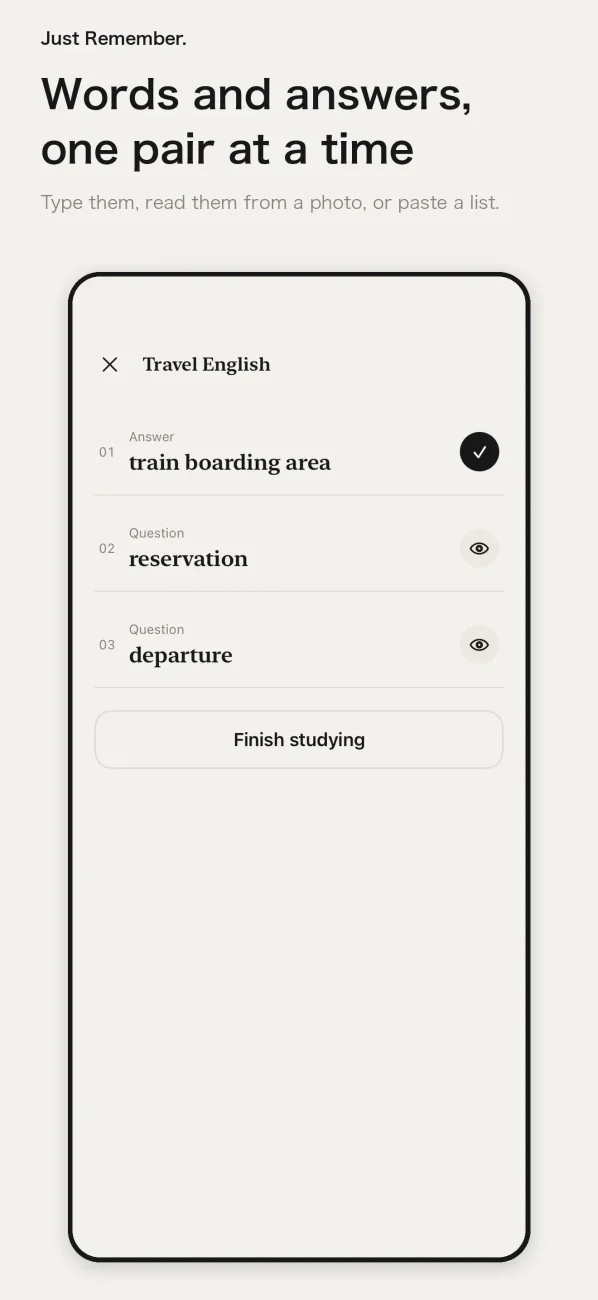
MAKE YOUR OWN QUESTION-AND-ANSWER SETS
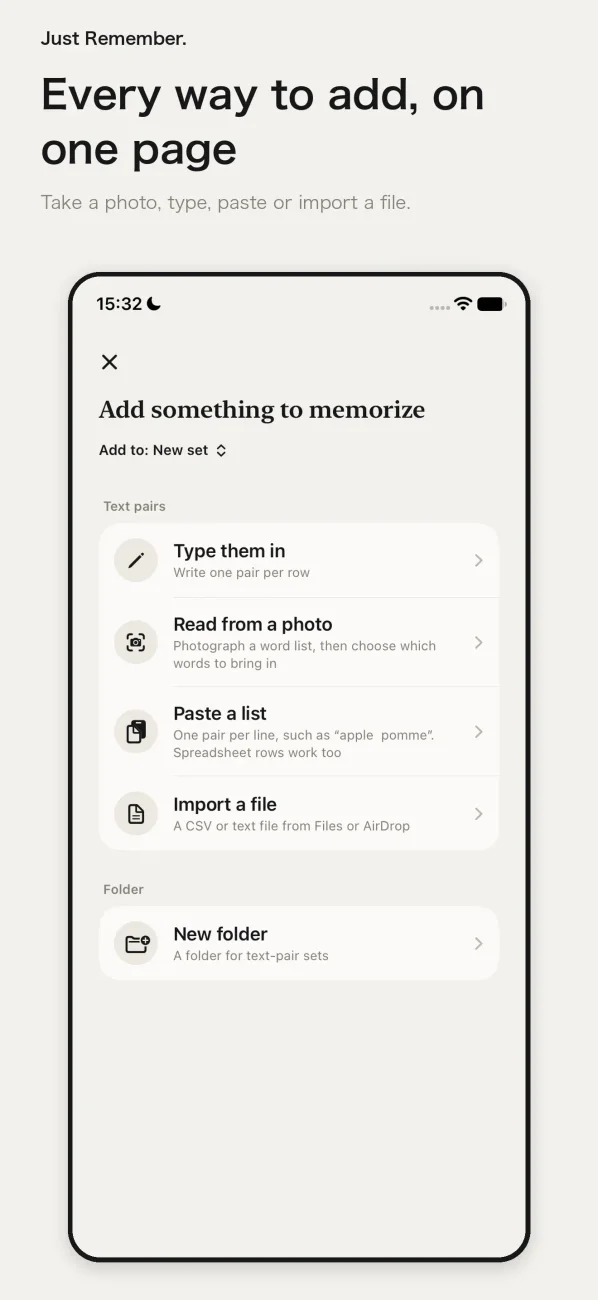
Type pairs in two columns, read a photo of a word list, paste a list or import a CSV file. Study as a list or one card at a time, choose which side to show, and use saved or shuffled order.
IMAGE CARDS
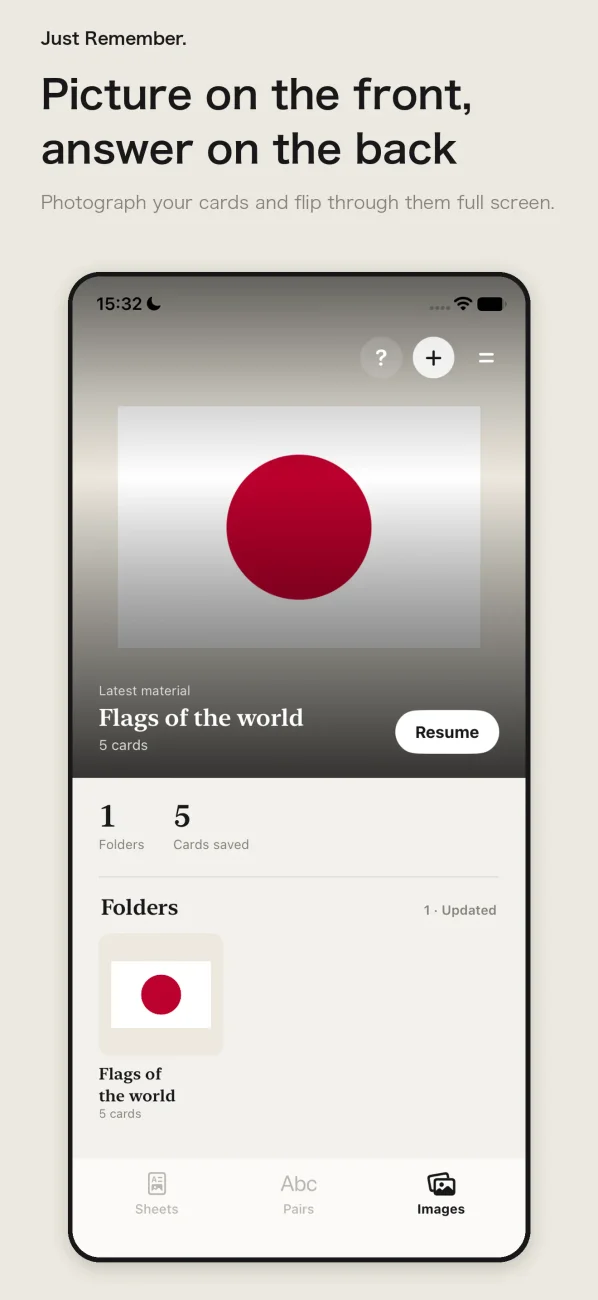
Photograph the front, type an answer or add a photo for the back, then flip through the cards full screen.
KEEP IT ORGANIZED
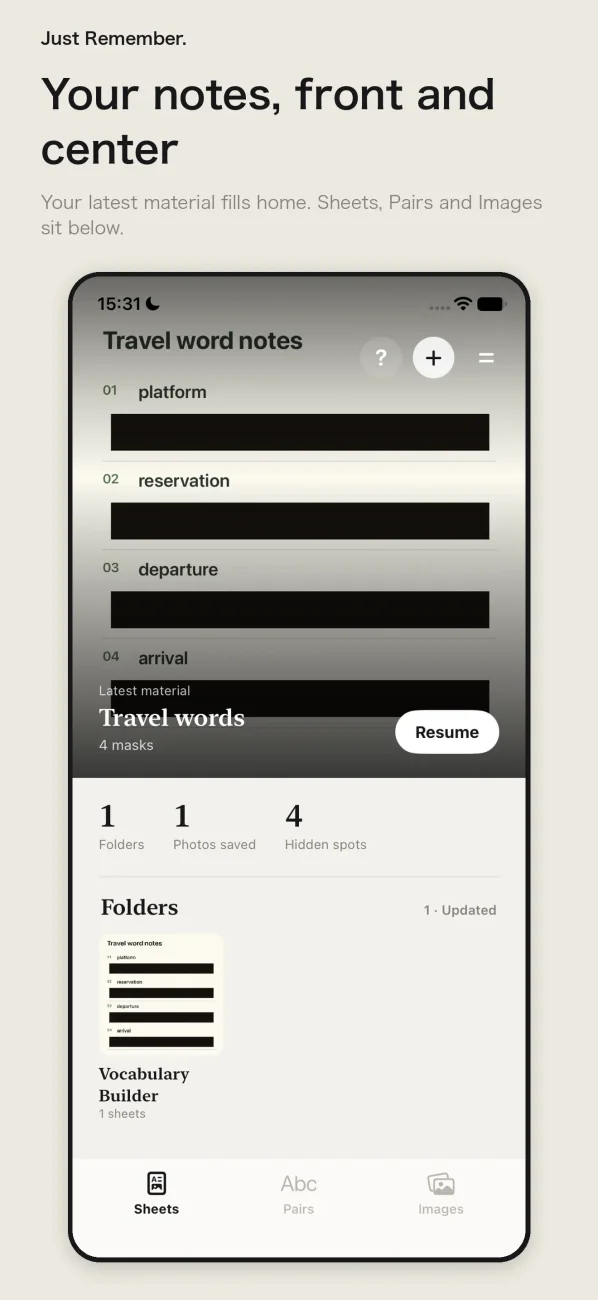
Sheets, Pairs and Images each have their own tab and folders. Name a folder at the end, or skip it and a name is chosen for you. The ? button on the home screen shows a working sample of each kind.
SEE WHAT YOU REVIEWED
Records show the distinct answers opened and when you last reviewed each material. Revealing an answer does not mean it was correct or mastered.
USE SAVED MATERIALS OFFLINE
Materials that have finished saving in the app can be studied without an internet connection. Purchases, purchase restoration and ads may need a connection.
FREE AND PRO
Free: keep up to 200 each of photo sheets, text pairs and image cards, and 20 folders. On the free plan, ads appear between your folders once you have four or more. Saved materials remain available to study and edit even above the free limit. Pro removes ads and all of these limits. Monthly and one-time purchase options are supported; see the purchase screen for available plans and current terms.
Privacy Policy: https://kazusa703.github.io/privacy.html
Terms of Use: https://kazusa703.github.io/terms.html
Support: https://kazusa703.github.io/support.html
What’s new
Version 1.8.1 · Nov 20, 2026
Minor improvements and bug fixes.
App privacy
What atsuko imai declares on the App Store about how this app handles data.
-
Data used to track you
May be used to track you across apps and websites owned by other companies.
- Location
- Identifiers
- Usage data
-
Data linked to you
May be collected and linked to your identity.
- Location
- Identifiers
- Usage data
-
Data not linked to you
May be collected but is not linked to your identity.
- Purchases
- Diagnostics
Privacy practices may vary, for example with the features you use or your age.
Information
- Seller
- atsuko imai
- Category
- Education
- Version
- 1.8.1
- Updated
- Nov 20, 2026
- Released
- Jun 27, 2026
- Size
- 17.2 MB
- Requires
- iOS 26.0 or later
- Age rating
- 4+
- In-app purchases
- Yes
- Languages
- Japanese, Arabic, Italian, Indonesian, Ukrainian, Dutch, Greek, Croatian, Swedish, Spanish, Thai, Czech + 19 more
- Copyright
- © 2026 aikotoba
You might also like
-
 Answer HiderHide Answers in Photos
-
 SnapDex 写真で暗記Education
-
 Oboeru Sheet: PDF FlashcardsTurn Notes Into a Study Quiz
-
 Red Sheet Camera: Study NotesHide answers and memorize fast
-
 Red Sheet - Photo & PDF StudyHide the answers in your notes
-
 Memuri: Occlusion FlashcardsReview every card by exam day
-
 タップで赤シート - 暗記ノートEducation
-
 Flash Feed: Learning CardsLearn languages, math & exams
-
 赤シート - 写真とPDFで暗記・勉強Education
-
 AiKen|英検単語・4技能対策Education