
- Age rating4+
- CategoryUtilities
- Developer宇飞 李
- LanguagesEnglish+ 1 more
- Size4.1 MB
Links to the official App Store page
Download.org hosts no file of JustProxy. The button opens its official App Store page, published by 宇飞 李. Listing last checked on Nov 23, 2026.
Screenshots
About
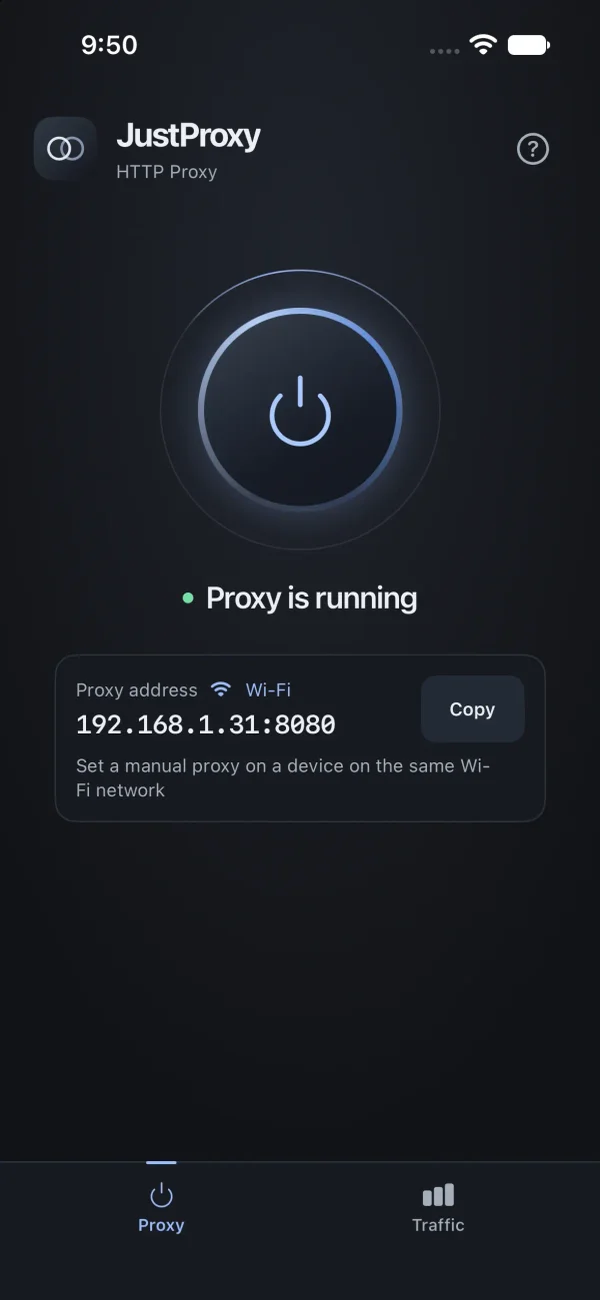
Run an HTTP proxy server on your iPhone or iPad and view the traffic passing through it. Connect a computer, phone, or application that supports an HTTP proxy using the address and port shown in JustProxy.
The app interface and privacy information support English and Simplified Chinese, following your system or per-app language preference. The built-in setup guide follows the client browser’s language, with a manual language switch.
FEATURES
• Start or stop the proxy with one control, and view or copy its address.
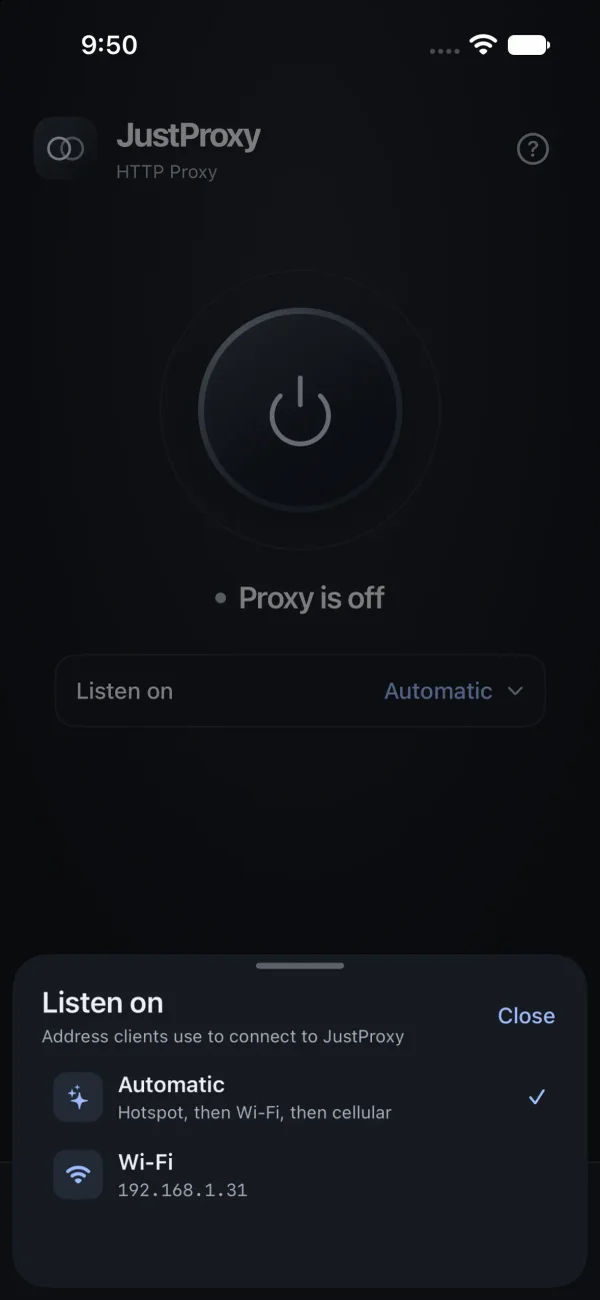
• Choose an available listening address automatically or manually.
• Forward HTTP requests and relay HTTPS through CONNECT tunnels.
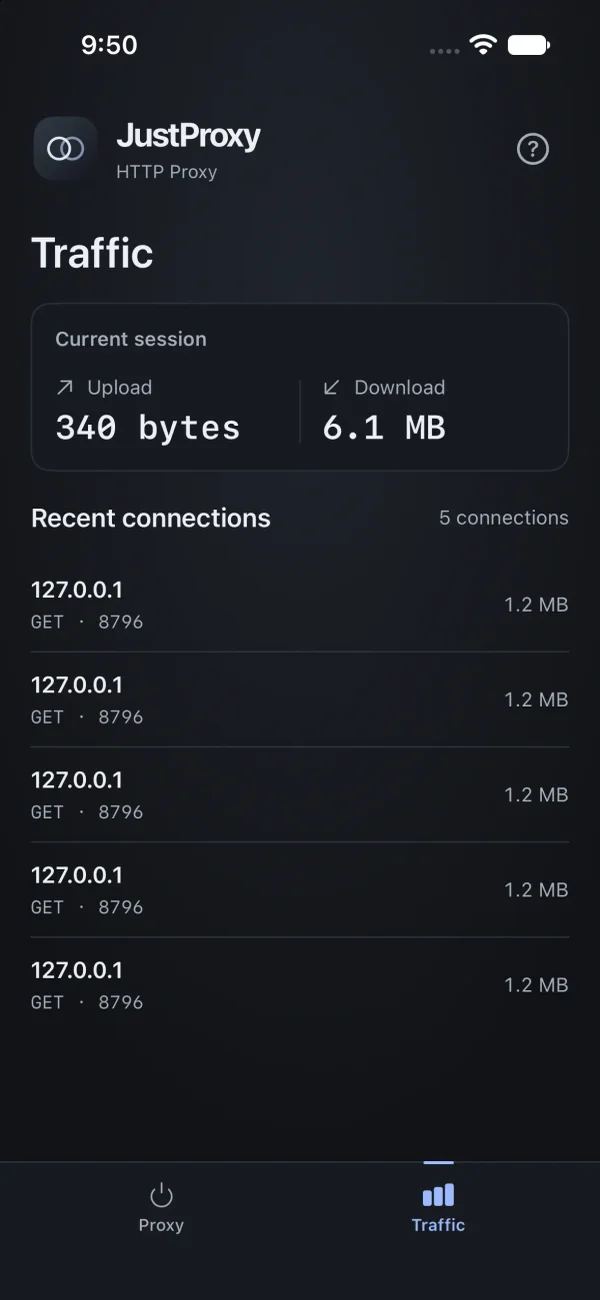
• View session upload and download totals, plus the destination, port, and traffic for recent connections.
• Open the proxy address in a browser for a setup guide tailored to phones and computers.
GET CONNECTED
1. Connect your iPhone or iPad and client to a network that allows them to communicate.
2. Choose a listening address in JustProxy and start the proxy.
3. Enter the displayed address and port in the client's HTTP proxy settings.
4. When finished, stop the proxy and turn off the client's manual proxy setting.
NETWORK AND RUNTIME
Use a reachable Wi-Fi or Personal Hotspot network. Personal Hotspot is optional. Clients must support and be configured to use an HTTP proxy; starting JustProxy does not automatically forward all traffic from other devices.
iOS controls background execution. Keep JustProxy in the foreground for sustained use. Provide proxy access only to trusted devices on trusted networks.
HTTPS CONNECT relays tunnel data without installing certificates or decrypting HTTPS content.
No account or sign-in is required.
What’s new
Version 1.0.3 · Nov 15, 2026
Added English and Simplified Chinese throughout the app, including proxy status, traffic statistics, local network permission information, and privacy details. The built-in setup guide now follows your browser language and supports manual language switching. Added native iPad support in portrait and landscape, with the listening-address picker opening next to its control.
App privacy
What 宇飞 李 declares on the App Store about how this app handles data.
-
Data not collected
The developer does not collect any data from this app.
Privacy practices may vary, for example with the features you use or your age.
Information
- Seller
- 宇飞 李
- Category
- Utilities
- Version
- 1.0.3
- Updated
- Nov 15, 2026
- Released
- Nov 13, 2026
- Size
- 4.1 MB
- Requires
- iOS 17.0 or later
- Age rating
- 4+
- Price
- Free
- Languages
- English, Simplified Chinese
- Copyright
- © 2026 nullptrpanic
You might also like
-
 Echoes: Network Tools & PingSpeed test, DNS & port scanner
-
 CellGlide - USB TetheringUSB & wireless internet share
-
 OTun-M VPN - Residential ProxyUnblock Sites, Fast & Secure
-
 LondrisUtilities
-
 Portable USB · Cloud ReadyPocket USB, Easy Use
-
 TFTatics - TFT GuideTop Trends Team Comps
-
 Decibel dB – Sound Level MeterNIOSH SLM & Noise Analyzer Pro
-
 iDiskk ProUtilities
-
 Kakobuy Sheets-Buy From ChinaDiscover Products & Tools
-
 FiiO Control飞傲蓝牙设备专属控制应用