Kabook: Reading List
Book tracker and reading log
Designed for iPhone, iPad
Free · In-app purchases
- Age rating4+
- CategoryUtilities
- DeveloperGregory Schier
- LanguagesEnglish
- Size26.9 MB
Links to the official App Store page
Download.org hosts no file of Kabook: Reading List. The button opens its official App Store page, published by Gregory Schier. Listing last checked on Nov 12, 2026.
Screenshots
About
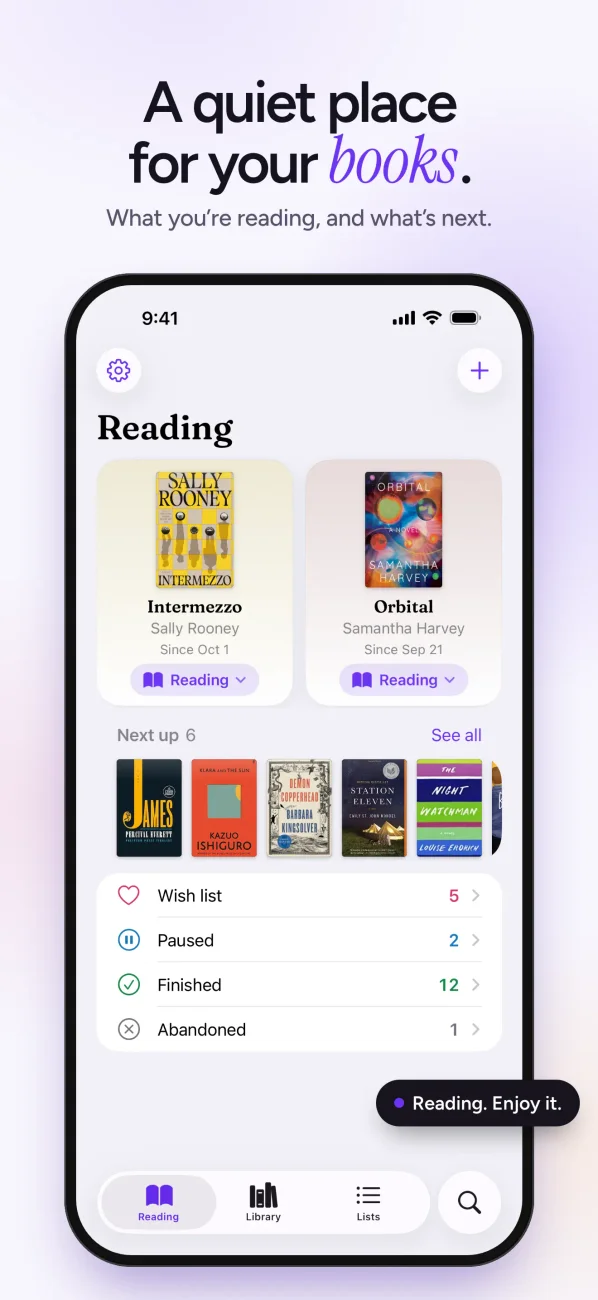
Kabook is a quiet place for the books in your life: the ones you want, the ones you’re reading and the ones you finished. Add a book in a few keystrokes, mark it reading or finished, and Kabook keeps the rest.
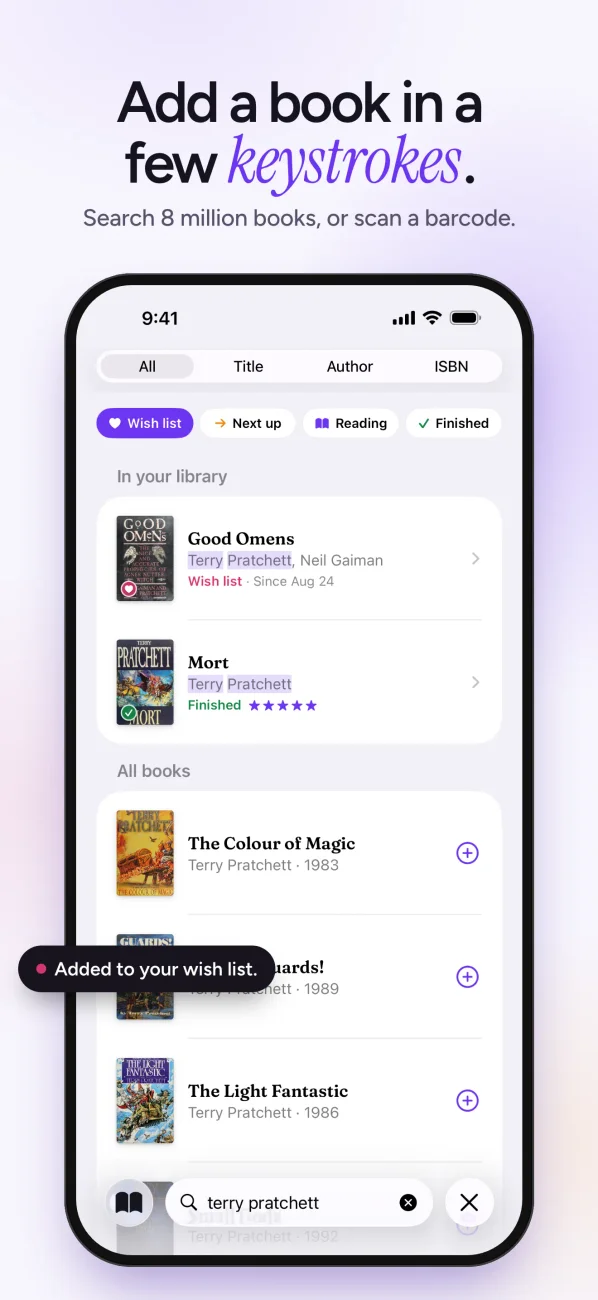
ADD A BOOK IN A FEW KEYSTROKES
Search 8 million books as you type, by title, author or ISBN. Spelling is forgiven, and a book already in your library says so and opens your copy. Scan a book’s barcode with the camera, or create one yourself.
MARK IT READING, OR FINISHED
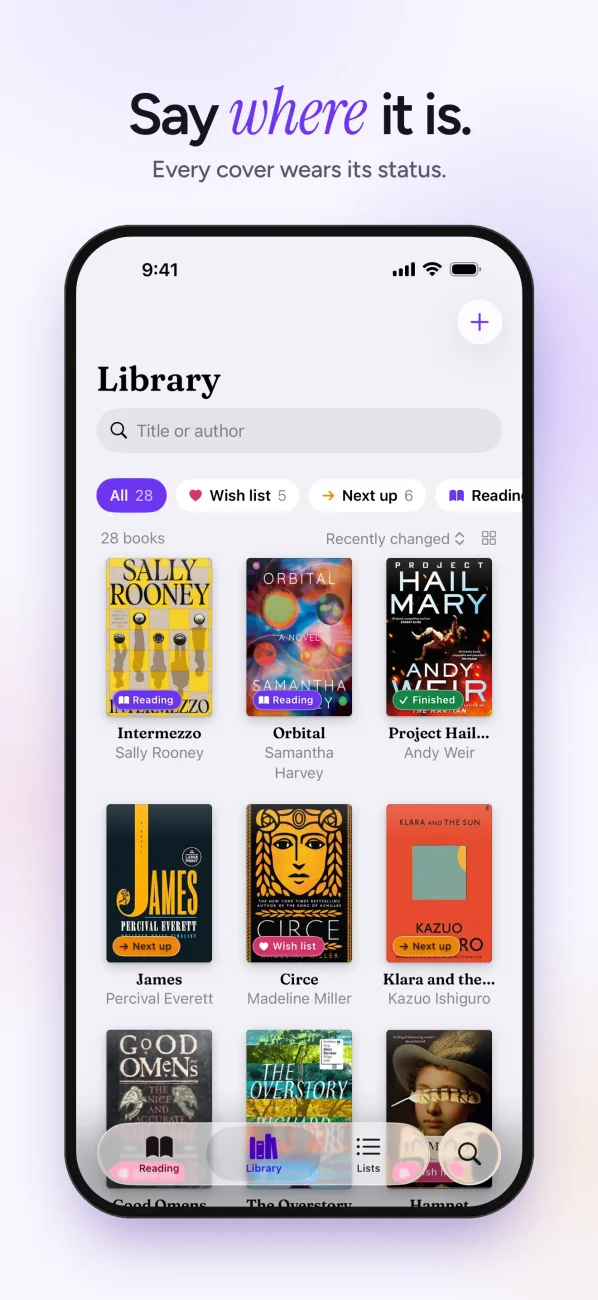
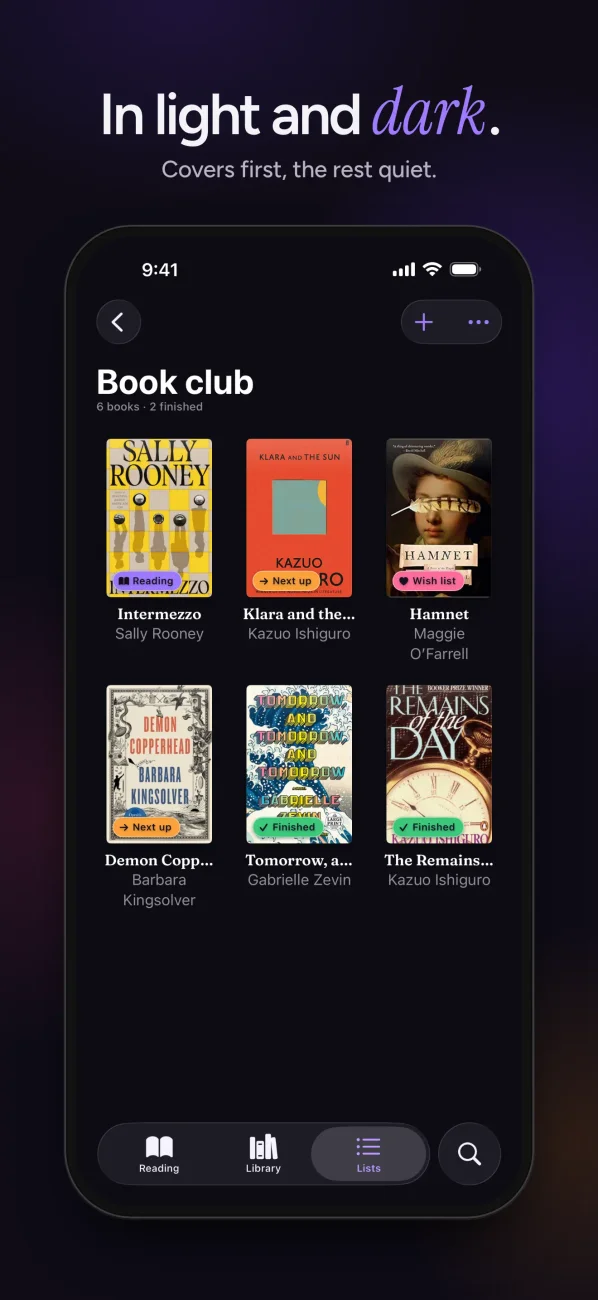
Wish list, Next up, Reading, Paused, Finished and Abandoned. Each has its own colour, and every cover wears its status, so a shelf reads at a glance. The Reading screen shows what is open now and what comes next.
KEEP WHAT YOU THOUGHT
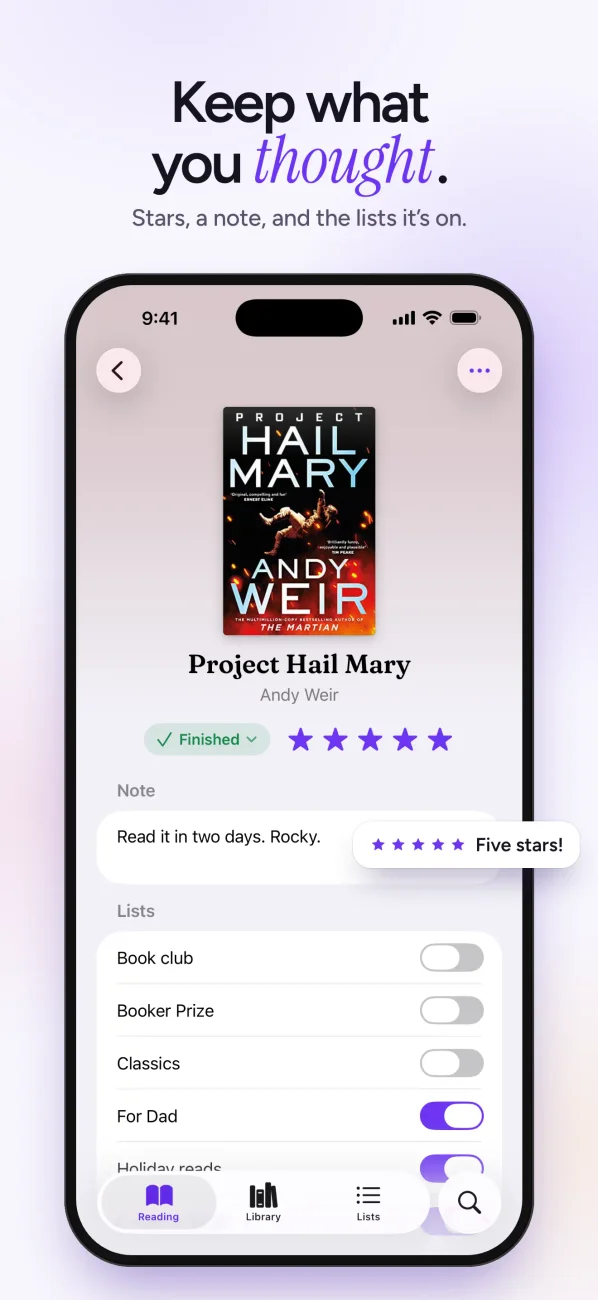
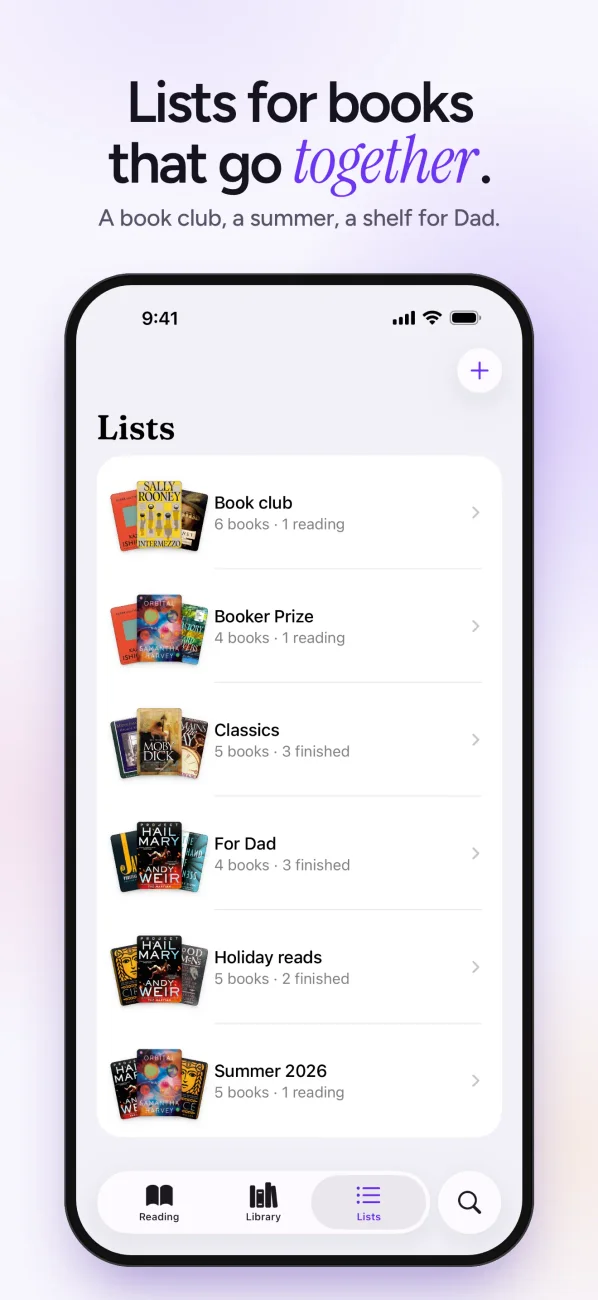
Give a book stars and a line about it, and put it on your own lists: a book club, a summer, a shelf for Dad. Kabook keeps the dates for you, so every book has its history.
YOUR LIBRARY
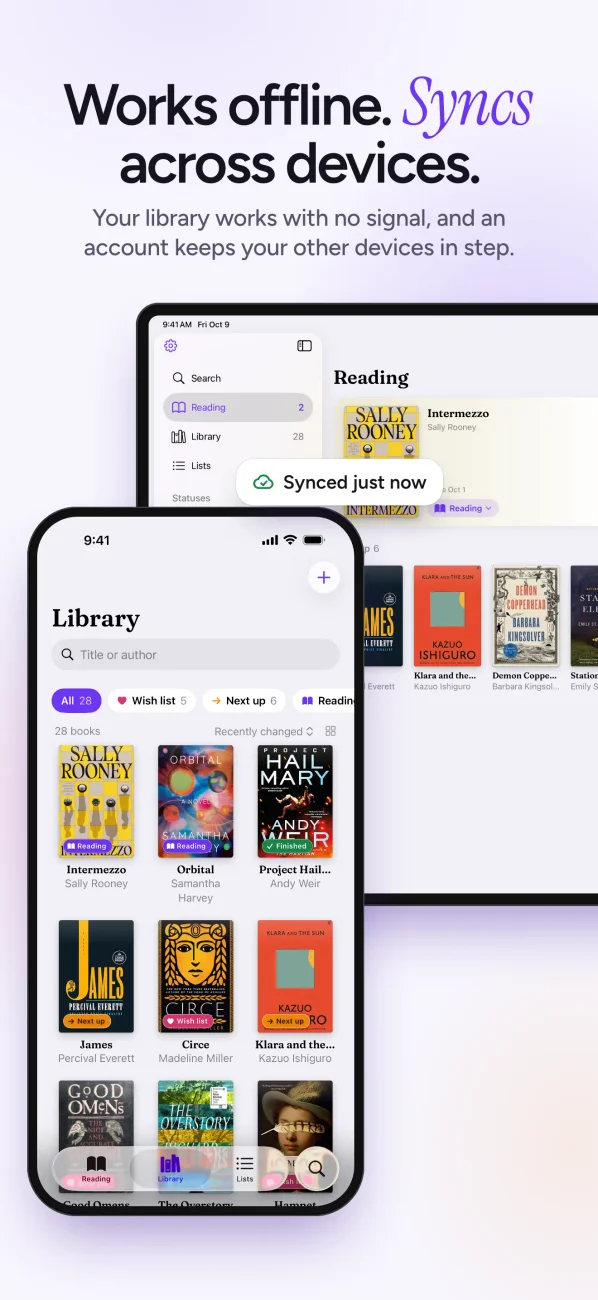
Every book you have, as covers or as a list, sorted the way you like and searchable by title or author. Coming from Goodreads? Import its export file, and your shelves become lists.
WORKS OFFLINE, SYNCS ACROSS DEVICES
Your library lives on your device, so it works on a plane. An account is optional: continue with Apple or Google, or with an email and password, and your library stays in step on iPhone and iPad when the signal comes back. Export your library as a spreadsheet file at any time, signed in or not.
ON IPAD
A sidebar, a shelf that uses the width, and the book you open beside it. Finished books are grouped by the year you finished them. Keyboard shortcuts, the menu bar, and drag and drop: a cover dropped on a list goes on it.
YOUR YEAR IN BOOKS
Every year gets its own page: how many books, the first and the last, your stars, and a picture to share. Free.
KABOOK PLUS
Kabook is free. Kabook Plus adds the ledger of your reading over the years, most-read authors, series progress, unlimited lists, and app icons and accent colours. Monthly or yearly.
NOTHING TO KEEP UP WITH
No feed, no streaks, no challenges and no ads. Kabook is a list of your books and whether you’ve read them.
Terms of Use: https://kabook.app/terms
Privacy Policy: https://kabook.app/privacy
What’s new
Version 2026.4 · Oct 28, 2026
Your year in books, as a run of slides you tap through: Play your year on any year's page, and from December 1 a card on Reading. Rate in quarter stars: hold and slide. A book read twice in a year shows once, marked ×2.
App privacy
What Gregory Schier declares on the App Store about how this app handles data.
-
Data linked to you
May be collected and linked to your identity.
- Purchases
- Location
- Contact info
- User content
- Identifiers
- Usage data
-
Data not linked to you
May be collected but is not linked to your identity.
- Search history
- Diagnostics
Privacy practices may vary, for example with the features you use or your age.
Information
- Seller
- Gregory Schier
- Category
- Utilities
- Version
- 2026.4
- Updated
- Oct 28, 2026
- Released
- Nov 25, 2020
- Size
- 26.9 MB
- Requires
- iOS 26.0 or later
- Age rating
- 4+
- Price
- Free
- In-app purchases
- Yes
- Languages
- English
- Copyright
- © 2026 Mountain Loop Labs
You might also like
-
 Bookcase!Catalog your physical books
-
 SavorDaily: Meal Diary & MoodSavor Every Meal & Mood
-
 Seller Calculator for eBayFees & profit for eBay sellers
-
 KOReader RemoteUtilities
-
 DeClutter - Photo Delete SwipeFree AI Photo Cleanup Tool
-
 umlaut FeedbackUtilities
-
 greenworksPOWERUtilities
-
 WebsaveArchive the web
-
 Subscription Manager : PaylioCancel Subscriptions & Stopper
-
 PalmoteMac mouse, keyboard & control