
Kapture Fun
Screenshot Organizer & Search
Designed for iPhone
Free · In-app purchases
- Age rating4+
- CategoryProductivity
- DeveloperBrandon Cambron
- LanguagesEnglish
- Size30.6 MB
Links to the official App Store page
Download.org hosts no file of Kapture Fun. The button opens its official App Store page, published by Brandon Cambron. Listing last checked on Nov 20, 2026.
Screenshots


About
You screenshot everything: receipts, recipes, addresses, order confirmations, things to buy, posts to remember. Then it all disappears into an endless camera roll.
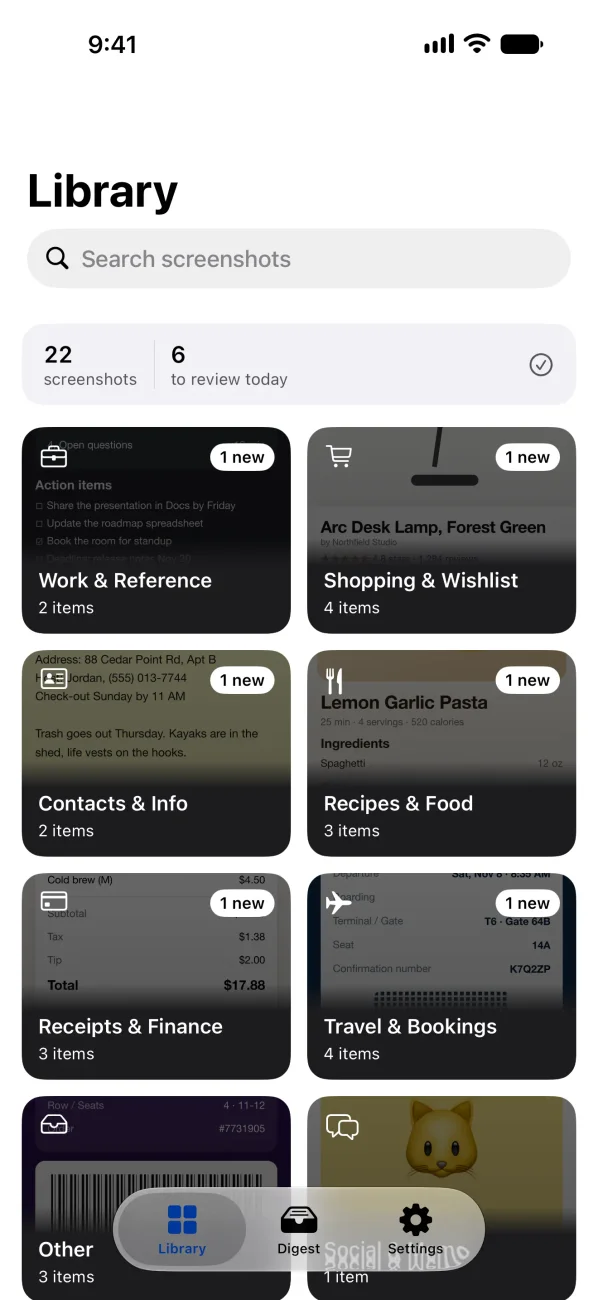
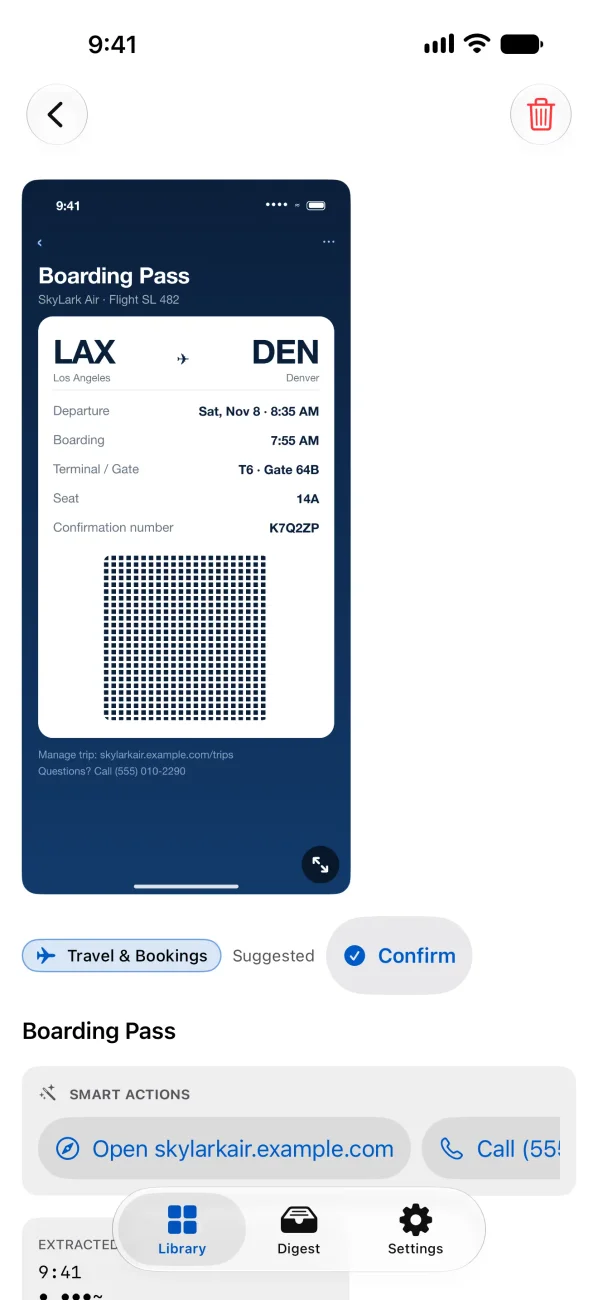
Kapture Fun fixes that. It checks for new screenshots, reads their text, writes a one-line summary, and suggests a useful category like Receipts & Finance, Recipes & Food, or Travel & Bookings. All of that happens on your iPhone.
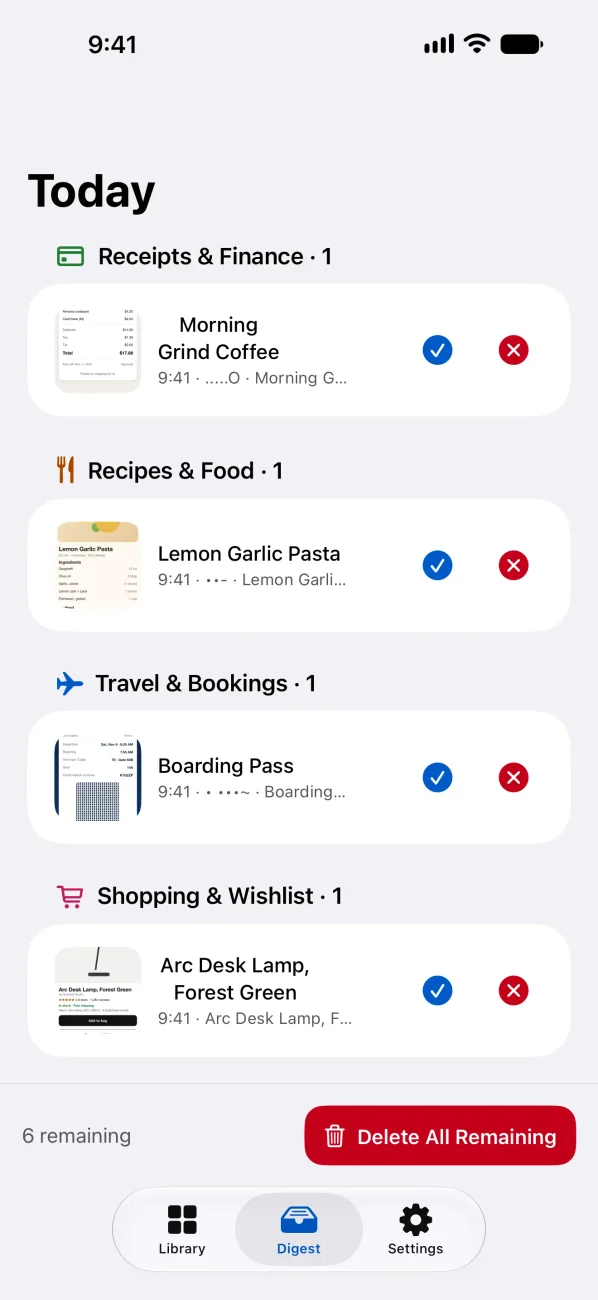
The daily digest. One notification a day, at a time you choose, and only if you turn it on. Review everything you captured, grouped by category: keep what matters, delete the rest in a single tap. When you're done, you're done.
Search that actually works. Every word on every screenshot becomes searchable. That receipt from last month? Type any word you remember seeing on it.
Big libraries welcome. Kapture imports thousands of screenshots in the background, shows how far along it is, and picks up where it left off.
Kapture Pro. A one-time purchase unlocks Smart Actions for detected links, email addresses, phone numbers, map addresses, and useful codes, adds Auto and Manual sorting, and removes ads. There is no subscription. Already bought it? Settings › Restore Purchases on any iPhone signed in to the same Apple Account. Have an offer code? Settings › Redeem Offer Code.
Your screenshots stay yours.
• Text recognition and sorting happen on your iPhone
• No account and no sign-up
• Your screenshots, their text and your searches are never uploaded
• The free version shows one small banner on the Library screen, served by Google. No pop-ups, no full-screen or video ads, and never on your digest
• You choose whether to allow tracking; Kapture works the same either way. Change it any time in Settings › Privacy & ad choices
• Usage counts and crash reports help us improve the app. They never include your screenshots or their text. In the EEA and UK, analytics runs only after you agree
How it works. Kapture Fun checks your photo library for new screenshots when you open the app and periodically in the background. iOS doesn't allow instant detection from other apps, so instead of interrupting you all day, Kapture Fun gives you one calm digest each evening.
Built for heavy screenshotters: students, shoppers, and anyone who uses screenshots as a memory tool.
What’s new
Version 1.3 · Nov 17, 2026
Kapture Fun 1.3
• Behind-the-scenes improvements to how we learn which features help. We only count actions, like a finished digest; your screenshots and their text never leave your iPhone.
• Bug fixes and performance improvements.
App privacy
What Brandon Cambron declares on the App Store about how this app handles data.
-
Data used to track you
May be used to track you across apps and websites owned by other companies.
- Purchases
- Identifiers
- Usage data
-
Data linked to you
May be collected and linked to your identity.
- Purchases
- Location
- Identifiers
- Usage data
-
Data not linked to you
May be collected but is not linked to your identity.
- Purchases
- Diagnostics
- Other data
Privacy practices may vary, for example with the features you use or your age.
Information
- Seller
- Brandon Cambron
- Category
- Productivity
- Version
- 1.3
- Updated
- Nov 17, 2026
- Released
- Nov 6, 2026
- Size
- 30.6 MB
- Requires
- iOS 17.0 or later
- Age rating
- 4+
- Price
- Free
- In-app purchases
- Yes
- Languages
- English
- Copyright
- © 2026 ServiceAi HQ LLC
You might also like
-
 Proximity MobileCoworking, Flex Space & More
-
 Voicepal: your AI GhostwriterIdea to first draft in minutes
-
 OpenClawPersonal AI on your devices
-
 Crowdcast MobileProductivity
-
 RenoPlan - Floor Plan CreatorMeasure Estimate - Laser, AR
-
 Park SmarterFind & pay for street parking
-
 AVG Secure VPN & Proxy serverFast, Private VPN & IP changer
-
 LastPass Password ManagerStore & Autofill Passwords
-
 Homeaglow for CleanersProductivity
-
 RealVNC Viewer: Remote DesktopProductivity