- Age rating4+
- CategoryUtilities
- DeveloperJustin Henry Garcia
- LanguagesEnglish+ 3 more
- Size27.9 MB
Links to the official App Store page
Download.org hosts no file of Karui Notifications. The button opens its official App Store page, published by Justin Henry Garcia. Listing last checked on Nov 28, 2026.
Screenshots
About
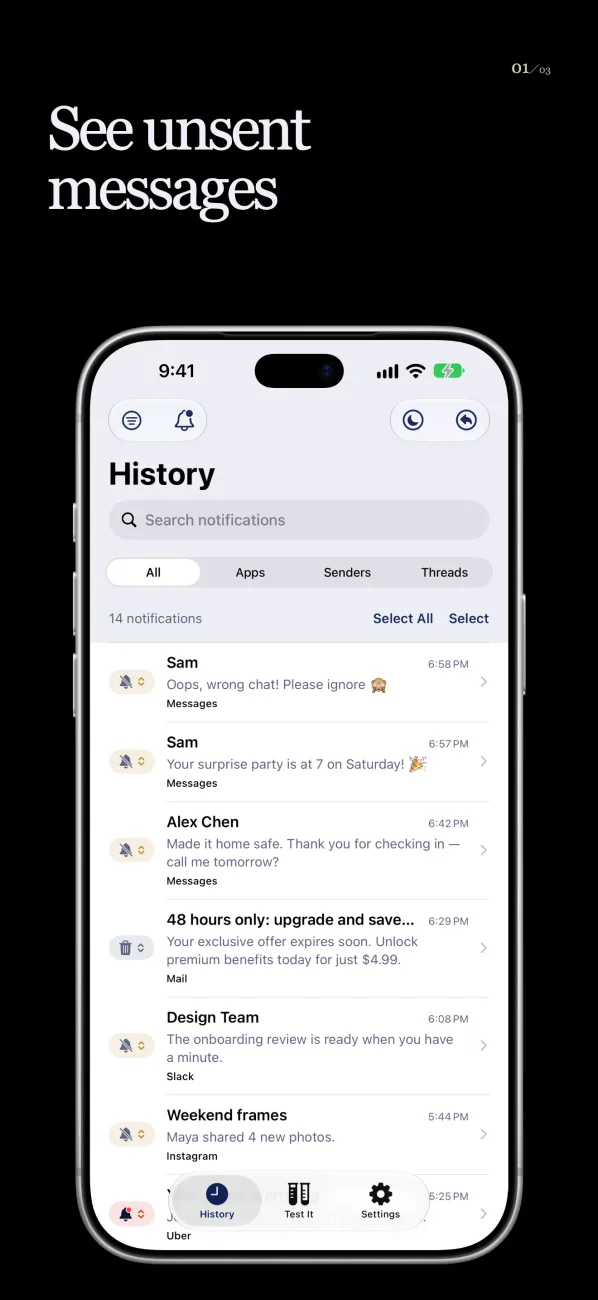
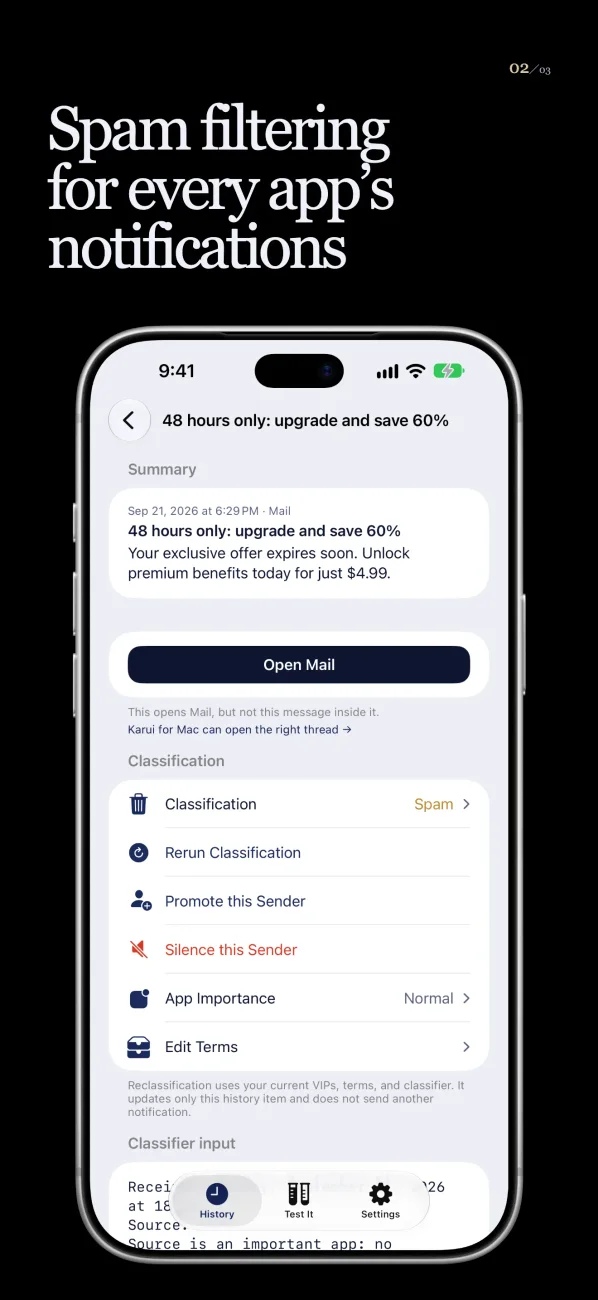
Spam and unimportant notifications stay quiet but friends get through. Read unsent messages. An optional alarm can wake you up in an emergency, even when your phone is on silent.
Already keep notifications off?
You might be missing a friend changing plans or an important delivery. Turn them back on: Karui lets those through and keeps promos from the same apps silent.
Already using Focus modes?
Karui builds on top of Focus. It judges each message, not just the app it came from, lets your VIPs through from any app, not just Apple’s, and adds what Focus can’t do:
• Several quick messages from one person arrive as one notification.
• Deadline reminders: when a message asks for something by a certain day, Karui reminds you the day before.
• Auto Reply tells your VIPs you’re driving, in a meeting, or asleep, and that you’ll reply later.
• Notifications translated into your language.
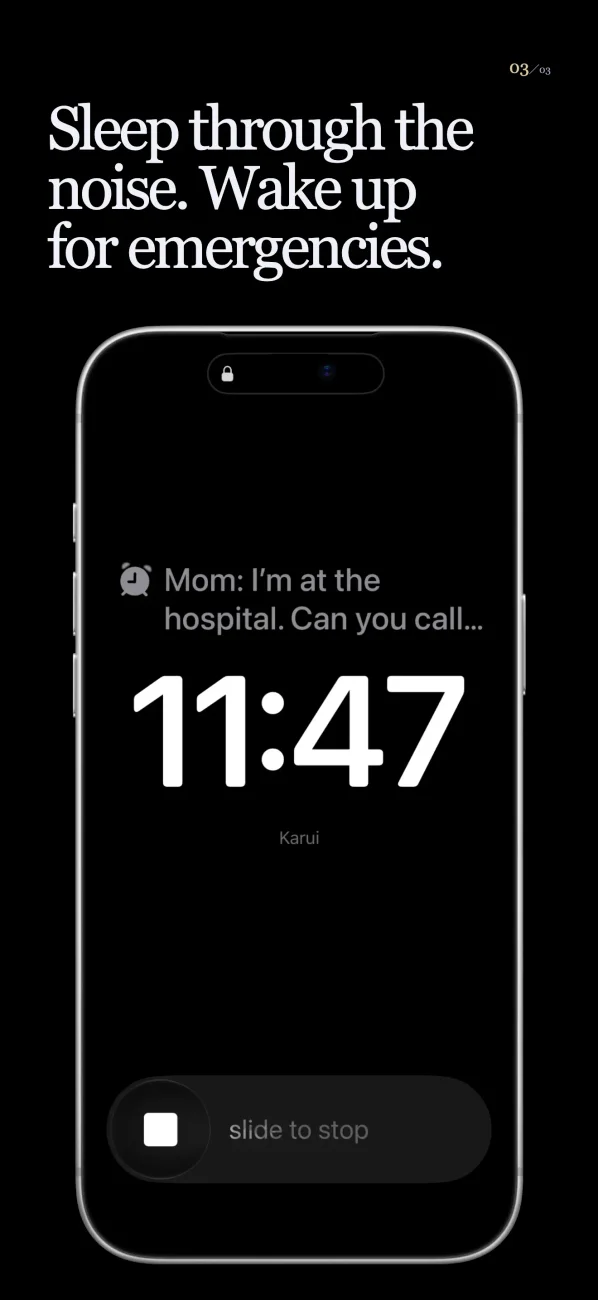
• Wake Me: people you choose can ring an alarm in an emergency, even when your iPhone is silenced. It depends on the Karui Shortcut running, so don’t rely on it alone.
• A daily summary of what Karui kept quiet, with the most important ones highlighted.
• Fuzzy search on your notification history.
On your Mac too
Karui for Mac, free at karui.jp/mac, improves filtering, clears alerts on your iPhone that you’ve already dealt with on your Mac, and keeps your iPhone quiet while you’re using your Mac.
Setup
Add the Karui Shortcut from a link. It takes about a minute and is all you need to read unsent messages. To filter spam, you also choose a Focus that keeps your other apps quiet. Karui guides you through both. Spam filtering and deadline reminders need Apple Intelligence; unsent messages work without it.
Privacy
Karui runs on your iPhone with Apple’s on-device model, so your notifications stay on your device. Private Cloud Sorting, which setup offers, sends a notification’s text to Apple’s Private Cloud Compute when the on-device model can’t sort it. No server (except for Karui’s invite-only program). No account. No analytics.
What’s new
Version 1.2.2 · Nov 27, 2026
Expecting something? Tap the hourglass at the top of History and tell Karui what you’re waiting for, like a delivery or a call. It alerts you when it arrives, even from an app you keep quiet.
App privacy
What Justin Henry Garcia declares on the App Store about how this app handles data.
-
Data not collected
The developer does not collect any data from this app.
Privacy practices may vary, for example with the features you use or your age.
Information
- Seller
- Justin Henry Garcia
- Category
- Utilities
- Version
- 1.2.2
- Updated
- Nov 27, 2026
- Released
- Sep 28, 2026
- Size
- 27.9 MB
- Requires
- iOS 27.0 or later
- Age rating
- 4+
- Price
- Free
- Languages
- English, German, Japanese, Korean
- Copyright
- © 2026, One More Thing, Tokyo
You might also like
-
 SwiftSend LocalLocalSend-compatible share
-
 ASG Clock - AutostereogramAutostereogram Clock
-
 Crease: Fold Counter & StatsHinge odometer for foldables
-
 オンデバイス文字起こし - KasaneUtilities
-
 NotiVRPhone notifications in SteamVR
-
 ELS CustomerUtilities
-
 Hotline: Notification AlarmsTurn alerts into real alarms
-
 Link Cleaner - URL SanitizerStay private & expand links
-
 Fruitstand: Device CollectionYour device collection
-
 HP16CUtilities