
Keepery: Password Manager
Private, simple, no accounts
Designed for iPhone, iPad, Mac
Free
- Age rating4+
- CategoryUtilities
- DeveloperJorge Sanchis
- LanguagesEnglish+ 1 more
- Size8.0 MB
Links to the official App Store page
Download.org hosts no file of Keepery: Password Manager. The button opens its official App Store page, published by Jorge Sanchis. Listing last checked on Nov 22, 2026.
Screenshots


About
Keepery keeps your passwords on your iPhone, iPad or Mac, encrypted and free of fuss. There's only one for you to remember: your master password.
It's free. It has no ads or analytics, doesn't ask you to create an account and doesn't connect to any server of ours.
EVERYTHING IN ONE PLACE
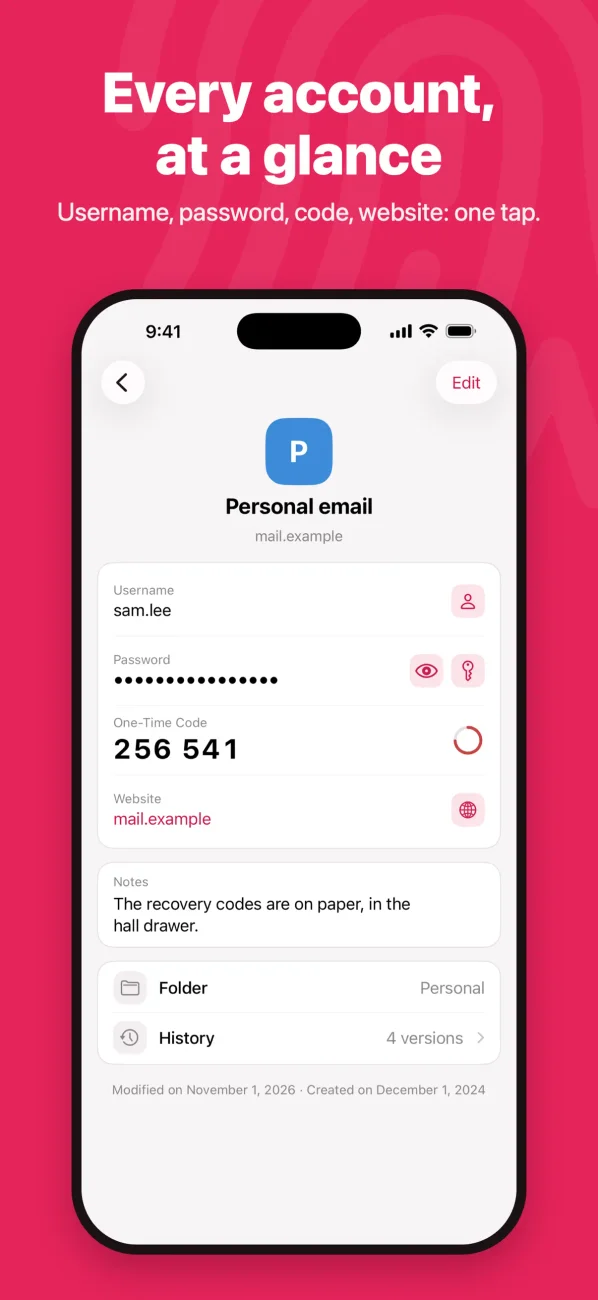
• Entries with username, password, website and notes.
• Folders, tags, favorites and search.
• Icons for your websites, built into the app: they're never downloaded, so nobody learns which sites you use.
• History: the earlier versions of each entry.
• Recently deleted: anything you delete can be restored for 30 days.
LESS COPY AND PASTE
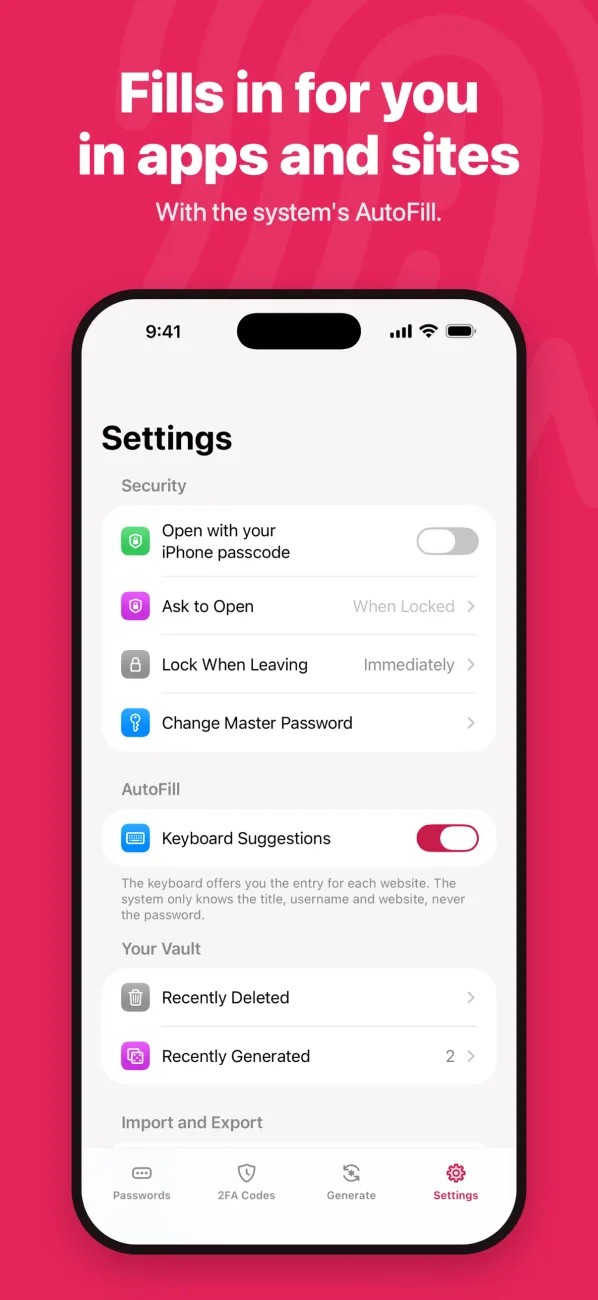
• AutoFill for usernames, passwords and codes in other apps and on the web.
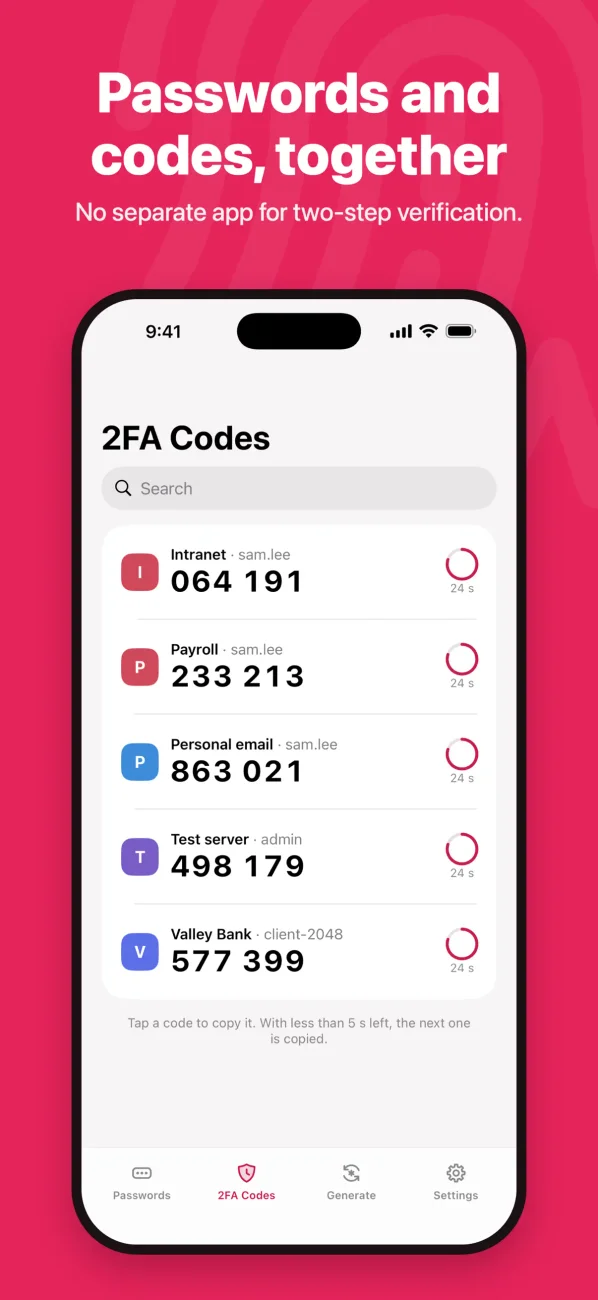
• One-time codes for two-step verification. On iPhone and iPad, add them with the camera by scanning the QR code.
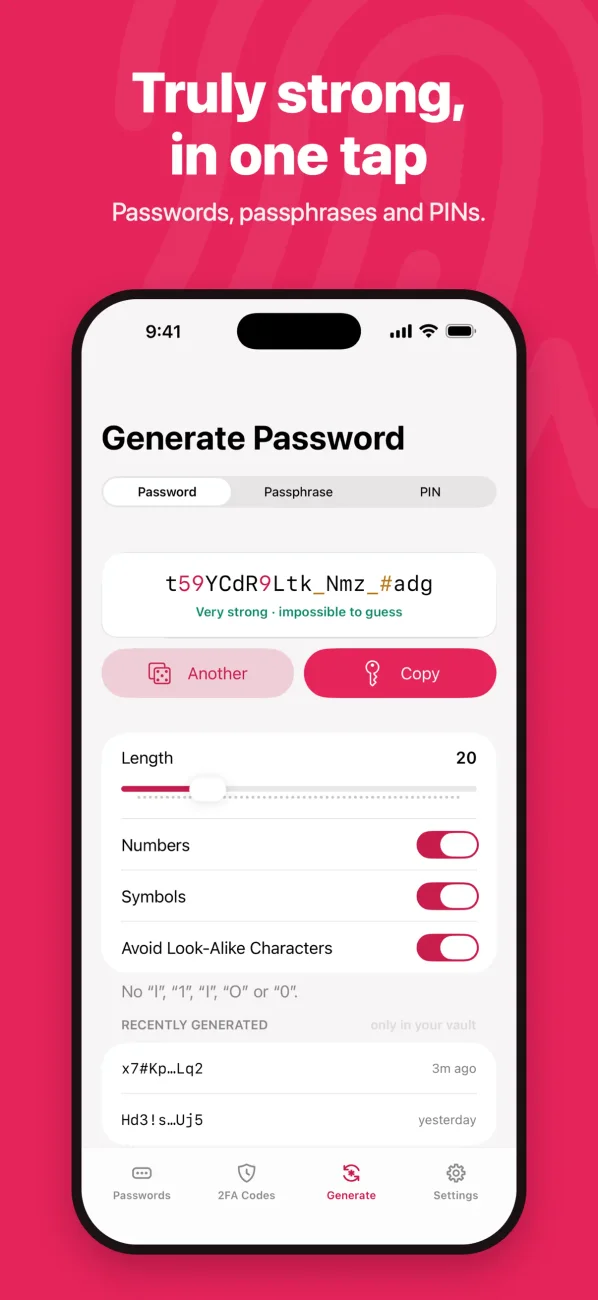
• A generator for passwords, passphrases and PINs.
• On Mac, quick access from the menu bar with ⌥⌘K.
PROPERLY PROTECTED
• Your vault is encrypted on the device and only opens with your master password, which isn't stored anywhere.
• Open it with Face ID, Touch ID or your device passcode, and choose when it should ask again.
• It locks when you leave, right away or after the minutes you choose.
• Whatever you copy is cleared from the clipboard after 60 seconds.
• You decide whether the keyboard suggests your entries. The system only knows their title, username and website, never the password.
ALWAYS YOURS
• Import your passwords from Apple Passwords or Chrome.
• Export an encrypted copy or a spreadsheet whenever you like.
• Your vault uses an open format, KeePass's, and also opens in other compatible apps.
ALREADY USE KEEPERY?
Update and open the app: your accounts come along by themselves. You'll just need to create your master password. Keepery checks your accounts one by one and leaves your previous Keepery untouched.
GOOD TO KNOW
• Nobody can recover your master password, not even us. If you forget it, the vault can't be opened. That's why Keepery asks for it from time to time, so you don't forget it.
• This version keeps the vault on each device separately and doesn't sync between them. To take it to another one, export an encrypted copy and open it there.
• Requires iOS or iPadOS 18, or macOS 15, or later.
Made by Jorge Sanchis, on the App Store since 2018. Support and privacy policy on the Keepery website.
What’s new
Version 3.0 · Nov 13, 2026
Keepery has been rebuilt from scratch: more secure, simpler and now on Mac too.
COMING FROM YOUR PREVIOUS KEEPERY
Your accounts come along by themselves. When you open this version, Keepery finds them and asks for just one thing: create your master password. It's the only one you'll need to remember, and it replaces the long key you had before. Keep it safe: nobody can recover it, not even us.
Keepery checks your accounts one by one and leaves your previous Keepery untouched. If the device no longer remembers the old key, which often happens after restoring it from a backup, it will ask for the one you wrote down. If you can't find it, you can start with an empty vault and recover your accounts later from Settings.
WHAT'S NEW
• Your own master password, with Face ID, Touch ID or your device passcode.
• One-time codes and AutoFill.
• Folders, tags, favorites and a history for each entry.
• A generator for passwords, passphrases and PINs.
• Import from Apple Passwords and Chrome, and export whenever you like.
• A native app for iPhone, iPad and Mac.
Requires iOS or iPadOS 18, or macOS 15, or later.
App privacy
What Jorge Sanchis declares on the App Store about how this app handles data.
-
Data not collected
The developer does not collect any data from this app.
Privacy practices may vary, for example with the features you use or your age.
Information
- Seller
- Jorge Sanchis
- Category
- Utilities
- Version
- 3.0
- Updated
- Nov 13, 2026
- Released
- Jun 22, 2018
- Size
- 8.0 MB
- Requires
- iOS 18.0 or later
- Age rating
- 4+
- Price
- Free
- Languages
- English, Spanish
- Copyright
- © 2026 Jorge Sanchis