
- Age rating4+
- CategoryProductivity
- DeveloperShiho Komano
- LanguagesGerman+ 7 more
- Size13.8 MB
Links to the official App Store page
Download.org hosts no file of KeepLeap. The button opens its official App Store page, published by Shiho Komano. Listing last checked on Nov 16, 2026.
Screenshots



About
Type it once. Search everywhere.
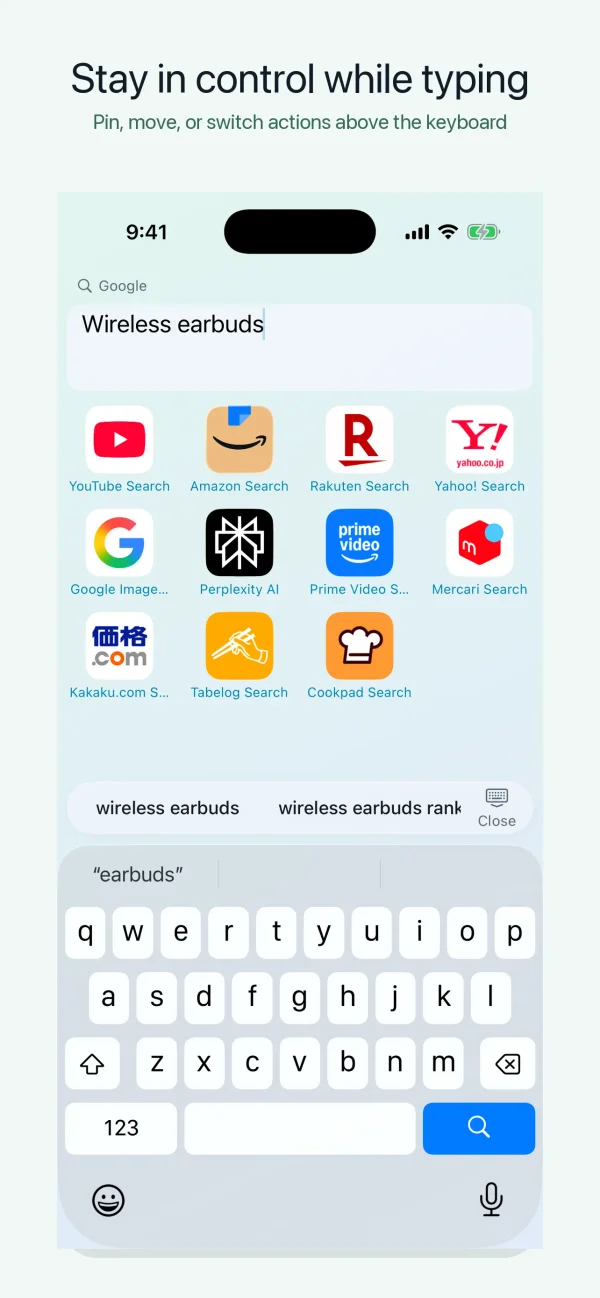
KeepLeap lets you search multiple services with a single keyword. Type "sofa" once — then browse Amazon, eBay, Etsy, and more without retyping a word. The hassle of entering the same term in every app? Gone.
◆ One search term. Every site.
Type a keyword, tap a button, and you land directly on that service's search results page. Your word stays in the input field, so the next tap takes you straight to the next service. No more retyping the same word for every app.
◆ Skip the browser. Land directly in the app.
For supported apps, KeepLeap opens the in-app search results page directly — no browser tab, no extra taps. You get to what you're looking for faster than any bookmark.
◆ One letter to launch anything
Assign any letter to a button and just type it to instantly open your favorite app or website. Set `a` for Amazon, `e` for eBay — completely up to you.
◆ Ready to use from the start
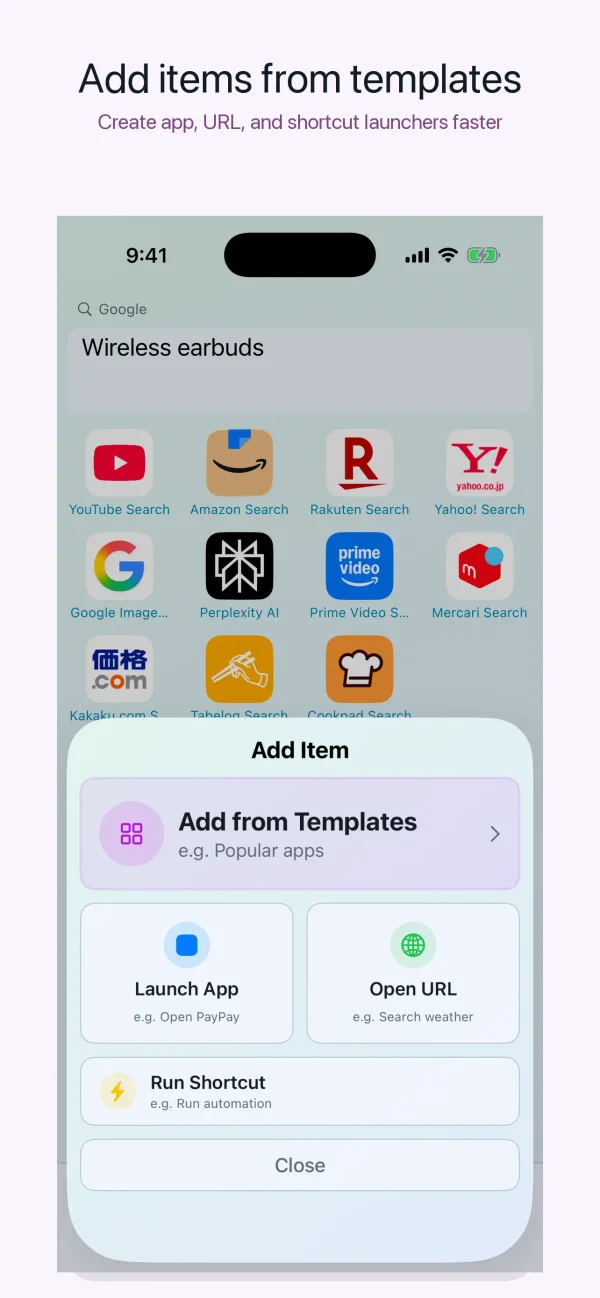
Choose from 40+ built-in templates including Amazon, eBay, Etsy, YouTube, and X (formerly Twitter). Add any service via URL. Arrange folders and items however you like.
◆ Open and type, instantly
KeepLeap focuses the keyboard the moment it launches. No tapping to find the text field — just open and start typing. Place your most-used buttons right where your thumb lands.
◆ Privacy
Everything you register stays on your device. No tracking, no data collection.
◆ Pricing
Core features are free, no ads. Want to add more? Upgrade to KeepLeap Pro — review the details and price before you buy.
Terms of Use: https://www.apple.com/legal/internet-services/itunes/dev/stdeula/
What’s new
Version 2.0.1 · Nov 12, 2026
Improved input bar and list motion while the keyboard is shown. Made the iPad command bar easier to use, and you can now edit visible items from Home. Adjusted Duo input bar settings as well.
App privacy
What Shiho Komano declares on the App Store about how this app handles data.
-
Data not collected
The developer does not collect any data from this app.
Privacy practices may vary, for example with the features you use or your age.
Information
- Seller
- Shiho Komano
- Category
- Productivity
- Version
- 2.0.1
- Updated
- Nov 12, 2026
- Released
- Jun 22, 2026
- Size
- 13.8 MB
- Requires
- iOS 17.6 or later
- Age rating
- 4+
- In-app purchases
- Yes
- Languages
- German, English, French, Japanese, Korean, Spanish, Traditional Chinese, Simplified Chinese
- Copyright
- © 2026 KomaINC
You might also like
-
 ChorphinFair chores. Happy household.
-
 9uick SearchProductivity
-
 Kipuno-AI Cloud File AssistantFile clearly. Find easily.
-
 SoloWeb - Turn Web to AppAccess sites via widgets&icons
-
 Opsbliss: AI WorkspaceResearch, Create, Build, Chat
-
 oshikigo -- make ai appsfor your audience and clients
-
 Offgrid AI: Offline AI ChatPrivate, local AI. No internet
-
 Sirch: OSINT & Advanced SearchSearch Query Builder for SEO
-
 親指Oyayubiブラウザ -ThumbBrowser-Productivity
-
 Orvue - フルスクリーンブラウザProductivity