
Keeply – Photo Sort & Transfer
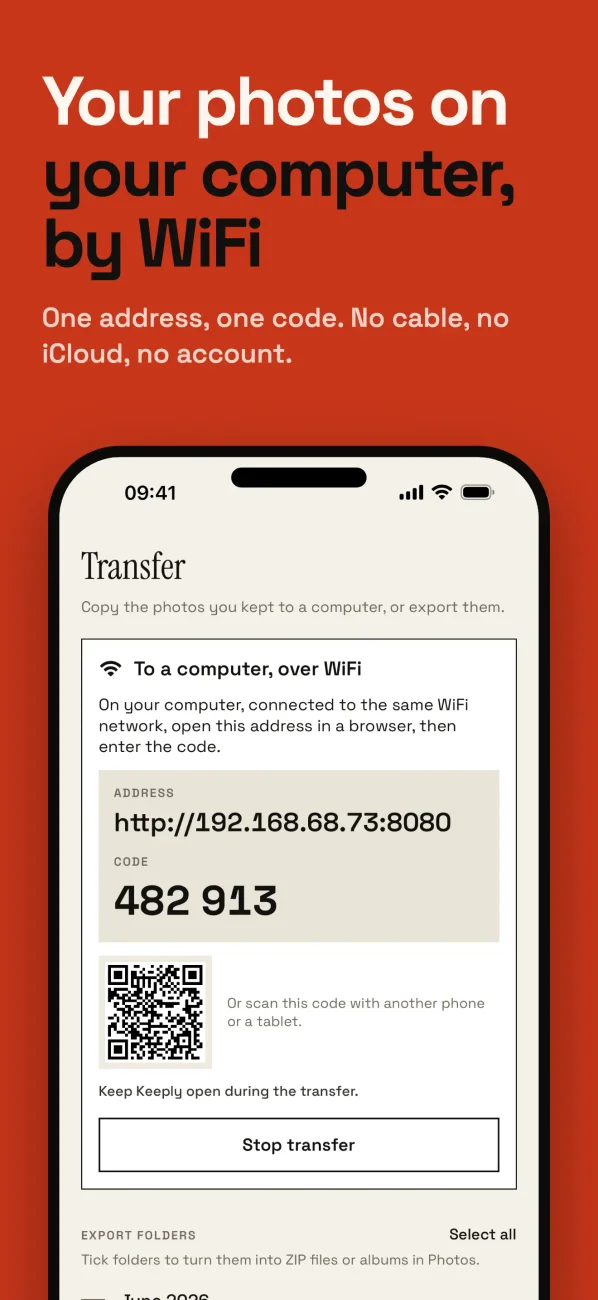
WiFi export to your computer
Designed for iPhone
In-app purchases
- Age rating4+
- CategoryPhoto & Video
- DeveloperNicolas Zanette
- LanguagesEnglish+ 7 more
- Size8.8 MB
Links to the official App Store page
Download.org hosts no file of Keeply – Photo Sort & Transfer. The button opens its official App Store page, published by Nicolas Zanette. Listing last checked on Nov 7, 2026.
Screenshots

About
Sort your photos, transfer them to your computer, then free up space on your iPhone — no cable, no iCloud, no account.
Most swipe apps stop at delete. Keeply finishes the job: what you keep is filed into folders, then sent to your computer over WiFi. After that, you empty the trash with peace of mind.
Your first 30 photos transfer for free: try sending them to your computer before you pay for anything.
TRANSFER TO YOUR COMPUTER
• WiFi transfer: Keeply shows a short address and a 6-digit code (or a QR code). Open the address in the browser of a Mac or PC on the same WiFi network.
• Download a whole folder, or everything at once, in one click: you get a ZIP file.
• Original files, not recompressed, with their real name, format and date. Videos included.
• A JPEG version is offered for computers that cannot read HEIC.
• Keep Keeply open during the transfer; a summary tells you what was transferred.
• Nothing to install on the computer. No cable, no account, no cloud.
• ZIP archive: one .zip file per folder, shared through the iOS share sheet (AirDrop, Files…).
• iOS albums: get your folders as albums in the Photos app.
SORT
• Swipe right to keep, left to delete.
• Sort month by month, full screen, with zoom.
• Undo your latest decisions as many times as you need.
• Photos you've already sorted don't come back: you pick up where you left off.
FILE INTO FOLDERS
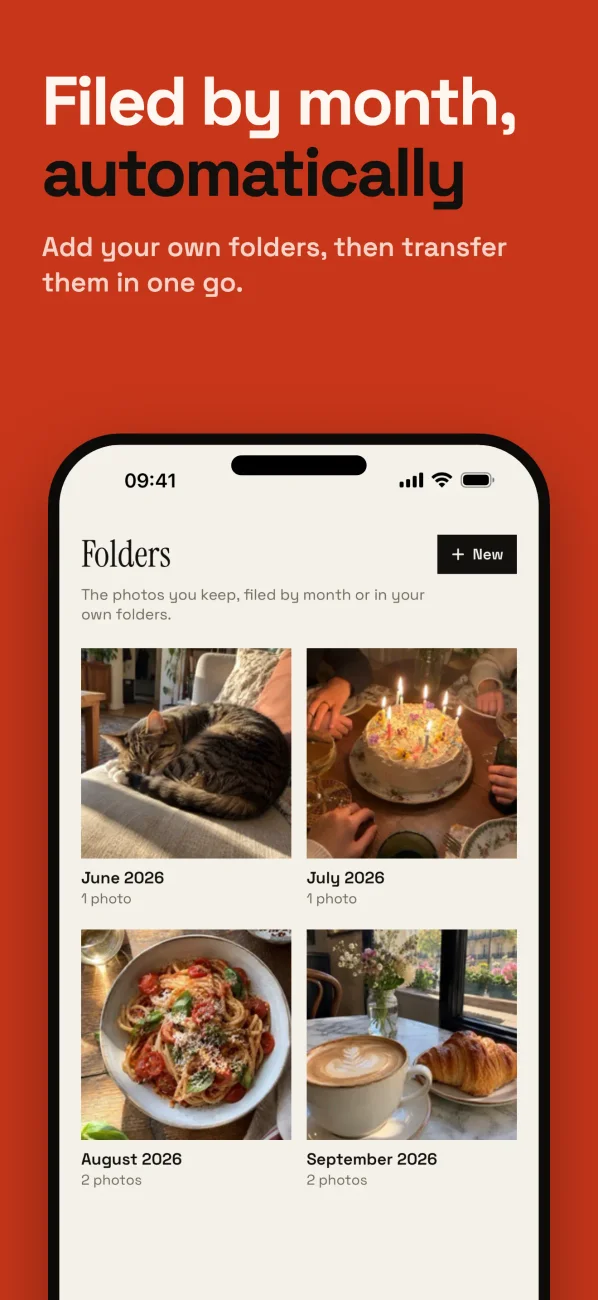
• Every photo you keep is filed automatically in its month's folder.
• Create your own folders (trips, family, work…) and file photos there.
• Those folders are what you transfer.
FREE UP SPACE
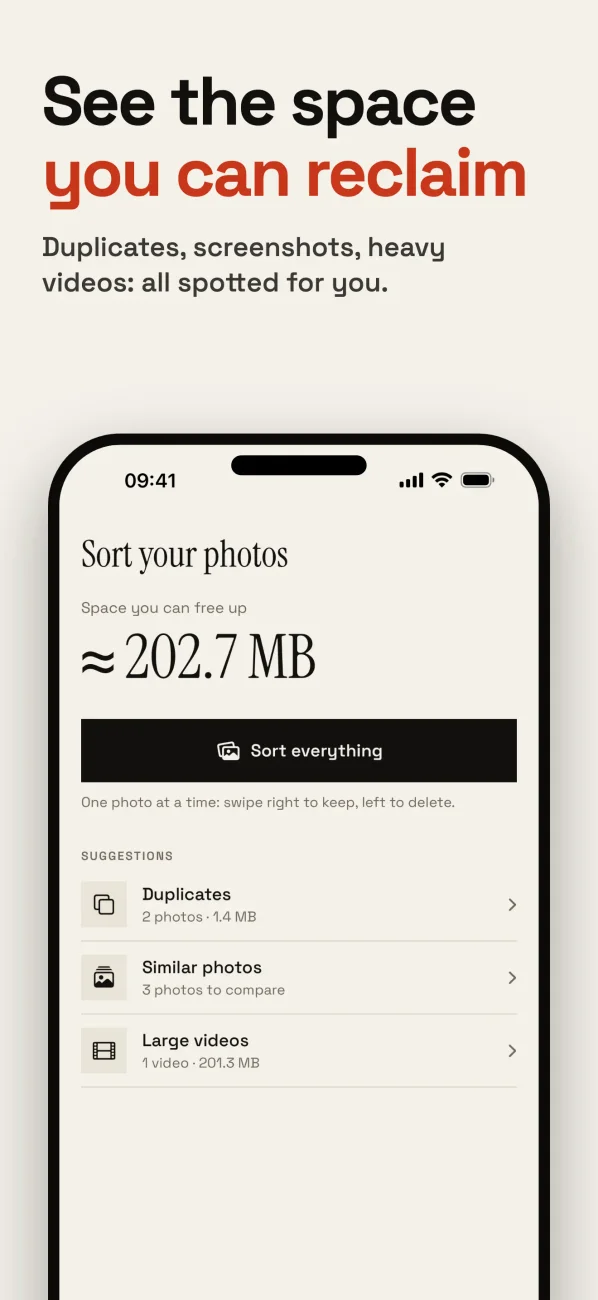
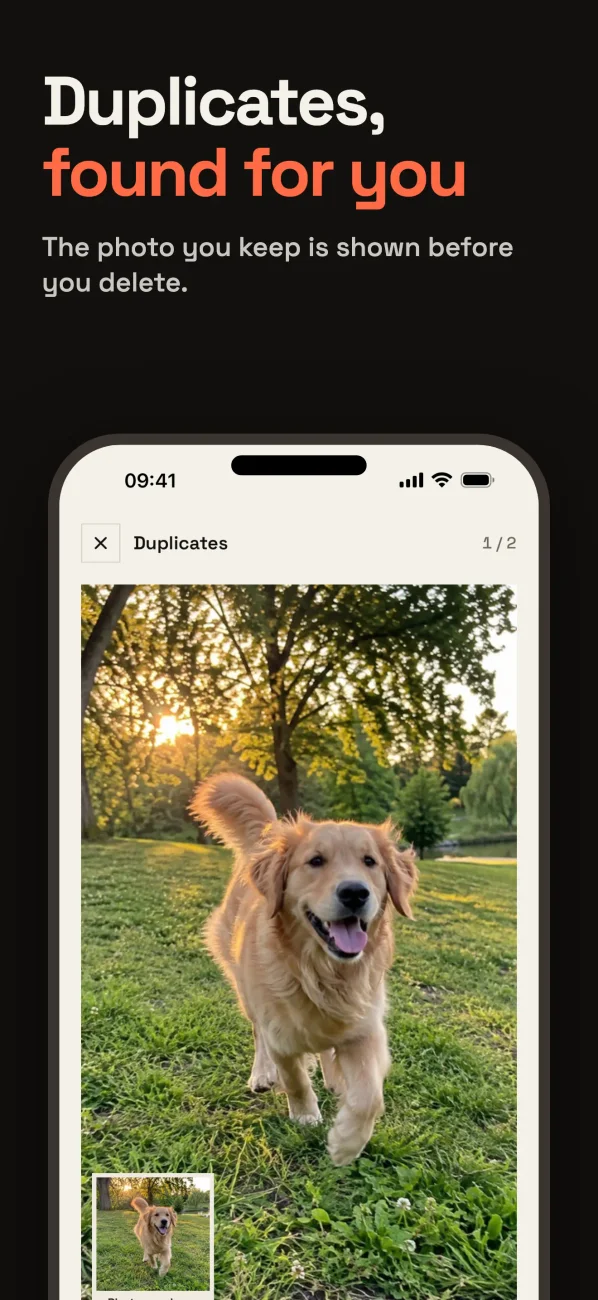
• Suggestions: screenshots, bursts, exact duplicates, similar photos (iOS 17 or later), heavy videos.
• Reclaimable space is shown before you delete anything.
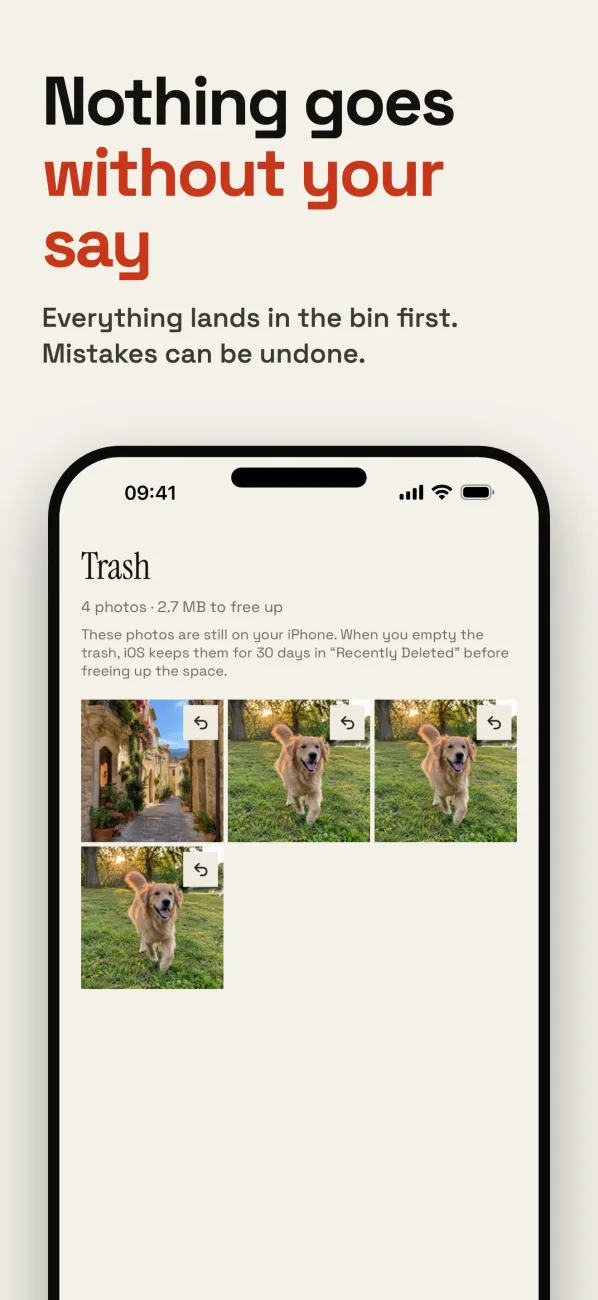
• Trash: nothing is erased from your iPhone until you confirm.
FREE AND PREMIUM
Free: swipe sorting, sorting by month, Screenshots and Bursts suggestions, folders, trash, and transferring your first 30 photos (WiFi, ZIP or albums).
Keeply Premium: unlimited transfers (WiFi, ZIP archive, iOS albums), plus the Duplicates, Similar photos and Heavy videos suggestions.
A single purchase unlocks Keeply Premium for life: no subscription, nothing to cancel. The price is shown on the purchase screen.
YOUR PHOTOS STAY WITH YOU
Keeply never uploads your photos to a server. They only leave your iPhone for your own computer, over your local network. The transfer address changes every session and only gives access to the photos in your folders. No account to create. Duplicate and similar-photo detection runs on your iPhone.
Terms of Use (EULA): https://www.apple.com/legal/internet-services/itunes/dev/stdeula/
Privacy Policy: https://appcraft31.vercel.app/privacy/keeply.html
What’s new
Version 4.1 · Nov 4, 2026
• New: your first 30 photos transfer to your computer for free, with no time limit.
• Keeply Premium is now one tap away from the home and Transfer screens.
• After a successful transfer, leave a review in one tap.
Enjoying Keeply? A review on the App Store helps a lot.
App privacy
What Nicolas Zanette declares on the App Store about how this app handles data.
-
Data used to track you
May be used to track you across apps and websites owned by other companies.
- Identifiers
- Usage data
- Diagnostics
-
Data linked to you
May be collected and linked to your identity.
- Identifiers
- Usage data
- Diagnostics
Privacy practices may vary, for example with the features you use or your age.
Information
- Seller
- Nicolas Zanette
- Category
- Photo & Video
- Version
- 4.1
- Updated
- Nov 4, 2026
- Released
- Jul 6, 2026
- Size
- 8.8 MB
- Requires
- iOS 16.0 or later
- Age rating
- 4+
- In-app purchases
- Yes
- Languages
- English, French, German, Italian, Japanese, Korean, Portuguese, Traditional Chinese
- Copyright
- © 2026 AppCraft31
You might also like
-
 Latent FramesPhotos & videos, one library
-
 UnderlayPhoto overlay for retakes
-
 PhotoSlimmer: Photo CleanerDelete Blurry & Similar Photos
-
 Beauty Camera Style MatchDiscover Your Perfect Look
-
 Latent Photos: Review & TagSimilar shots, side by side
-
 Curator - Photo OrganizerOffline & Private Cleaner
-
 Sketch PhotoEditor - SketchPhoto Sketch
-
 PhotoCab - Shared Photo AlbumPrivate Group Photo Sharing
-
 Video Republic:Editor de videoPhoto & Video
-
 Girly Wallpapers - BackgroundsCute Wallpapers For Girls