
KeepScribe: Audio to Text
Transcribe Offline & Private
Designed for iPhone, iPad
Free · In-app purchases
- Age rating4+
- CategoryProductivity
- Developer清珠 陈
- LanguagesEnglish+ 9 more
- Size149.9 MB
Links to the official App Store page
Download.org hosts no file of KeepScribe: Audio to Text. The button opens its official App Store page, published by 清珠 陈. Listing last checked on Nov 28, 2026.
Screenshots
About
Record and transcribe, right on your iPhone.
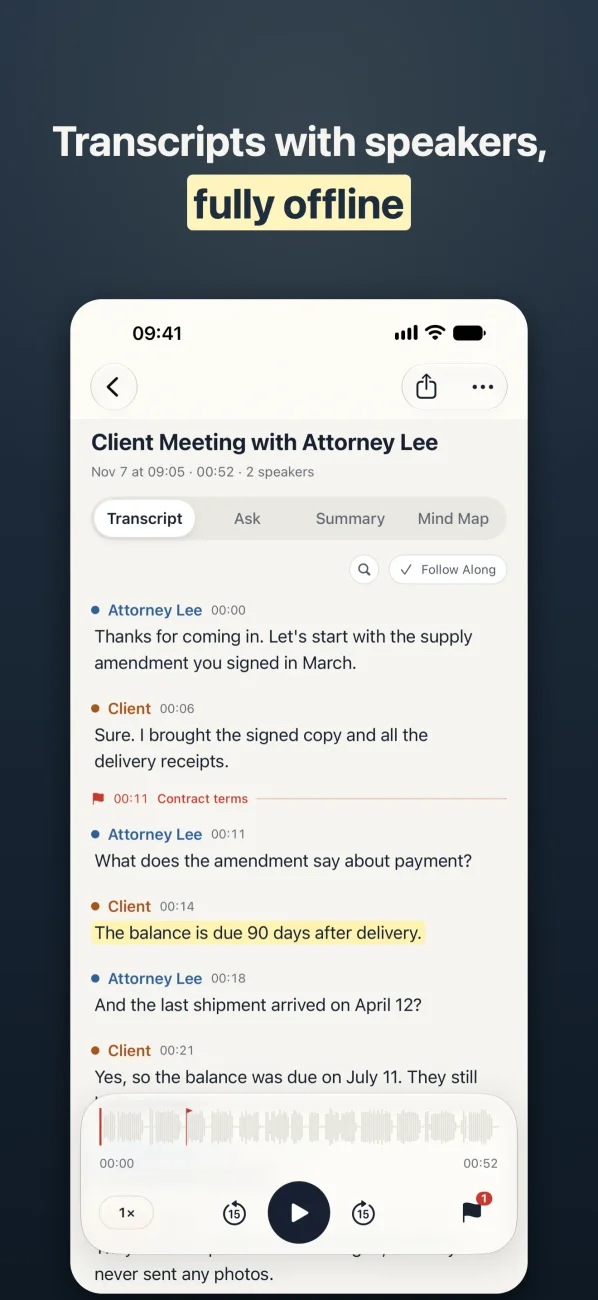
KeepScribe turns recordings into transcripts with speaker labels, entirely on device. Nothing is uploaded and no internet is needed — it works in airplane mode. No account, no server, no data collected.
Transcribe in English, Spanish, French, German, Italian, Portuguese, Japanese, Korean, Chinese and more: every language the speech recognition built into iOS supports. Choose the language for each recording.
RECORD
• Start from the Lock Screen, Dynamic Island, Action button or Control Center
• Drop markers with notes while you record
• Audio is written as you go, so it survives the app being closed
• Pauses for phone calls and resumes when they end
• Stop timer: end and save the recording automatically after 15 to 120 minutes
• Live text while recording, with a full-screen large-caption view (lifetime unlock)
TRANSCRIBE
• Uses the speech recognition built into iOS, in the language you choose
• Punctuation, paragraphs and speaker labels; rename a speaker once and the whole transcript follows
• Gets more accurate the more you use it: when you fix a word, KeepScribe can remember the fix and get it right next time. Add names and terms to My Vocabulary and misheard words are corrected after transcription; with the lifetime unlock, on-device AI also checks them in context
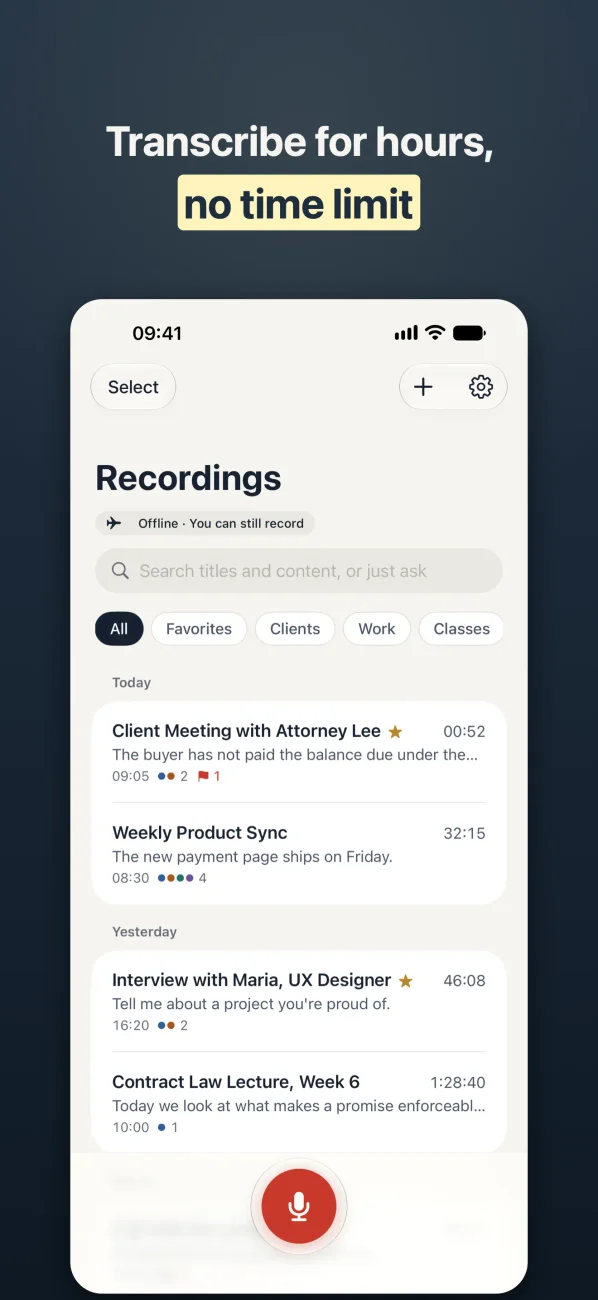
• Free with no time limit, and keeps going with the phone locked
• Import audio or video from Files or Photos; imports keep their original recording time
• Shortcuts actions: transcribe an audio file, get the latest transcript
• Optional filler-word removal (um, uh) for cleaner reading
ORGANIZE
• Tap a sentence to play from there; skip silence; change speed
• Highlight, edit, find and replace — all undoable
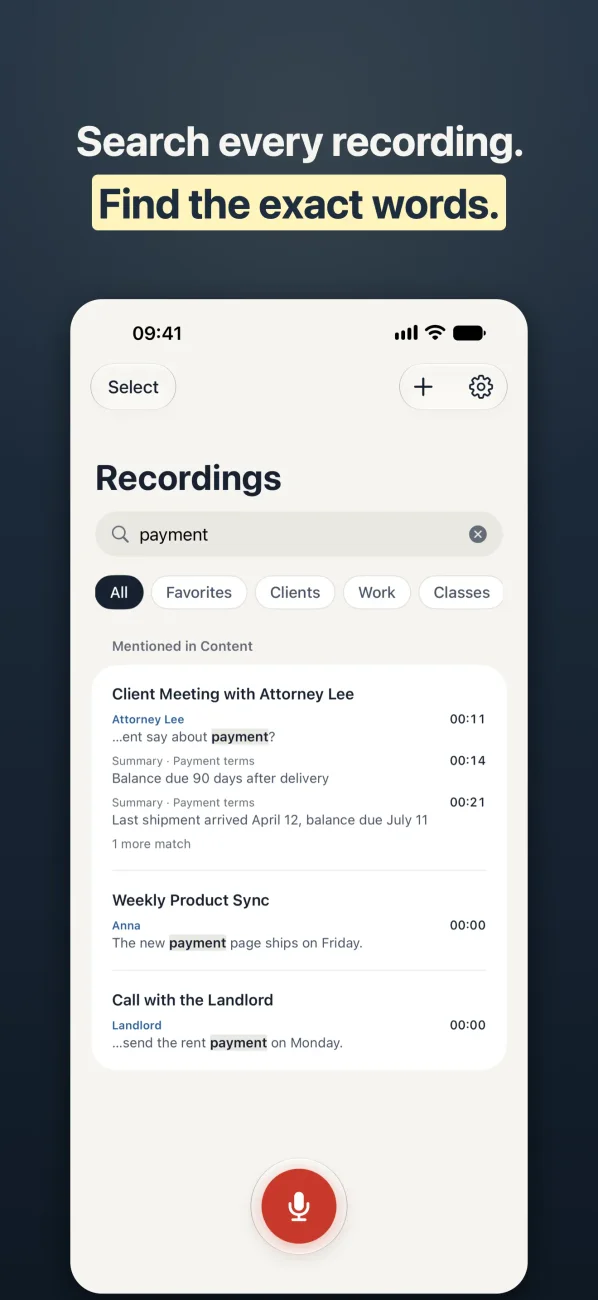
• Search every recording: titles, transcripts, markers and summaries
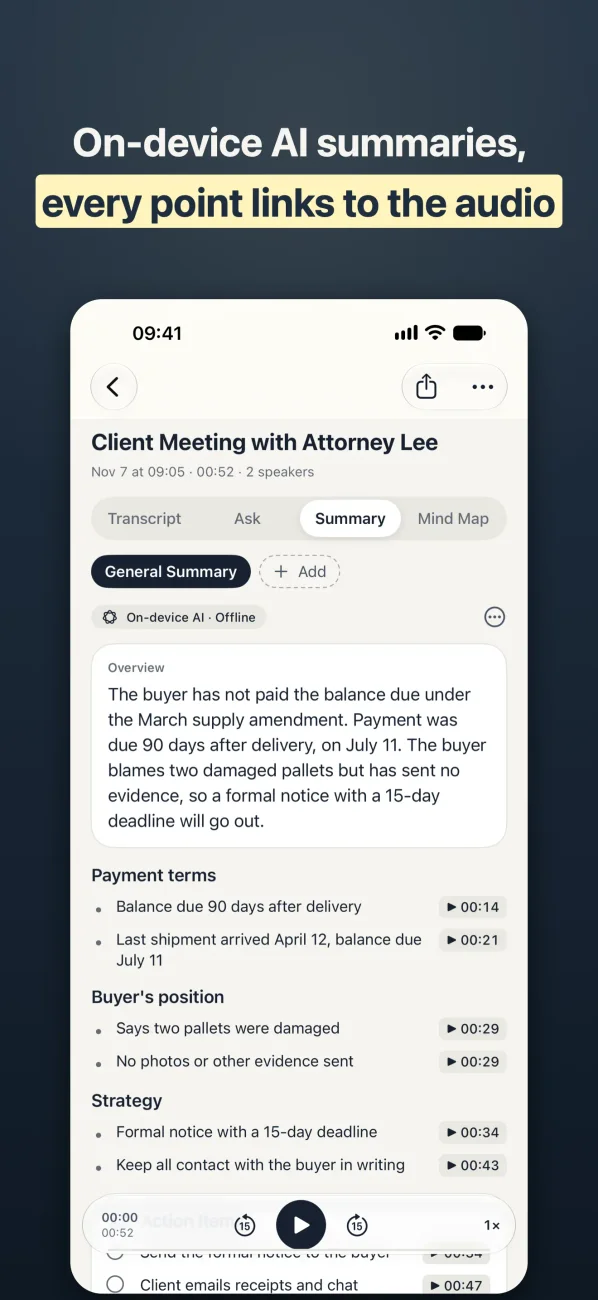
• On-device AI answers questions and writes summaries and mind maps, every point linked to the moment it was said
• Translate a transcript with Apple’s on-device translation, side by side with the original
EXPORT AND BACK UP
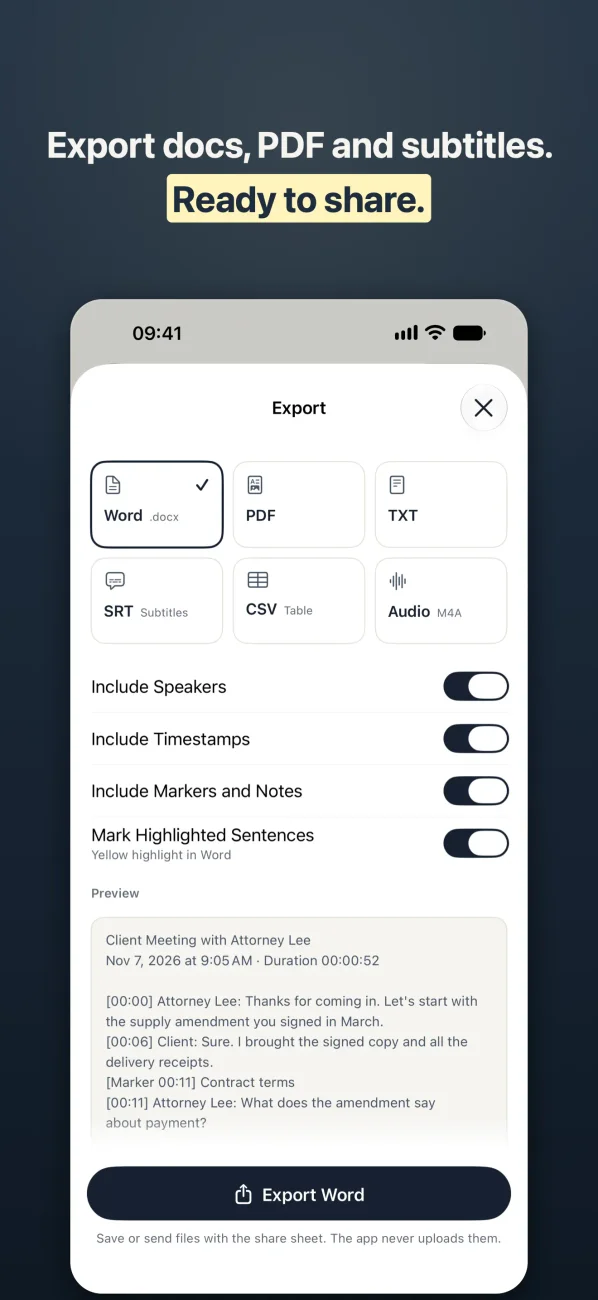
• Copy text, export TXT and the original audio (free)
• Export Word, PDF, Markdown, SRT and VTT subtitles, and CSV
• Export everything and restore it on a new phone
• Face ID lock hides titles on the Lock Screen, widgets and notifications
• Auto export: save each new transcript (and its audio, if you like) to a folder you choose, such as iCloud Drive
PRICE
Recording and transcription are always free with no time limit. A one-time purchase unlocks live text, speaker labels, Word / PDF / Markdown / subtitle / spreadsheet export, Q&A, summaries, mind maps, translation and professional notes. No subscription.
Notes:
• Before the first transcription in a language, iOS downloads that language’s speech model from Apple once.
• AI features run on device and need an iPhone with Apple Intelligence, or an 8 GB iPhone that can download the on-device model.
• Transcripts and AI notes can contain mistakes; check important points against the audio.
Privacy: https://keepscribe.com/en/privacy/
Terms: https://keepscribe.com/en/terms/
What’s new
Version 1.7 · Nov 27, 2026
• Phone calls, Siri and alarms no longer cost you audio: when recording resumes after an interruption, everything recorded before it is kept
• Playback picks up where it left off after a phone call
• New: Send Feedback in Settings, and Report a Transcript Error in a transcript’s … menu. Both open an email to us; no audio or transcript text is attached
• Other fixes and improvements
App privacy
What 清珠 陈 declares on the App Store about how this app handles data.
-
Data not collected
The developer does not collect any data from this app.
Privacy practices may vary, for example with the features you use or your age.
Information
- Seller
- 清珠 陈
- Category
- Productivity
- Version
- 1.7
- Updated
- Nov 27, 2026
- Released
- Nov 3, 2026
- Size
- 149.9 MB
- Requires
- iOS 26.0 or later
- Age rating
- 4+
- Price
- Free
- In-app purchases
- Yes
- Languages
- English, French, German, Italian, Japanese, Korean, Portuguese, Simplified Chinese, Spanish, Traditional Chinese
- Copyright
- © 2026 KeepScribe
You might also like
-
 ScribeKit - Offline TranscribeVoice memo & audio to text
-
 Habit Journey - Stop giving upBeat Distractions & Tracker
-
 GIR W400Productivity
-
 ZipTalk: voice notes to textRead your WhatsApp voice notes
-
 MUNDO CONDOMINIOProductivity
-
 Cadence - Audio TranscriptionSpeaker Transcripts, Offline
-
 Private Transcriber OfflineOn-Device Audio Transcription
-
 Voice Memos Recorder - RecorddAI Note Taker & Meeting Notes
-
 Earshot Live TranscriptionCaptions for speech
-
 Just Transcribe. OfflinePrivate, Offline Transcription