Keify - Font Keyboard
Cool Fonts, Symbols & Themes
Designed for iPhone, iPad
Free · In-app purchases
- Age rating4+
- CategoryUtilities
- DeveloperAsymmetric Labs
- LanguagesEnglish
- Size12.5 MB
Links to the official App Store page
Download.org hosts no file of Keify - Font Keyboard. The button opens its official App Store page, published by Asymmetric Labs. Listing last checked on Nov 22, 2026.
Screenshots

About
Keify – Font Keyboard
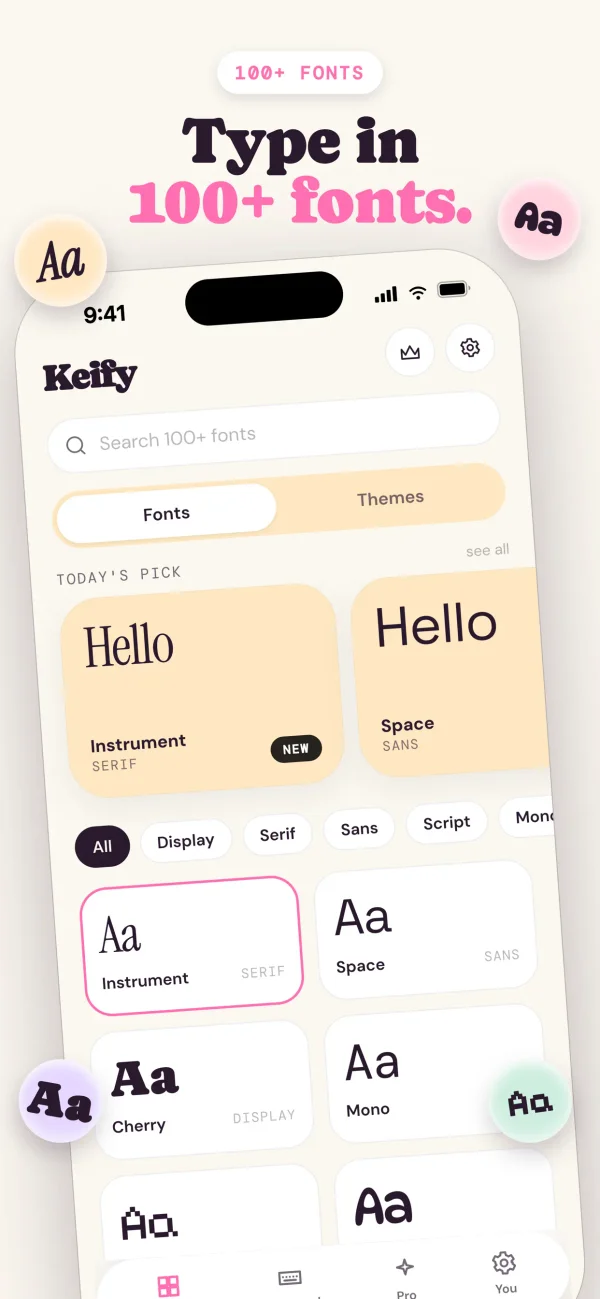
Keify is the all-in-one font keyboard for iPhone, built to transform your everyday typing into something that actually looks like you. With hundreds of aesthetic fonts, custom keyboard backgrounds, and a library of symbols and emojis, Keify gives your texts, captions, and bios a complete glow-up.
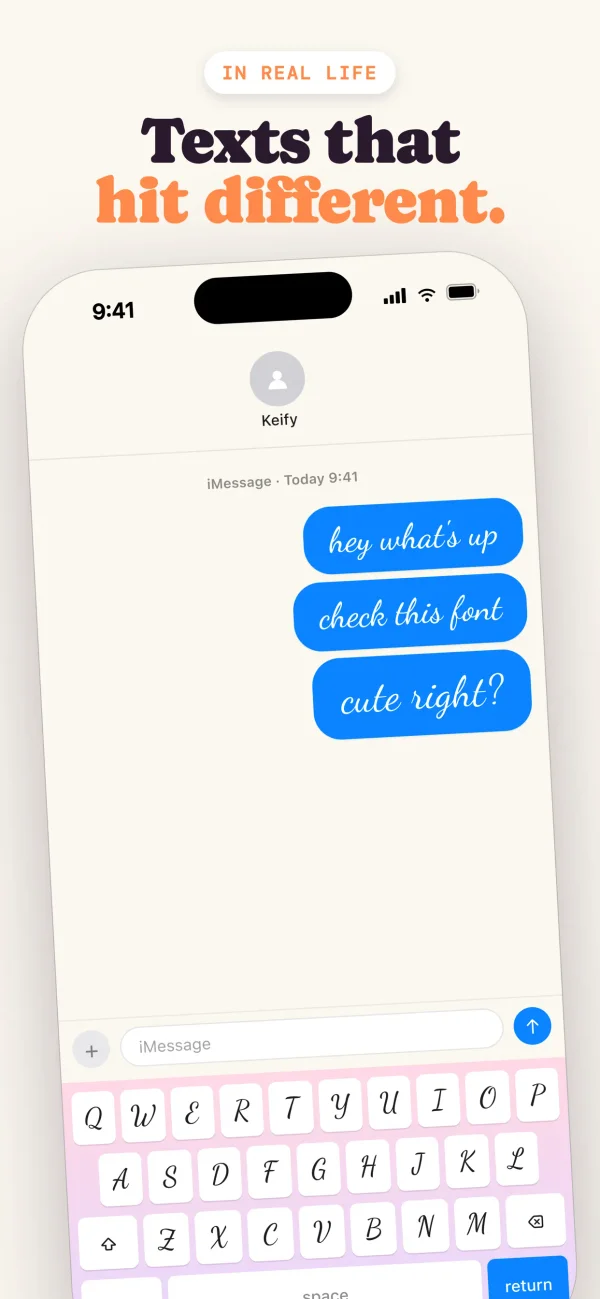
Whether you're posting on Instagram, going viral on TikTok, or sending a message to your group chat, Keify turns plain text into your personal aesthetic.
What you get:
1 / 100+ Cool Fonts: Access a massive library of fonts — cursive, gothic, bubble, glitch, Y2K, minimalist, and more.
2 / Custom Keyboard Themes: Personalize your keyboard with animated backgrounds, color gradients, and aesthetic wallpapers that match your mood.
3 / Works Everywhere: Once enabled, Keify works in every app — iMessage, WhatsApp, Notes, social apps, and more.
Designed for Self-Expression
Keify is built for people who care about how their text looks. It's not just a keyboard — it's a creative tool that lets you express yourself with every message you send. From minimalist clean fonts to chaotic glitch aesthetics, every style fits a mood.
How to Set Up
1) Open Keify and choose your favorite fonts and themes
2) Go to Settings > General > Keyboard > Keyboards > Add New Keyboard
3) Select Keify and enable Full Access
4) Tap the globe icon on your keyboard to switch to Keify in any app
Why Keify Works
• 100+ unique fonts updated weekly
• Custom keyboard backgrounds & color themes
• One-tap font switching across all your apps
• Built for self-expression, not just typing
Your texts should look as good as your feed. Keify gives you the tools to make every word feel like yours.
Legal & Contact
Privacy Policy: https://www.keify.xyz/privacy.html
Terms of Use: https://www.keify.xyz/terms.html
Contact: contact@asymmetriclabs.xyz
Download Keify today and start typing in style.
What’s new
Version 1.6 · Nov 18, 2026
• New AI Emoji tab: find, copy, share or delete all your creations
• Keyboard improvements for iPad and iPhone models with a Home button
• Bug fixes and performance improvements
App privacy
What Asymmetric Labs declares on the App Store about how this app handles data.
-
Data not collected
The developer does not collect any data from this app.
Privacy practices may vary, for example with the features you use or your age.
Information
- Seller
- Asymmetric Labs FZC
- Category
- Utilities
- Version
- 1.6
- Updated
- Nov 18, 2026
- Released
- May 18, 2026
- Size
- 12.5 MB
- Requires
- iOS 18.2 or later
- Age rating
- 4+
- Price
- Free
- In-app purchases
- Yes
- Languages
- English
- Copyright
- © 2026 Asymmetric Labs
You might also like
-
 Font Pop: Fun Fonts KeyboardEmoji, Fonts, Themes, Kaomoji
-
 iFonts: Fonts Keyboard & EmojiCustom Fonts Keyboard & Themes
-
 Fontify: Cool Fonts KeyboardFancy Text, Symbols & Themes
-
 Font Keyboard : GENZ keysFonts & Themes Keyboards
-
 Keyboard Fonts: Design – FontyFont Art, Symbols, Text Themes
-
 Glyphy: Fonts & KeyboardWallpapers, Quotes & Widgets
-
 Font Maker: Keyboard FontsFont Maker & Text Styles
-
 Fonts Keyboard - Auto PasteFont Art Symbols , WaSticker
-
 Top Keyboard: Custom ThemesFonts Emoji Colors
-
 Keyboard Plus: Themes & EmojiCute Custom Keyboard & Skins