
Kept: Expense & Budget Tracker
Money Manager & Budget Planner
Designed for iPhone
Free · In-app purchases
- Age rating4+
- CategoryFinance
- DeveloperYevhenii Mahlena
- LanguagesEnglish+ 3 more
- Size16.8 MB
Links to the official App Store page
Download.org hosts no file of Kept: Expense & Budget Tracker. The button opens its official App Store page, published by Yevhenii Mahlena. Listing last checked on Nov 24, 2026.
Screenshots
About
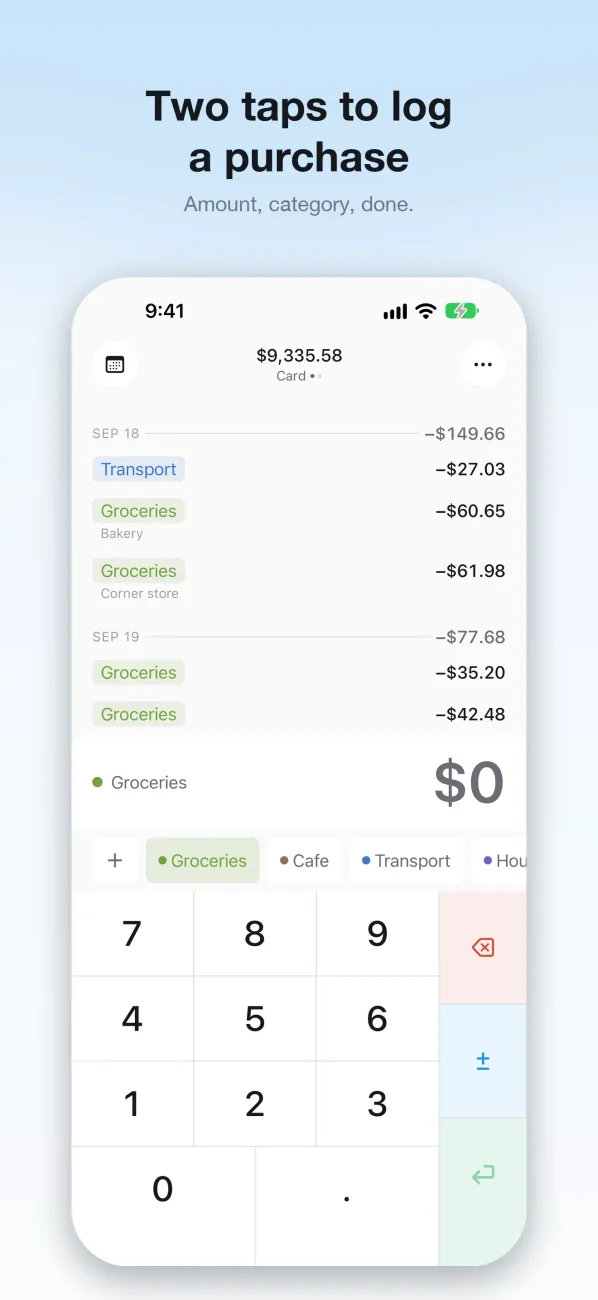
Kept is a money tracker for iPhone and Apple Watch built around one idea: an entry should take two taps, not a form.
FAST ENTRY
• The keypad, your categories and the day's total live on one screen
• Type the amount, tap a category — the entry is saved
• Need details? Long-press to open the full form with account, date, note and tags
• Deleted or edited by mistake? Undo brings it back, even several times in a row
• Built-in calculator keys for splitting a bill on the spot
• Stays fast even with years of history
CARD PAYMENTS THAT LOG THEMSELVES
• Set up a Wallet automation in Shortcuts once — every Apple Pay purchase arrives in Kept as a pending entry
• Merchant and card are filled in, and the category comes from your last purchase there
• Payments land in the account named like the card, and if you move one, Kept remembers your choice
• A new merchant waits for you to pick a category — no wild guesses
• Confirm in one tap, or edit before confirming
APPLE WATCH, SIRI, CONTROL CENTER
• Quick entry from your wrist, today's and this month's totals for every account
• Complications keep the totals on your watch face
• Entries with a category are confirmed right away, with a few seconds to undo
• “Add expense in Kept” with Siri and Shortcuts
• Siri and the Action button on Apple Watch: log a purchase without reaching for your iPhone
• A new entry button in Control Center
ACCOUNTS AND CURRENCIES
• Card, cash, savings — as many accounts as you need
• Every account keeps its own currency, amounts are entered in that currency
• Exchange rates load automatically; the total balance is converted for you
• Transfers between accounts, even across currencies: the rate fills in an estimate, or enter what actually arrived
• Merge two accounts: entries, rules and card links move over and the balances add up
• Keep a stash out of your total balance and widgets
• Pin the currencies you watch and convert any pair in the built-in calculator
SEE WHERE MONEY GOES
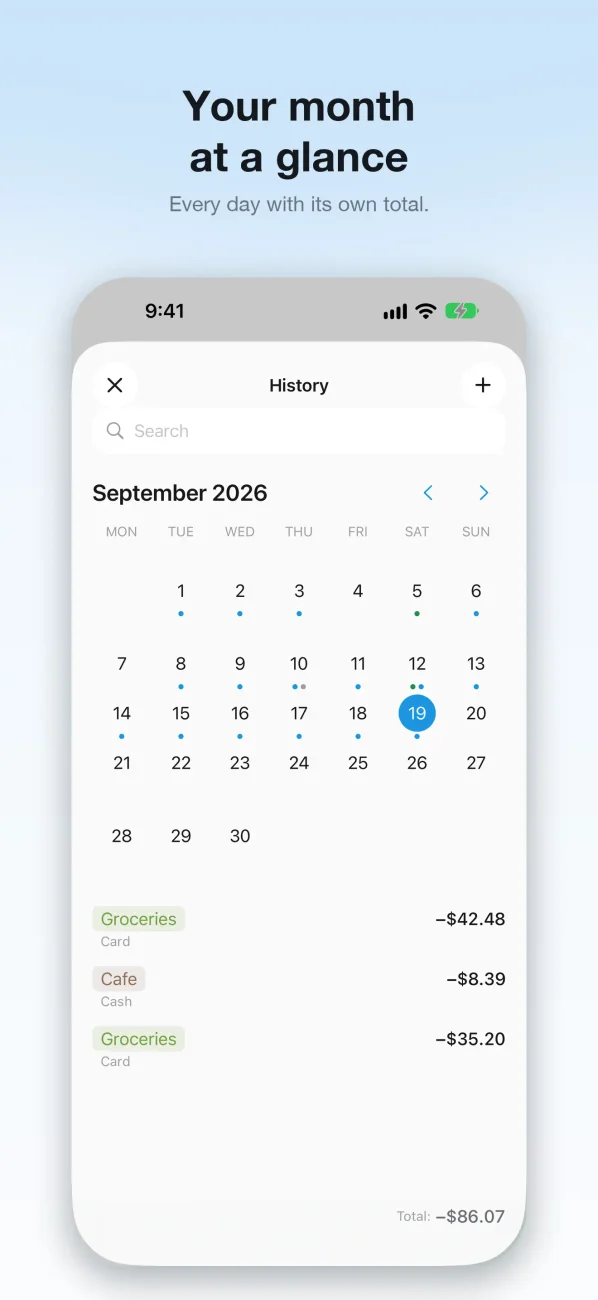
• Calendar with a total for every day
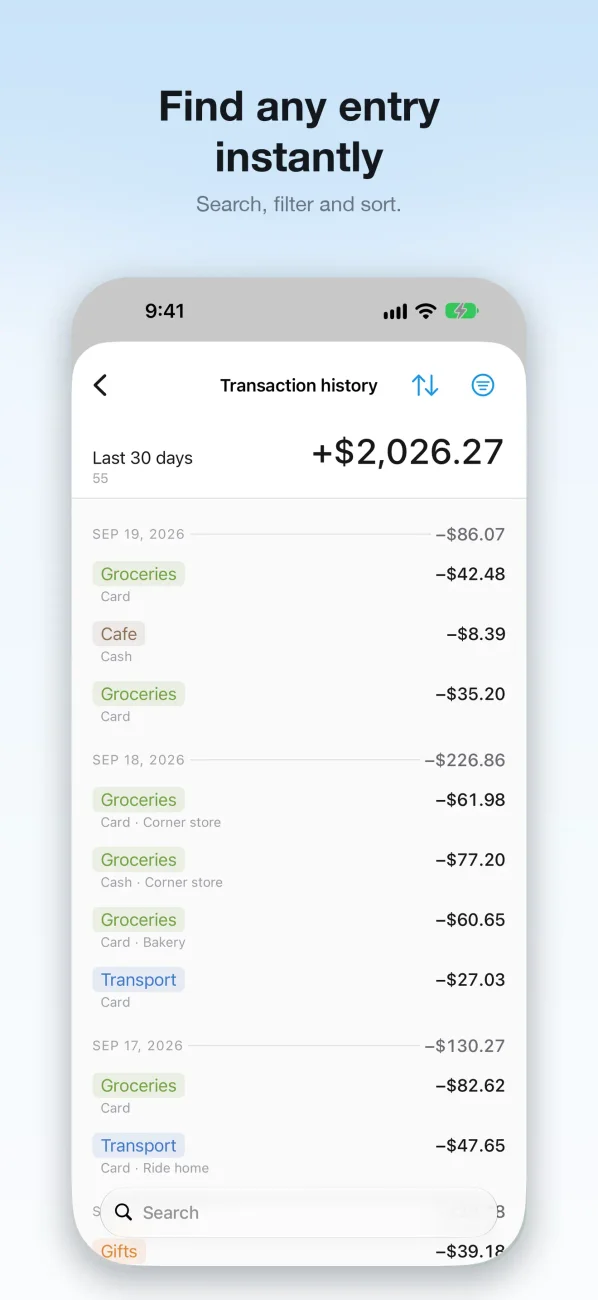
• History with search, filters by period and account, and sorting
• Where you spend: which stores and places take the most, with your average purchase
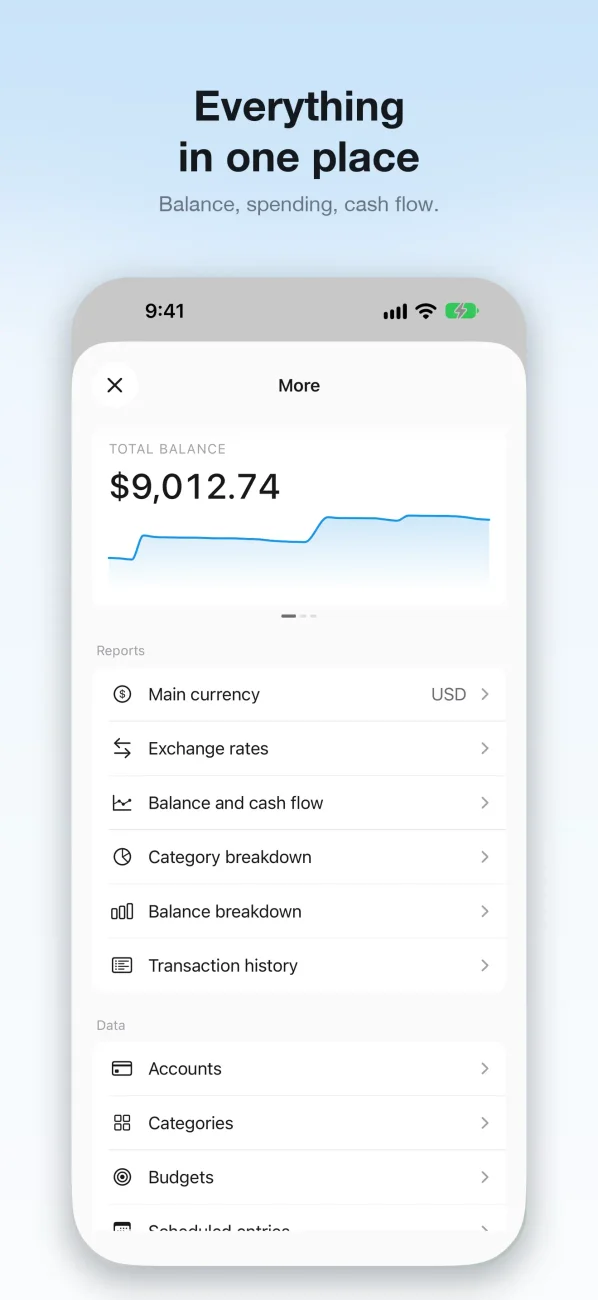
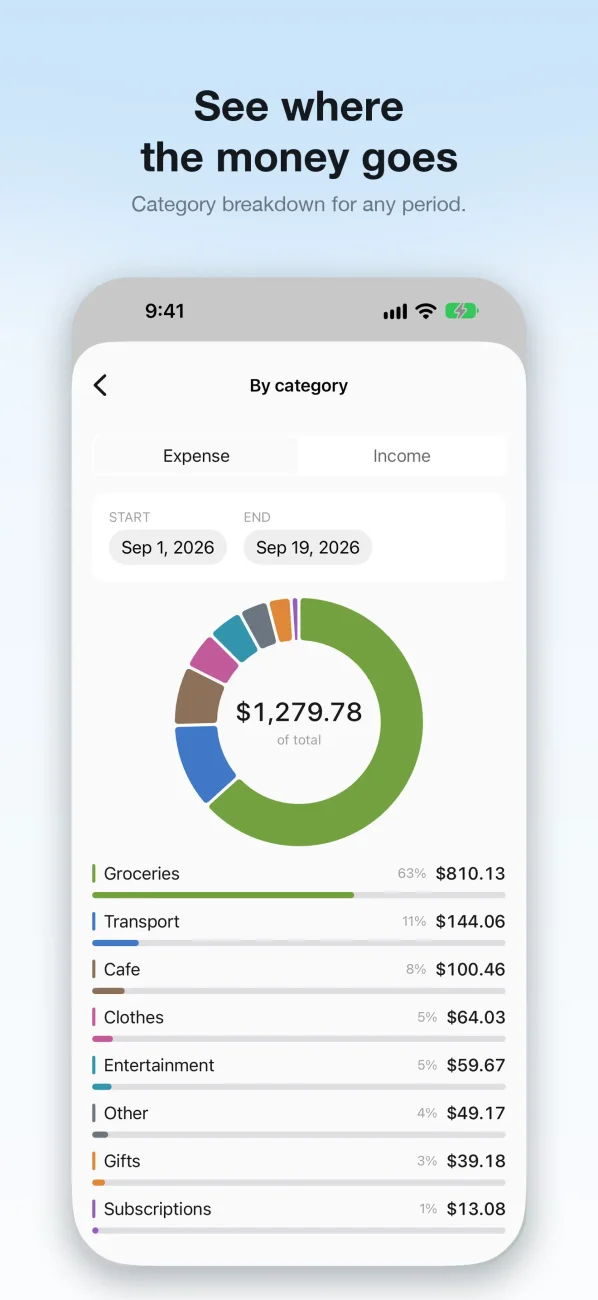
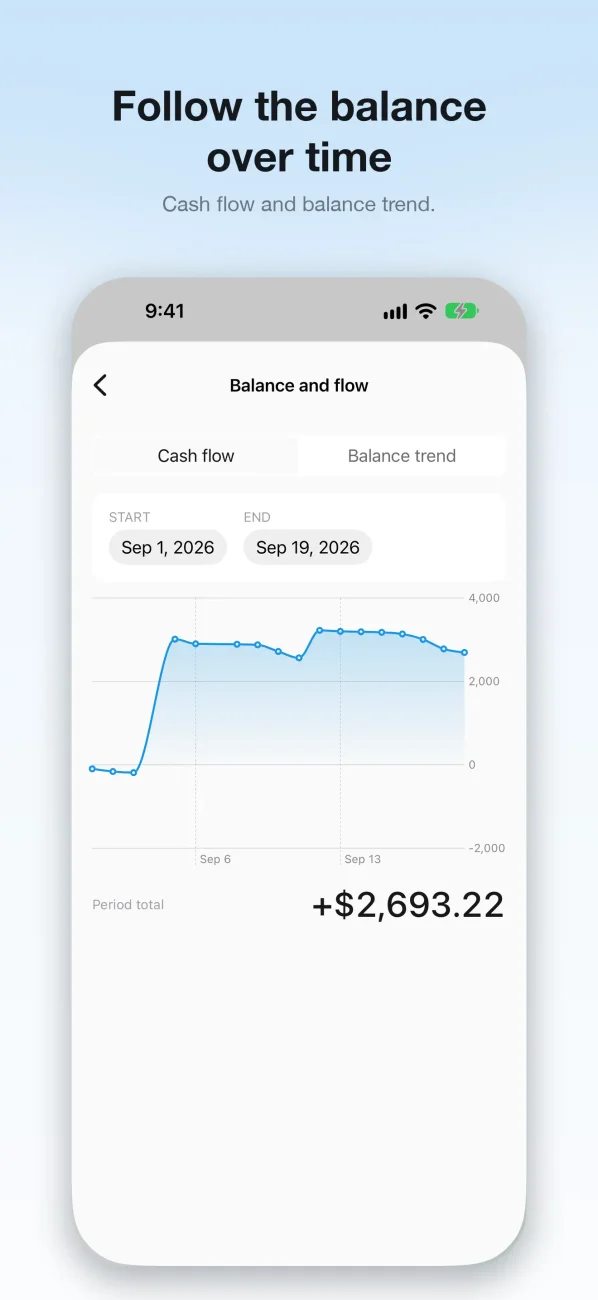
• Category breakdown, cash flow and balance trend: this month, last month, 3 months, a year or any range
• Compare months or weeks on the same days, with pace and a forecast
• Budgets by category or for all spending, with your pace and a daily allowance
• Budgets show past months and spending planned for later
• Start the month on payday and choose the first day of the week
• Recurring entries for rent, subscriptions and salary
• Receipt photos attached to any entry
WIDGETS
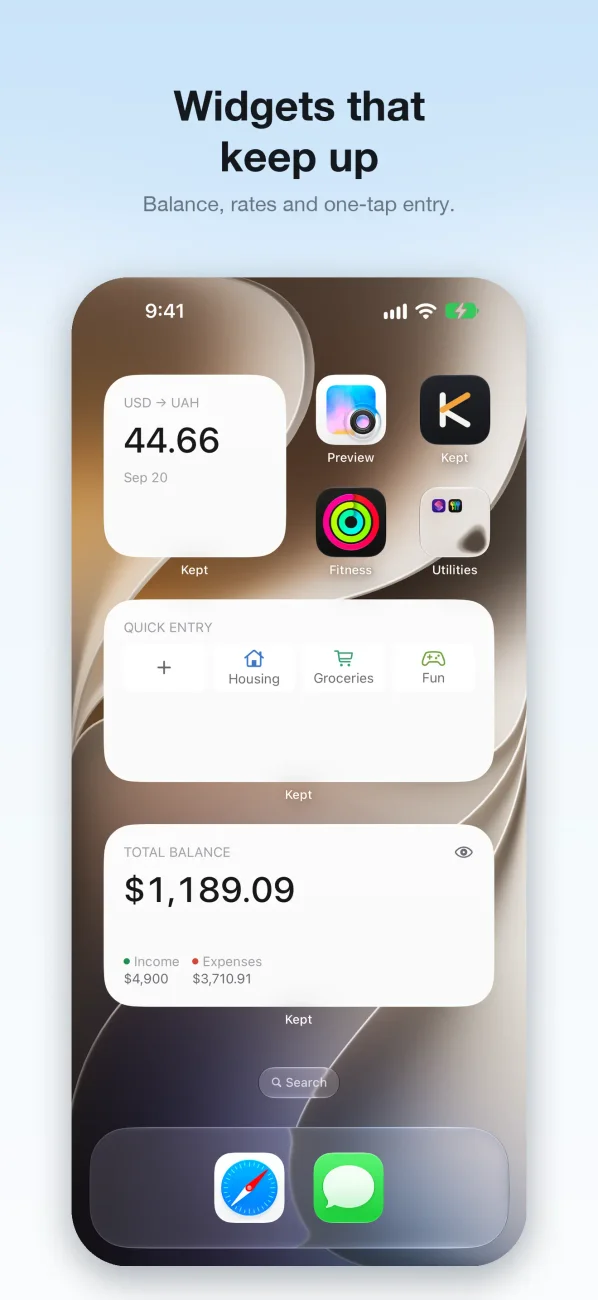
• Total balance with a button that hides the amount
• Exchange rate for the pair you choose
• Income, expenses and top categories for the month
• Quick entry: tap a category and the app opens ready for the amount
• Lock Screen widgets for balance, rate and the month
YOURS ONLY
• Everything is stored on your iPhone
• Optional iCloud sync between your own devices
• Passcode with Face ID, and the app blurs itself in the app switcher
• No accounts, no ads, no analytics, nothing collected
• Works with VoiceOver, Dynamic Type and haptic feedback
IMPORT AND BACKUP
• Import and export CSV, compatible with Spent
• Full backup to a file you control, receipts included — open it straight from Files, Mail or AirDrop
• The app keeps earlier versions of your data before replacing or erasing it
• A gentle reminder when it's been a month since your last backup
What’s new
Version 1.2.4 · Nov 23, 2026
Kept 1.2.4 is a big reliability update.
• Wallet payments in another currency: the “Log card payment” action has a new Currency parameter. The amount is converted to the account's currency, and the original stays in the note.
• An account's opening balance can be negative — handy for credit cards.
• Rates now lists every rate you entered by hand.
• The new entry button in Control Center opens the app again.
• Face ID asks reliably every time you return to the app.
• Apple Watch: totals are no longer counted twice, and Siri says plainly when your iPhone is out of reach.
• iCloud: recurring entries are no longer duplicated on a new device, and devices with different main currencies no longer keep recalculating amounts back and forth.
• CSV import keeps accounts with the same name apart and reads any kind of minus sign.
• Editors keep unsaved changes safe, and receipt photos show their loading progress.
• Better with large text, faster history and widgets, plus dozens of smaller fixes.
App privacy
What Yevhenii Mahlena declares on the App Store about how this app handles data.
-
Data not linked to you
May be collected but is not linked to your identity.
- Usage data
- Diagnostics
Privacy practices may vary, for example with the features you use or your age.
Information
- Seller
- Yevhenii Mahlena
- Category
- Finance
- Version
- 1.2.4
- Updated
- Nov 23, 2026
- Released
- Sep 28, 2026
- Size
- 16.8 MB
- Requires
- iOS 18.0 or later
- Age rating
- 4+
- Price
- Free
- In-app purchases
- Yes
- Languages
- English, German, Russian, Ukrainian
- Copyright
- © Yevhenii Mahlena
You might also like
-
 Split Shopping ExpensesGrocery Bills, Split Fairly
-
 Wasted: Impulse Spend ControlSee Prices in Working Hours
-
 Divide Bill – Split & ScanTip calculator & receipts
-
 ShiftWorth - Hours & PayTrack shifts, pay & overtime
-
 FinRoute Saving PlannerSave Smarter, Live Better
-
 BroteFinance
-
 Budget LadderFinance
-
 PigPlanReal-time Salary · Piggy Banks
-
 Simple Crypto PortfolioPrivate Crypto Tracker
-
 Amortization CalculatorAmortization Schedule