- Age rating4+
- CategoryUtilities
- DeveloperiCloser Ltd.
- LanguagesEnglish+ 2 more
- Size6.9 MB
Links to the official App Store page
Download.org hosts no file of Kernelhub-Smart CLI & Terminal. The button opens its official App Store page, published by iCloser Ltd. Listing last checked on Nov 12, 2026.
Screenshots

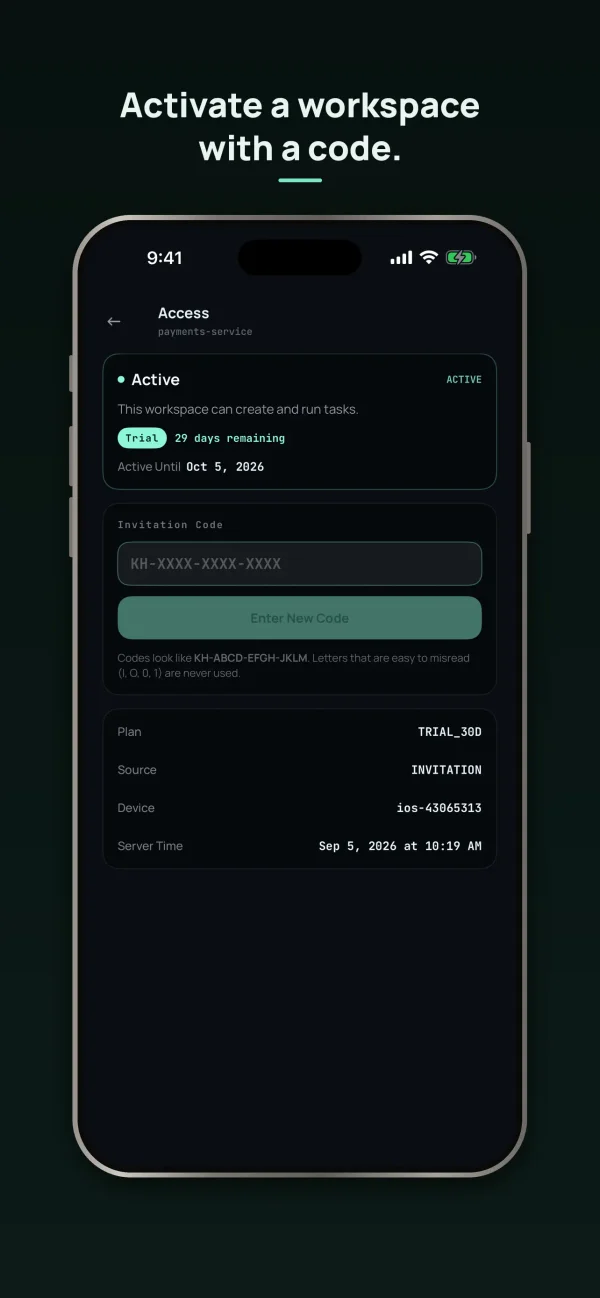
About
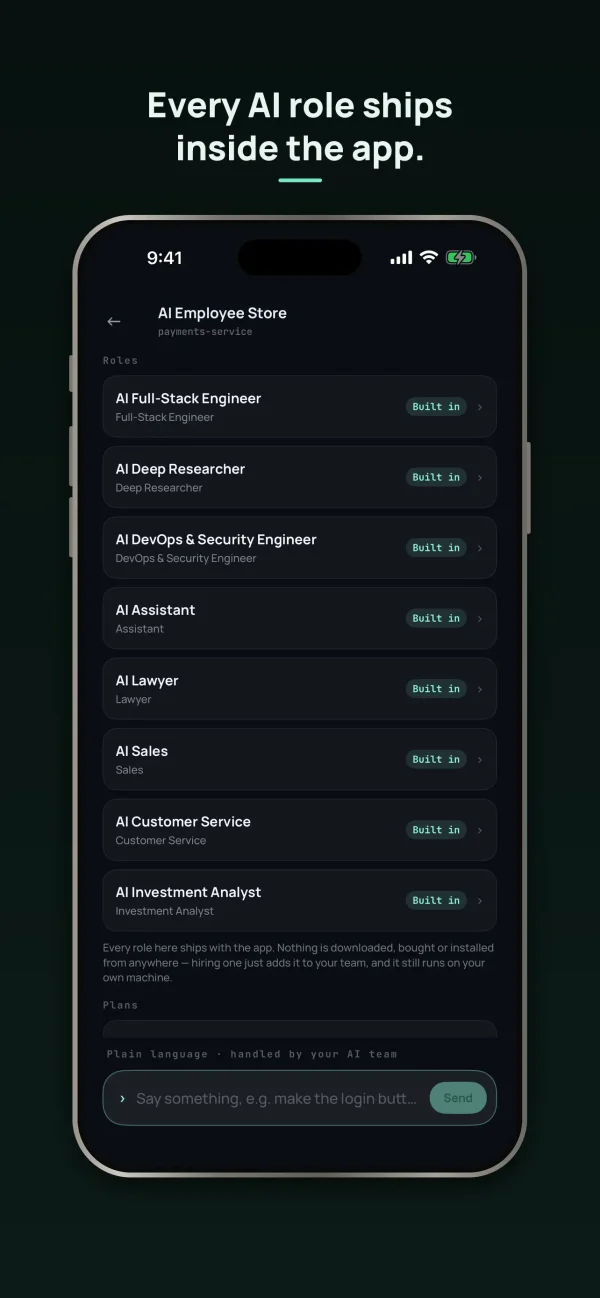
KernelHub connects the CLI coding agents already running on your own machine — Claude Code, Codex, Antigravity CLI — to the phone in your pocket.
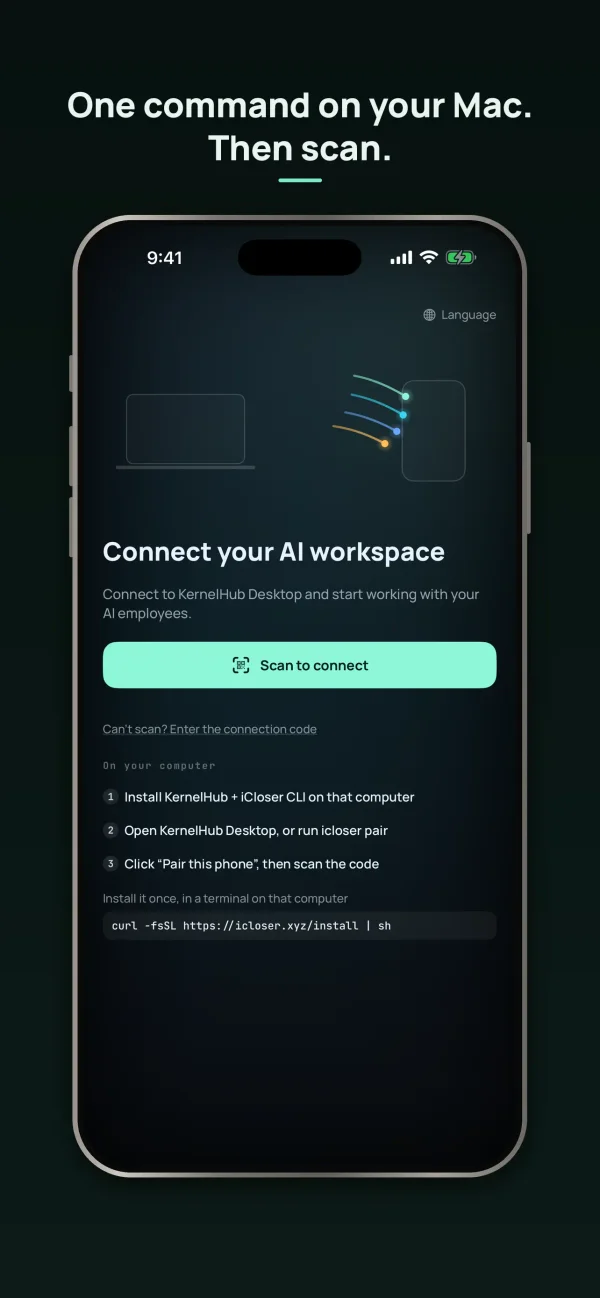
Getting started is one command. In your project folder, run icloser pair. It prints a code. Scan it. That's the setup.
WHAT IT IS FOR
You leave your desk mid-task. Later, on your phone, you want to know what your agent decided, approve the thing it's waiting on, or say one more sentence — without re-explaining the whole project from scratch.
KernelHub keeps tasks, agents, memory and files together, so the next device picks up where the last one stopped.
HOW IT WORKS
• Say it in plain language. Your sentence is queued verbatim and handed to the CLI runtime on your own machine.
• Watch it happen. A single timeline shows what needs you, what is running, and what finished.
• Decide from anywhere. Approvals, questions and conflicts are actionable from the phone.
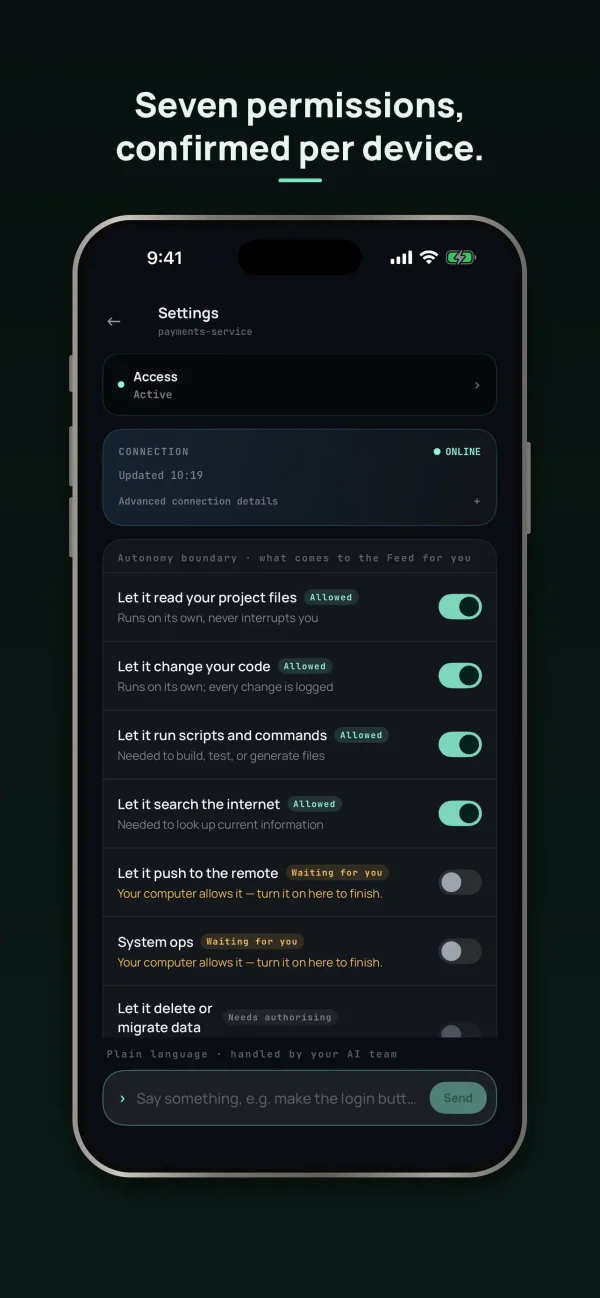
• Seven permission levels — read, change code, run commands, search the web, push, system ops, delete or migrate data — each confirmed per device. Permission granted on one device is never inherited by another.
WHAT IT DOES NOT DO
KernelHub never holds your model API keys, and the backend never calls a model. Every conclusion comes from the runtime signed in on your own machine. The workspace token lives in this device's Keychain and never syncs via iCloud.
When it cannot read your workspace, it says so. It will not draw an empty screen and let you conclude there is nothing to do — that misreading is exactly what this app exists to prevent.
REQUIREMENTS
A machine running icloser, reachable from your phone, with at least one CLI coding agent installed and signed in.
App privacy
What iCloser Ltd. declares on the App Store about how this app handles data.
-
Data not collected
The developer does not collect any data from this app.
Privacy practices may vary, for example with the features you use or your age.
Information
- Seller
- iCloser Ltd.
- Category
- Utilities
- Version
- 1.0
- Updated
- Sep 20, 2026
- Released
- Sep 20, 2026
- Size
- 6.9 MB
- Requires
- iOS 17.0 or later
- Age rating
- 4+
- Languages
- English, Simplified Chinese, Traditional Chinese
- Copyright
- © 2026 iCloser Ltd.
You might also like
-
 Silicon AuditChip security, measured
-
 SR2 IntelligencePrivate Scam & Threat Analysis
-
 どこでもCLI - SSHターミナルUtilities
-
 NoxGate - SSH TerminalSSH terminal, SFTP and keys
-
 Kompound: Knowledge CompoundedStop forgetting what you learn
-
 Black Keyboard: Pure BlackA simple black keyboard
-
 AnyMetrics – API to WidgetBuild Widgets from Any API
-
 AI Media Converter: MP4 to MP3Convert Video, Audio & Image
-
 Scale For Grams: Gram ScaleDigital Scales & Phone Scales
-
 Crios: Network Scanner & MapWi-Fi analyzer, IP & port scan