
Keybloom: Piano Practice
Learn Songs, Find Your Rhythm
Designed for iPhone, iPad
Free · In-app purchases
- Age rating12+
- CategoryMusic
- DeveloperTam Nguyen
- LanguagesEnglish
- Size10.4 MB
Links to the official App Store page
Download.org hosts no file of Keybloom: Piano Practice. The button opens its official App Store page, published by Tam Nguyen. Listing last checked on Nov 26, 2026.
Screenshots


About
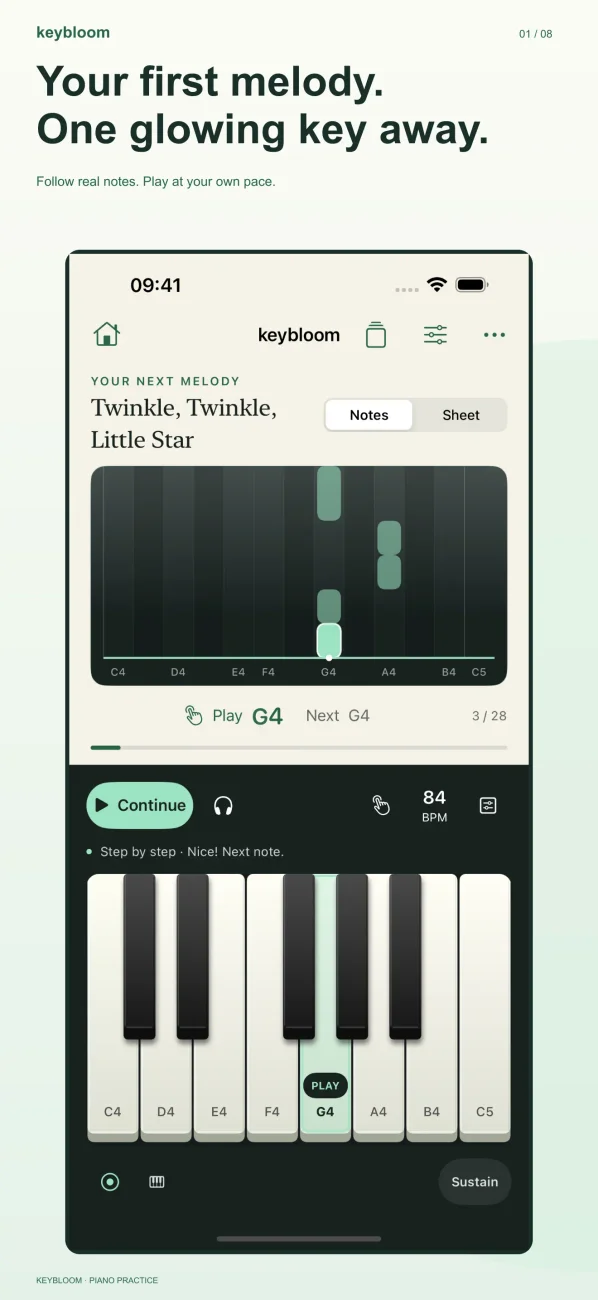
Make room for a little music. Play 50 free short melodies, follow the next note and build your own practice collection. No separate piano or account is needed for everyday practice.
A PIANO WORKSPACE THAT UNFOLDS
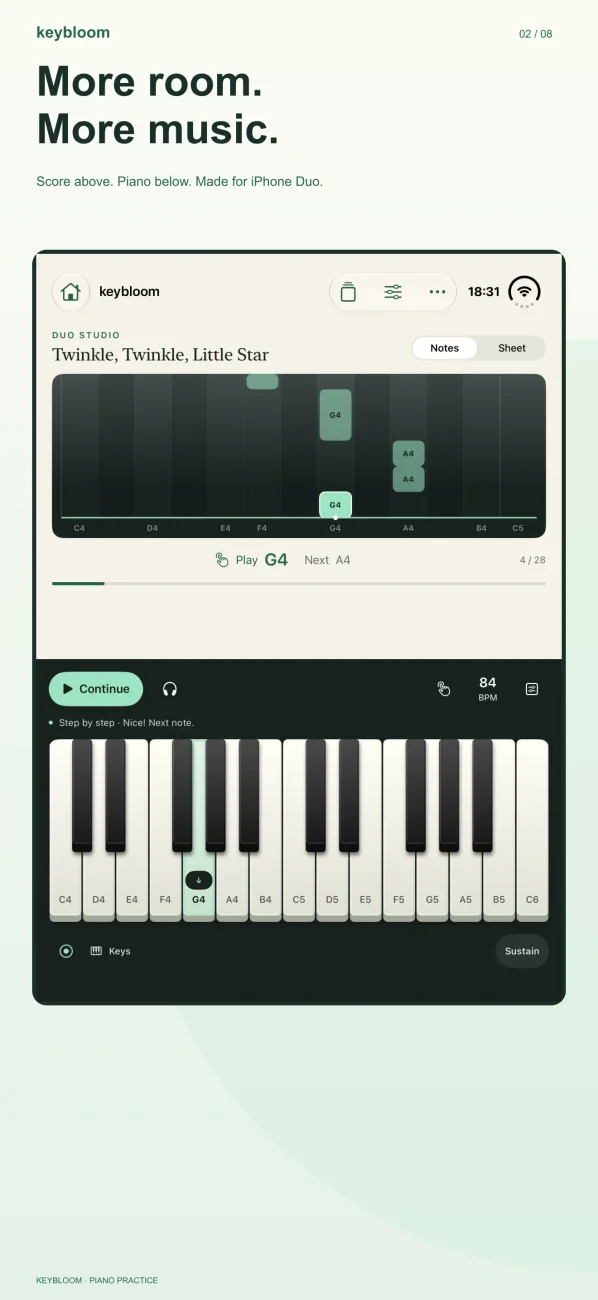
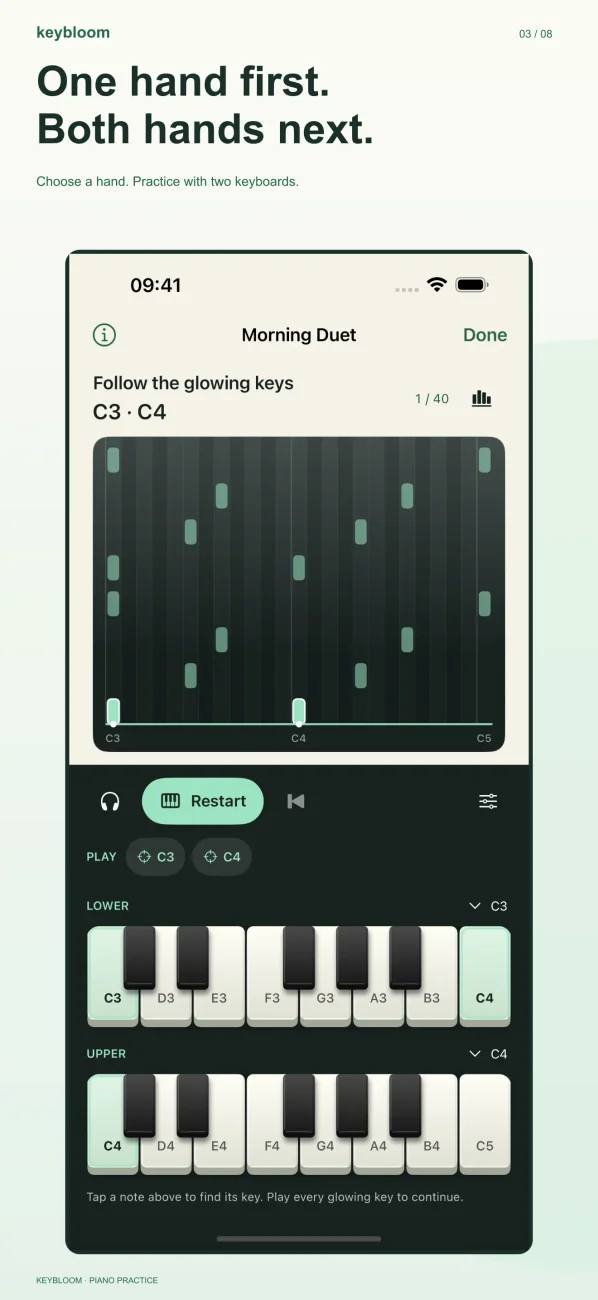
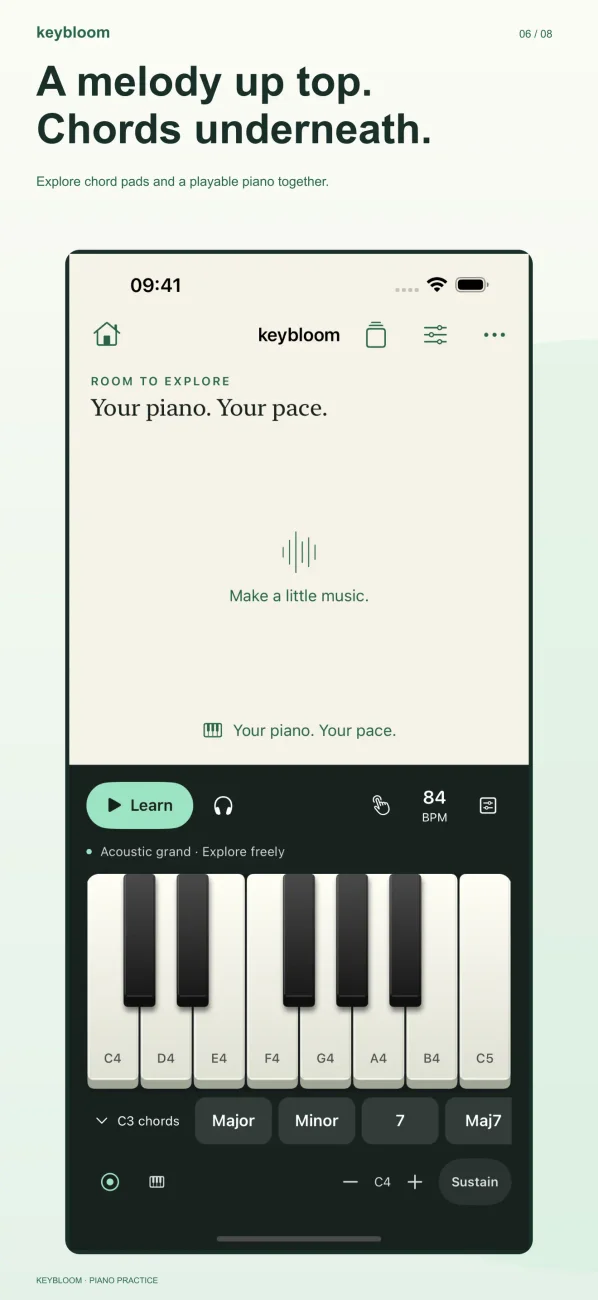
On iPhone Duo, the guide and keys adapt around the fold while your selected piece and practice progress stay with you. Keybloom also supports portrait and landscape on other iPhones and iPads. Choose one keyboard, two independently ranged keyboards, or a melody keyboard with chord pads.
KNOW WHAT TO PLAY NEXT
Follow falling notes, read sheet music, or choose Numbers to match 1–7 to the highlighted keys. Listen to a phrase, then try it yourself. Step-by-step practice waits for your notes; Follow the beat helps you practice timing. Adjust the tempo, use the metronome or repeat a phrase.
FIND YOUR NEXT MELODY
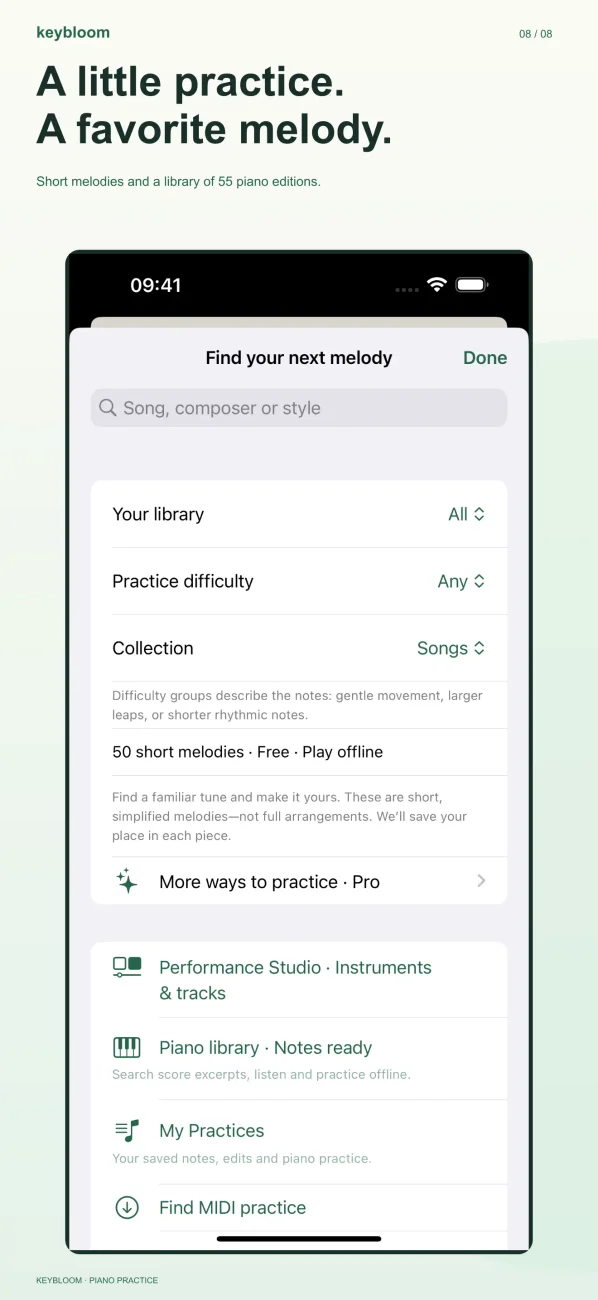
Start with 50 short, simplified melody excerpts, including Twinkle, Twinkle, Little Star, Für Elise, Jingle Bells and Amazing Grace. Search by title or composer, save favorites and return to recent pieces. An additional offline Piano library offers score-derived excerpts from 55 public-domain editions, with source credits. These are practice excerpts, not full arrangements or recordings.
MAKE YOUR OWN PRACTICES
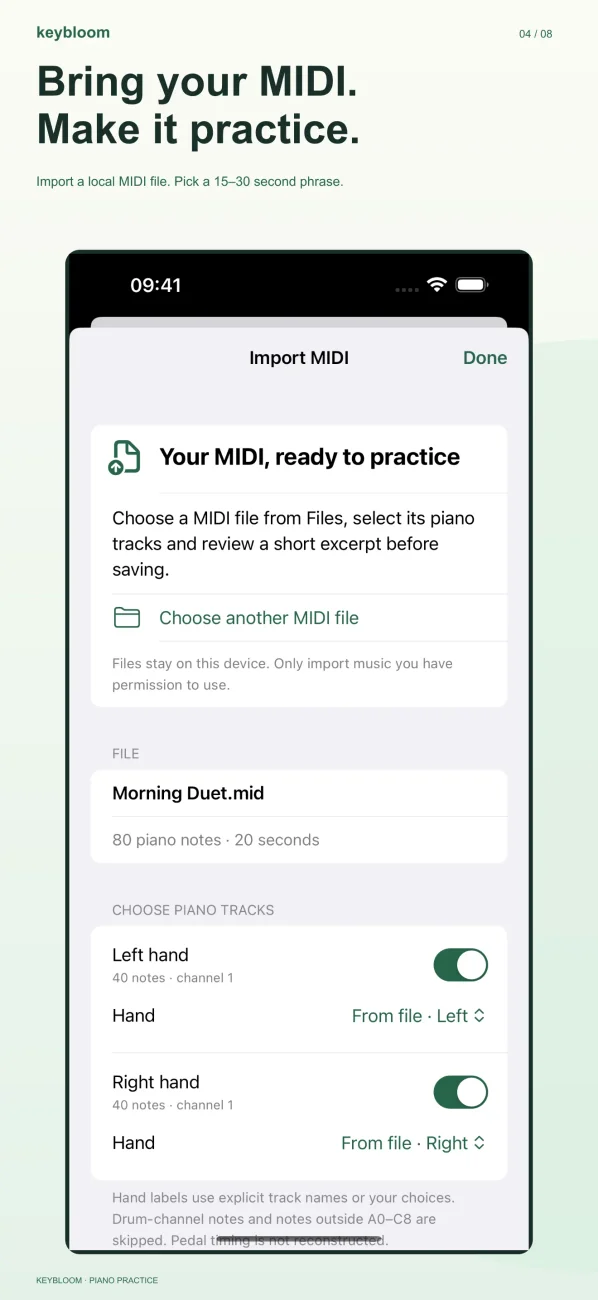
Import a standard format-0 or format-1 MIDI file from Files, choose a 15–30-second phrase and review its notes. Listen, edit and save it in My Practices. Assign tracks to either hand or use an adjustable pitch split, then work on the left hand, right hand or both. Share your edited note practice as MIDI. Saved practices and the bundled libraries work offline.
WATCH, PAUSE, TRY IT
Search YouTube tutorials inside Keybloom and watch beside the piano keyboard. Pause a phrase, adjust the available video speed and try it yourself. Video practice is manual free play: a YouTube link does not automatically become guided notes. Online discovery and video playback require internet.
FIND YOUR SOUND
Choose nine sounds: a sampled acoustic grand and eight original synthesized voices, including electric piano, organ, strings, flute, guitar, bass and bells. Shape the sound with bass and treble controls, reverb and delay. Choose a color theme, show note names or use wider keys.
BUILD A LITTLE BAND WITH PRO
The optional one-time Keybloom Pro purchase includes performance recording and a Studio with up to eight looped note tracks. Overdub another part, choose each track's sound and adjust volume, mute or solo. Play with original backing patterns or your own audio from Files; imported audio keeps its original tempo. Export a WAV mix with sound and effects, or MIDI note tracks. MIDI does not include audio backing or effects.
CONNECT YOUR MUSIC
Music connections offers USB and Bluetooth LE MIDI keyboard input with velocity and sustain. Start an optional nearby jam for up to four Keybloom players. Accepted peers exchange piano note events, not microphone audio or saved music files. Connections stop when the app enters the background.
KEEP A LITTLE MUSIC IN YOUR DAY
Follow the beginner journey, choose a daily goal and set optional local practice reminders. Try Game Center rhythm rounds on five starter lessons; ranked rounds use fixed settings and nearby assistance switches them to ordinary practice. Game Center is optional.
Pro also includes 10 additional lessons, an advanced learning path, practice history, custom loops and progressive tempo. No subscription. Keybloom has no banner ads; embedded YouTube videos may show YouTube ads.
Start with one note. See where it takes you.
What’s new
Version 1.3.1 · Nov 25, 2026
Play piano by number. Choose Numbers in a lesson to follow the melody using 1–7 and find the matching highlighted key. In Step by step, the correct key advances the melody. Switch between Numbers, Notes and Sheet without losing your place.
On iPhone Duo, Performance Studio opens full screen and keeps your keyboard ranges as the layout changes.
App privacy
What Tam Nguyen declares on the App Store about how this app handles data.
-
Data linked to you
May be collected and linked to your identity.
- Identifiers
- Usage data
-
Data not linked to you
May be collected but is not linked to your identity.
- Search history
Privacy practices may vary, for example with the features you use or your age.
Information
- Seller
- Tam Nguyen
- Category
- Music
- Version
- 1.3.1
- Updated
- Nov 25, 2026
- Released
- Sep 14, 2026
- Size
- 10.4 MB
- Requires
- iOS 17.0 or later
- Age rating
- 12+
- Price
- Free
- In-app purchases
- Yes
- Languages
- English
- Copyright
- © 2026 Tiny World Tech
You might also like
-
 Piano Day: Sheet & Practice700+ quality classical scores
-
 Misolla Music: Play Piano Now!Learn to play on the piano!
-
 Page2Play: Piano Practice ScanFalling-bars piano trainer
-
 Legacy HymnsMusic
-
 PLAYnJAMMusic
-
 Little Piano - Learn to PlayOver 80 songs to learn
-
 CantoriaAUv3 Virtual Pipe Organ
-
 Aural WizIntervals, Scales, Chords etc.
-
 Easy Piano - Music GameFun and easy piano keyboard
-
 Learn Piano – OKTAVCourses and Sheet Music