
Keyboard Translator – KeyPad
Offline Translate Chat & Text
Designed for iPhone, iPad
Free · In-app purchases
- Age rating4+
- CategoryUtilities
- DeveloperRoval Apps Inc.
- LanguagesEnglish
- Size16.4 MB
Links to the official App Store page
Download.org hosts no file of Keyboard Translator – KeyPad. The button opens its official App Store page, published by Roval Apps Inc. Listing last checked on Nov 27, 2026.
Screenshots
About
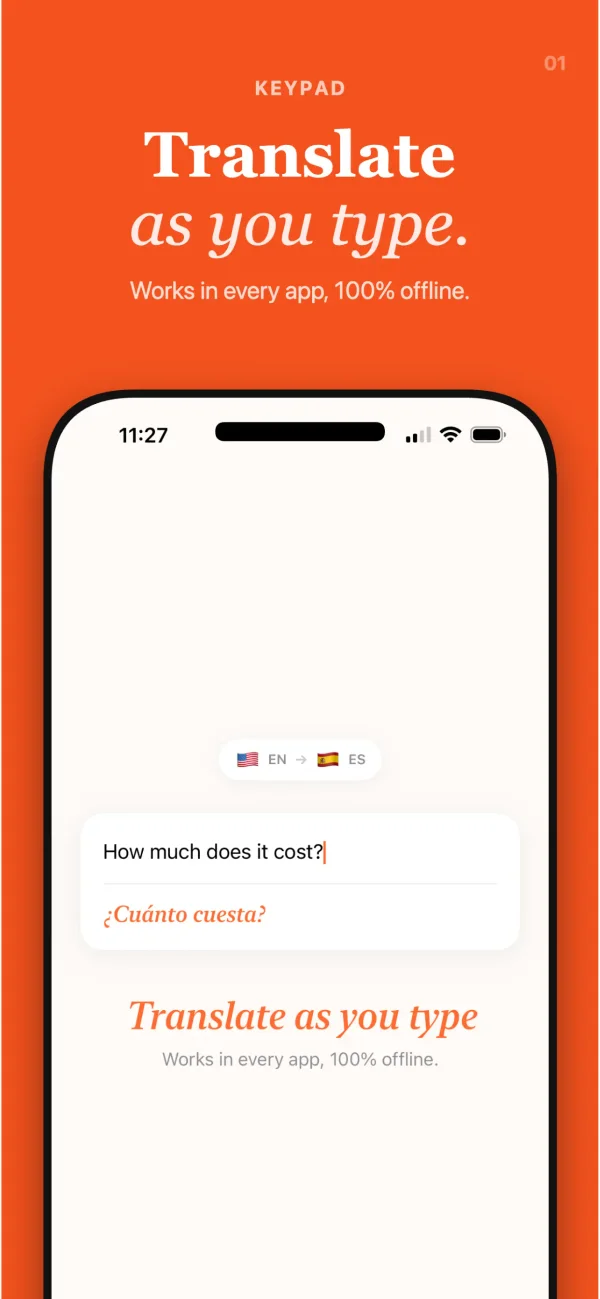
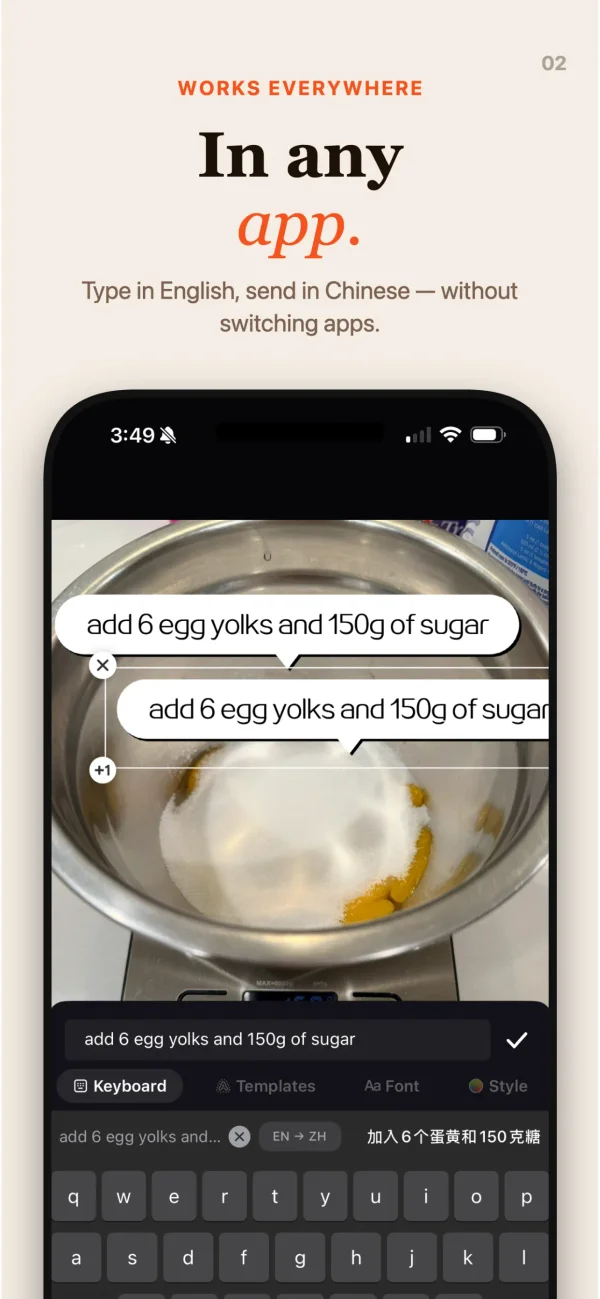
KeyPad is a custom iOS keyboard that translates your text as you type - in Messages, Mail, Safari, WhatsApp, Notes, or anywhere else you can type. No copy-paste. No switching apps. No internet connection required.
Powered by Apple’s on-device Translation framework, KeyPad runs every translation locally on your iPhone. Your words never touch a server.
HOW IT WORKS
Type naturally in your language
See the live translation above the keys as you type
Tap the orange Translate key to replace your text with the translation
Send your message - that’s it
AI REPLY
Copy any message, then tap the sparkles key
KeyPad drafts a reply on-device in the tone you choose - Smart, Flirty, or Recommended
Add a little context and it tailors the reply to the conversation
Tap Insert to drop it straight into the chat
Runs entirely on-device. Requires iOS 26 and Apple Intelligence.
TRANSLATE FROM PHOTOS
Share a photo of a sign, menu, or screenshot to KeyPad
On-device text recognition reads the words, then translates them.
Built for travel - still 100% offline
WHY KEYPAD
FULLY OFFLINE. Works on airplanes, on the subway, abroad without data.
PRIVATE BY DESIGN. Zero network calls from the keyboard. Nothing is logged, nothing is sent.
WORKS IN EVERY APP. Not a sandboxed translator you copy-paste out of. The keyboard goes where you go.
NATIVE FEEL. Pixel-matched to the iOS system keyboard. Same key sizes, same haptics, same muscle memory.
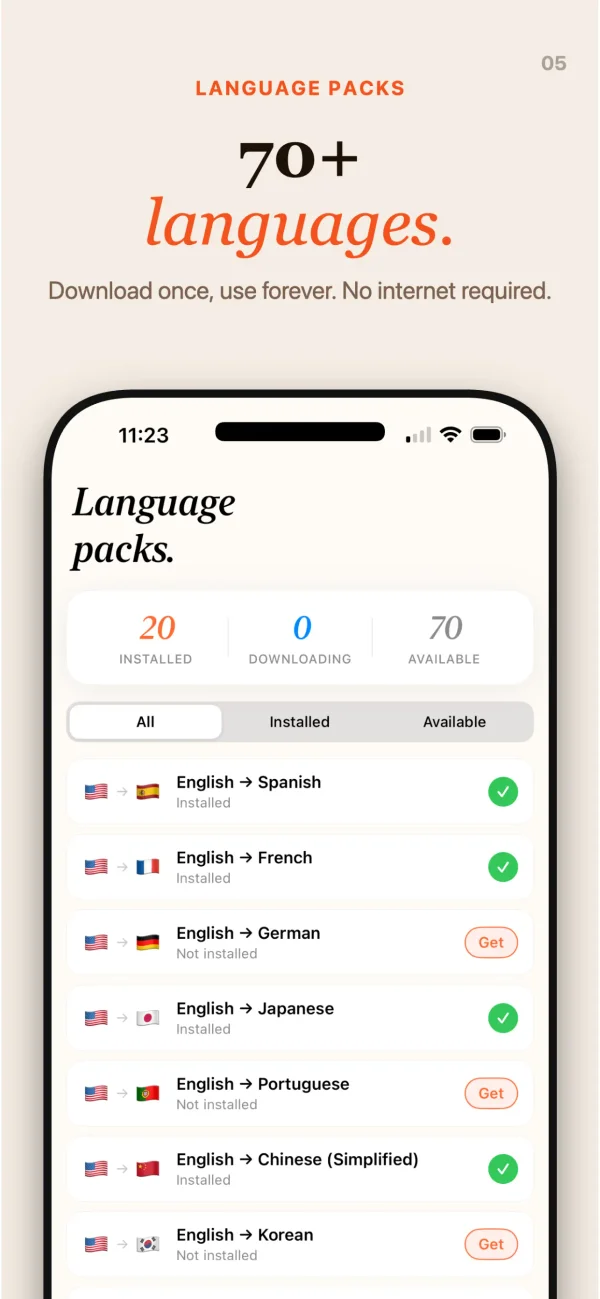
MORE LANGUAGES. Native layouts for QWERTY, QWERTZ, and AZERTY, plus Korean (Hangul), Japanese (Romaji to Hiragana), and Chinese (Pinyin). Long-press any key for accented characters.
SMART AUTOCORRECT. A system-style suggestion bar with inline typo correction when you type in English.
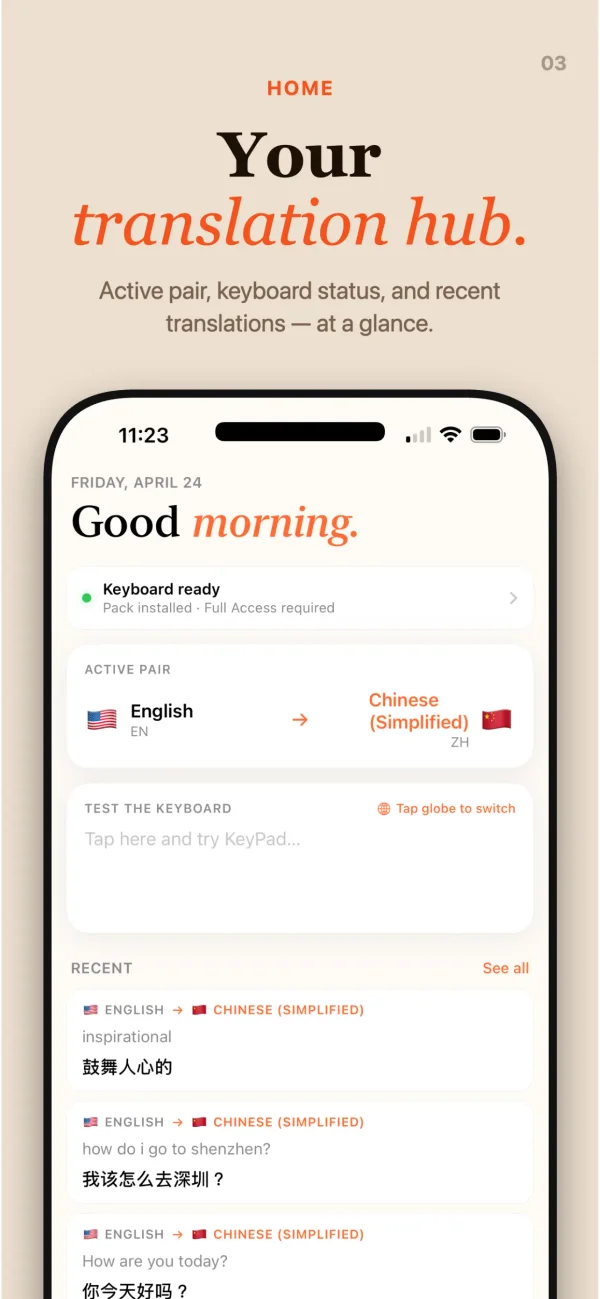
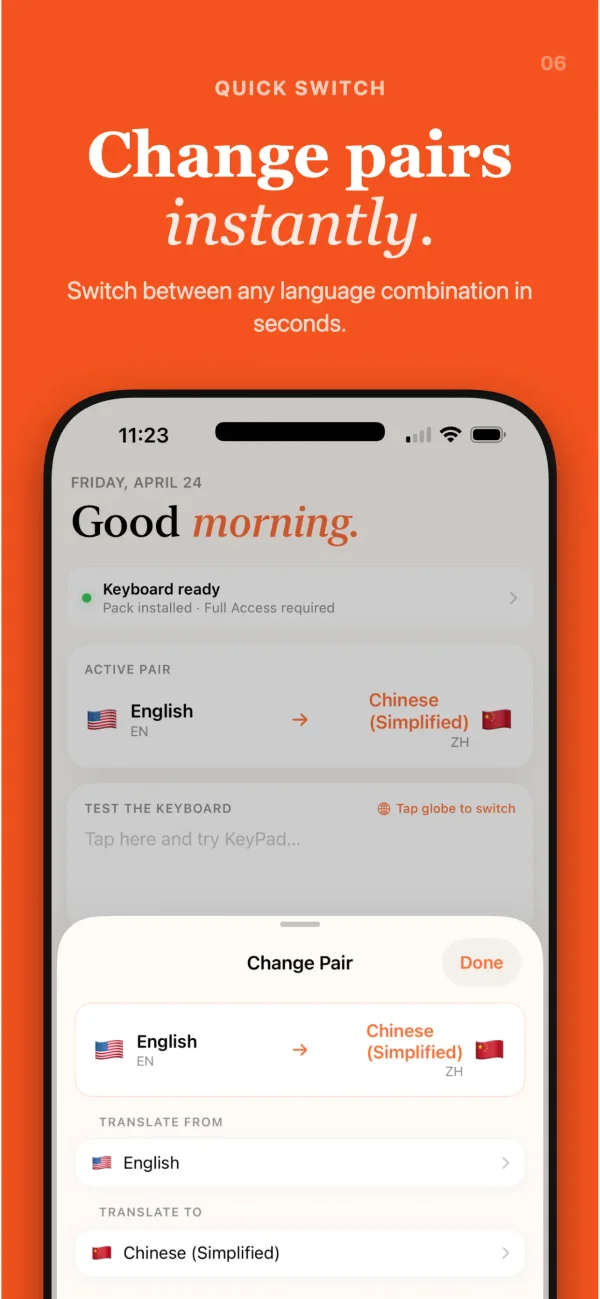
INSTANT LANGUAGE SWAP. Tap the language pair above the keys to change source or target without leaving your app.
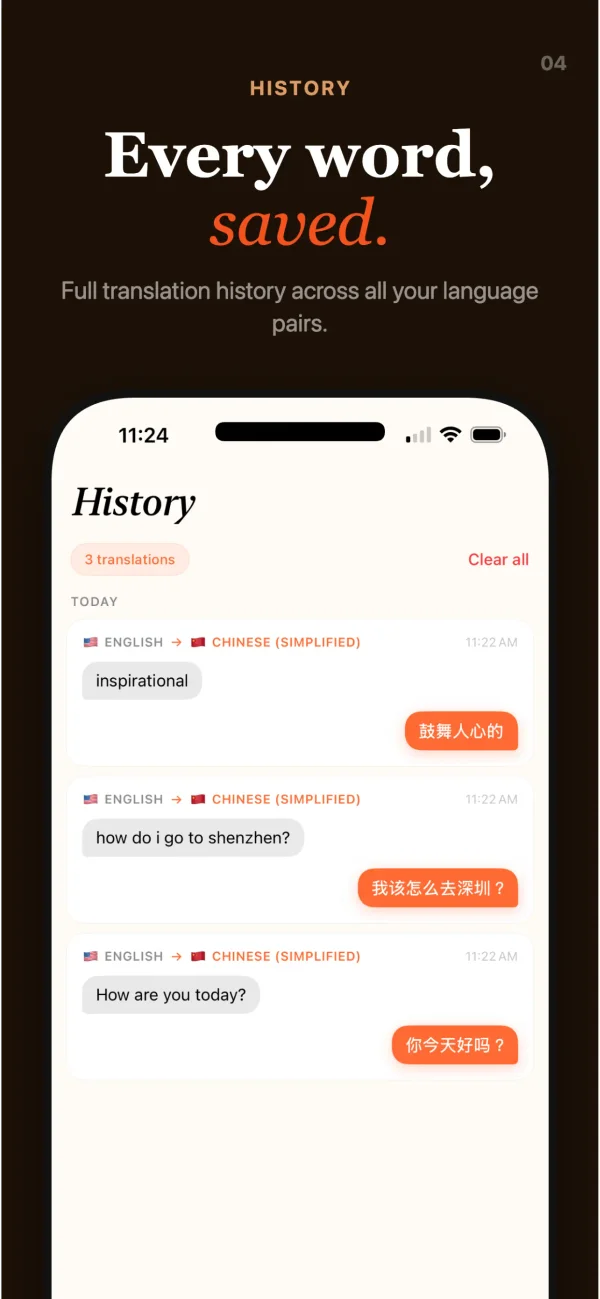
LOCAL HISTORY. Your last 100 translations stay on your device.
CLIPBOARD HISTORY. Off by default. Reinsert recent copies from the keyboard. Stored only on your device.
PERFECT FOR
Texting friends or family in a different language
Replying to emails from international clients
Language learners who want to write, not just read
PRIVACY YOU CAN VERIFY
Full Access enables Apple’s on-device Translation framework. It also lets the keyboard read your clipboard, only when you tap the AI Reply key or turn on Clipboard History; that text stays on your device. KeyPad never logs your keystrokes, never sends them anywhere, and makes zero network calls from the keyboard itself.
Your language preferences and translation history are stored locally - never synced, never uploaded.
REQUIREMENTS
iOS 18 or later (AI Reply requires iOS 26 and Apple Intelligence)
iPhone with A12 Bionic chip or newer
Language packs downloaded on first use (one-time, offline afterward)
GETTING STARTED
1. Install KeyPad and complete the quick setup
2. Choose your languages and download the pack
3. Enable the keyboard in Settings, General, Keyboards
4. Grant Full Access (required for Apple’s Translation bridge)
5. Switch to KeyPad with the globe key in any app and start typing
KeyPad is free to use, with daily limits on translations and AI replies. KeyPad Pro unlocks unlimited translations, unlimited AI replies, photo translation, and additional language packs.
KeyPad Pro comes as an auto-renewing subscription or a one-time purchase:
Monthly: $2.99/month
Annual: $14.99/year, with a 7-day free trial for eligible new subscribers
Lifetime: $24.99 (one-time, non-renewing)
Prices in USD; may vary by region. Payment is charged to your Apple ID at confirmation, or when a free trial ends. Subscriptions renew automatically unless cancelled at least 24 hours before the end of the current period. Manage or cancel in Settings, Apple Account, Subscriptions.
Privacy Policy: https://keypad.rovalapps.com/privacy
Terms of Use (EULA): https://www.apple.com/legal/internet-services/itunes/dev/stdeula/
Made by Roval Apps. Questions or feedback? Email romano@rovalapps.com
What’s new
Version 1.11 · Nov 5, 2026
• Cancel your KeyPad Pro subscription right from Settings → Manage. Tell us why in a couple of taps, and we hand you to Apple to finish — your access stays active until the end of the billing period.
• Your plan status now refreshes the moment you come back from Apple's subscription settings.
• Small fixes and polish.
App privacy
What Roval Apps Inc. declares on the App Store about how this app handles data.
-
Data linked to you
May be collected and linked to your identity.
- Purchases
- Contact info
- User content
- Identifiers
Privacy practices may vary, for example with the features you use or your age.
Information
- Seller
- Roval Apps Inc.
- Category
- Utilities
- Version
- 1.11
- Updated
- Nov 5, 2026
- Released
- Apr 27, 2026
- Size
- 16.4 MB
- Requires
- iOS 18.0 or later
- Age rating
- 4+
- Price
- Free
- In-app purchases
- Yes
- Languages
- English
- Copyright
- © Roval Apps inc.
You might also like
-
 TypeTranslate: AI TranslatorTranslation Keyboard for Chat
-
 Full Screen Camera ViewerUtilities
-
 AI Translator Keyboard - iKeyTranslate Chat in Any Language
-
 Phone Storage Cleaner: RecycleDelete Duplicate Photos
-
 Convert Video to MP3: VidoTuneMP3 Converter -Audio Extractor
-
 Voice Reminders Alarm ClockAlarms With Your Own Voice App
-
 Timezone Converter - CelesteWorld Clock time zone convert
-
 LudyExif - EXIF EditorMetadata Viewer & Remover
-
 EFKey – Swipe & AI KeyboardTranslate, dictate, gestures
-
 Swipe Delete Photos: CleanKitClean Up Storage & Free Space