
- Age rating4+
- CategoryEducation
- DeveloperDarrel Branson
- LanguagesGerman+ 11 more
- Size7.6 MB
Links to the official App Store page
Download.org hosts no file of Kid Pad. The button opens its official App Store page, published by Darrel Branson. Listing last checked on Nov 23, 2026.
Screenshots


About
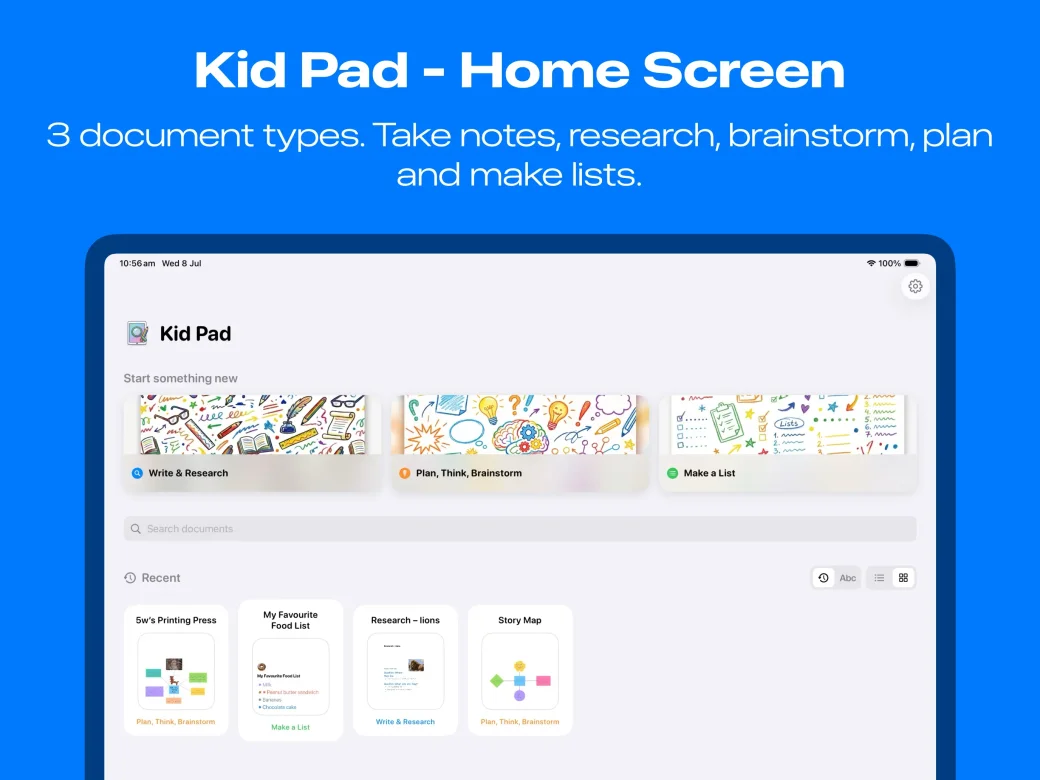
Kid Pad is a visual workspace designed for primary school students (Years 1–6) to capture ideas, research safely, and organise thoughts without clutter. Whether drafting a science report, mapping ideas, or tracking daily tasks, Kid Pad provides a distraction-free space for young minds to work independently.
Why Kids & Teachers Love Kid Pad:
** Three Creative Modes:**
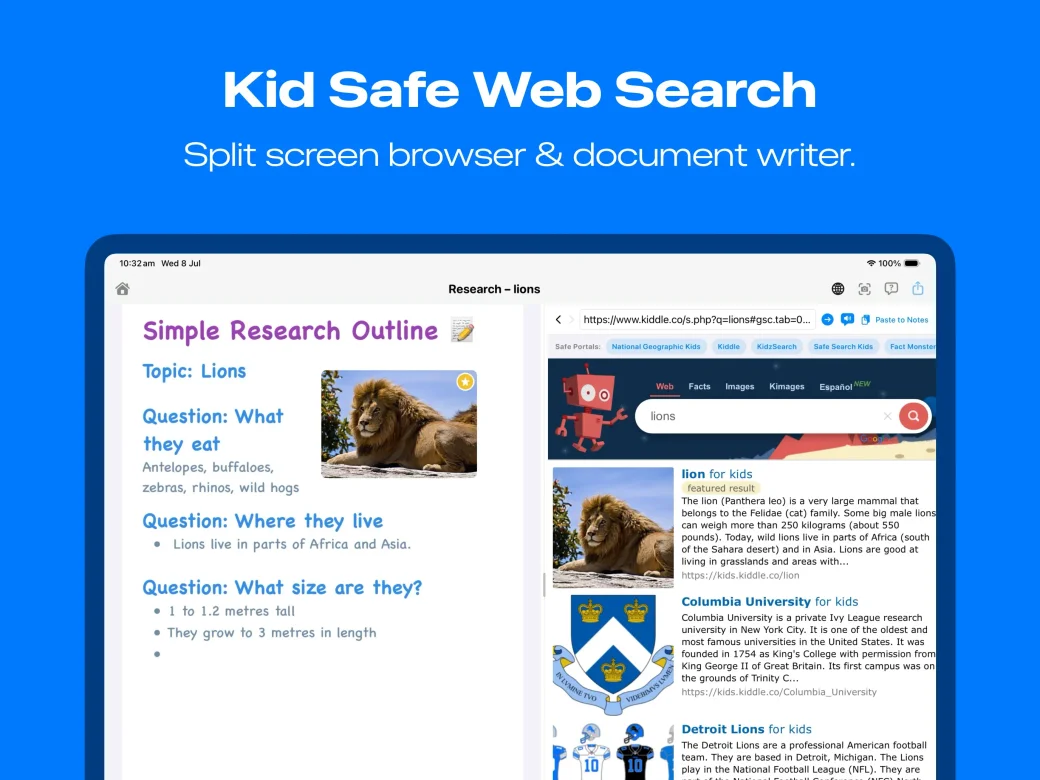
Switch seamlessly between Research (writing & web discovery), Brainstorm (concept mapping), and Make a List (checklists). ** Safe Web Research:**
An embedded split-screen browser enforces safe search filters (Kiddle, Safe Search Kids, Fact Monster) for a protected learning environment.
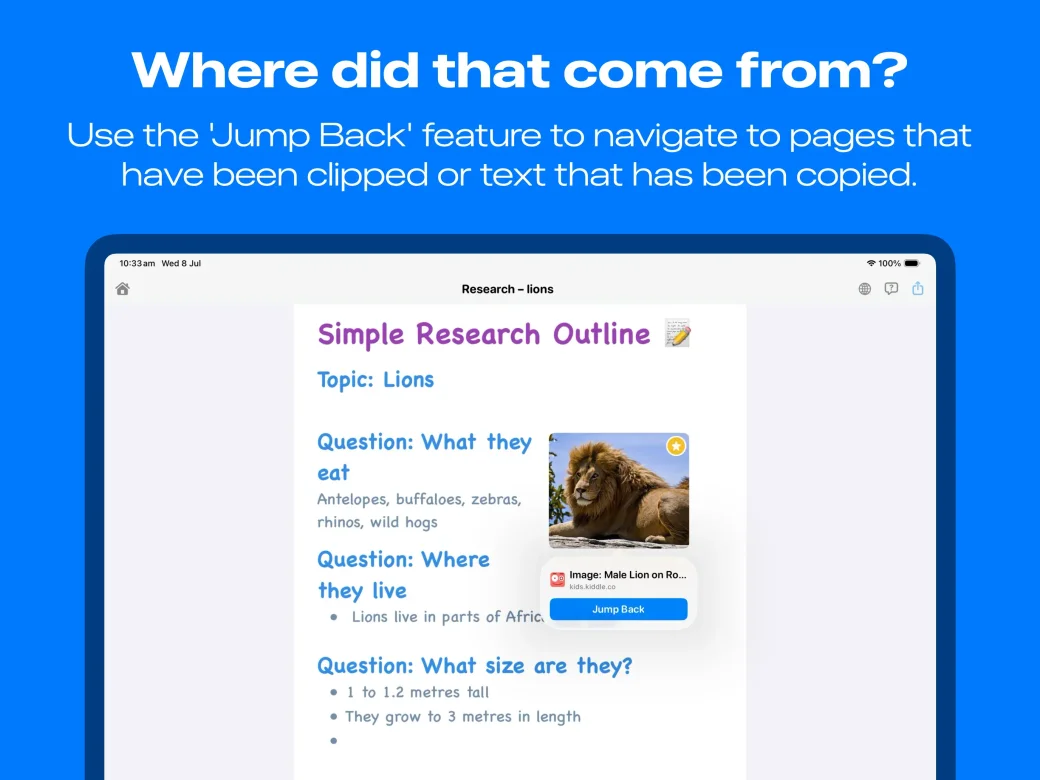
** Source Stickers:**
Clipping text or images creates a colorful source sticker. Tapping it shows the website and builds an automatic bibliography!
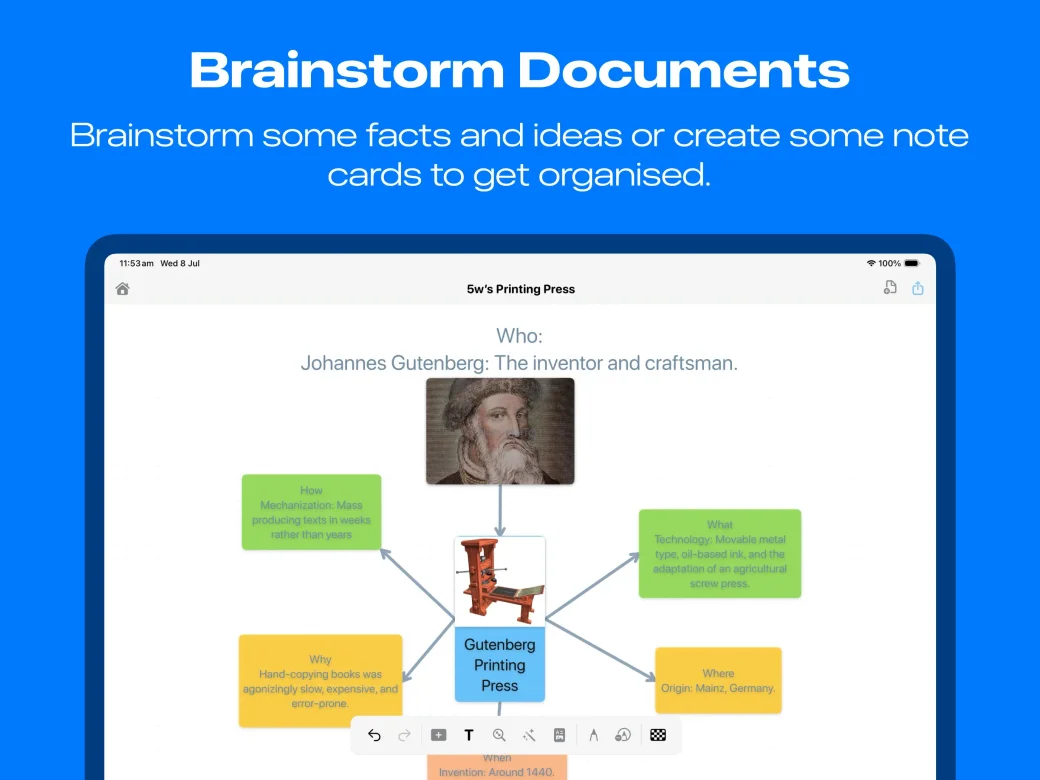
** Brainstorm to Outline:**
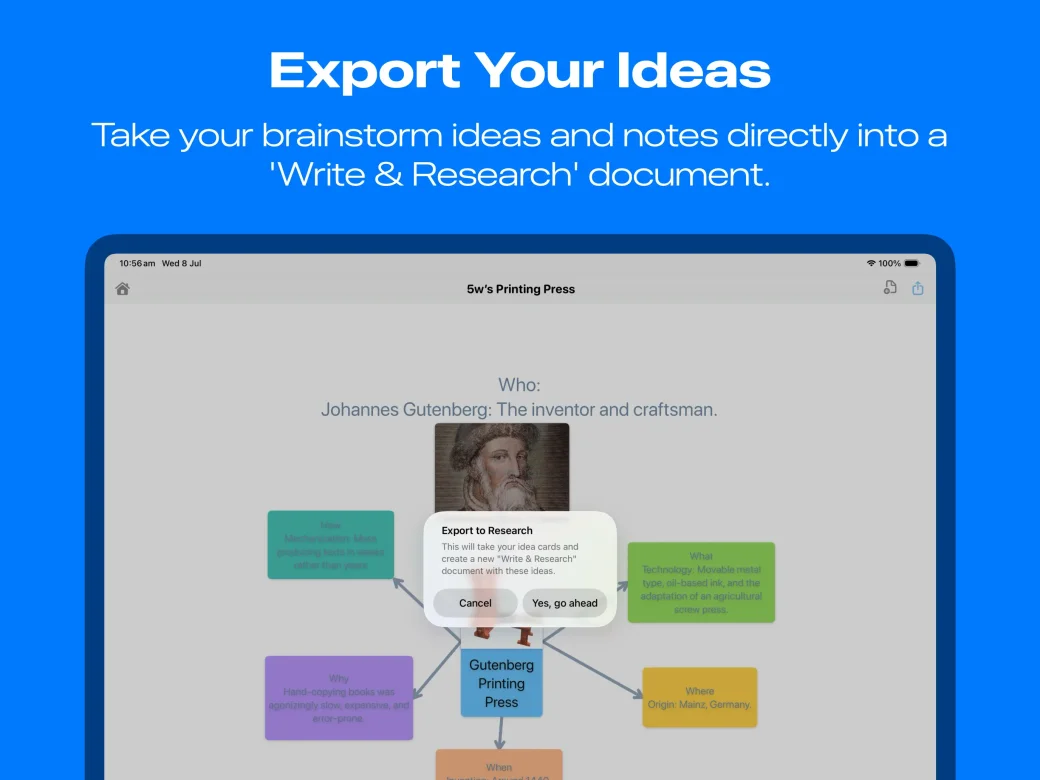
Turn connected brainstorming cards or checklists into a structured research document with one tap.
** Draw & Type Freely:**
Use touch or Apple Pencil to sketch ideas and connections, with "Magic Tidy" snapping cards into neat layouts.
** Focus Slideshow Mode:**
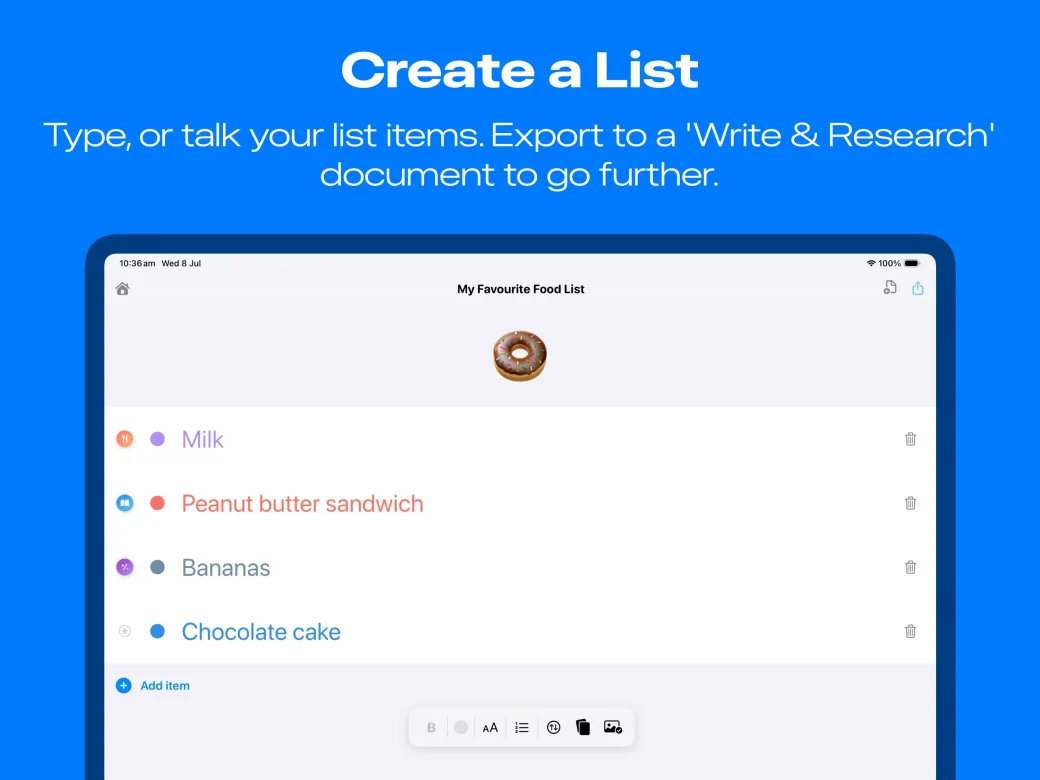
View checklists one item at a time with fun bubble-popping and confetti celebrations to keep kids motivated.
Key Features:
1. Research Mode: Write & Discover
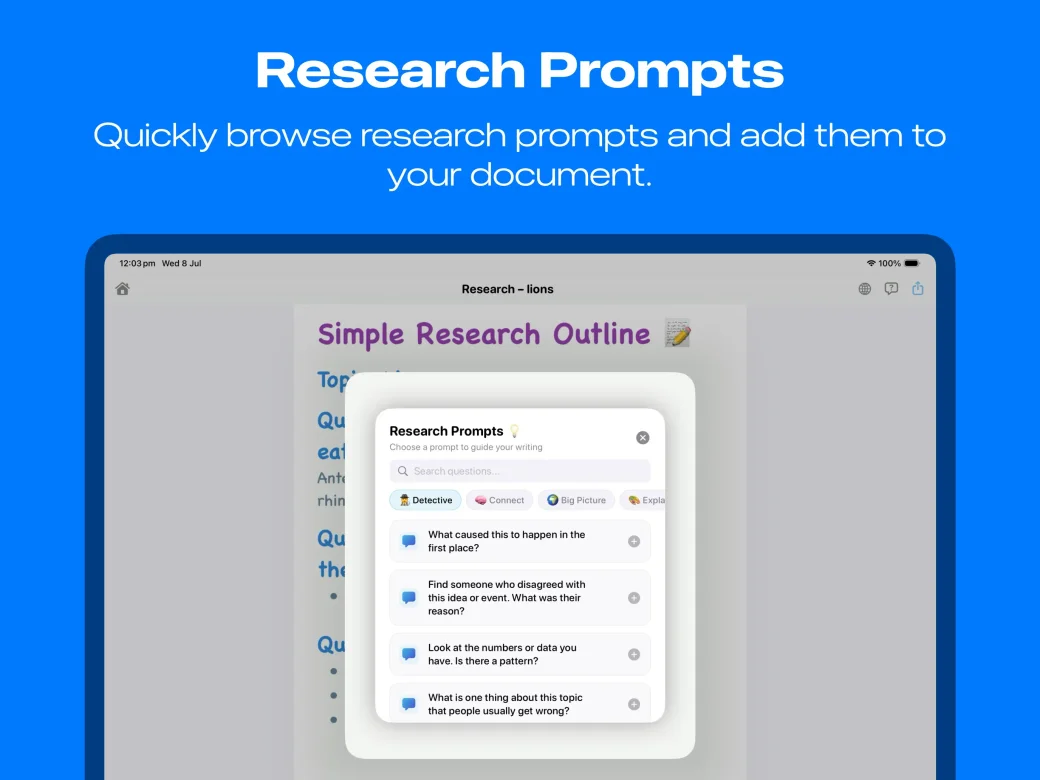
Safe Portals: Preloaded kid-friendly links matching classroom topics. Screen Snippets: Drag images or text directly into notes. Kid-Friendly Formatting: Large fonts (up to 150pt) and fun styles like Chalkboard and Marker Felt. Visual Media Shelf: Easily browse notes and insert emojis.
2. Brainstorm Mode: Visual Mind Mapping
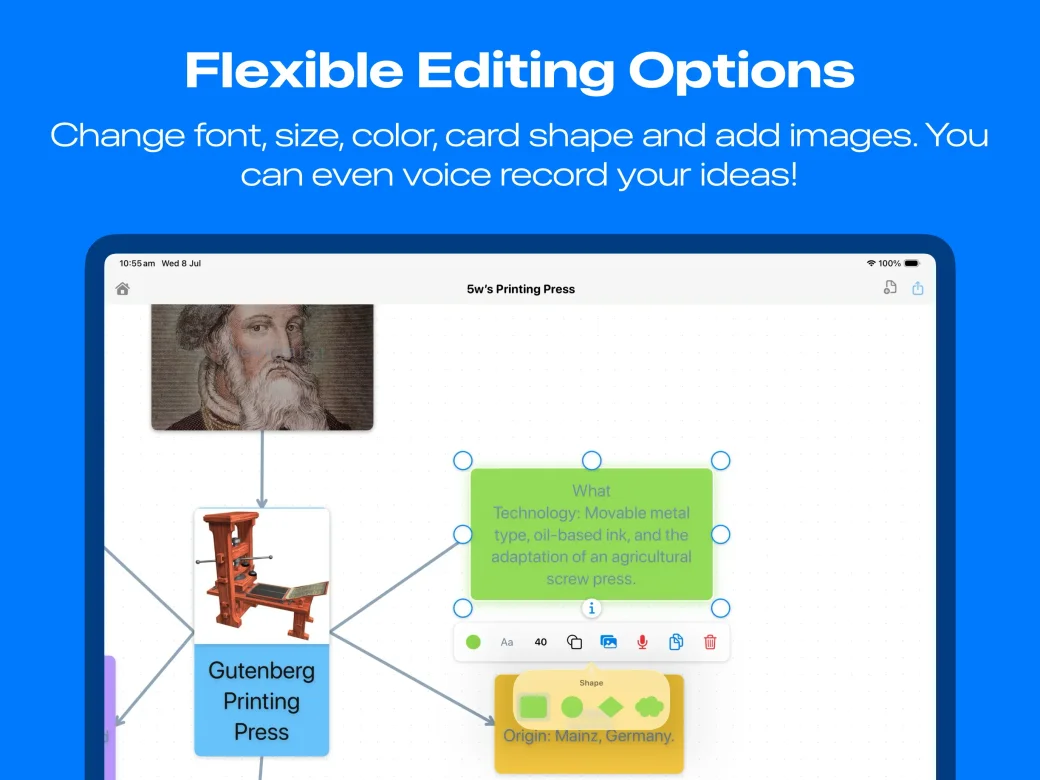
Expansive Canvas: 6000 x 5000 canvas to zoom, pan, and grow big ideas. Custom Cards: Cloud, Rectangle, Circle, and Diamond shapes with colors and emoji covers. Smart Arrows: Connection paths stay locked as cards move. Magic Tidy: Instantly align overlapping cards with a tap.
3. Make a List: Structured Tasks
Task Stickers: Badges like books, brushes, and sports gear. Simple Checklists: Clean layout with zero confusing hierarchies. One-by-One View: Focus on single steps in slideshow mode.
Safe & Private:
100% Private & Local: Stored on-device. No accounts, logins, or cloud tracking. Ad-Free: No third-party ads or pop-ups. Easy Sharing: Export as plain text (.txt), PDF, or images.
What’s new
Version 1.2.1 · Nov 15, 2026
What's New in This Version:
Kid Pad is going global! In this update, we’ve brought full multi-language support and beautiful native typography to students around the world.
12 New Languages:
Kid Pad is now fully localized into Spanish, French, German, Italian, Portuguese (Brazil & Portugal), Dutch, Swedish, Norwegian, Danish, Japanese, and Korean! Every menu, tool, template, and export now speaks your student's language.
Educational Typography for Japanese & Korean:
• Japanese: Notes now render with YuKyokasho (游教科書体) — the official elementary school textbook handwriting font — along with playful rounded Hiragino Maru and classic Mincho styles.
• Korean: Enjoy clean, friendly rounded Korean Gothic and classic Myeongjo serif typography.
• Dual-Script Font Previews: Easily preview how your favorite fonts style both native characters and Latin alphabets directly in the font menu.
Seamless Across Notes & Brainstorms:
Whether writing a science report or organizing ideas on the brainstorm canvas, multi-language and mixed-alphabet notes look sharper, clearer, and more playful than ever.
Improvements & Polish:
• Smarter localized document naming and date formats.
• Enhanced accessibility voice-over support across all 13 languages.
• Performance and stability enhancements for iPadOS.
Love Kid Pad? Please leave us a rating or review on the App Store!
App privacy
What Darrel Branson declares on the App Store about how this app handles data.
-
Data not collected
The developer does not collect any data from this app.
Privacy practices may vary, for example with the features you use or your age.
Information
- Seller
- Darrel Branson
- Category
- Education
- Version
- 1.2.1
- Updated
- Nov 15, 2026
- Released
- Nov 12, 2026
- Size
- 7.6 MB
- Requires
- iOS 18.0 or later
- Age rating
- 4+
- Languages
- German, Danish, English, French, Italian, Japanese, Korean, Dutch, Norwegian Bokmål, Portuguese, Swedish, Spanish
- Copyright
- © Darrel Branson 2026
You might also like
-
 Four Operations: Rigby MathsLearn the Four Operations!
-
 Maths Facts BattleMaths Fluency For Classrooms
-
 Learn to Talk: First WordsOffline Speech Games Kids 2-6
-
 Nanzoo ClockLearn Time with Animals
-
 The Allen AdventureEducation
-
 PyonkeeBased on Scratch
-
 Vocabulary AI - Vocab BuilderLearn Words & Improve English
-
 eCollectionEducation
-
 OctoStudio: Coding for KidsCreate Games and Animations
-
 Hopscotch-Programming for kidsA bite-sized intro to coding