
Kid Pickup: Family Calendar
Family calendar, chat & feed
Designed for iPhone, iPad, iPod touch
Free · In-app purchases
- Age rating4+
- CategoryLifestyle
- DeveloperJoel Wood
- LanguagesEnglish
- Size39.4 MB
Links to the official App Store page
Download.org hosts no file of Kid Pickup: Family Calendar. The button opens its official App Store page, published by Joel Wood. Listing last checked on Nov 28, 2026.
Screenshots

About
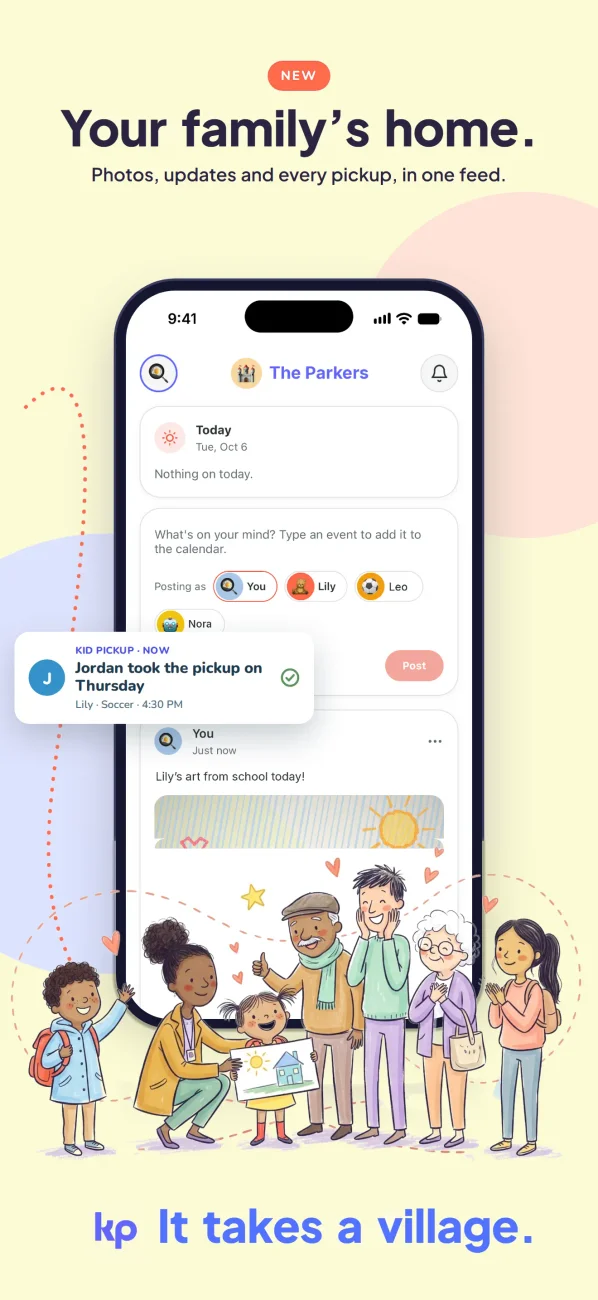
Your family’s home base, built around one question: who’s getting the kids today?
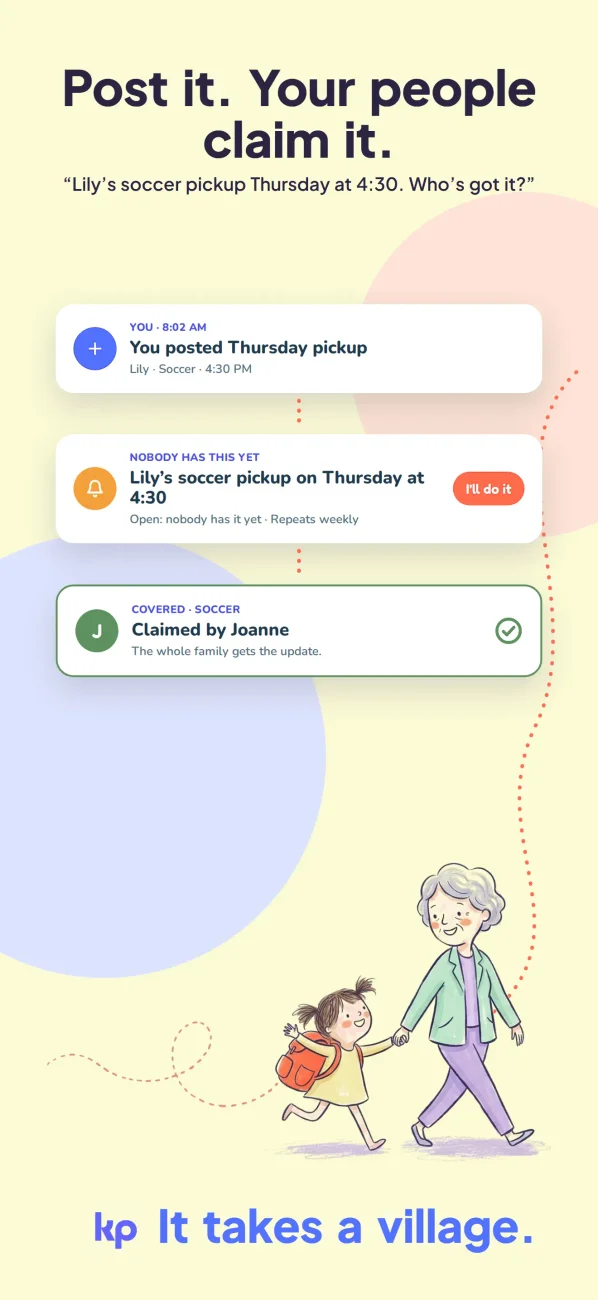
Post a pickup or drop-off. Your people see it: your partner, the grandparents, the sitter, a neighbour. One of them says “I’ve got it,” and everyone knows. If nobody has, the app nudges you while there’s still time.
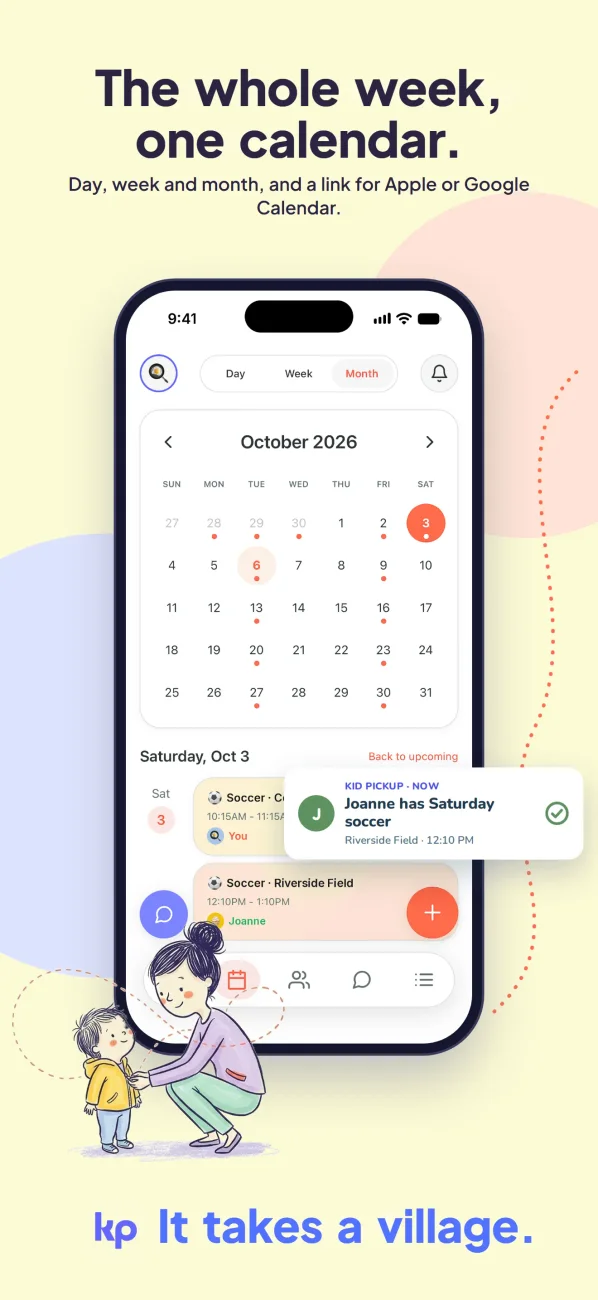
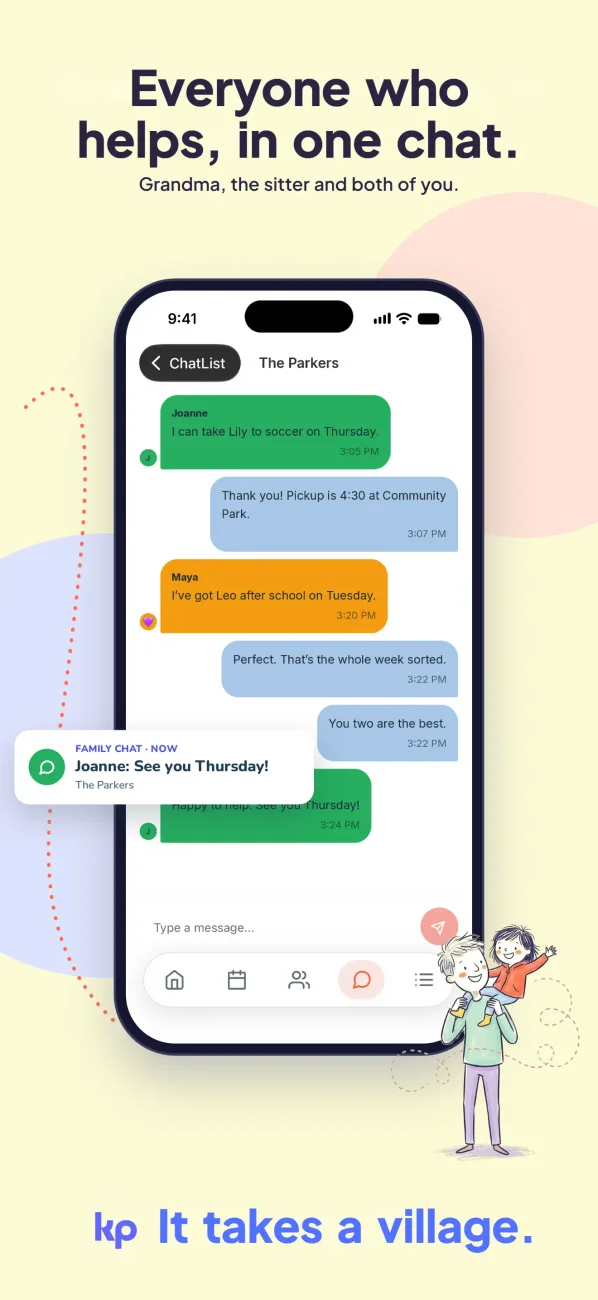
Around the pickups sits the rest of your family’s week: every activity on one calendar, a private feed for news and photos, and a chat for everyone who helps.
HOW IT WORKS
• Add a pickup or drop-off in seconds: type it as a sentence, say it, or fill in the form
• Make it repeat, and it keeps going for as long as you need
• Leave it open for anyone in your circle, or ask one person by name
• They tap “I’ll do it” or “Can’t make it”, right from the notification
• One tap says yes to every Tuesday
WHEN NOBODY HAS IT
• Parents get a nudge the day before, again three hours out, and again at two
• Open pickups stand out on the calendar until someone takes them
• Whoever’s going gets a reminder before it’s time to leave
• See who has opened a pickup, and get a heads-up if a notification didn’t reach someone’s phone
• Prefer email? Turn it on and you get an email too when you’re asked to do a pickup, or when one still needs someone
• Add your work hours and see when an open pickup lands in your shift
YOUR FAMILY’S HOME
• A private feed for the whole family: share a photo or a quick update, comment and react
• Every pickup update lands there too, with a badge saying where it stands: claimed, done, or still open
• Today’s pickups at the top, with who has each one
• Family chat, plus private chats with just some of the family
• Day, week and month calendars, and a link that puts your pickups in Apple, Google or Outlook Calendar
FOR THE PEOPLE WHO HELP
• Invite grandparents, nannies, sitters, friends and neighbours, each with their own role
• Grandparents see the week; a sitter sees only the pickups that need someone and their own. You can change that for anyone
• You decide what each parent or guardian can change: any pickup, only their own, or none
• No app? Send a link and they can take a pickup with no account
• Give the drop-off to one person and the pick-up to another
• Two cars or two kids? A pickup can need more than one person
FOR EVERY KIND OF FAMILY
Two working parents. Co-parents across two homes. A single parent with a village. Grandparents who do the Wednesday run. If more than one person gets your kids, Kid Pickup is for you.
ALSO INSIDE
• An avatar for every child and grown-up, and posts on the feed on a child’s behalf
• Saved places, emergency contacts and directions
• Call off one day of a repeating pickup for a sick day, and put it back later
• Dark mode
PRIVATE BY DESIGN
• Kid Pickup never asks for your location
• Only the people you invite can see your family
• Photos stay within your family
• No ads, and we don’t sell your data
PREMIUM
• Unlimited children, and up to 8 parents, guardians and helpers
• An AI assistant that answers questions about your next two weeks
• A chat thread on every pickup
PLANS
Try Kid Pickup free for 14 days, with no payment needed to start. Then choose:
• Family: up to 2 children, you and 1 other parent or guardian, and 3 helpers
• Premium: unlimited children, up to 8 people, the AI assistant and pickup threads
One subscription covers your whole circle. Grandparents and sitters never pay.
Subscriptions renew automatically through your Apple ID unless cancelled at least 24 hours before the end of the current period. Manage or cancel anytime in your App Store account settings.
Sign in with Apple, Google or email.
Terms of Use (EULA): https://www.apple.com/legal/internet-services/itunes/dev/stdeula/
Terms of Service: https://kidpickup.com/terms
Privacy Policy: https://kidpickup.com/privacy
What’s new
Version 2.5.1 · Nov 26, 2026
2.5.1
The Events screen has tabs along the top now: Events, To do, Lists and Meals, each on its own page.
Got a class confirmation or a team schedule? The + button has Screenshot or photo, which reads the dates into events for you to check and add.
What is it? is a list to choose from now, and Appointment is one of the answers, beside Event, Activity, Reminder and To do. The electrician, the contractor, the plumber and the bank have their own symbols.
2.5
Shared lists (Premium): a grocery list, a store run or any list, under Lists on the Events tab. Every parent and guardian sees it, and anyone else you share it with. Tick things off as you shop, or say you'll get one so nobody buys the milk twice. Tap Done shopping and your regulars come back, or let a list start over by itself every week. Save a list like taco night and add it all to the groceries at once.
Meals and recipes (Premium): plan the week's meals and say who's cooking; they get a notification. Keep your recipes, type one in or read it from a recipe page's link, and send its ingredients to a list.
Also in Premium: to-dos that repeat, and a family email address under Import. Forward a school email to it and its dates come back as events to tick and add.
Reading a schedule or a screenshot of a class confirmation now checks each date against your calendar and asks before adding one that clashes. Adding several at once tells the family about each child's next one, not every date.
An event with no ride can be Parents only: you, the other parents and the guardians see it, and a grandparent or sitter only if you share it with them.
In a post, type @ and a name to tag somebody in the family. They get a notification, even with feed notifications turned off.
Work shifts: the + button has Work shift now, Settings → Work Schedule is two tabs (Weekly hours, and Shifts by date), and a day you're working a shift by date is marked on the month calendar and shows in the week view even with no pickups.
Fixed: on iOS 26, Cancel and the + at the top of a screen are light on the light theme. The fix in 2.4.2 missed them.
App privacy
What Joel Wood declares on the App Store about how this app handles data.
-
Data linked to you
May be collected and linked to your identity.
- Purchases
- Financial info
- Contact info
- User content
- Identifiers
- Diagnostics
Privacy practices may vary, for example with the features you use or your age.
Information
- Seller
- Joel Wood
- Category
- Lifestyle
- Version
- 2.5.1
- Updated
- Nov 26, 2026
- Released
- Apr 12, 2026
- Size
- 39.4 MB
- Requires
- iOS 15.1 or later
- Age rating
- 4+
- Price
- Free
- In-app purchases
- Yes
- Languages
- English
- Copyright
- © Think X Design Media
You might also like
-
 TribeConnect Parent AppA home phone for your kids
-
 It Takes A Village CalendarChildcare Coordinator
-
 Easy.HabitMinimalist habit tracker
-
 Day Circle -時間管理・Todo・円グラフ・予定表Lifestyle
-
 AllGiggsKids earn. Neighbors get help.
-
 Deerwood CCLifestyle
-
 Village Church AppLifestyle
-
 GolfBluebirdLifestyle
-
 The ART of Real Estate TeamLifestyle
-
 Drum JourneyLifestyle