
Kids' Match
Hear a word, find the picture
Designed for iPhone, iPad, iPod touch
$4.99
- Age rating4+
- CategoryEducation
- DeveloperCircular3D
- LanguagesEnglish
- Size65.8 MB
Links to the official App Store page
Download.org hosts no file of Kids' Match. The button opens its official App Store page, published by Circular3D. Listing last checked on Nov 16, 2026.
Screenshots


About
A picture matching game for children ages 3 to 6. Your child hears a word, then finds the picture that goes with it. No reading, no letters, no spelling. And the voice saying the word can be yours.
What your child does
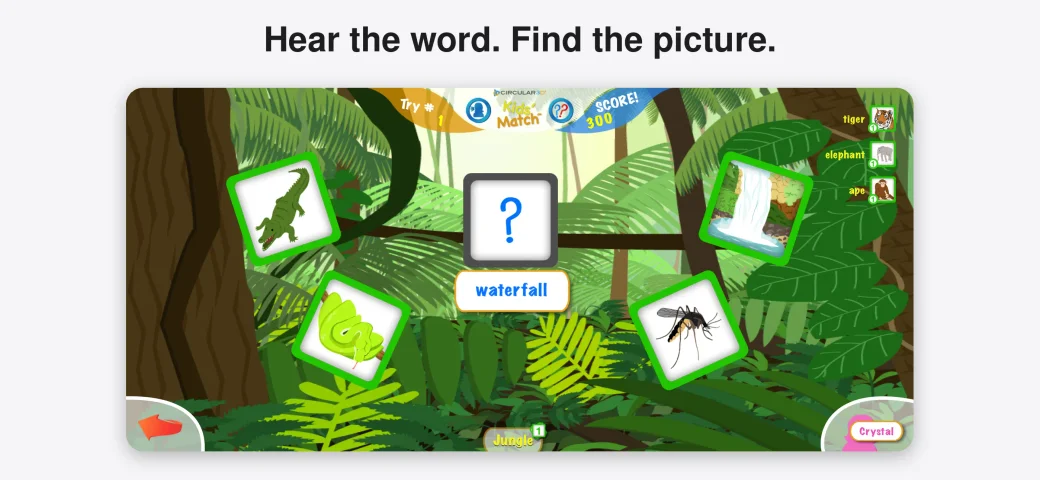
A word appears and is spoken out loud. Four pictures sit on the screen. Your child drags the right one onto the word. That is the whole game, and a three year old can do it on the first try.
The word is printed while it is spoken, so a child who is nowhere near reading still sees the shape of it. Nothing ever asks them to read it.
All four pictures come from the same theme
Play the Jungle and the choices are a monkey, a toucan, a fern and a cobra. Not one animal and three cars. Your child has to know which word goes with which picture rather than spotting the one that looks out of place, which is what makes it worth doing twice.
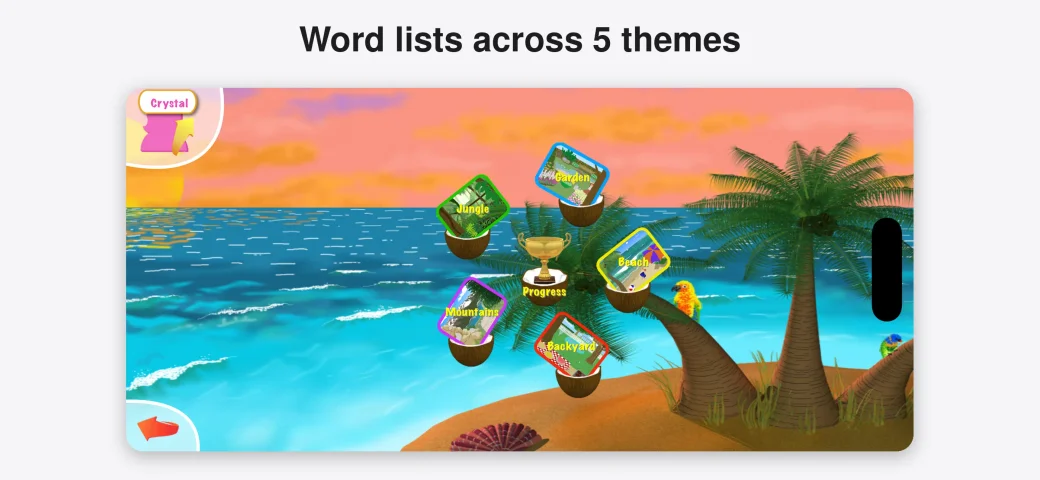
120 pictures across 5 themes
Jungle, Mountains, Backyard, Beach and Garden. Every theme holds 24 pictures in three sets of eight, ordered on purpose: set one is the things every child can already name, set three is the ones that take a closer look. Eight words is short enough to finish in one sitting.
Record the words in your own voice
Every word comes with a teacher's voice built in. Tap any word on the Word Lists screen, press Record, and say it. From then on your child hears you whenever that word comes up. Record all 120 or just the ones your child keeps missing.
Say it the way your family says it, or let a grandparent record a theme. Play both voices back, choose for each word, and switch back to the teacher any time without losing your recording.
Recording sits behind a parents' gate, so your child hears the voices but never reaches the microphone. Record a word once and every child on the device hears it.
Made for children who cannot read yet
Every word is spoken. Nothing on screen needs an adult to read it aloud, so your child can play alone.
See how they're doing
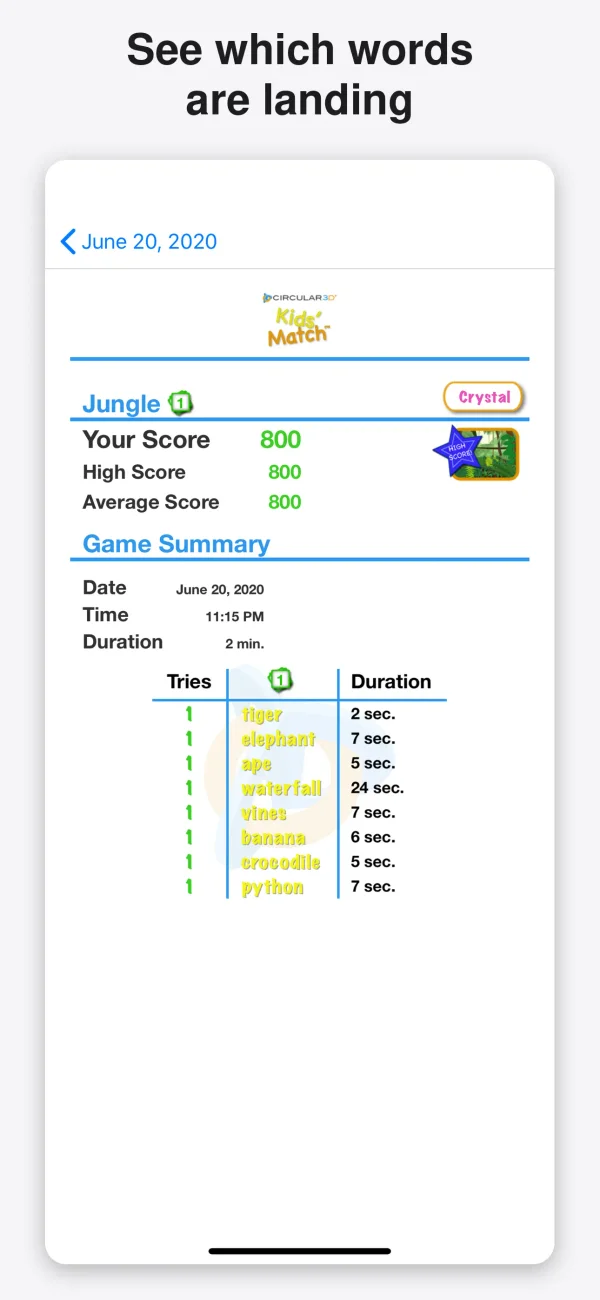
Every set is saved to Progress. You'll see the words your child matched, the ones they keep missing, and how that shifts week to week. Enough to know whether it's landing, without hovering over them while they play.
A profile for every child
Add as many children as you need. Each one keeps their own words and their own progress and picks up where they left off. Works for a family with three kids and a classroom with thirty.
Music written for it
Every theme has its own score from our in-house music studio, with sound effects to match. You know how most kids' apps get muted by day three? We wrote this one so you wouldn't have to.
Nothing about your child leaves this app
No accounts, no sign in, no ads, no trackers, no third party code of any kind. There's no server to send anything to. Your child's progress and your recordings are saved on your device and stay there. The microphone is only on while you're recording.
When they're ready for letters
Kids' Words picks up where this leaves off. Same themes, same voice, but your child starts placing the first letters of the word instead of matching the picture. It also lets you add word lists of your own.
Tell us what's missing
A picture you wish we'd included, a theme your class would love, anything that isn't working. Send it to us at info@circular3d.com. We read all of it!
What’s new
Version 1.5 · Sep 14, 2026
Introducing custom voice recordings!
- Record words in your own voice, behind a parents' gate. Recordings stay on your device
- Play back both voices and choose for each word, or switch back to the teacher any time
- Find it under the Word Lists icon on the home screen
App privacy
What Circular3D declares on the App Store about how this app handles data.
-
Data not collected
The developer does not collect any data from this app.
Privacy practices may vary, for example with the features you use or your age.
Information
- Seller
- Circular3D Inc.
- Category
- Education
- Version
- 1.5
- Updated
- Sep 14, 2026
- Released
- Dec 30, 2013
- Size
- 65.8 MB
- Requires
- iOS 13.0 or later
- Age rating
- 4+
- Price
- $4.99
- Languages
- English
- Copyright
- © 2013-2026 Circular3D Inc.
You might also like
-
 Parts of Animals: MontessoriPreschool Vertebrate Zoology
-
 Interactive Life CyclesEducation
-
 Peg and PogPlay and Learn First Words
-
 Times Tables Challenge - GameMutiplication trainer and quiz
-
 N.C. DMFNC DEQ Marine Fisheries
-
 Christmas Memory game for playTrain your brain with santa
-
 Farm Animal Sounds LearningDogs, Ponies, Pigs, Emus +More
-
 Fruits & Vegetables: Kids AppEducational puzzles for 2-5y
-
 Tiny Talkers:Kids Speech GamesKids Speech Games & Stories
-
 MGKidsMemory: matching gamesLearning game for kids