- Age rating4+
- CategoryProductivity
- Developeroliver crane
- LanguagesEnglish
- Size20.0 MB
Links to the official App Store page
Download.org hosts no file of Kiln It. The button opens its official App Store page, published by oliver crane. Listing last checked on Nov 23, 2026.
Screenshots



About
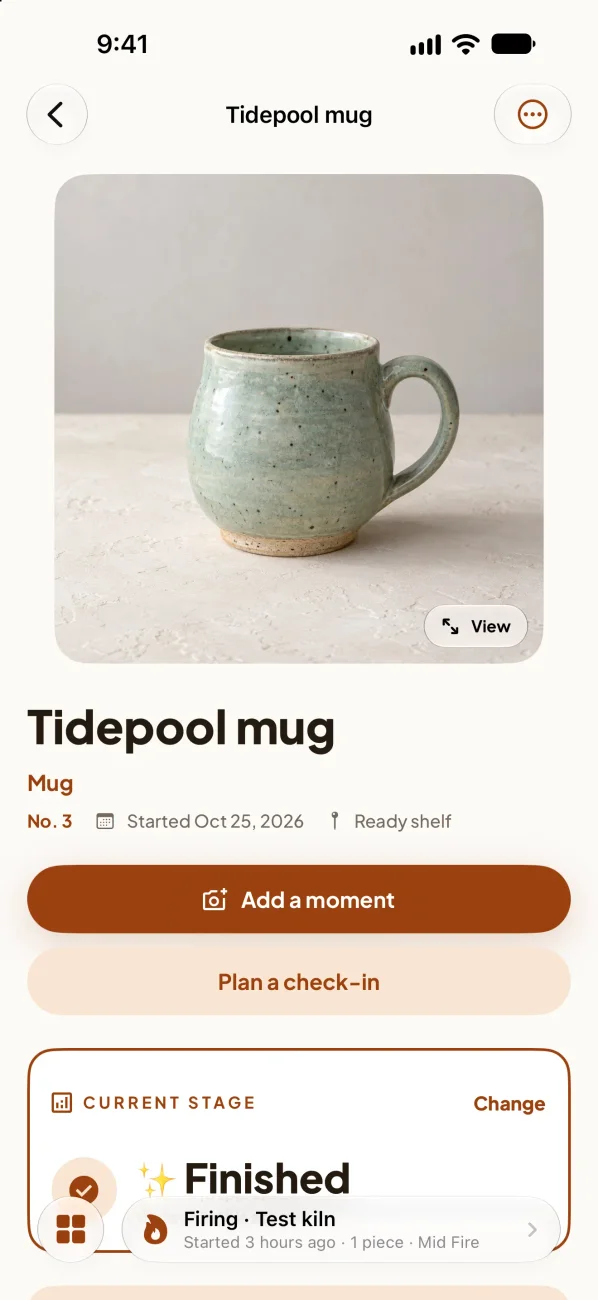
Kiln It keeps your pottery studio organized from the first idea to a finished piece or sale, on iPhone, iPad, Mac and Apple Watch. It is free, with no account, no subscription and nothing locked.
YOUR WORK IS KEPT SAFE
Your records are saved on your device and work without a connection. With iCloud Drive on, a copy with every photograph is kept in your own iCloud Drive after each change, with nothing to set up, and a new phone signed in to your iCloud picks your studio up from it. You can also make a complete backup file whenever you like and preview a backup before restoring it.
YOUR DATA IS YOURS
Export your inventory, sales and materials as spreadsheets that open anywhere, and bring pieces in from a spreadsheet when you are moving from a notebook or another app. A backup is an ordinary ZIP file of your records and photographs, readable on any computer.
LESS TYPING AT THE WHEEL
Start a piece with just a photo, or say "Capture a piece in Kiln It". Share photographs straight from Photos and finish the details when your hands are clean. Make six bowls and log them once: pieces made together are kept as a set, and you can record a stage or add glaze for the whole set, or for any pieces you select.
FOLLOW EACH PIECE
Keep a photo-based collection with clay bodies, glazes, notes, tags and storage locations. Every piece gets its own number, so near-identical pieces stay easy to tell apart on a crowded shelf, and you can print QR labels for them. Use the Work Board to follow progress through the studio and keep a journal of photographs and changes.
PLAN YOUR STUDIO TIME
See planned checks and kiln loads in Studio Today. Record firings and the pieces in them, save firing schedules, and keep a log of work on your kiln. Widgets on your Home Screen, Lock Screen, Apple Watch and Apple HomeView show what is coming up. Kiln It shows what you record; it never guesses when a piece is dry or a kiln is ready.
LEARN FROM YOUR GLAZES
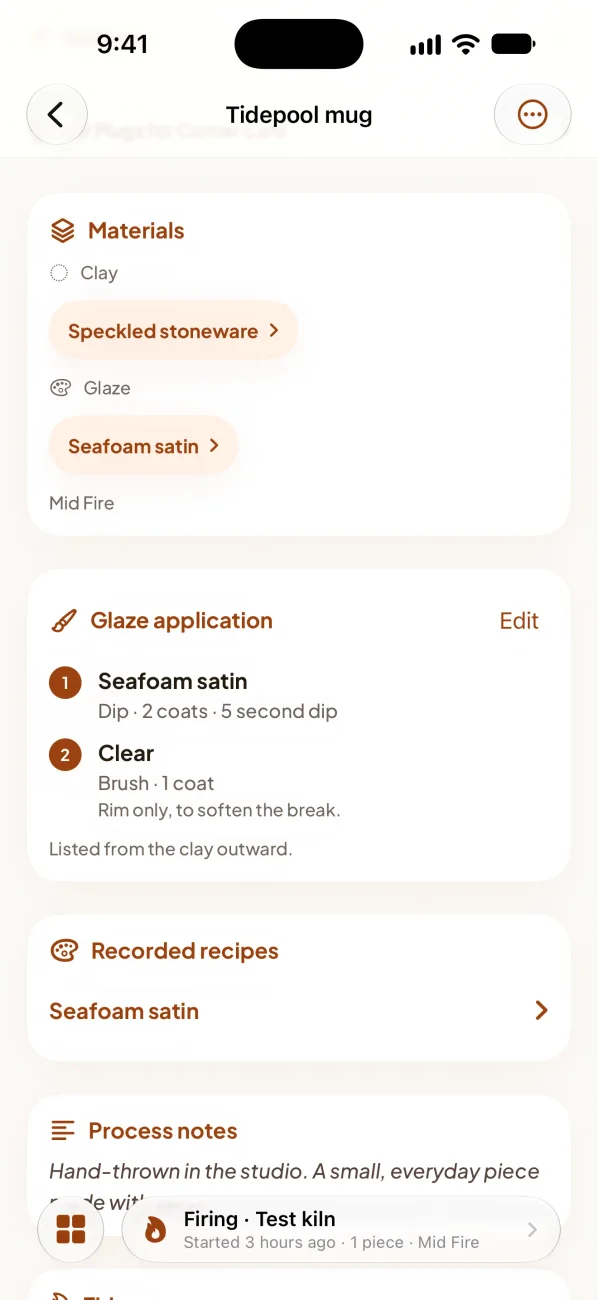
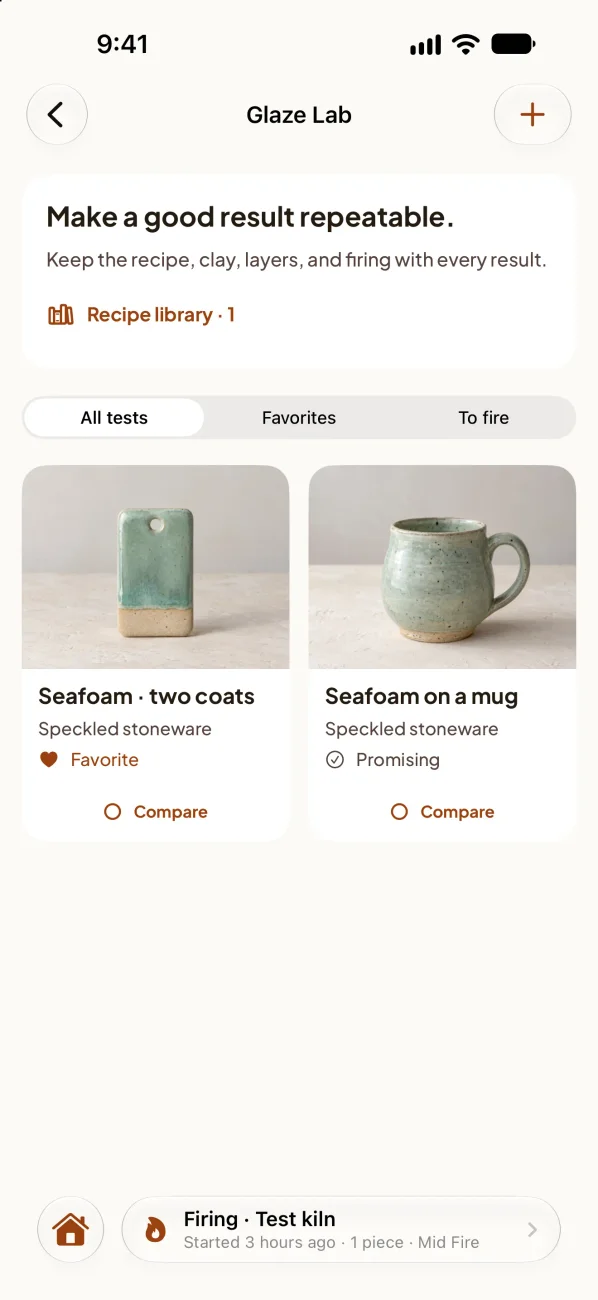
Log how each piece was glazed with as many layers as you used: coats, and whether it was dipped, brushed, poured or sprayed. Keep recipes with their versions, scale a batch and tick off ingredients as you weigh, and record test tiles so you can return to combinations that worked. Keep a list of the glazes and clays on your shelf, which are yours and which are the studio's, and what is running low.
SELL YOUR WORK
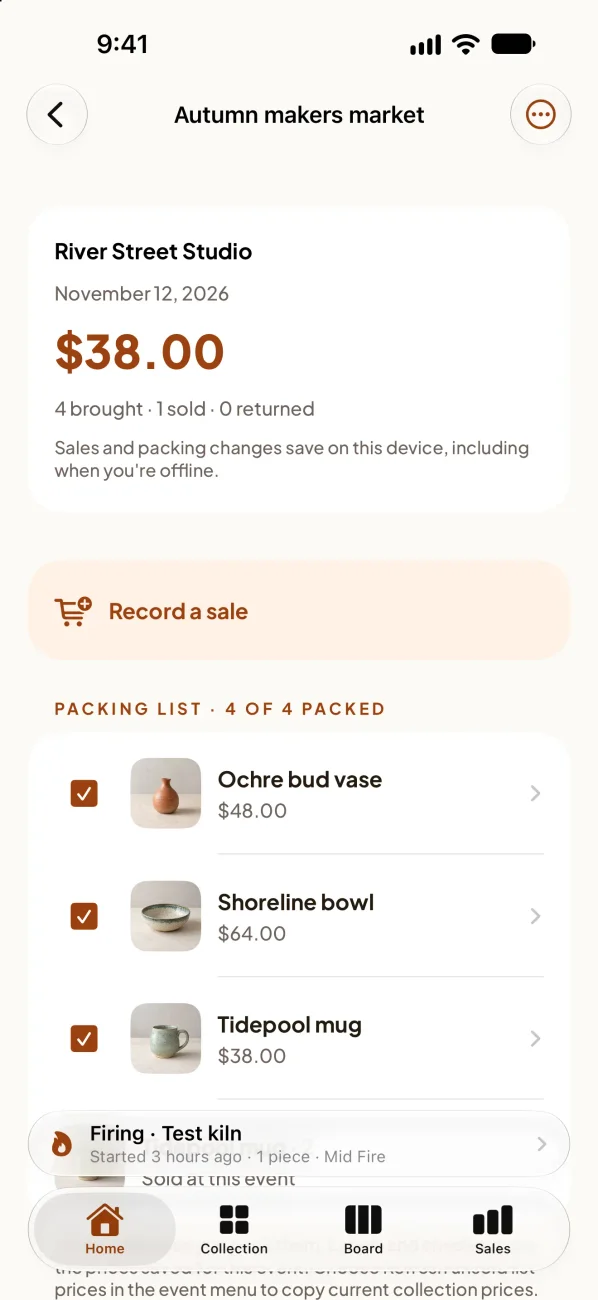
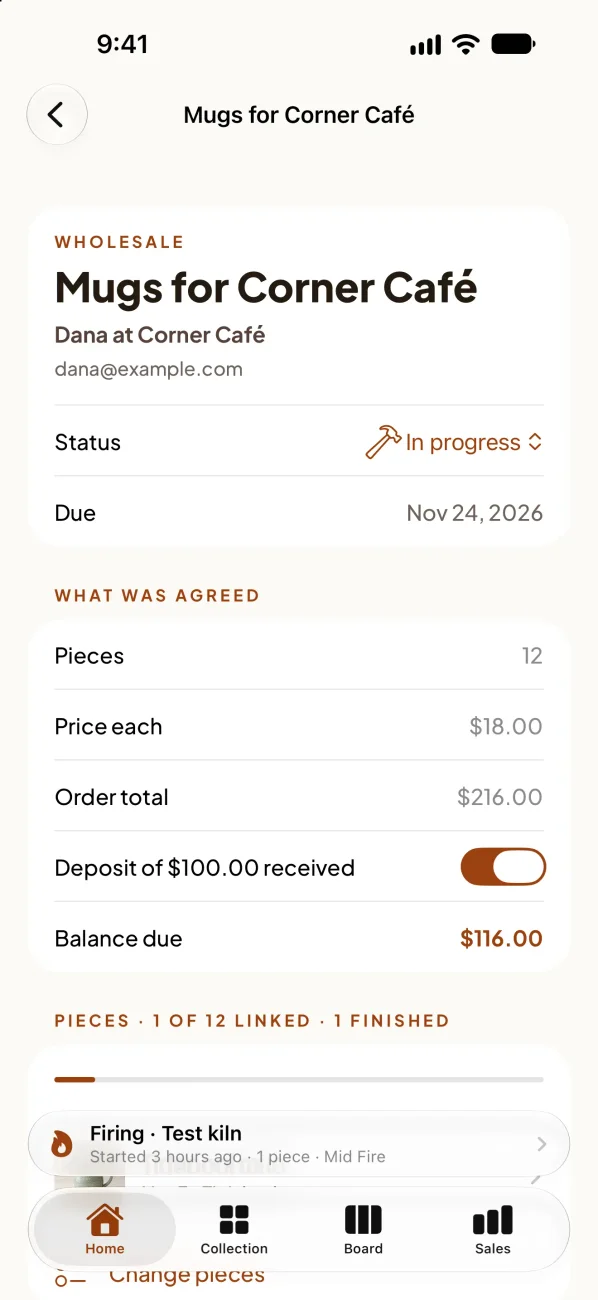
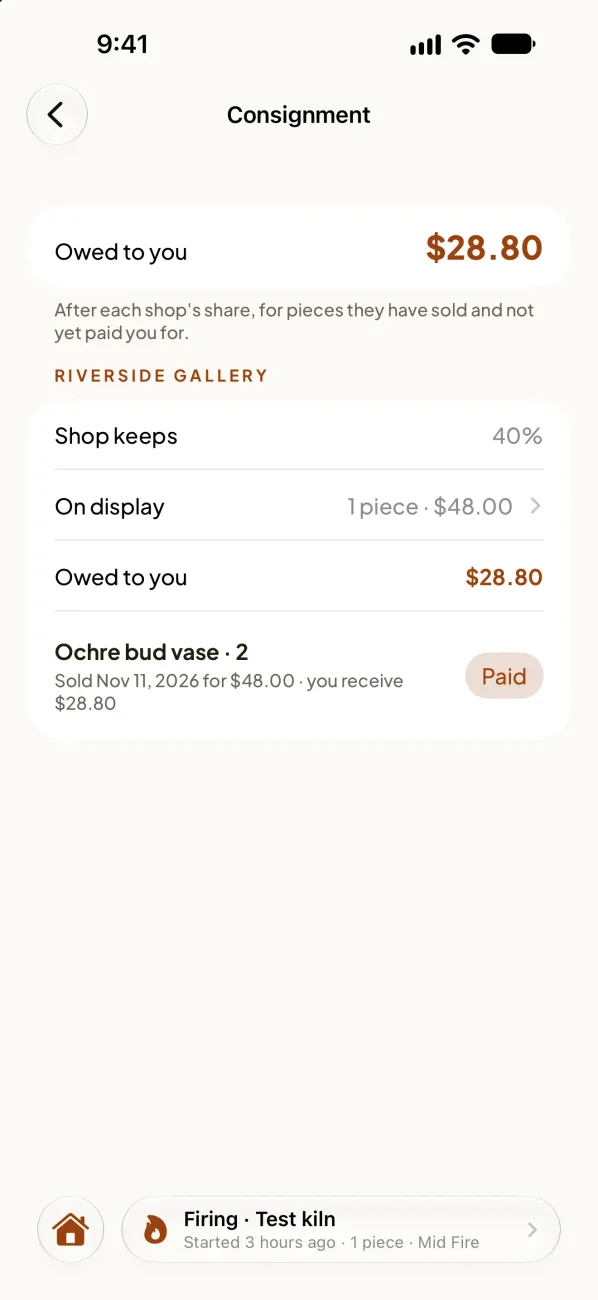
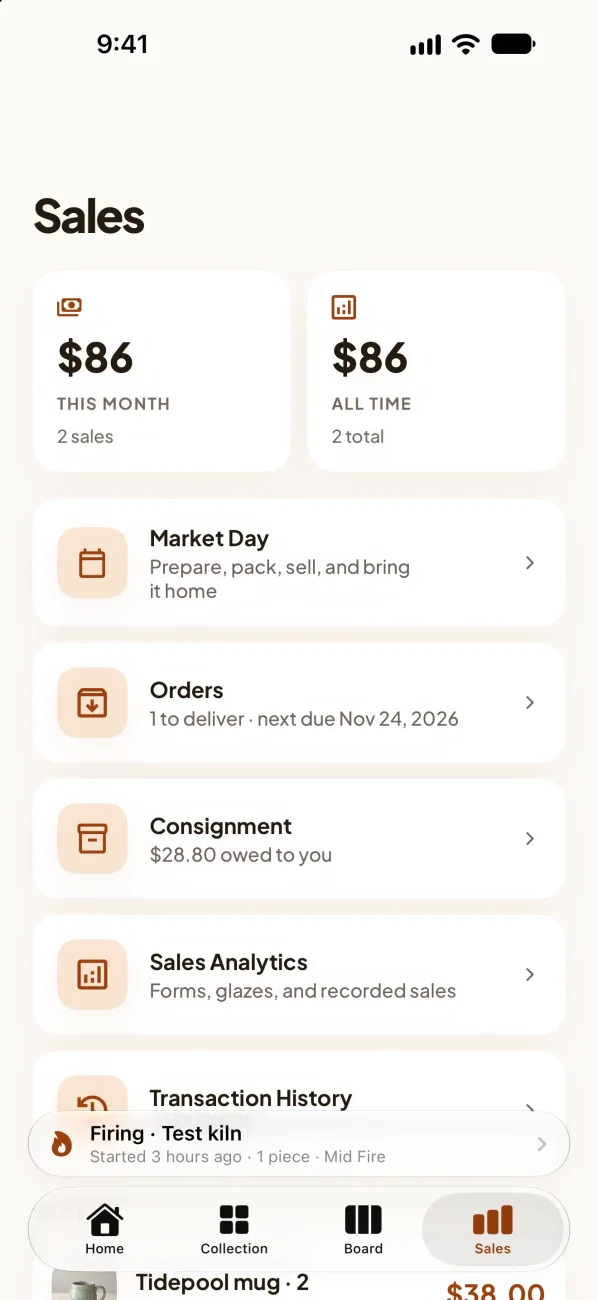
Plan market events, prepare packing lists and price labels, record sales, and reconcile the event. Track consignment, each shop's share, and what you are owed. Keep commissions and wholesale orders with deposits and due dates, and review your sales history in one place.
ONE STUDIO ON EVERY DEVICE
Kiln It is one free app on iPhone, iPad, Mac and Apple Watch, with layouts for iPhone Duo. With iCloud Drive on, your devices share one studio: what you start on your iPhone is on your iPad and your Mac, and the other way round. Changes made on two devices while they were apart are combined, and if the same record was changed on both, the later change is kept and Kiln It tells you which one it was.
Built for studio potters, ceramicists, members of shared studios, market sellers and anyone who wants to remember how a piece came together.
What’s new
Version 1.7 · Nov 22, 2026
Kiln It 1.7 puts one studio on every device you use. It is still free, with no account.
ONE STUDIO ON ALL YOUR DEVICES
- Start a piece on your iPhone and it is on your iPad and your Mac. With iCloud Drive on, your devices share one studio through the Kiln It folder in your own iCloud Drive, with nothing to set up.
- Work done on two devices while they were apart is combined. If the same record was changed on both, the later change is kept and Kiln It tells you which record it was.
- Whenever a device is updated from another, a copy of its studio as it was is kept first. Undo last restore in Settings brings it back.
- Restore a backup on one device and nothing your other devices hold is replaced unless you say so.
- A new device with nothing in it picks up your studio by itself.
- Would you rather keep a device to itself? Switch sharing off for it in Settings.
KILN IT FOR MAC
- Kiln It is now on the Mac too: your whole studio in one window, with a sidebar, a collection you can sort and search, menus and keyboard shortcuts. It is the same free app and shares your studio with your iPhone and iPad.
App privacy
What oliver crane declares on the App Store about how this app handles data.
-
Data not collected
The developer does not collect any data from this app.
Privacy practices may vary, for example with the features you use or your age.
Information
- Seller
- oliver crane
- Category
- Productivity
- Version
- 1.7
- Updated
- Nov 22, 2026
- Released
- Jan 16, 2026
- Size
- 20.0 MB
- Requires
- iOS 26.0 or later
- Age rating
- 4+
- Price
- Free
- Languages
- English
- Copyright
- © 2026 Oliver crane
You might also like
-
 Tao:Pottery Log & Kiln TrackerFun way to track your pieces
-
 Clay CatalogDocument Your Pottery Journey
-
 PotterXtracking your pottery pieces
-
 ClayfolioYour digital pottery journal
-
 Cone6: Glaze & Kiln LogRecipes, Batch & Firing Log
-
 ClayNote: Pottery TrackerYour ceramics studio journal
-
 Fired PotteryTrack pottery, glazes, clay
-
 Claybook: Pottery & CeramicsLearn wheel throwing & glazing
-
 TerrasateProductivity
-
 Blazed: Kiln LogsFire with friends