
Kimai Mobile
App for the Kimai Time Tracker
Designed for iPhone, iPod touch
Free · In-app purchases
- Age rating4+
- CategoryProductivity
- DeveloperCloudrizon GmbH
- LanguagesEnglish
- Size33.6 MB
Links to the official App Store page
Download.org hosts no file of Kimai Mobile. The button opens its official App Store page, published by Cloudrizon GmbH. Listing last checked on Nov 12, 2026.
Screenshots

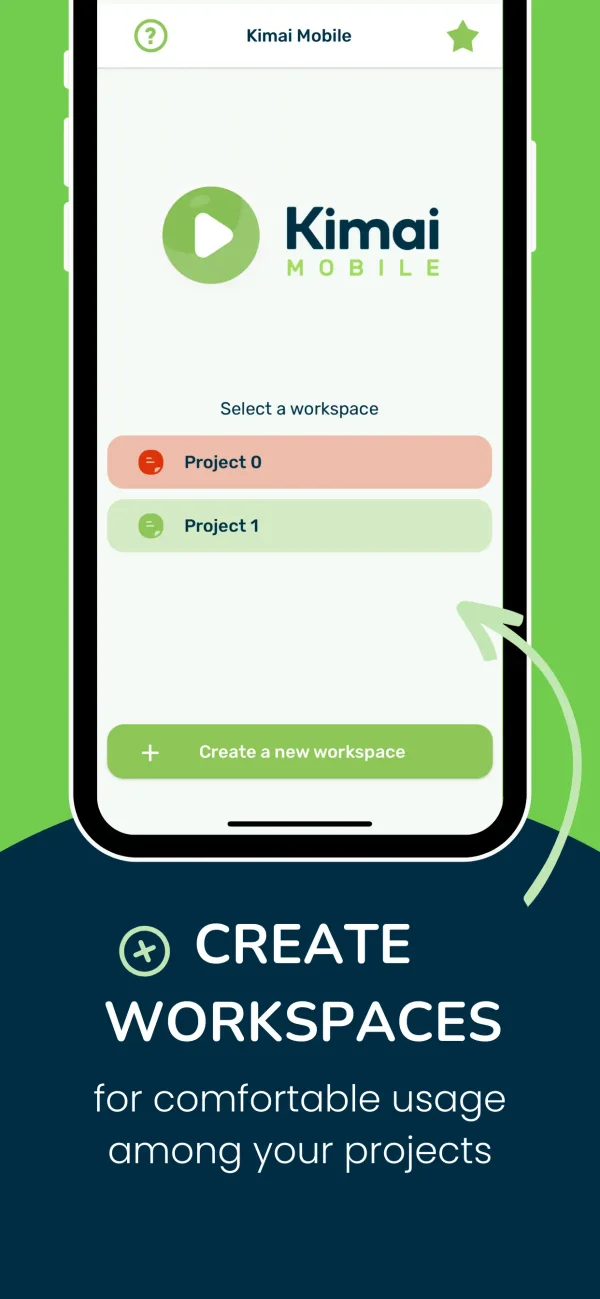

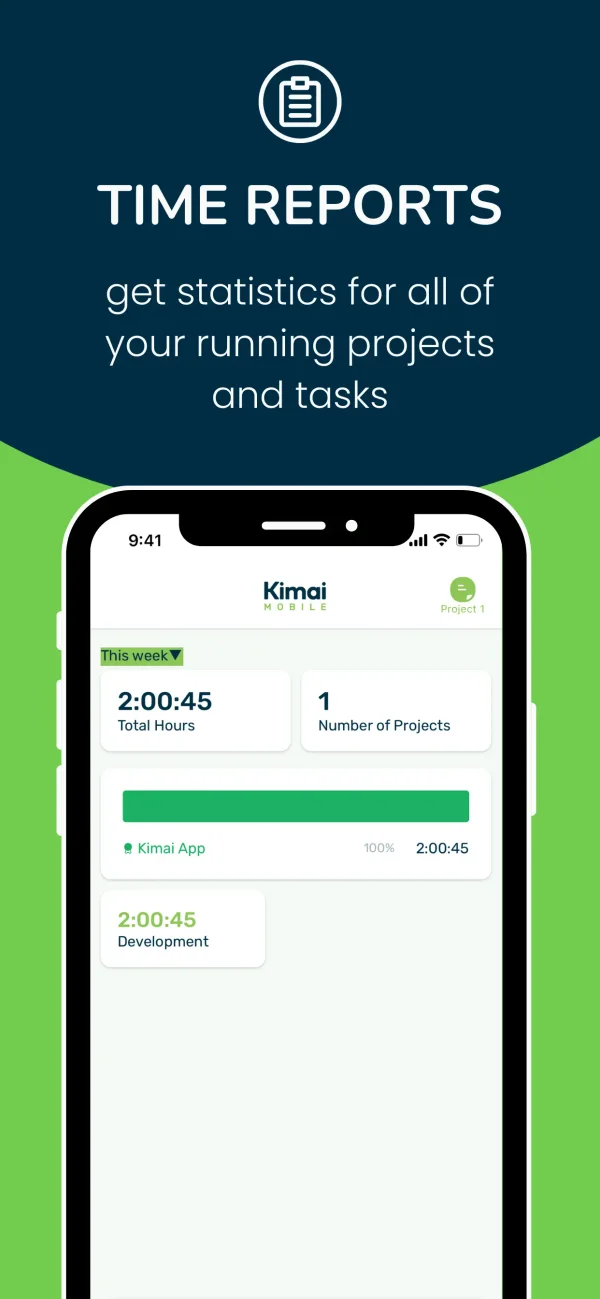


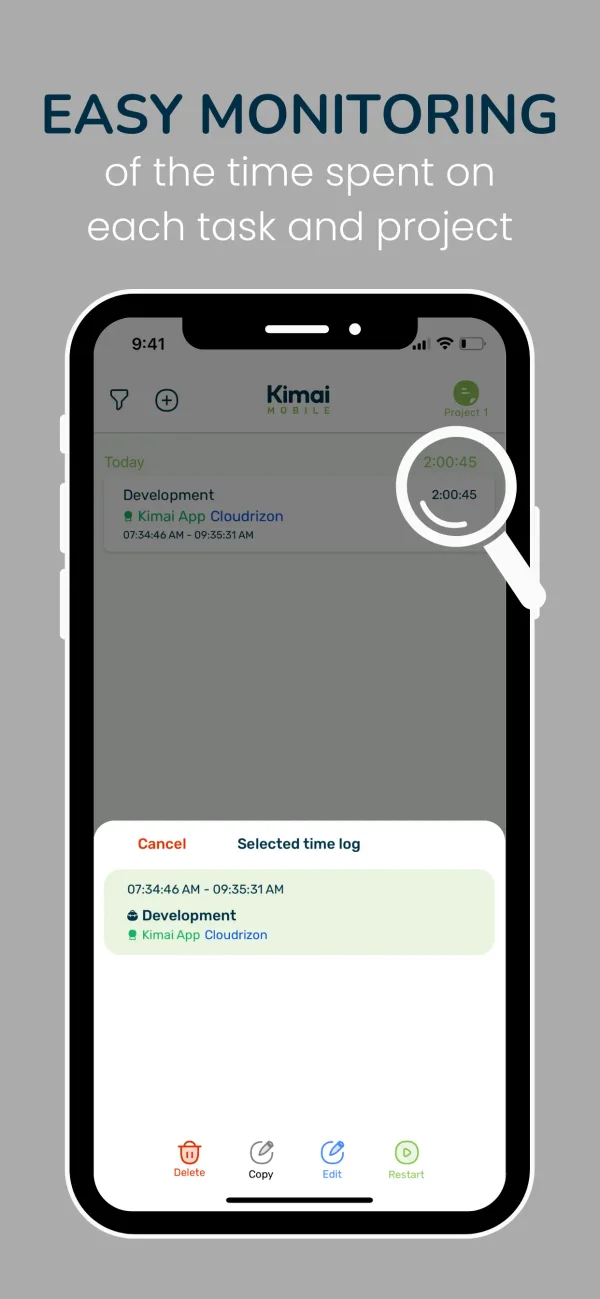


About
Kimai Mobile lets you focus on what truly matters – your projects! It offers real-time time tracking, supports multiple languages, and allows unlimited workspaces for seamless management of tasks and projects. Edit or add entries effortlessly on your phone, and they'll sync automatically to your individual Kimai Time Tracking Server.
Stay on top of your project and task statuses with our activity summary and user-friendly design. No more hassles with time management – Kimai Mobile makes it easy and stress-free.
Download the app now and take advantage of the offline feature and dark mode for a smoother, more organized work life. Embrace productivity and efficiency with Kimai Mobile today!
Features:
● Offline Time Tracking: No internet? No problem! Log your time even in remote locations or during internet outages. Your work will always be accurately accounted for.
● Multiple Languages: Choose from English, German, French, Spanish, Italian, Portuguese, Chinese, Hindi, Japanese, Arabic or Korean to work comfortably in your preferred language.
● Reminder: Set specific task reminders and receive notifications once you achieve your time goals.
● Reports: Gain statistical insights into your project efforts. Customize the time frame for detailed reports.
● Bill Clients: Track billable time and expenses, show clients your work progress, earnings, and easily create invoices.
● Calendar: Access any pastime window with a visually appealing display of your time tracking entries.
● Dark Mode: For the design-conscious, switch between Dark and Light Mode at your convenience.
● Manage Team: Track attendance, manage workload among teams, and see who's working on what.
● Take a Break Reminder: Your well-being matters! Receive friendly reminders to take breaks and recharge your mental health.
Please review the Terms of Use provided by Apple by following this link: https://www.apple.com/legal/internet-services/itunes/dev/stdeula/
What’s new
Version 1.5.0 · Sep 30, 2026
Quick-start from history
Restart a recent task in one tap from the new history button by the timer. Star up to 5 to pin them on top (saved on this device).
Tag picker
Pick tags from a searchable list instead of typing them, and create new ones inline. Tags show on recent entries and carry over on restart.
Fixes
• Light/Dark mode applies instantly everywhere
• The theme picker's close button no longer exits your workspace
• Restarting a task records the correct start time
App privacy
What Cloudrizon GmbH declares on the App Store about how this app handles data.
-
Data not collected
The developer does not collect any data from this app.
Privacy practices may vary, for example with the features you use or your age.
Information
- Seller
- Cloudrizon GmbH
- Category
- Productivity
- Version
- 1.5.0
- Updated
- Sep 30, 2026
- Released
- Jan 10, 2023
- Size
- 33.6 MB
- Requires
- iOS 15.1 or later
- Age rating
- 4+
- Price
- Free
- In-app purchases
- Yes
- Languages
- English
- Copyright
- © Cloudrizon GmbH
You might also like
-
 DATUREX Mobile for KimaiProductivity
-
 Paperless Less PaperNative paperless-ngx client
-
 AssetX For Snipe-ITQuick Access To Your Assets
-
 PaperparrotA native Paperless-ngx client
-
 Matomo Mobile 2Productivity
-
 Psono Password ManagerGenerate & secure passwords
-
 Vikunja ClientProductivity
-
 Nextcloud CalendarCalendar for Nextcloud
-
 Swift PaperlessNative document managament
-
 Donetick: Shared Chore ChartFamily, Roommate & Kids Chores