
KinBridge Care
Sharing the Caring
Designed for iPhone, iPod touch
Free · In-app purchases
- Age rating4+
- CategoryHealth & Fitness
- DeveloperAll in Touch Ltd
- LanguagesEnglish
- Size34.6 MB
Links to the official App Store page
Download.org hosts no file of KinBridge Care. The button opens its official App Store page, published by All in Touch Ltd. Listing last checked on Nov 24, 2026.
Screenshots



About
KinBridge brings a family together around one person's care, wherever everyone happens to be. A private, invitation-only space brings the day-to-day details — how someone is doing, what's coming up, who's doing what, and who to call — into one place, instead of scattered across texts, calls, and sticky notes. KinBridge accommodates up to six members and two recipients.
During your 90 day trial of KinBridge you get started building your 'care circle' with two members and one care recipient. A care recipient with an email address can choose to be one of the members with full access.
Because a care recipient does not have to be a registered user, the six care circle members can now look after two loved ones in the same circle.
The two recipient feature is also great for two people caring for each other and sharing one app with two separate views and records.
Everyday Coordination
Once a care circle is set up in a few minutes day-to-day life centres on a few simple tools that everyone in the family can see and use together:
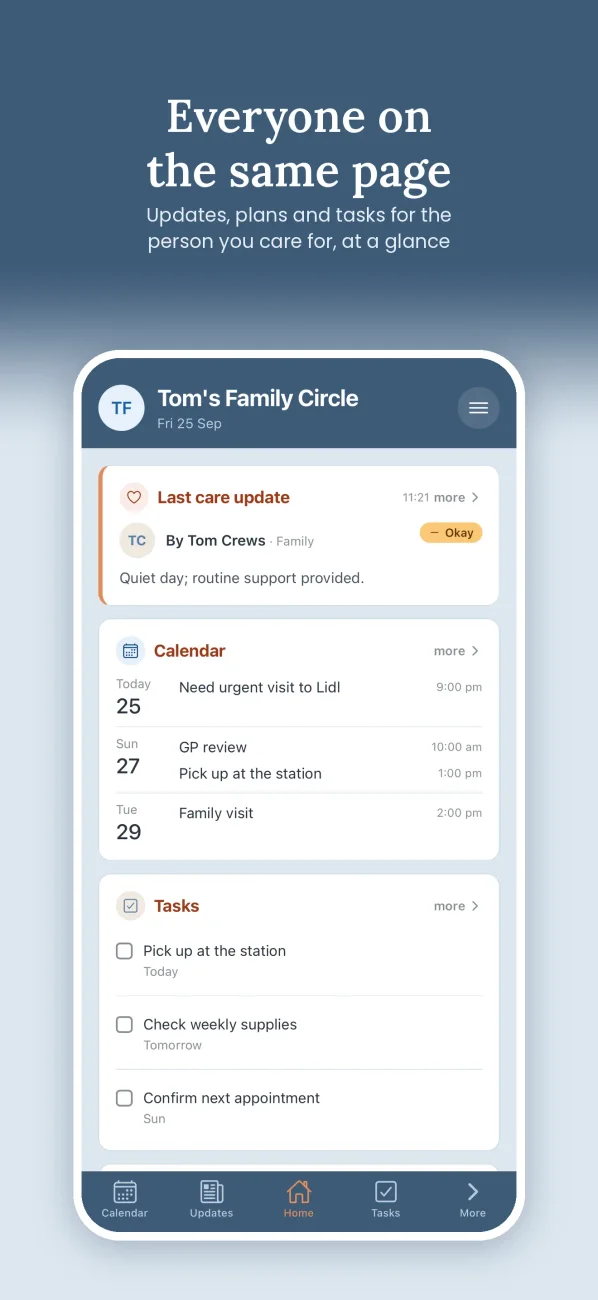
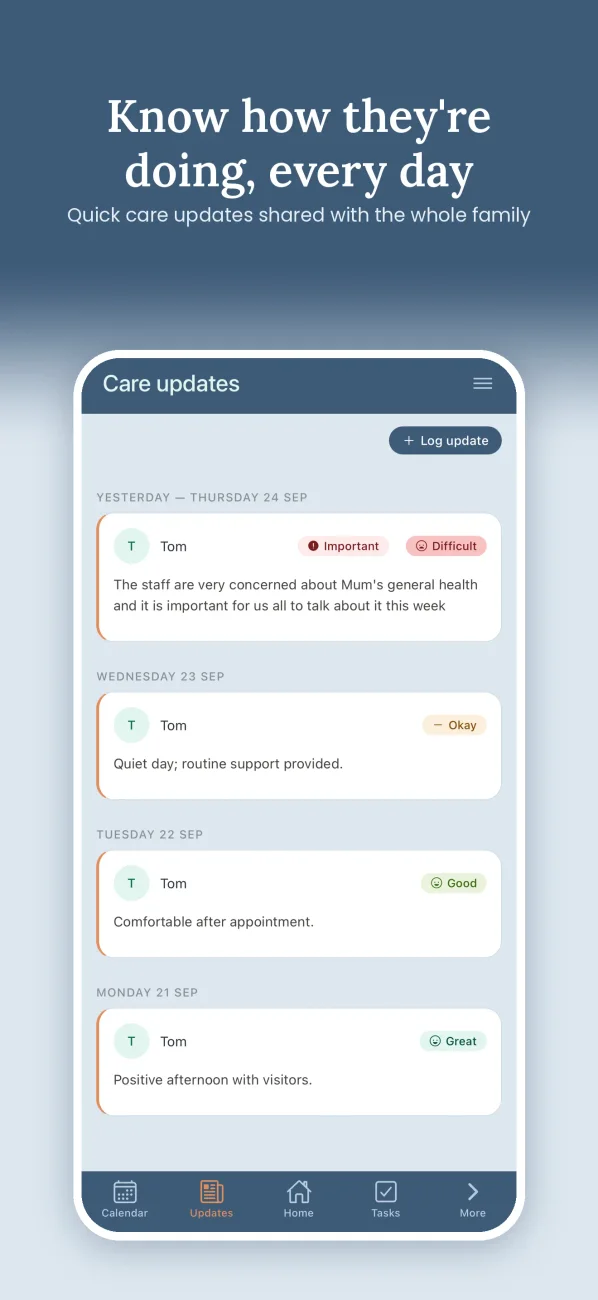
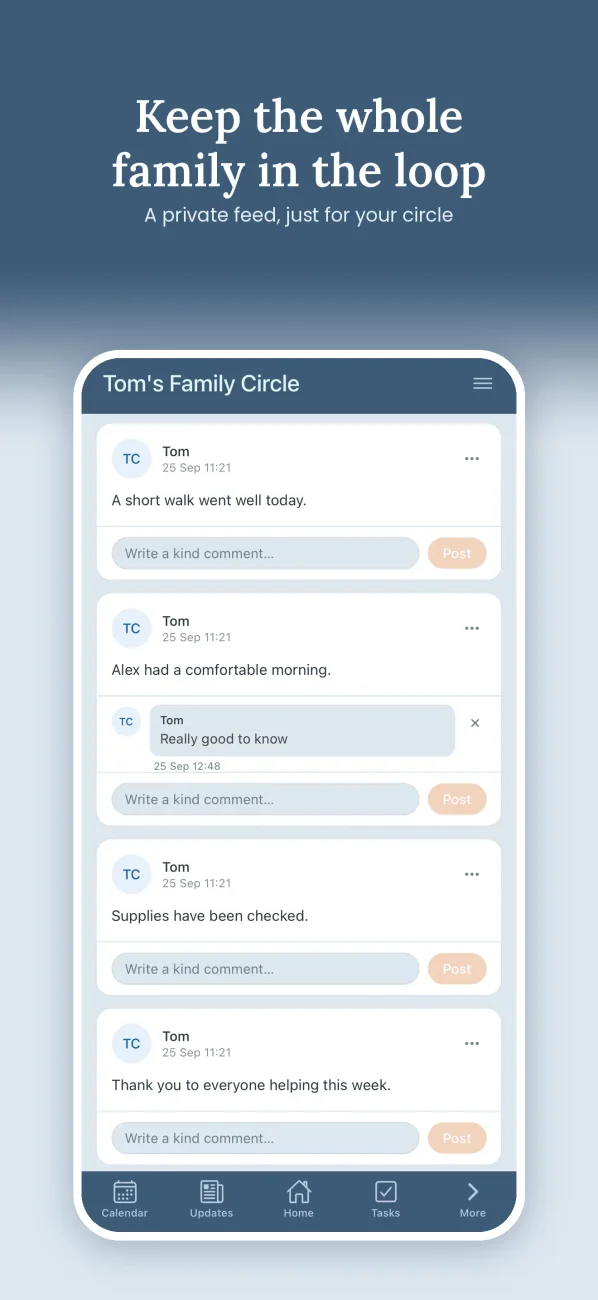
Updates: Structured notes on how the person is doing — mood, meals, medication notes, and anything else worth sharing. A note can be flagged as important, which automatically emails the whole family, including whoever wrote it, so everyone has a record that it was seen.
Symptoms diary: Customise some of the key aspects of health you want to build history of, and then it is quick to have a record you can share at any time. This is not a diagnostic feature. This is record keeping made simple.
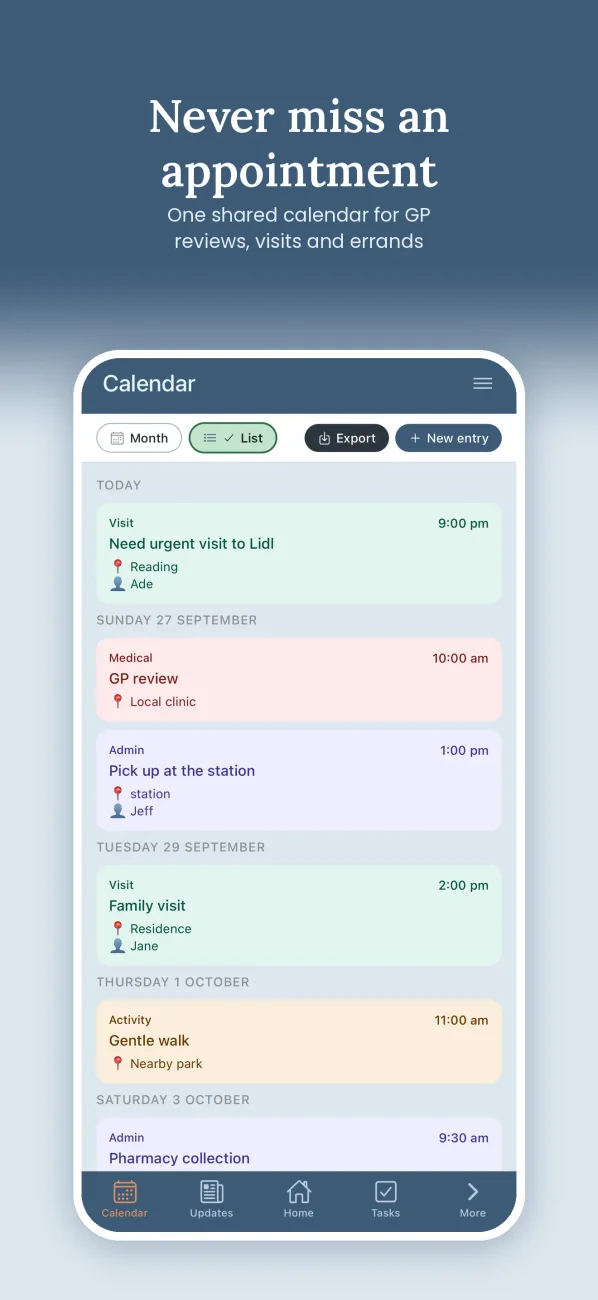
Calendar: A shared view of appointments, visits, and anything else the family needs to plan around.
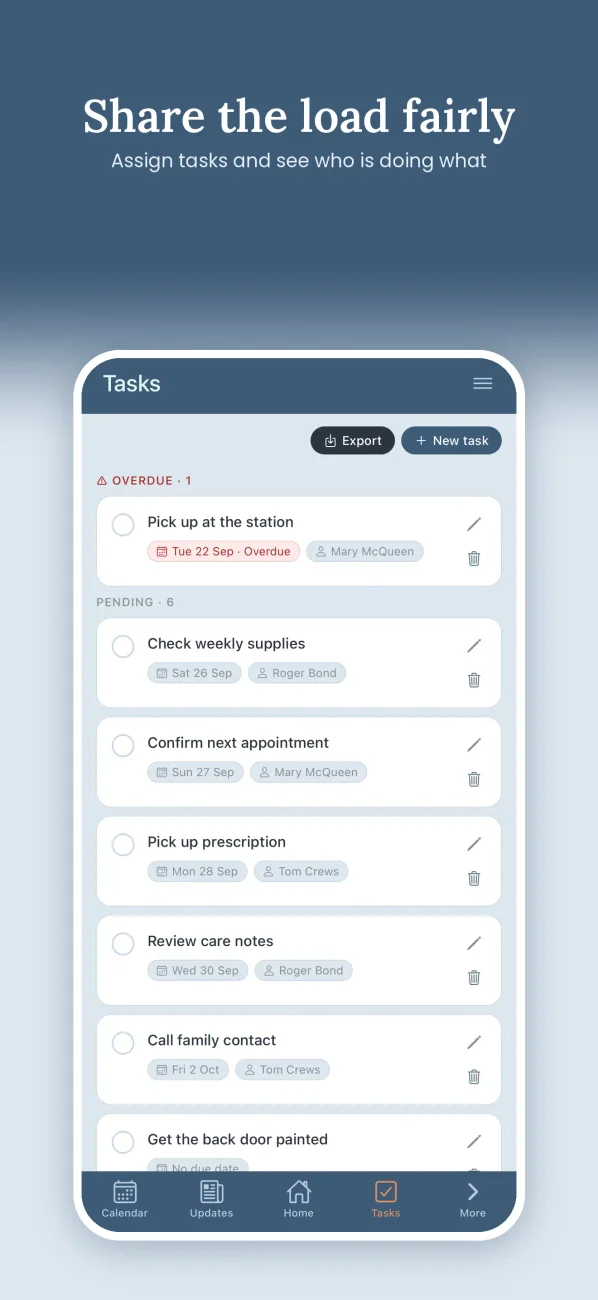
Tasks: Simple to-dos that can be assigned to a specific person, who is emailed automatically when something lands on their plate. A Task can also be convereted straight to a calendar entry.
Chat: a private conversation space for the circle, separate from ordinary text messages. This is a great journal for single users as well.
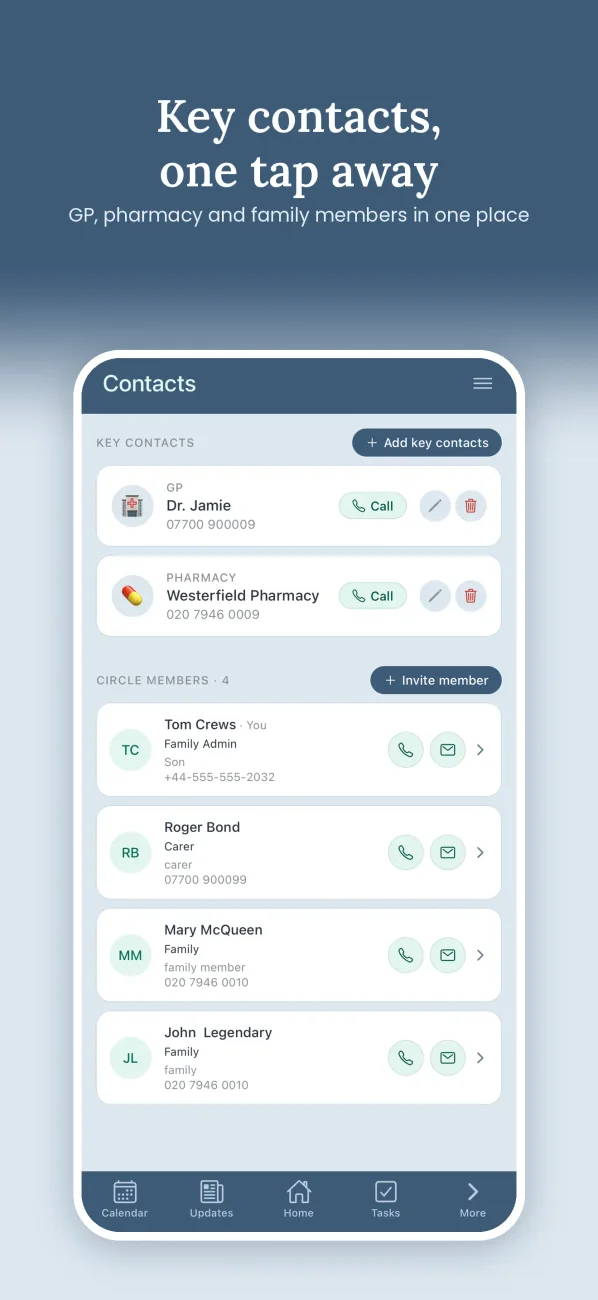
Key contacts: a shared, editable list of the people who matter — GP, pharmacy, emergency contacts — kept in one place rather than scattered across everyone's own phones.
Together, these replace the usual patchwork of group texts and phone calls with one shared, private picture that the whole family can rely on.
Unplanned expenses: Log an expense or a note about your time, and — where the family wants to — route it through a simple reimbursement request, with an automatic email to whoever needs to approve it and another back to the person once they've been paid back.
Planned expenses: Use planned expenses for a simple household budget process and later it functions as a schedule of financial payments you may need to take over administering.
Shopping list: Imagine having a living shopping list in your pocket - open it up when at the shops and see if someone has marked a need in the app with the tap of a button! Tap the icon when you have bought it.
The Family Organiser can also produce a full monthly summary of everything that's happened in the circle — membership, care details, medications, updates, calendar, tasks, and posts — as a downloadable record, useful for personal record-keeping or for sharing with a professional adviser.
At any time in your 90 days you can subscribe and have room for six members and two care recipients. You can download all of your information to use in another tool at any time.
Terms of Use (EULA): https://www.apple.com/legal/internet-services/itunes/dev/stdeula/
What’s new
Version 1.0.3 · Nov 23, 2026
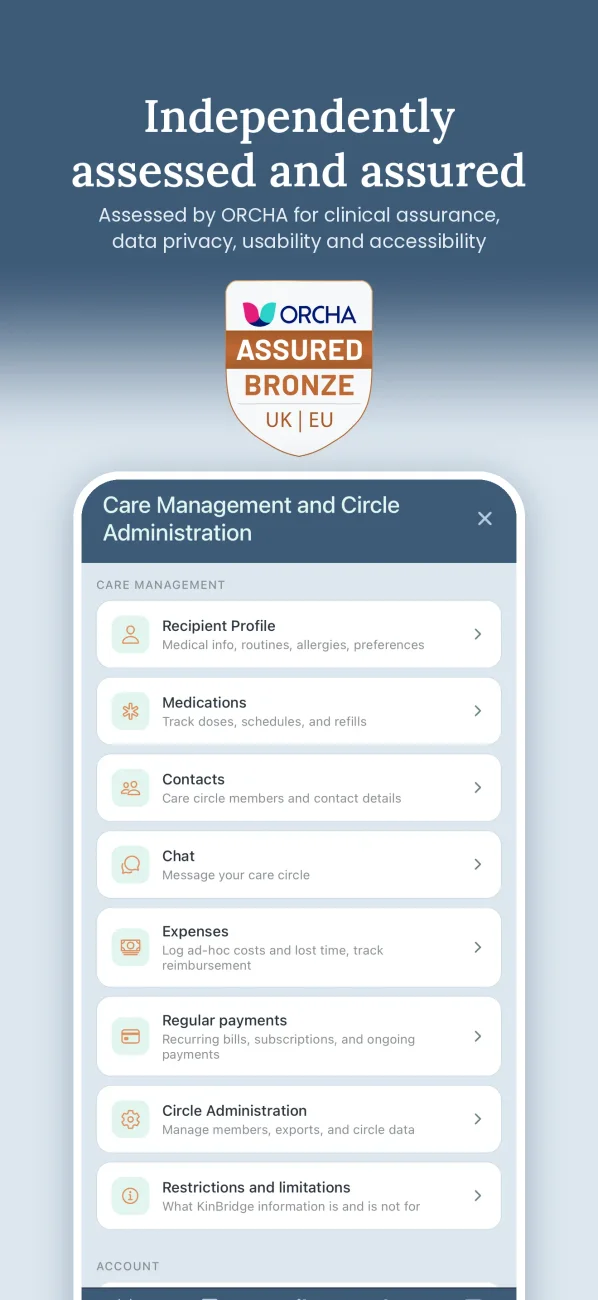
We have made the symptoms diary customisable. We have added a dynamic shopping list. We have redesigned the landing page to be more user friendly, and added an FAQ button on the landing page for new users. The FAQ page also has a link to the live FAQ on the KinBridge website. We added a screen with explanation of the boundaries of what KinBridge does and does not do or purport to be.
App privacy
What All in Touch Ltd declares on the App Store about how this app handles data.
-
Data not linked to you
May be collected but is not linked to your identity.
- Contact info
Privacy practices may vary, for example with the features you use or your age.
Information
- Seller
- All in Touch Ltd
- Category
- Health & Fitness
- Version
- 1.0.3
- Updated
- Nov 23, 2026
- Released
- Oct 29, 2026
- Size
- 34.6 MB
- Requires
- iOS 15.1 or later
- Age rating
- 4+
- Price
- Free
- In-app purchases
- Yes
- Languages
- English
- Copyright
- © 2026 All in Touch Ltd
You might also like
-
 Mind Guard 365Your mental health companion
-
 LongliveHealthy ageing for all
-
 Digital CBTeSelf-help for binge eating
-
 Tonic And MeThe app for everyday wellbeing
-
 Sleep WiseHealth & Fitness
-
 Pal: Serious Illness SupportCompanion for you & caregivers
-
 SuperPenguin: Waiting WellSupport, Guidance, Education
-
 Shoorah Mental HealthTherapy,Anxiety,Sleep,Support
-
 Jockey Club TourHeart+Self-care, chatbot, therapy