
Kipin: Save Links & Notes
Bookmark, screenshot organizer
Designed for iPhone, iPod touch
In-app purchases
- Age rating4+
- CategoryProductivity
- Developersanghun jeong
- LanguagesGerman+ 15 more
- Size87.0 MB
Links to the official App Store page
Download.org hosts no file of Kipin: Save Links & Notes. The button opens its official App Store page, published by sanghun jeong. Listing last checked on Nov 12, 2026.
Screenshots



About
Introducing Kipin, your essential lifestyle app
'Links you saved somewhere but can't find anymore'
Screenshots getting completely lost in your messy camera roll...
Now, keep them neat and aesthetic in Kipin!
Save recipe, outfit, cafe links, screenshots & notes in 1 tap! Easily collect your inspiration with this ultimate bookmark manager.
Open Kipin when:
Wishlists (Links): Travel spots, recipes you wanna try. Just share the link and it automatically gets a pretty thumbnail and title.
Hotspots & Inspo (Images): Aesthetic cafes, pretty outfits from shops! Share screenshots instantly. Your gallery stays clean.
Diary & Notes: Good quotes from books, sudden ideas, or important news. Leave them like cute post-its.
The magic that keeps your flow: "Share to Save"
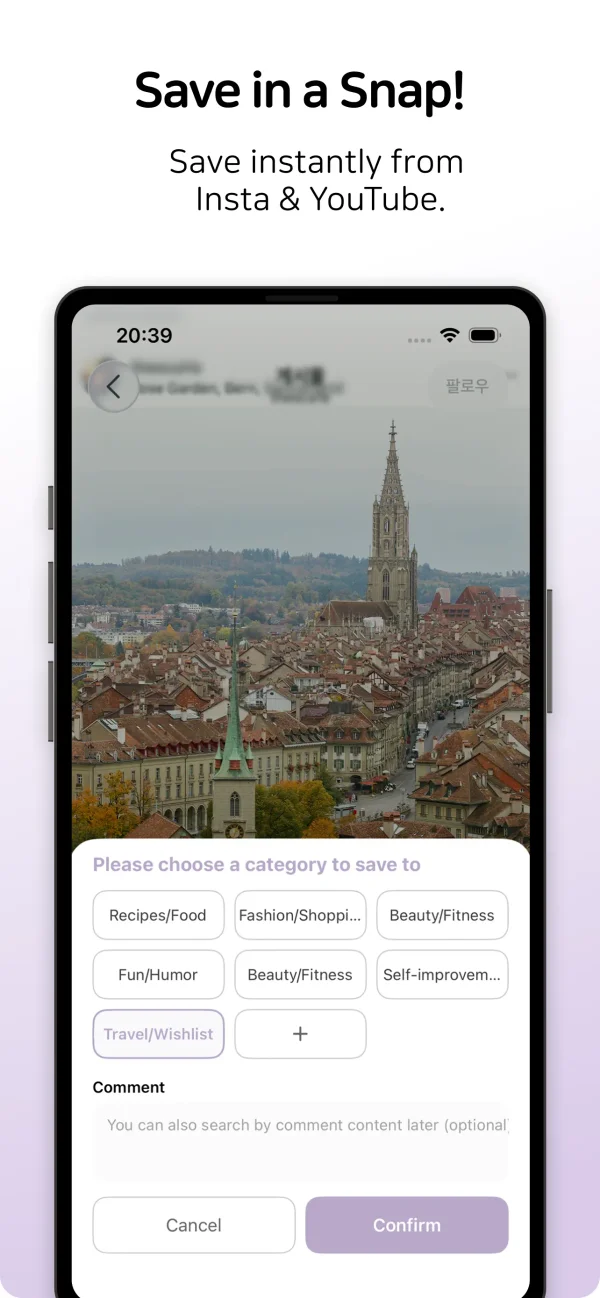
You don't even need to open the app! Found something you like on Instagram, Chrome, or YouTube?
Tap the [Share ] button at the bottom.
Choose Kipin, select a category, and you're done!
Save things to your personal space without breaking your shopping or SNS flow!
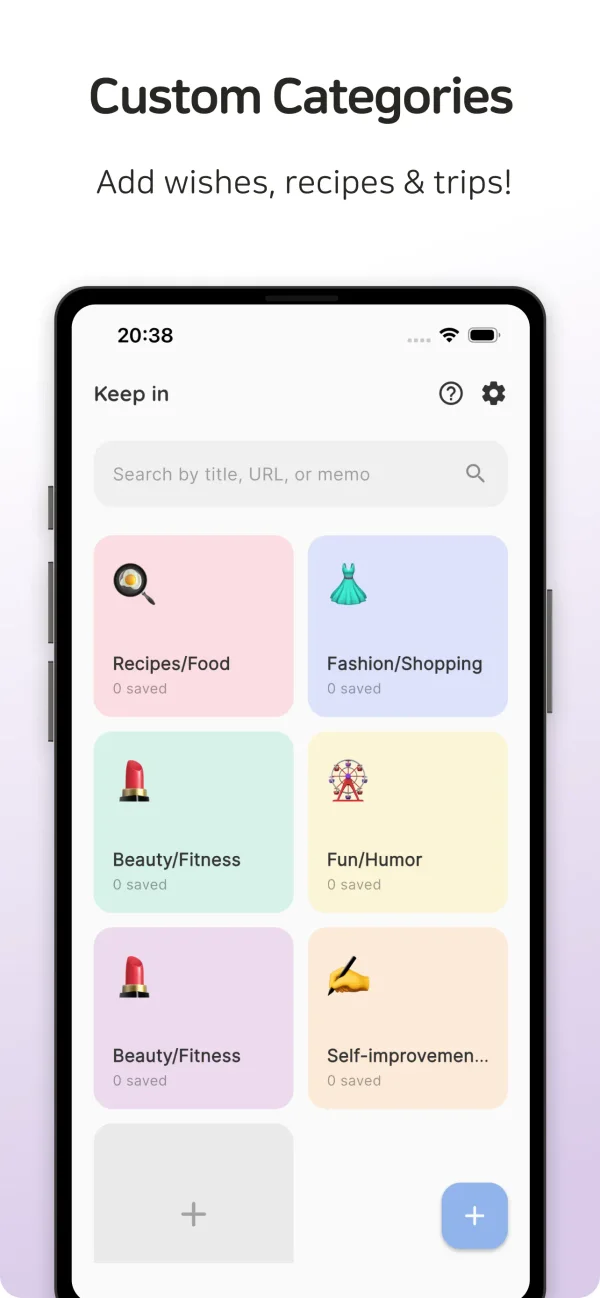
Categories tailored to your vibe
Wishlist, diet plans, date courses, fandoms, self-care... Create categories based on your interests. Saved content is neatly sorted into [Links / Images / Notes] tabs.
Pro tips for using Kipin 200%
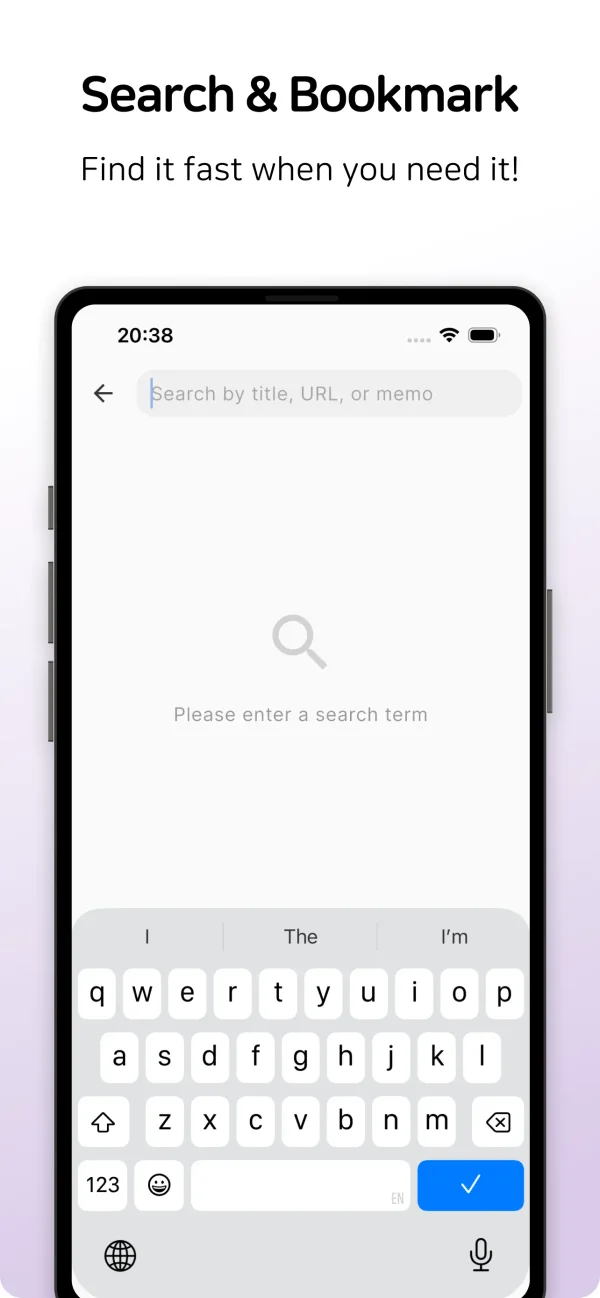
1-sec Search: Forgot the name of that restaurant you saved? Find it with just one word.
My Bests: Swipe the list and tap the star (bookmark) to collect only your absolute favorite items.
My Aesthetic Theme: Decorate Kipin with your favorite accent color. (Dark mode supported)
Offline Mode: Even without data on a flight or traveling abroad, you can view your saved screenshots and notes, and even save new ones!
(Note: Data connection is required to visit saved links.)
Your 100% private secret vault (Data is safe)
Kipin does not use external servers.
All saved records are kept ONLY on your smartphone. Not even the Kipin operators can see them, so save with peace of mind!
Note: If you delete the app, your data will also be deleted. To protect your precious records, please use Kipin Pro's 'Google Drive Backup'. (It saves only to a hidden folder in your account, so even Google can't peek into it.)
Kipin Pro (Optional)
Need a more powerful personal space?
Create unlimited categories
Safe even if you delete the app or change phones! Cloud backup & restore
Fingerprint & PIN lock for perfect privacy
Completely removes annoying ads
Download Kipin right now and organize without missing a thing!
Terms of Use (EULA): https://www.apple.com/legal/internet-services/itunes/dev/stdeula/
What’s new
Version 1.2.0 · Nov 8, 2026
New features in Kipin!
- Save multiple images: Pick up to 20 images at once in the app, or select several photos in your gallery and share them to Kipin.
- Multiple images are saved together as one item. The photo shows how many images it holds, and you can swipe through them in full view.
App privacy
What sanghun jeong declares on the App Store about how this app handles data.
-
Data not linked to you
May be collected but is not linked to your identity.
- Identifiers
- Usage data
- Diagnostics
Privacy practices may vary, for example with the features you use or your age.
Information
- Seller
- sanghun jeong
- Category
- Productivity
- Version
- 1.2.0
- Updated
- Nov 8, 2026
- Released
- Jul 27, 2026
- Size
- 87.0 MB
- Requires
- iOS 15.5 or later
- Age rating
- 4+
- In-app purchases
- Yes
- Languages
- German, Arabic, English, French, Indonesian, Italian, Japanese, Korean, Malay, Portuguese, Russian, Spanish + 4 more
- Copyright
- © Novalabs Studio
You might also like
-
 Eisenhower To-Do - MellowTaskEisenhower Matrix Task Manager
-
 Quick Memo+ToDo - PinDeckMemo Widget · To-Do · Gestures
-
 TickkuMulti-Step Timers, Made Easy
-
 Pack Check: Voice ChecklistNever leave without it again
-
 PassforAllProductivity
-
 arka: link archivesave what you like
-
 Routine IslandBuild habits together
-
 LookCalendarLock Screen & Watch Calendar
-
 링크풀 - 체계적인 링크 관리의 시작체계적인 링크 관리의 시작, 링크풀
-
 MyDayBook: Calendar & DiaryTo-dos, notes & journal in one