
Kiso Camera
Manual Control. Blackout Mode.
Designed for iPhone
Free · In-app purchases
- Age rating4+
- CategoryPhoto & Video
- DeveloperAUSTIN SHEPHERD
- LanguagesEnglish
- Size6.0 MB
Links to the official App Store page
Download.org hosts no file of Kiso Camera. The button opens its official App Store page, published by AUSTIN SHEPHERD. Listing last checked on Nov 23, 2026.
Screenshots


About
Professional control. Reliable capture.
Kiso is built on the promise this category keeps breaking: the shot you took is the shot you keep, and what you see before you press capture is the truth.
Every frame is written to Kiso's own storage before your photo library is asked for anything, and that copy is only released once the library has accepted it. The "saved" checkmark appears at that point, not at the shutter. If a call, a crash, or a thermal shutdown interrupts a capture, the frame is still on disk and Kiso hands it back to you on the next launch.
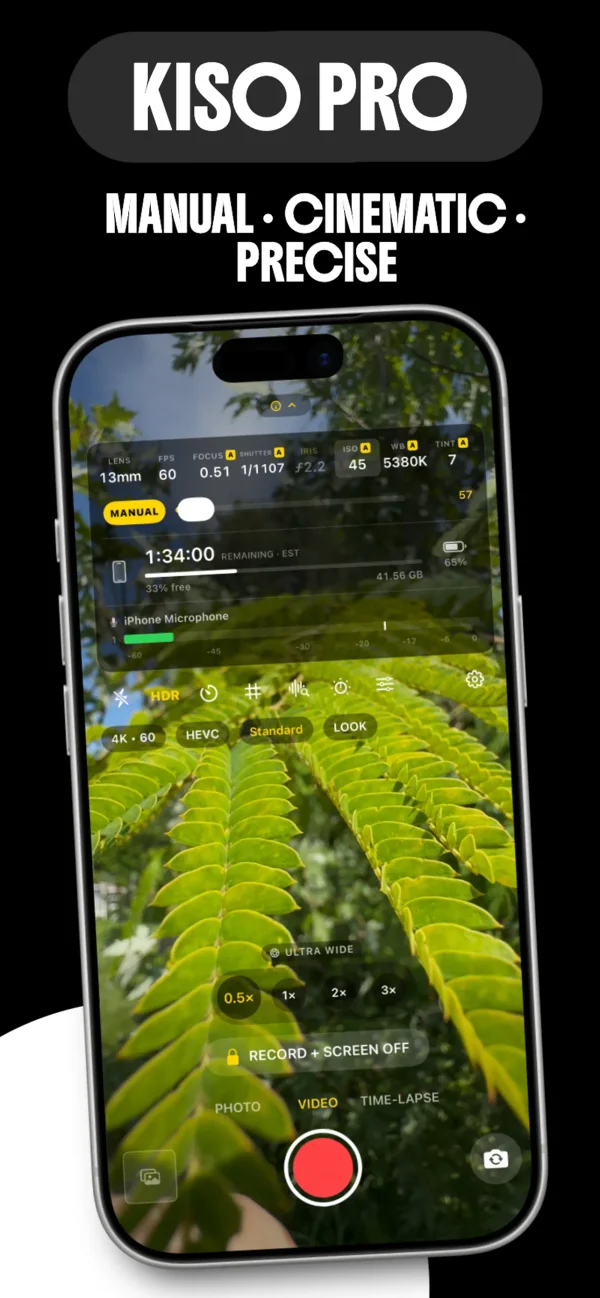
Take intentional photos with direct control over exposure, focus, lens selection, and format. Capture in RAW and ProRAW. Shoot video in ProRes and HEVC with the frame rate and stabilization you chose, not the ones the app decided on.
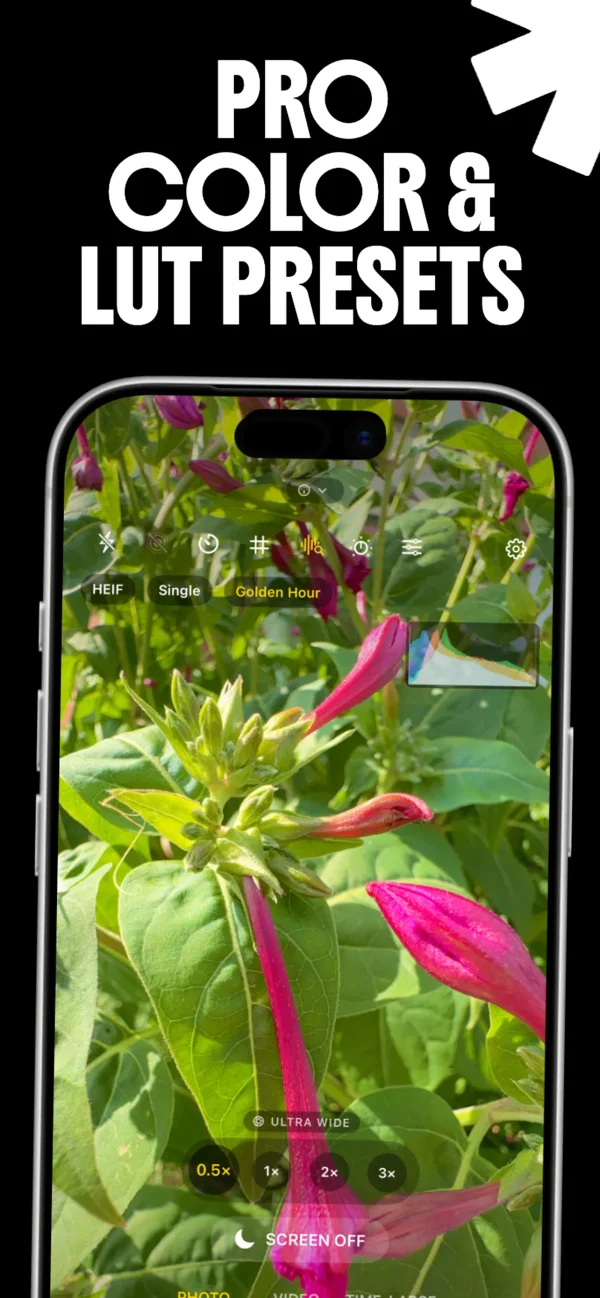
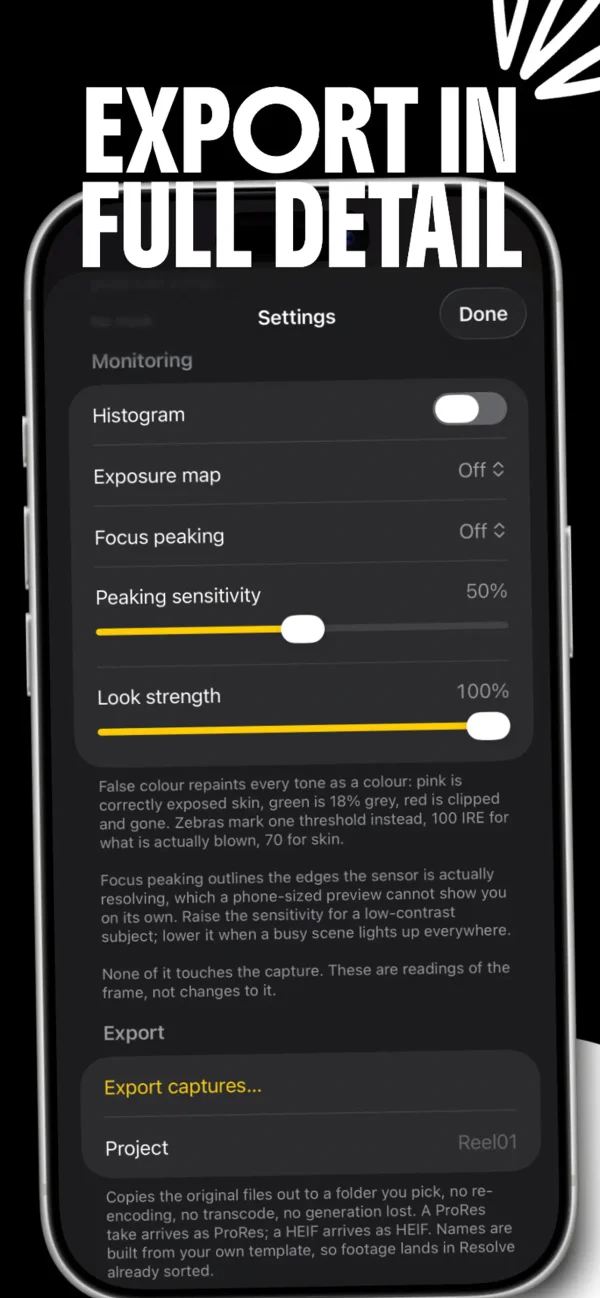
Made for street, travel, portrait, landscape, and low-light photography. No noisy dashboards. No gimmicks. Shooting, saving and recovery are free forever, with no account and no sign-in, and so is timelapse. Kiso Pro adds the monitoring instruments, screen-off recording, ProRes and ProRAW, and lossless export. Just a camera that helps you make the shot you had in mind, and proves it kept it.
Kiso Pro is available as a monthly or annual subscription, or as a one-time lifetime purchase. Subscriptions are billed through your Apple Account and renew automatically unless cancelled at least 24 hours before the period ends. Manage or cancel any time in your Apple Account settings.
Terms of Use (EULA): https://www.apple.com/legal/internet-services/itunes/dev/stdeula/
Privacy Policy: https://theproperinvestment.github.io/kiso-camera/
What’s new
Version 1.1 · Nov 18, 2026
Your Look is now in your videos. The grade you see in the viewfinder is applied to every recording, not just to photos. Each take is saved clean first and the Look is rendered in right after you stop, so a recording is never lost to it.
A smoother viewfinder. Kiso now uses the full 120 Hz of ProMotion screens, and in video the viewfinder is stabilized the way the recording is, so fast pans keep up.
Start and stop with your earbuds. Turn on the earbud remote in Settings and a click on AirPods or other Bluetooth earbuds works the shutter.
Hear when you're rolling. Optional spoken "Recording" and "Stopped" cues, with their own volume, so you know the state of a take without looking.
The lens buttons now use the real telephoto and ultra wide in every video format, instead of cropping the main camera.
Screen-off recording has a short walkthrough the first time you use it, with a practice pad for the taps that bring the screen back.
Also fixed: the viewfinder could freeze after reopening the app with a Look on, and a slow manual shutter could make video skip.
App privacy
What AUSTIN SHEPHERD declares on the App Store about how this app handles data.
-
Data not collected
The developer does not collect any data from this app.
Privacy practices may vary, for example with the features you use or your age.
Information
- Seller
- AUSTIN SHEPHERD
- Category
- Photo & Video
- Version
- 1.1
- Updated
- Nov 18, 2026
- Released
- Aug 7, 2026
- Size
- 6.0 MB
- Requires
- iOS 17.0 or later
- Age rating
- 4+
- Price
- Free
- In-app purchases
- Yes
- Languages
- English
- Copyright
- © 2026 Austin Shepherd
You might also like
-
 LeanCam: Space Saving CameraSmaller photos and videos
-
 Kelvin Camera: Manual Pro RAWFilm, Manual Control, No AI
-
 TruePix CameraFor Best Sunset Pictures
-
 ROVEWORKS CAMERAManual camera with film like
-
 SoloCam: Gesture CameraGesture control photo & video
-
 Fexer - Pro CameraManual camera & film LUTs
-
 Knurl CameraPure RAW, manual controls
-
 Lucent: Pro Video Camera, VlogTeleprompter & Cinematic Looks
-
 Apertura - Pro CamPro Camera, Video & Editor
-
 Lucid - Manual RAW CameraShutter, ISO, looks. Buy once.