Klarr: Expense Tracker
Budget & Finance Management
Designed for iPhone
In-app purchases
- Age rating4+
- CategoryFinance
- DeveloperSidharth Jain
- LanguagesEnglish
- Size18.9 MB
Links to the official App Store page
Download.org hosts no file of Klarr: Expense Tracker. The button opens its official App Store page, published by Sidharth Jain. Listing last checked on Nov 6, 2026.
Screenshots
About
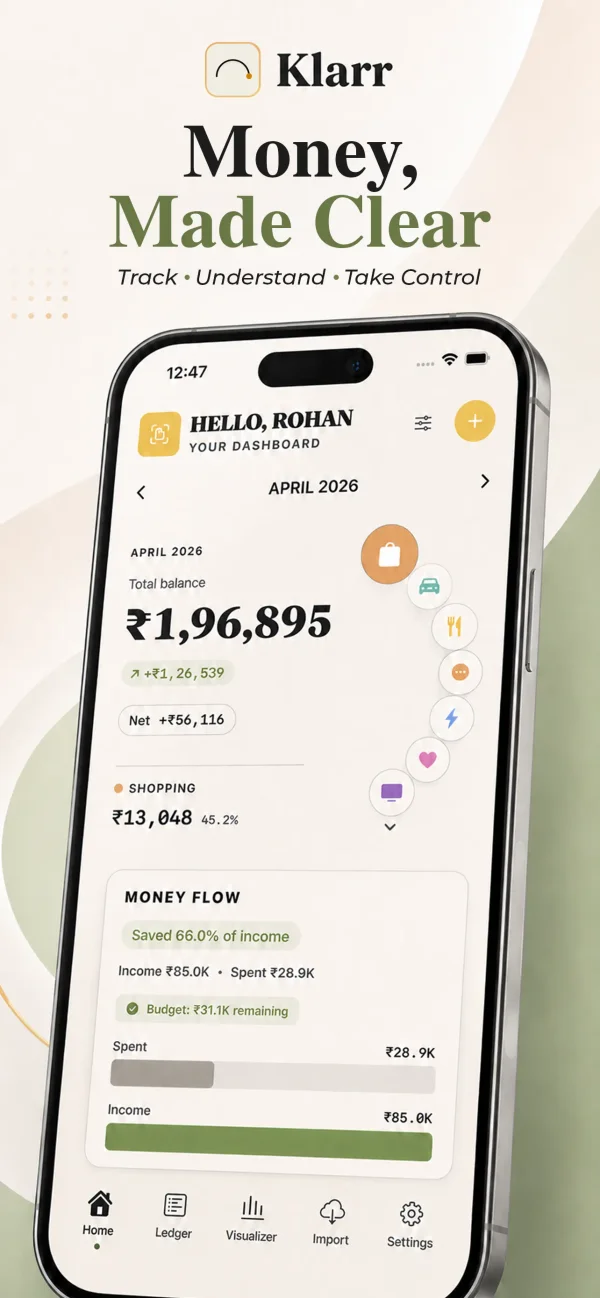
Klarr is a personal finance app that shows you where your money goes. Import your bank statements, add expenses by hand or from a receipt, and keep an eye on budgets and subscriptions - with your data stored on your iPhone and synced through your own iCloud.
IMPORT AND SCAN
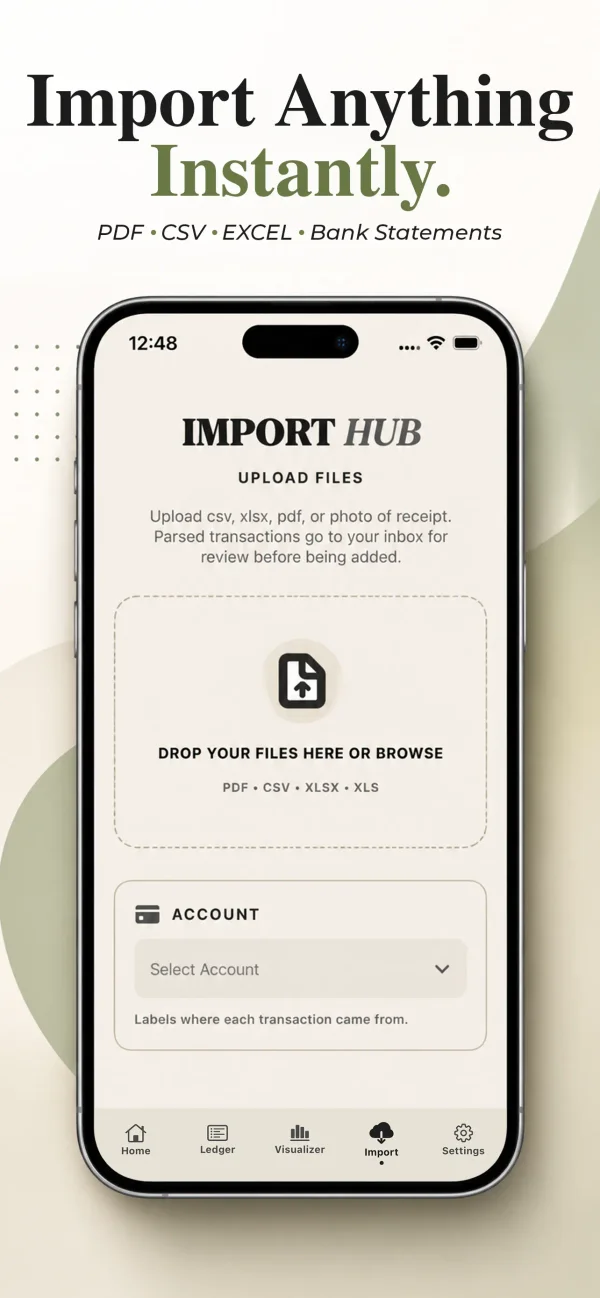
• Import statements as CSV, Excel (XLSX and XLS) or PDF - including password-protected PDFs
• Reads column headings in English, Turkish, German, Spanish, French and Portuguese: separate debit/credit columns, a single amount column, or an amount with Dr/Cr
• Re-importing a statement flags duplicates so you can keep or skip each one
• Scan a receipt with your camera — Klarr suggests the total, date and merchant for you to check
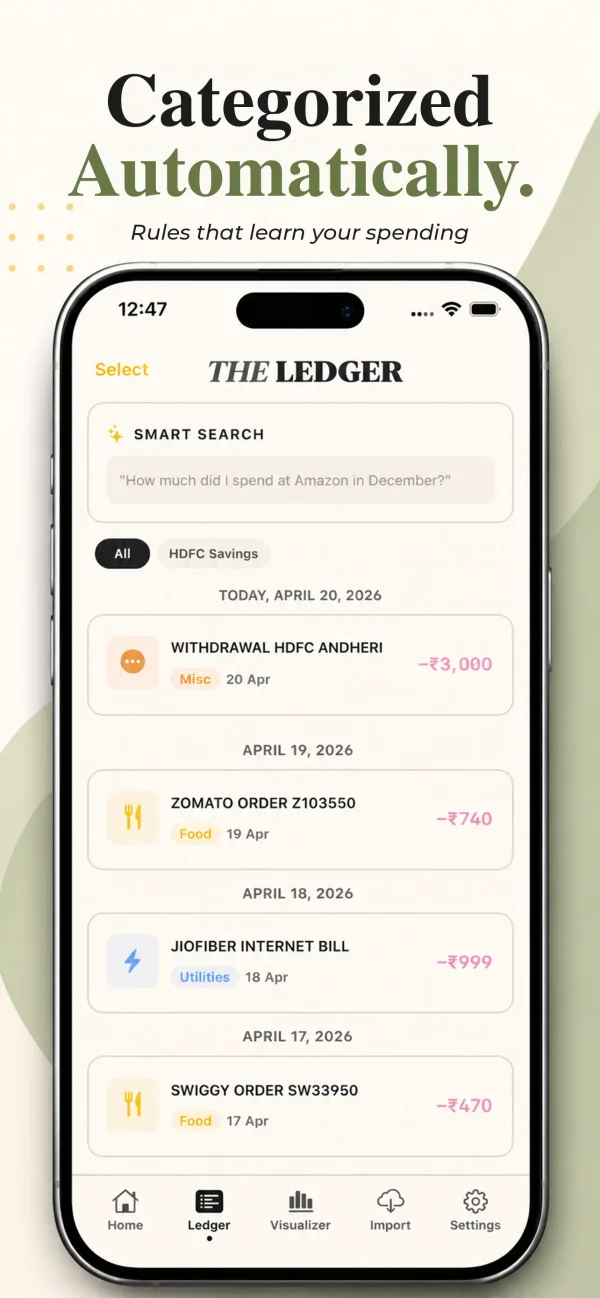
• Your keyword rules sort transactions into categories automatically
TRACK EVERYTHING
• Add bank accounts, credit cards and wallets, each with its own balance
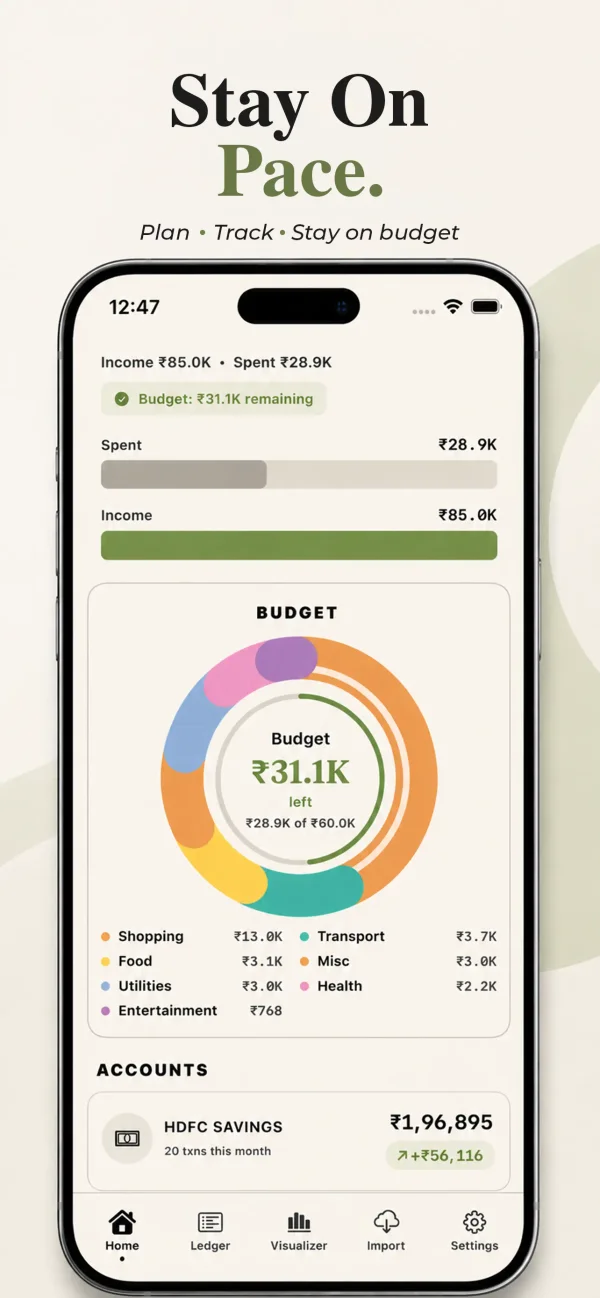
• Set an overall monthly budget, or a budget per category
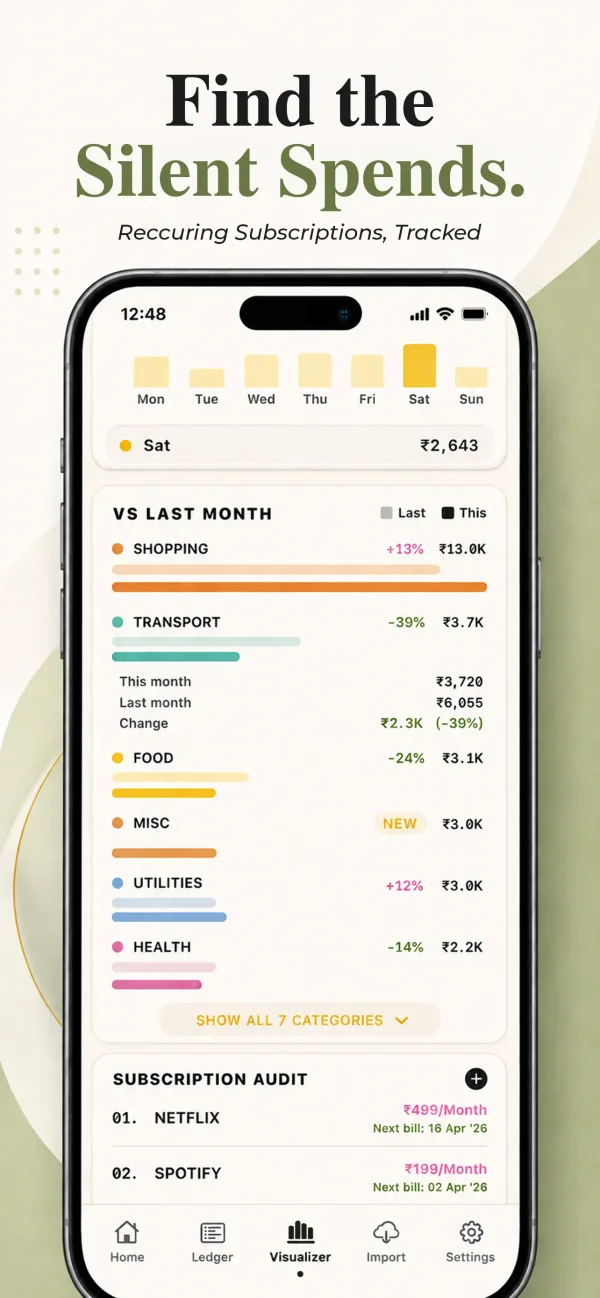
• Keep your subscriptions in one list with a monthly total and optional reminders before they bill
• Record transfers between your own accounts without counting them as spending
SEE THE BIG PICTURE
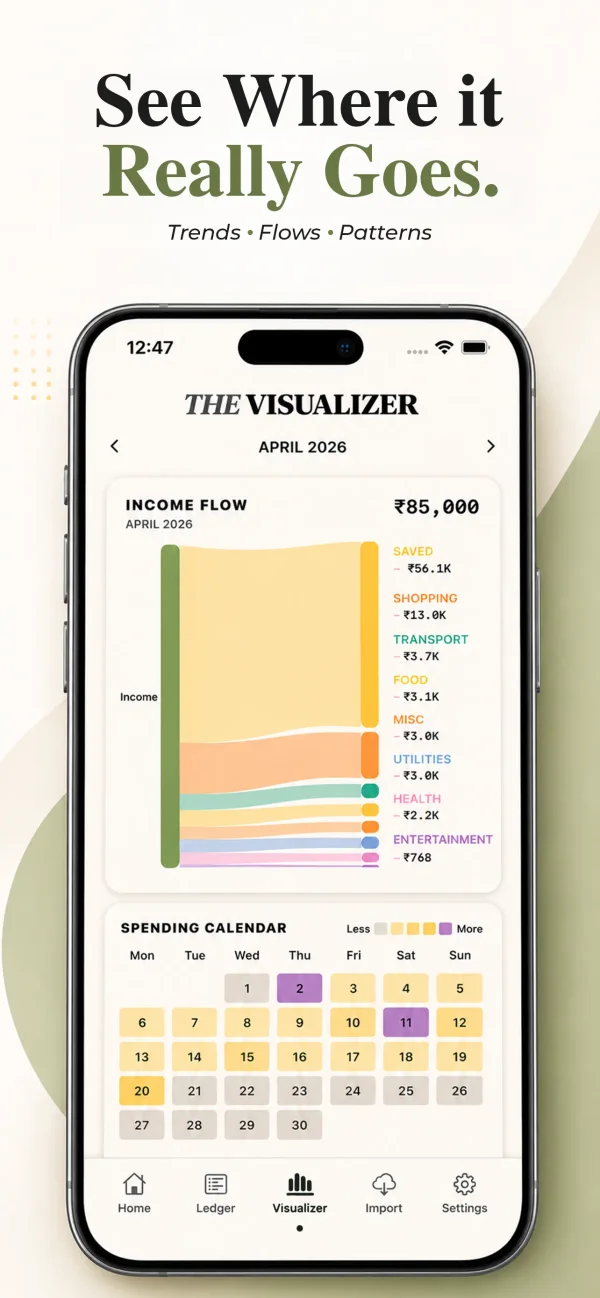
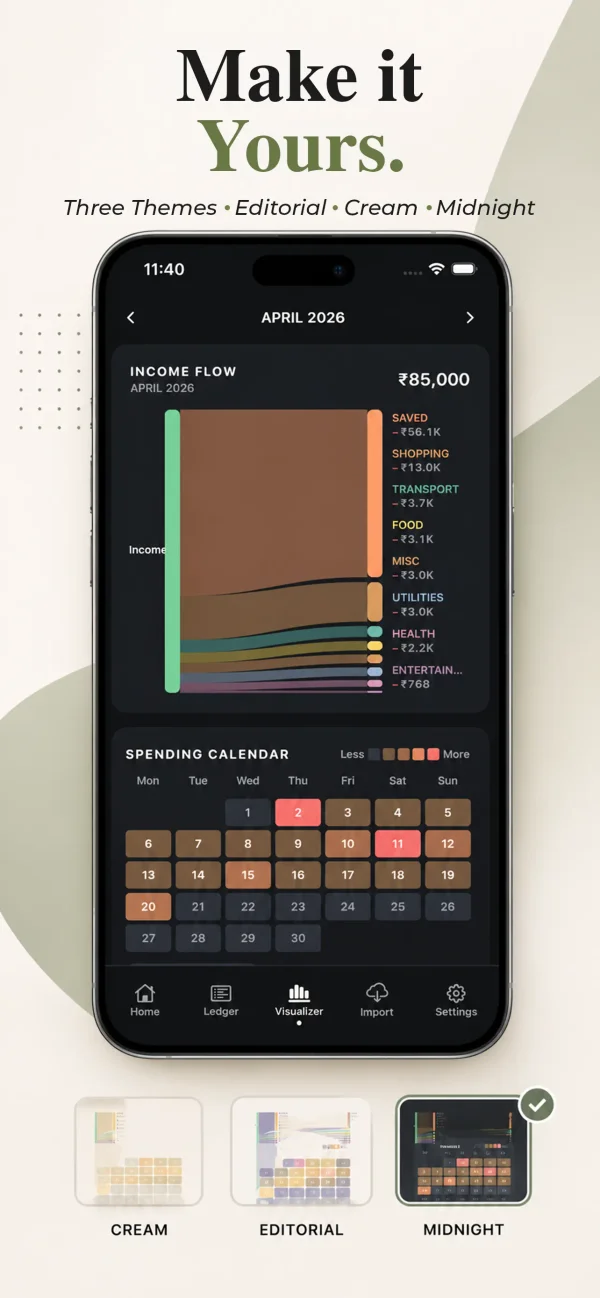
• A money-flow chart from income to spending
• Spending by category and month-by-month comparisons
• A daily spending calendar and your weekday spending pattern
• Budget progress so you always know where you stand
• Ask in plain words: "how much did I spend on food last month", "over 500", "Amazon in March"
YOUR PRIVACY
• Your data lives on your iPhone and syncs through your own private iCloud - no Klarr account needed
• Your iCloud data is private to you - we can't see it
• No ads, and your data is never sold
• Anonymous crash reports and usage statistics help us fix bugs; they never include amounts, merchants or notes
• Export your transactions as CSV or PDF whenever you want
ORGANIZE YOUR WAY
• Create categories with your own colors and icons
• Set rules to tag transactions automatically (e.g. "Netflix" goes to Entertainment)
• Select many transactions at once to recategorize or delete them
QUICK ENTRY
• Log an expense with Siri or the Shortcuts app
What’s new
Version 2.2 · Oct 13, 2026
• Add a transaction one-handed: a new + button sits just above the tab bar on Home and Ledger, right where your thumb rests
• Add from the Ledger too, without going back to Home
App privacy
What Sidharth Jain declares on the App Store about how this app handles data.
-
Data linked to you
May be collected and linked to your identity.
- Financial info
- Contact info
- Identifiers
-
Data not linked to you
May be collected but is not linked to your identity.
- Usage data
- Diagnostics
Privacy practices may vary, for example with the features you use or your age.
Information
- Seller
- Sidharth Jain
- Category
- Finance
- Version
- 2.2
- Updated
- Oct 13, 2026
- Released
- Apr 23, 2026
- Size
- 18.9 MB
- Requires
- iOS 17.0 or later
- Age rating
- 4+
- In-app purchases
- Yes
- Languages
- English
- Copyright
- © 2026 Sidharth Jain
You might also like
-
 Lunor Expense & Budget TrackerSplit bills, budgets, offline
-
 Expense Tracker: Budget & SaveIncome & expenses, synced
-
 Kentrove : Expense TrackerBudget, Track & Save Privately
-
 UPI TrackerAutomatic Expense & Budget
-
 Spendler - Expense TrackerManual Budget, No Bank Login
-
 Spendıng simpler budgetSee your spending at a glance
-
 Money Coach: Expense TrackerBudget, EMI & Expense Tracker
-
 Expense Trackey:Budget TrackerPersonal Finance/Money Manager
-
 Meteora Expense TrackerExpense Tracker & Budget
-
 Expense Tracker Budget ManagerBudget Planner & Savings Goals